Materia-theme: Oversized onscreen keyboard on HiDPI screen
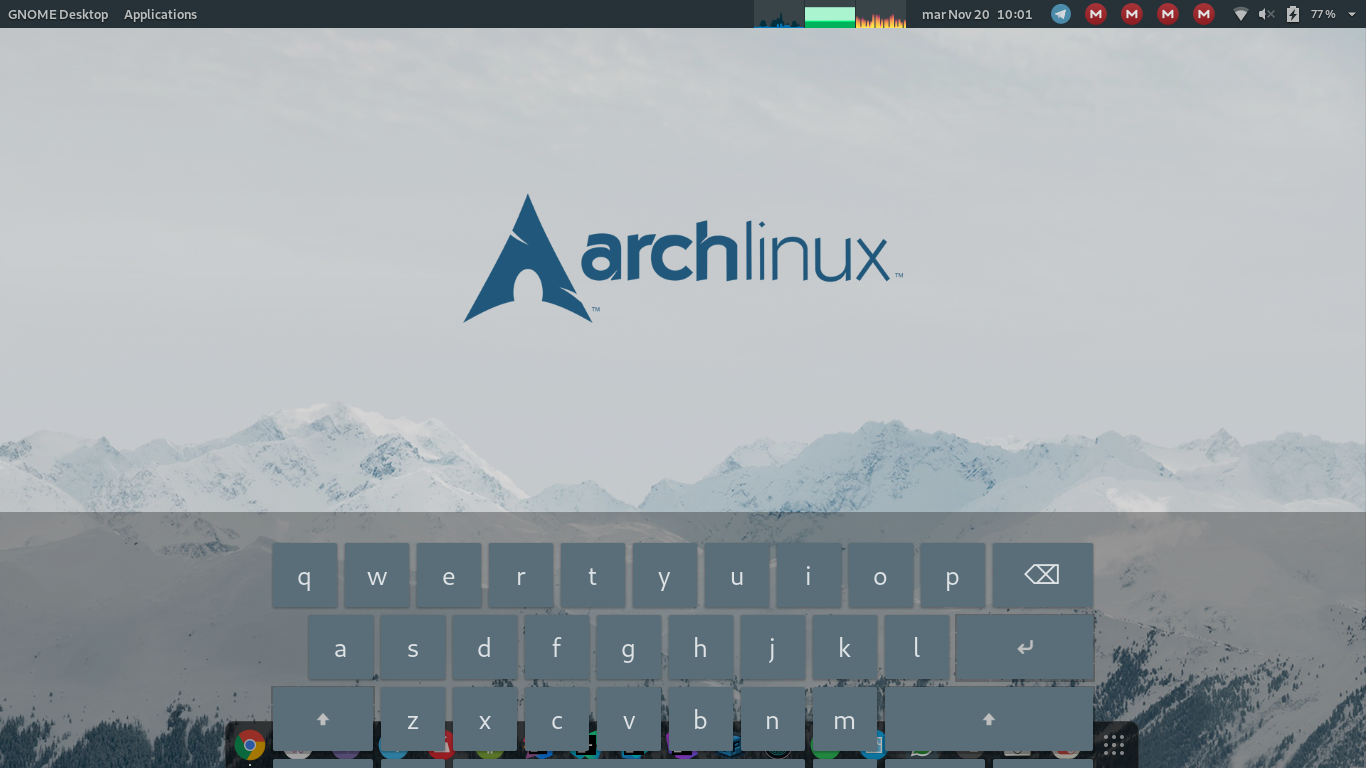
Hi, in GNOME Shell the onscreen keyboard is oversized when using Materia as shell theme. It doesn't even fit into screen as you can see in screenshot so it's unusable. My display is HiDPI and scaling is set to 200% in "Display" section of GNOME settings manager.
Keyboard is correct size when switching to default shell theme.
- Materia version: 20180922
- GTK+ 3 version: 3.22.30
- Distribution (and version): Fedora 28
- Desktop environment (and version): GNOME Shell 3.28.3


 ivzave
All 11 comments
I observe same issue on Dell 7285 with 2880x1920 screen and 200% default screen scaling.
Materia version: 20180928
GTK+ 3 version: 3.24.1
Distribution (and version): Ubuntu 18.10
Desktop environment (and version): GNOME Shell 3.30.1
Screenshots: https://imgur.com/a/lRkcYiZ
 RussianNeuroMancer
on 18 Oct 2018
RussianNeuroMancer
on 18 Oct 2018
I have same issue on HP Elite x2 1012 G2 too.
 TerAnYu
on 18 Oct 2018
TerAnYu
on 18 Oct 2018
Same issue on a 1366x768 display.
 NicoVarg99
on 20 Nov 2018
NicoVarg99
on 20 Nov 2018
Thanks for your reports!
This bug has been fixed thanks to @NicoVarg99's insight :)
 nana-4
on 25 Nov 2018
nana-4
on 25 Nov 2018
Thank you for fixing this! :)
RussianNeuroMancer
on 26 Nov 2018
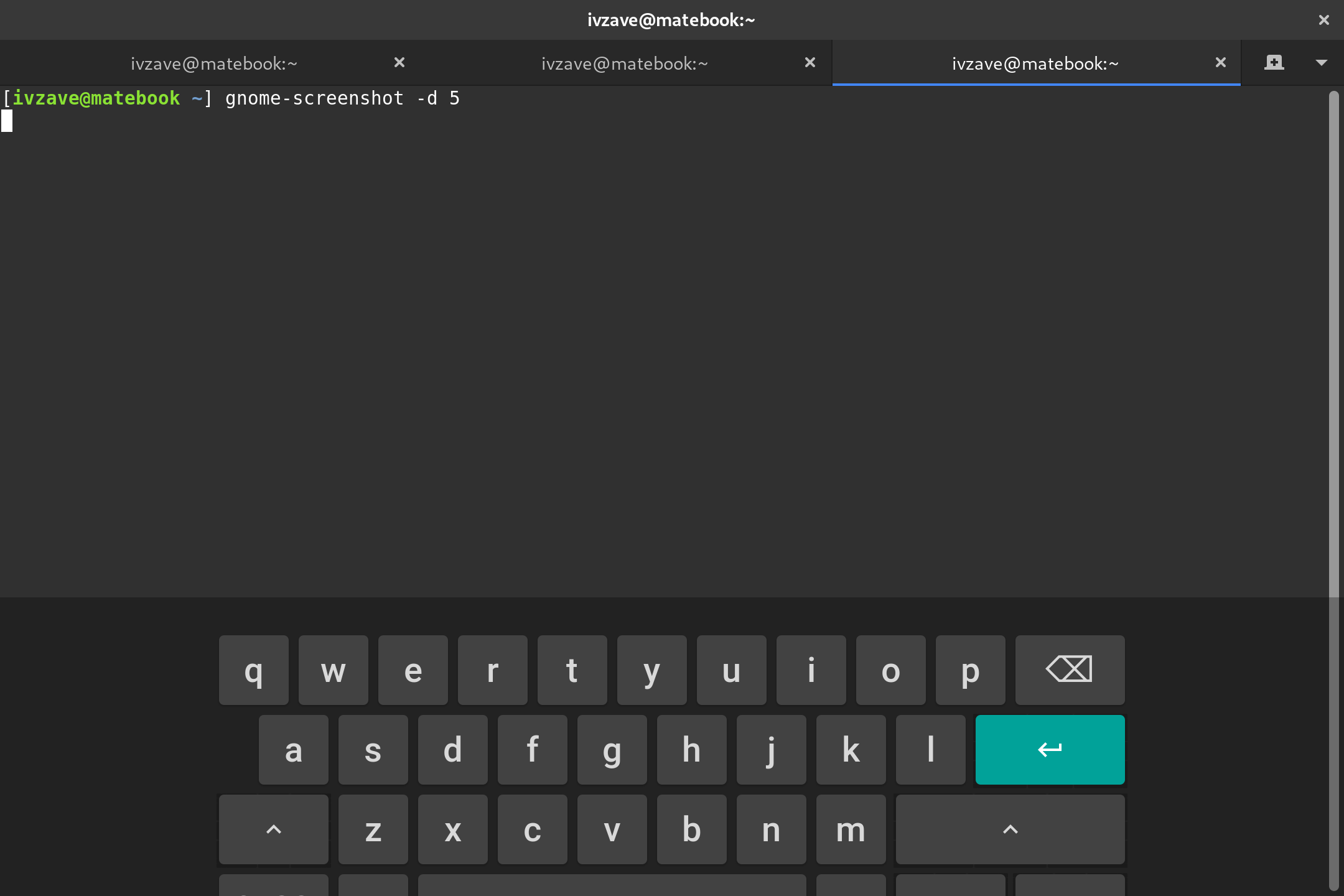
It wasn't fixed for me, however I can see more of keyboard now than before.
I've found that reducing font-size in same css block to 1.5em instead of 2em fixes it. Can't check how is works on other devices which have other screen resolution.
ivzave
on 29 Nov 2018
@ivzave Oops, you're right. I didn't carefully test the fix commit (because that problem didn't occur on my 1920x1080 screen)...
Thanks for letting me know!
nana-4
on 30 Nov 2018
@nana-4 unfortunately, HD and FullHD screen not properly supported even by Adwaita theme: https://gitlab.gnome.org/GNOME/gnome-shell/issues/675
RussianNeuroMancer
on 30 Nov 2018
@RussianNeuroMancer Thanks for the tip!
I've already realized that even Adwaita does not work it perfectly, but I'll try to reduce the bugs as much as Adwaita has :)
nana-4
on 30 Nov 2018
@nana-4 please check: https://gitlab.gnome.org/GNOME/gnome-shell/commit/ace44af815f973c1343093375e20321fa4603307
RussianNeuroMancer
on 25 Feb 2019
@RussianNeuroMancer Thanks! I'll address it shortly 🙂
nana-4
on 15 Mar 2019
Related issues
 johnfactotum
·
3Comments
johnfactotum
·
3Comments
 rudrab
·
4Comments
rudrab
·
4Comments
 fakhamatia
·
3Comments
fakhamatia
·
3Comments
 tuberry
·
3Comments
tuberry
·
3Comments
 luispabon
·
3Comments
luispabon
·
3Comments