Mask_rcnn: Demo with multiple images
Hi, I really like the demo which makes it super easy to segment some image, but I fail to use it for multiple images at once.
I thought that modifying predicting in demo.ipynb
file_names = next(os.walk(IMAGE_DIR))[2]
image = skimage.io.imread(os.path.join(IMAGE_DIR, random.choice(file_names)))

# Run detection
results = model.detect([image], verbose=1)

# Visualize results
r = results[0]
visualize.display_instances(image, r['rois'], r['masks'], r['class_ids'],
                            class_names, r['scores'])
to that:
file_names = next(os.walk(IMAGE_DIR))[2]
image0 = skimage.io.imread(os.path.join(IMAGE_DIR, random.choice(file_names)))
image1 = skimage.io.imread(os.path.join(IMAGE_DIR, random.choice(file_names)))
# image = skimage.io.imread(os.path.join(IMAGE_DIR, ''))

# plt.figure(figsize=(14, 14))
# plt.axis('off')
# plt.imshow(image.astype(np.uint8))
# plt.show()
# Run detection
results = model.detect([image0, image1], verbose=1)

# Visualize results
r = results[0]
visualize.display_instances(image0, r['rois'], r['masks'], r['class_ids'],
                            class_names, r['scores'])
r = results[1]
visualize.display_instances(image1, r['rois'], r['masks'], r['class_ids'],
                            class_names, r['scores'])
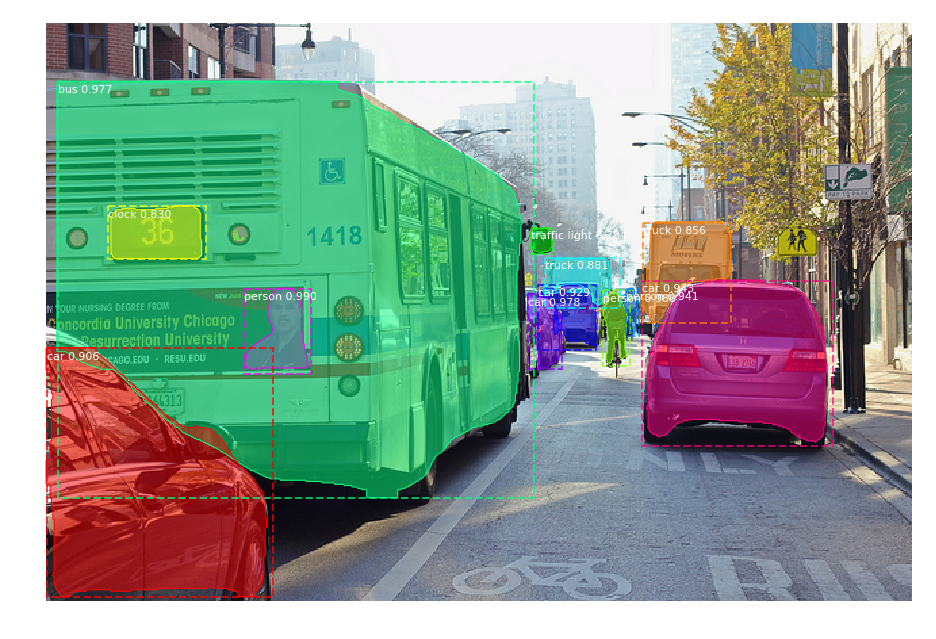
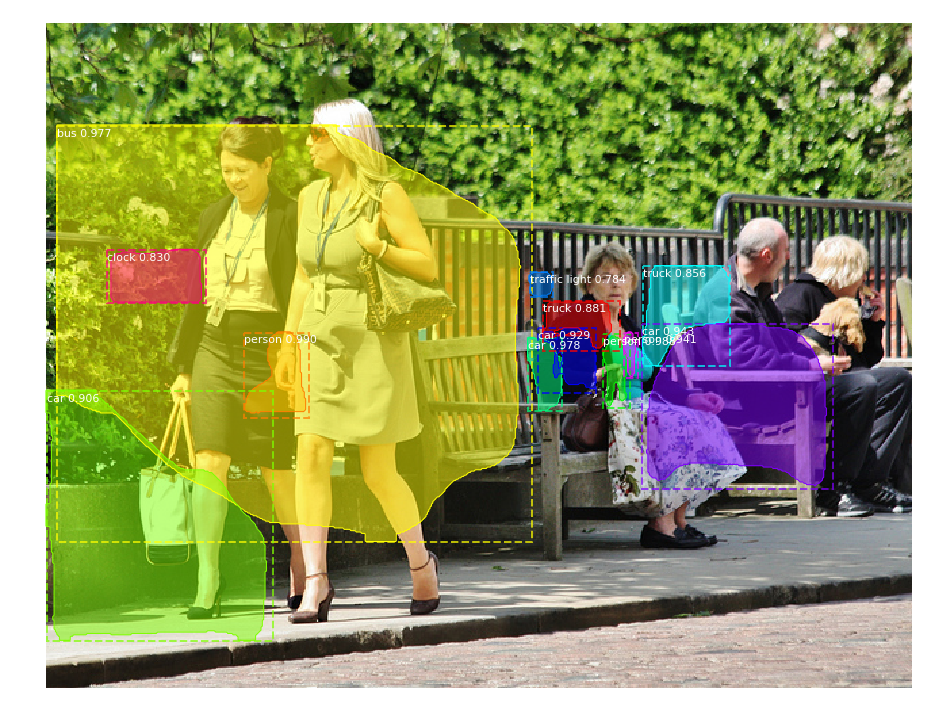
would result in predicting for two images, but instead, segmentation and bounding boxes from first image are used also for the second one:
 racinmat
All 8 comments
I used plt.cla() to flush my canvas.
 hrahoy
on 29 Nov 2017
hrahoy
on 29 Nov 2017
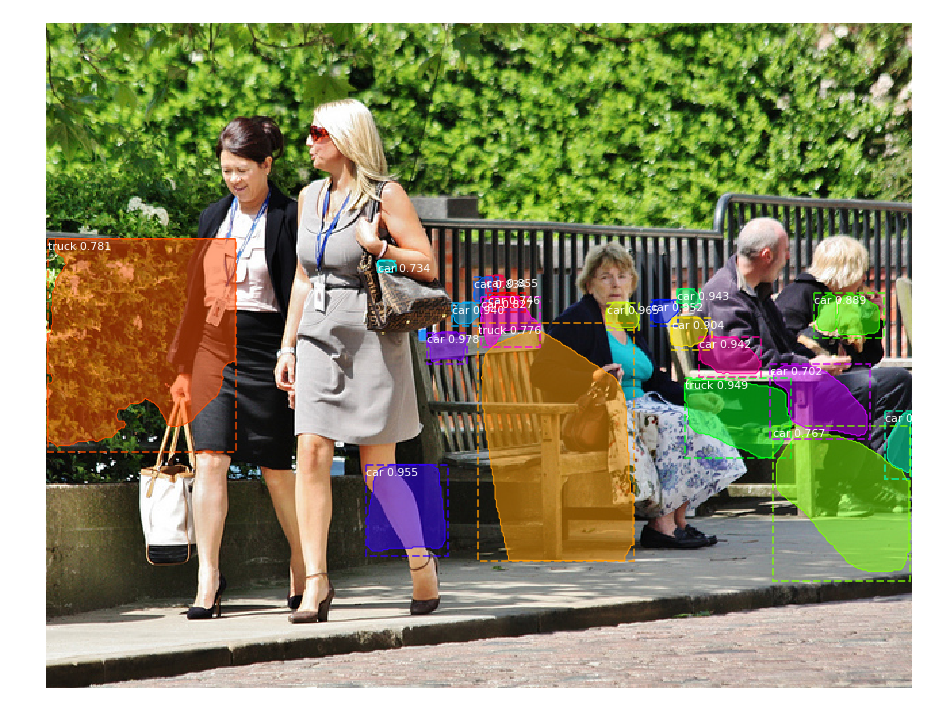
Did not work for me, it is not problem of visualization, I tried to display only the second result ad second image, code is:
image0 = skimage.io.imread(os.path.join(IMAGE_DIR, random.choice(file_names)))
image1 = skimage.io.imread(os.path.join(IMAGE_DIR, random.choice(file_names)))

results = model.detect([image0, image1], verbose=1)

# Visualize results
# r = results[0]
# visualize.display_instances(image0, r['rois'], r['masks'], r['class_ids'],
#                            class_names, r['scores'])
r = results[1]
visualize.display_instances(image1, r['rois'], r['masks'], r['class_ids'],
                            class_names, r['scores'])
displaying of first image is commented out.
racinmat
on 29 Nov 2017
This is odd. Did you change the batch size well?
 waleedka
on 1 Dec 2017
waleedka
on 1 Dec 2017
No, I haven't.
And it seemd that was the problem. Such stupid mistake.
After changing batch size to
class InferenceConfig(coco.CocoConfig):
    # Set batch size to 1 since we'll be running inference on
    # one image at a time. Batch size = GPU_COUNT * IMAGES_PER_GPU
    GPU_COUNT = 1
    IMAGES_PER_GPU = 2
it works perfectly. Thanks.
racinmat
on 1 Dec 2017
Great!
By the way, get the latest version. I added an assert statement that catches this particular case and notifies you if the batch size is wrong.
waleedka
on 2 Dec 2017
@racinmat
hi,I have a question about demo.py,If I have a folder,and there are a lot of pictures under this folder, I want to test all of them, what should I do?can you show me how to do it? thanks so much.
 zqdeepbluesky
on 13 Jul 2018
zqdeepbluesky
on 13 Jul 2018
how to load images without randomly . i want to load image as a specific image.
 superabhijha2000
on 30 Jan 2020
superabhijha2000
on 30 Jan 2020
If you have a lots of images, more than you can fit at once, then then you need to call detection multiple times, one for each batch.
You can probably split images into batches, which will make it faster, or just feed the whole directory into the network one image by one.
And when you don't want to load image randomly, then simply remove the random part of code a put specific image here.
racinmat
on 30 Jan 2020
Related issues
 AshleyRoth
·
37Comments
AshleyRoth
·
37Comments
 rujiao
·
82Comments
rujiao
·
82Comments
 HjalteMann
·
38Comments
HjalteMann
·
38Comments
 cpoptic
·
41Comments
cpoptic
·
41Comments
 hulkwork
·
59Comments
hulkwork
·
59Comments