Marlin: [BUG] Moire artfact on 2.0.3+ Marlin versions
Bug Description
Moire effects using the same gcode at multiple machines.
This effect happens when i print the file "balloons.gcode" at Marlin 2.0.5 and 2.0.6 (happens less).
Does not happen using Marlin 2.0.3
config.zip
At config.zip i include the gcode file. This happens only on that file not at other cases.
My Configurations
Required: Please include a ZIP file containing your Configuration.h and Configuration_adv.h files.
I have included them at the config.zip
Steps to Reproduce
- [First Step]
Print the balloons.gcode file provided with PLA as material - [Second Step]
Wait till 30th minute an ugly wavy wall will be created
Expected behavior: [What you expect to happen]
Smooth wall
Actual behavior: [What actually happens]
Wavy wall
Additional Information
- Provide pictures or links to videos that clearly demonstrate the issue.
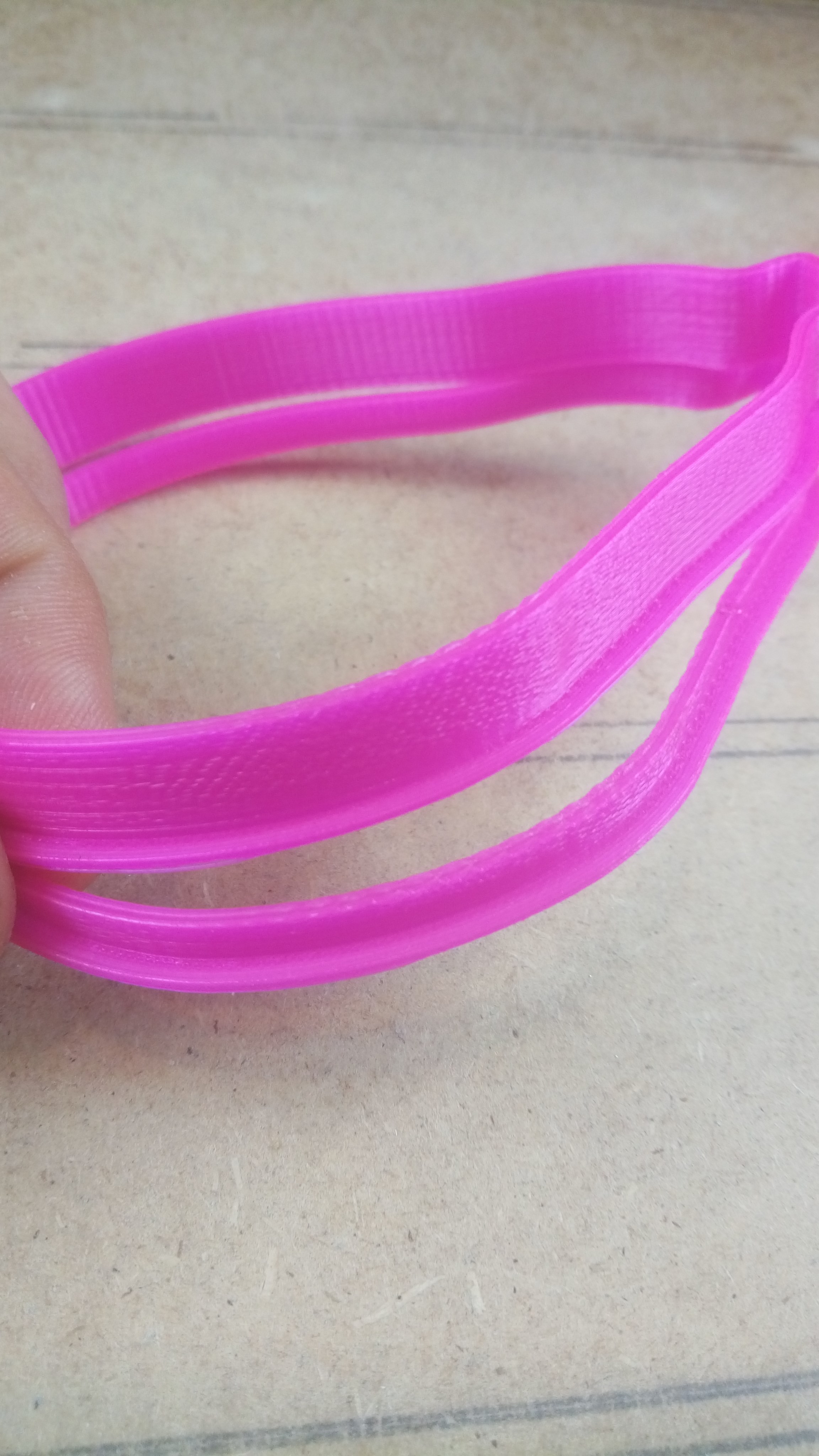
I have used multiple machines. This happens on each machine with the firmware 2.0.5.3 or 2.0.6 . On machines with 2.0.3 firmware this does not happens .
 trustfm
All 24 comments
You are using the old A4988.
These and the DRV8825 are known to cause the moire effect.
Have you got a TL smoother in line?
or
Replace the drivers with more modern Trinamics (DO NOT use TL smoothers with them)
 Grogyan
on 29 Jul 2020
Grogyan
on 29 Jul 2020
this has nothing to do with the steppers motors . As i have said i have the same machines all with A4988 only these with the fw updated do this. I have downgrade them at 2.0.3 and this effect immediately stops. Please do not change the subject of the conversation. This is 100% a Marlin Bug
trustfm
on 29 Jul 2020
But you didn't try a TL smoother or other drivers? Are you able to try different drivers other than A4988?
Marlin has timing fixes already in place in 2.0.6
Grogyan
on 29 Jul 2020
Are you sure that no options whatsoever will tune out the moire pattern you see? The behavior of the newer firmware may be different out of the box, but there are a lot of tuning options, so we might be seeing a case of non-optimal default settings rather than a bug in the motion system.
Have you tried turning various options on and off to see whether particular changes have positive or negative effects?
Please gather more data so we can isolate a more specific cause than just "the firmware."
 thinkyhead
on 29 Jul 2020
thinkyhead
on 29 Jul 2020
@ Grogyan you are not responding at the topic , I am sayng that Marlin 2.03 works way better on the same file than the Marlin 2.0.5+ which create this effect. I use the latest version in order to add UPS capabilities on my printers.
@thinkyhead i have used the same options i even disabled the power loss option to be safe .
Below are the two firmwares settings :
marlin2.0.3config.zip
marlin2.0.6.config.zip
The 2.0.3 is better than the 2.06 . Same machine , same filament same gcode from the same SD Card.
If there are specific options on the A4988 let me know
trustfm
on 29 Jul 2020
In your 2.0.3 configuration you enabled CLASSIC_JERK and in your 2.0.6 you have it commented out so it's using Junction Deviation. Enable CLASSIC_JERK on 2.0.6 and see if you still see the problem.
 ManuelMcLure
on 29 Jul 2020
ManuelMcLure
on 29 Jul 2020
ok thanks ! i will do this!
trustfm
on 29 Jul 2020
Please make sure to report back on your results.
ManuelMcLure
on 30 Jul 2020
Honestly this looks to be more indicative of an issue with Junction deviation. If you have the ability to, I would try disabling that to see if there is any improvement. I was getting a similar artifact on my prints ans switching out of Junction Deviation got rid of it.
 AFprinter
on 31 Jul 2020
AFprinter
on 31 Jul 2020
I have the same issue thought it was just me. Disabled Junction Deviation in 2.0.6 and 98% of it went away.
 Crunch69
on 3 Aug 2020
Crunch69
on 3 Aug 2020
@trustfm what did you find out?
 boelle
on 3 Aug 2020
boelle
on 3 Aug 2020
It was not nor the juction deviation nor the TLSmoothers.
I added TL Smoothers on X Y and E axis .
I Resolved by changing the design stl file.
From 1mm wall and 3 passes (0.4 nozzle) to 1.2mm walls and 3 passes with line width 0.4 this removed the issue but remains the fact that this does not occur on all the machines but only in a few of them. Downgrading the issue is way less . While printing the issue is clear and has nothing to do with moire/ salmon skin effects . The nozzle just hops up and down (grinds) over the top layer. At start i thought that this was a resonance issue . Over the wall tooths are created.
I have tested individually
1) other belts x,y
2) other pulleys x,y
3) other motor x
4) other motor y
5) other extruder bolt
6) other extruder motor
7) other stepper motors on XY E
8) tl smoothers on XY E
9) lowered accelerations at 500
10) lowered speeds at 50% (30mm/s)
all these tests are done one at a time nothing happened the problem remained. I always print via SD card
The problem is way less noticeble at 2.0.3 specially on hearing and vibrations (griding).
The only variation of this problem happens when i change the marlin firmware
Notice 1 : other designs at 1mm wall leap with 3 passes at 0.4mm width does not do this, this happens only on this design
Notice 2 : i do not overextrude (always tested)
trustfm
on 3 Aug 2020
if you arent over-extruding then, and getting scraping, could you have changed overlap settings? or flow compensation? they are both slicer (cura) settings though, and could cause the scraping over already printed parts, does it happen more in certain places, where there is more lines being printed in one small area. (Ie. Piling up to much filament in one spot that the nozzle pushes up round the sides and then has to scrape over it next pass) Just an idea as i was browsing issues
 charakaSamawry
on 5 Aug 2020
charakaSamawry
on 5 Aug 2020
overlapping switched from 15% -> 25% -> 55% with individual tests nothing changed .
I use slic3r 1.29
trustfm
on 5 Aug 2020
This issue is stale because it has been open 30 days with no activity. Remove stale label / comment or this will be closed in 5 days.
![github-actions[bot] picture](https://avatars2.githubusercontent.com/in/15368?v=4&s=40) github-actions[bot]
on 5 Sep 2020
github-actions[bot]
on 5 Sep 2020
i have this problem too on marlin 2.0.6.1 & 2.0.6.0 & 2.0.5.3
my mother board mega2560 16mhz with ramps1.4
my drivers is drv8825 with TL Smoothers on X-Y-E & A4988 with TL Smoothers on z1 - z2
and on another machine with marlin 1.1.9.1 does not have Moire artfact.
And I tried something that might help change the Moire artfact.
When I print, I change the flow rate and speed. The Moire artfact also change, and these changes only happen when the flow rate and speed are changed by the LCD.
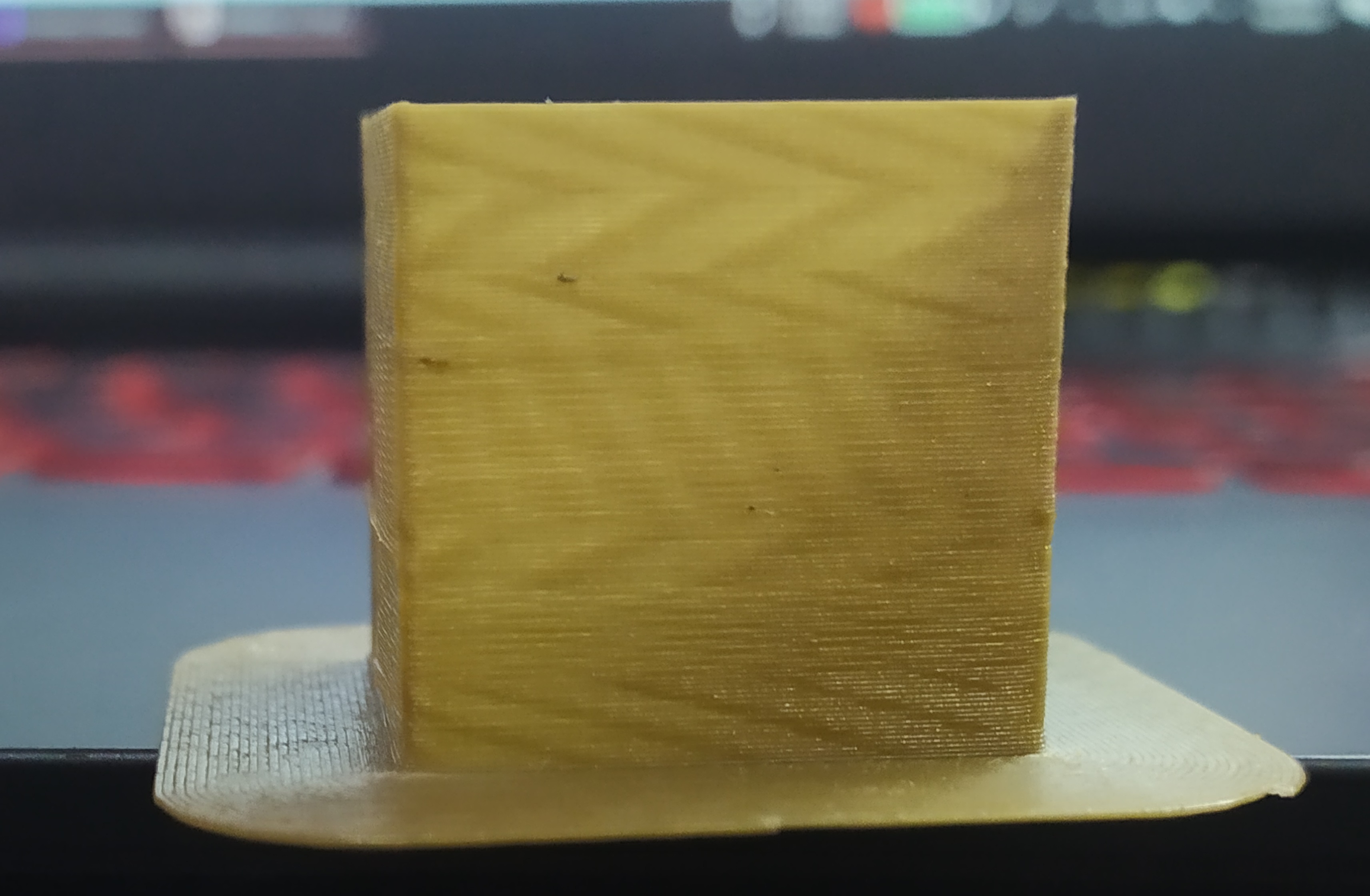
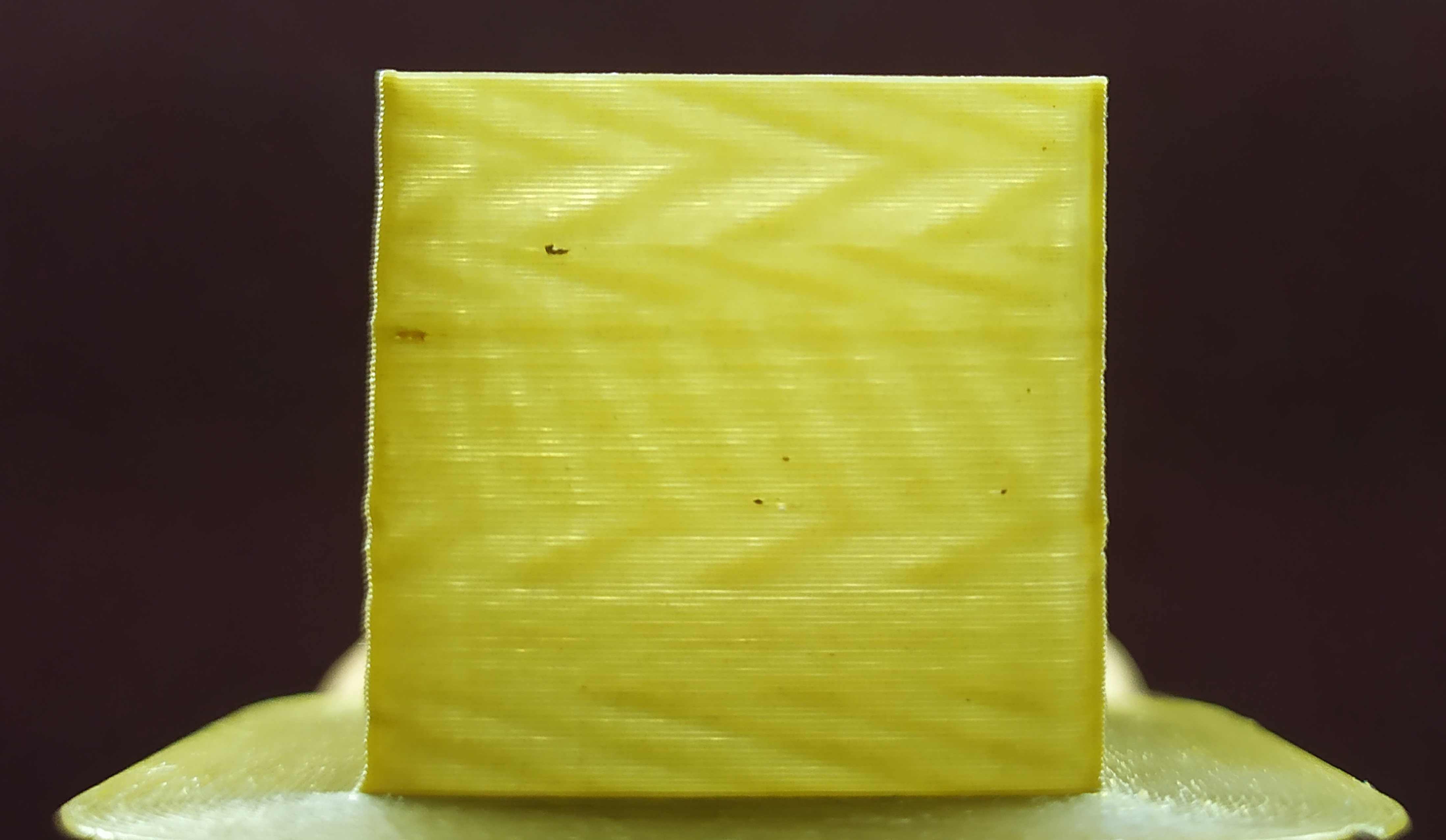
I am designing a page with STM32 core to escape the problem.
 aghfars
on 8 Sep 2020
aghfars
on 8 Sep 2020
Please test the bugfix-2.0.x branch to see where it stands. If the problem has been resolved then we can close this issue. If the issue isn't resolved yet, then we should investigate further.
boelle
on 9 Sep 2020
I tested this
The problem remains.
And continues to change with the change of flow rate with LCD
The Moire artfact is less in version 2.0.3.0.
aghfars
on 10 Sep 2020
It is not a surprise the pattern changes with flow rate.
It would be a surprise if the pattern is is different when changing flow rate via LCD versus other display technologies or g-code.
 AnHardt
on 10 Sep 2020
AnHardt
on 10 Sep 2020
my flow rate in cura is 72% and i change the flow rate to 98 the pattern is change
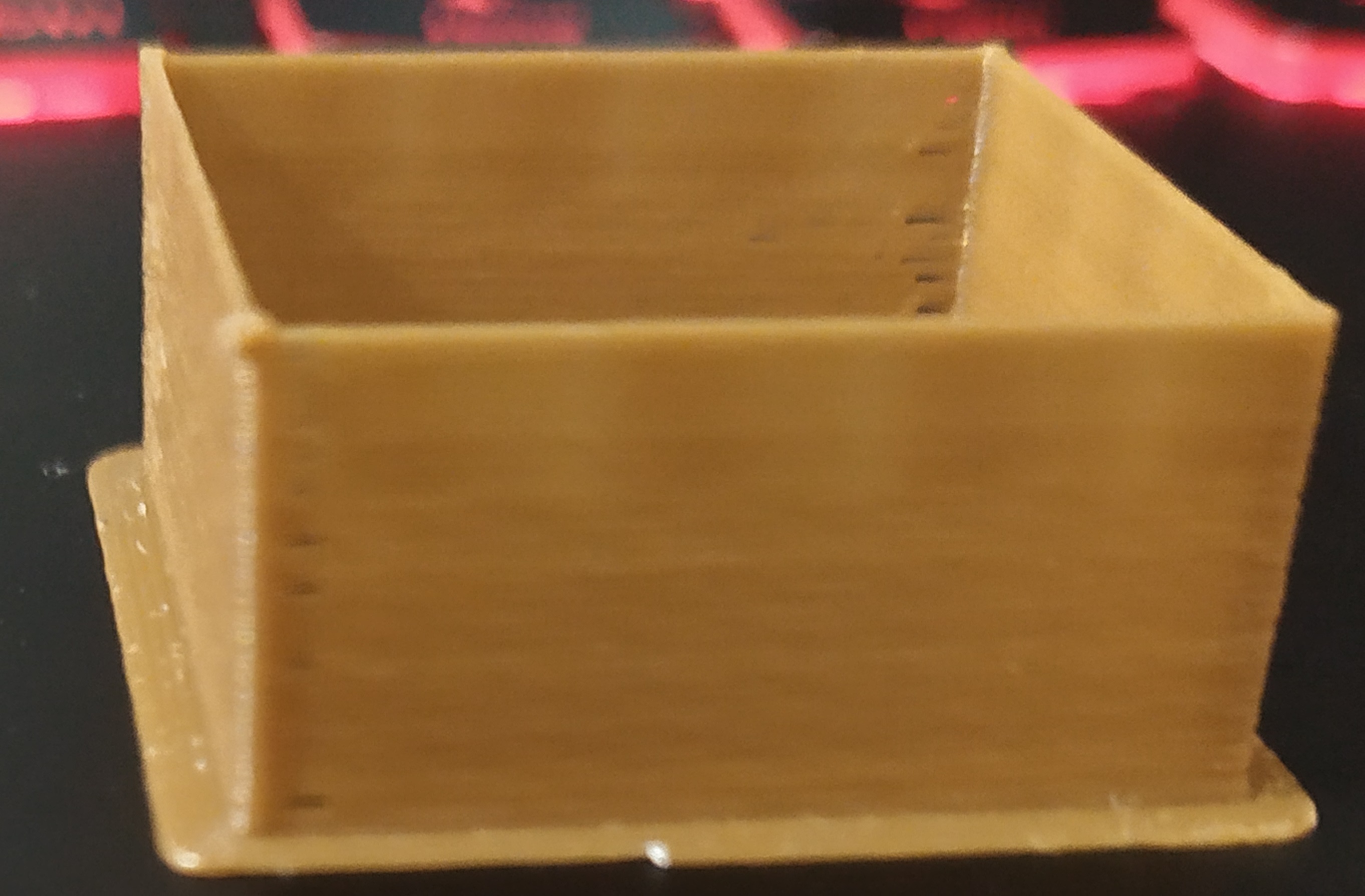
this with 72% in cura and the top of cube is 98% flow rate in lcd.
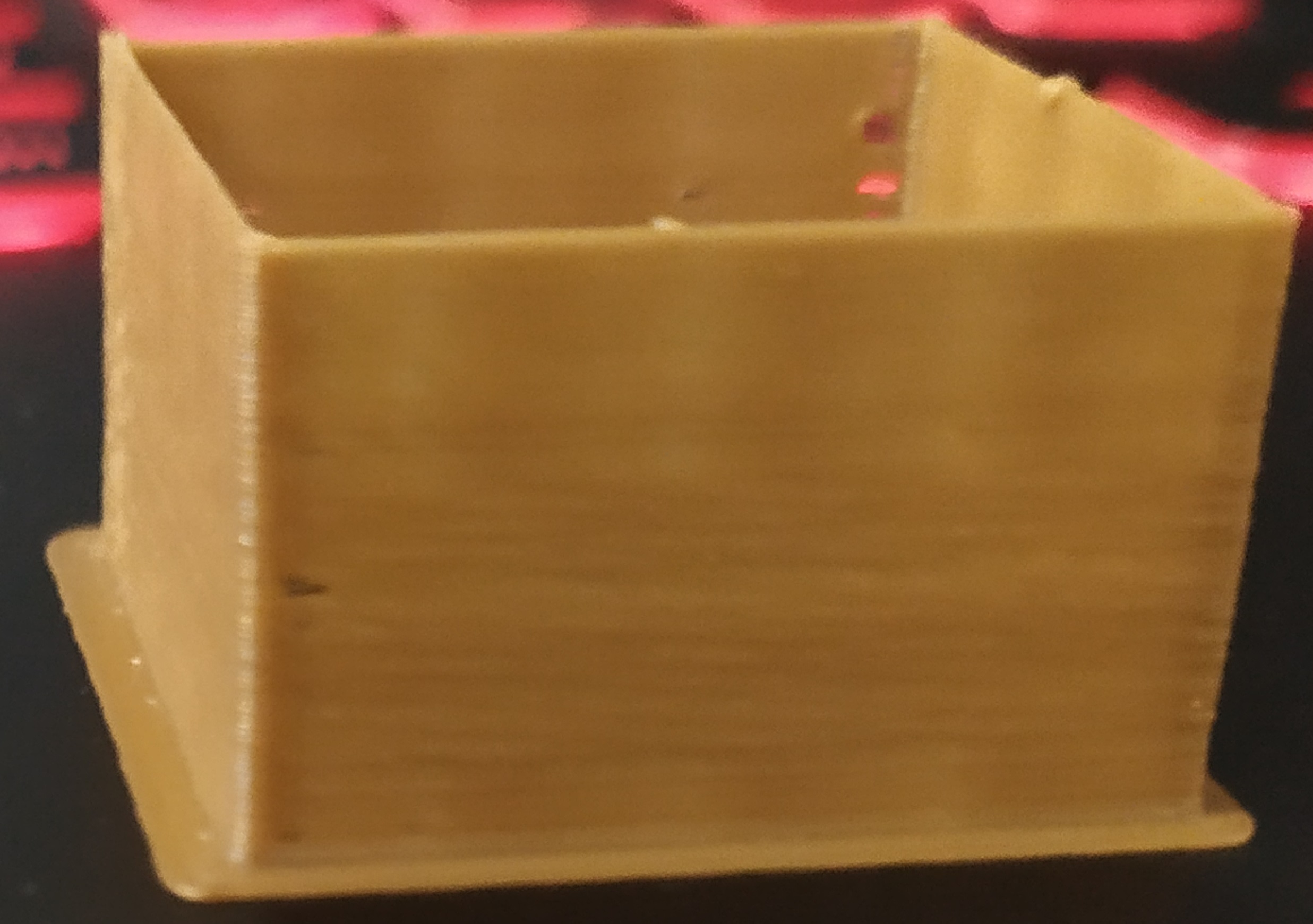
this with 70.56% in cura and the top of cube is 98% flow rate in lcd.
and i tested again with 70.56% and the pattern is the same as 72% and i change flow rate with lcd to 98 the pattern is change
did i calculate the 98% is right?
firmware is 2.0.6.1
aghfars
on 11 Sep 2020
One thing i dont see mentioned on this issue, that caused me some weird resonant looking problems in the extrusion,
Is the filament freely flowing from the spool to the extruder? Without any tension building up, and then on retractions causing the roll of filament to rock backwards and forwards? This causes a resonant pattern in the filament extrusion if its pulling on the extruder gear i think.
(only just had this problem show itself, fixed it by working the arm and spring a little, so they moved more freely and allowed the spring to put more pressure on the filament).
For me the problem was very apparent and not sure it looked like the problem here, to be honest, but maybe if your filament has better guides to the extruder, or a different extruder style, the problem could be less apparent.
Im pretty sure that this isnt the problem in this issue as most have upgraded the spool holder filament guides extruder, etc. It seems its more to do with whats being discussed, but thought it was worth mentioning though as my issue made me think of this one.
(yes i know i need to upgrade my filament holder, from just hanging on the stock fitting with one printed roller guide just before the extruder.. Proper fix is a filament spool holder that is centered or has better rollers!)
charakaSamawry
on 12 Sep 2020
One thing i dont see mentioned on this issue, that caused me some weird resonant looking problems in the extrusion,
Is the filament freely flowing from the spool to the extruder? Without any tension building up, and then on retractions causing the roll of filament to rock backwards and forwards? This causes a resonant pattern in the filament extrusion if its pulling on the extruder gear i think.
(only just had this problem show itself, fixed it by working the arm and spring a little, so they moved more freely and allowed the spring to put more pressure on the filament).For me the problem was very apparent and not sure it looked like the problem here, to be honest, but maybe if your filament has better guides to the extruder, or a different extruder style, the problem could be less apparent.
Im pretty sure that this isnt the problem in this issue as most have upgraded the spool holder filament guides extruder, etc. It seems its more to do with whats being discussed, but thought it was worth mentioning though as my issue made me think of this one.
(yes i know i need to upgrade my filament holder, from just hanging on the stock fitting with one printed roller guide just before the extruder.. Proper fix is a filament spool holder that is centered or has better rollers!)
I checked but I do not have such a problem
aghfars
on 24 Sep 2020
It is not a surprise the pattern changes with flow rate.
It would be a surprise if the pattern is is different when changing flow rate via LCD versus other display technologies or g-code.
Wasn't it still a surprise?
aghfars
on 24 Sep 2020
This issue has had no activity in the last 30 days. Please add a reply if you want to keep this issue active, otherwise it will be automatically closed within 7 days.
github-actions[bot]
on 25 Oct 2020
Related issues
 Anion-anion
·
3Comments
Anion-anion
·
3Comments
 otisczech
·
3Comments
otisczech
·
3Comments
 jerryerry
·
4Comments
jerryerry
·
4Comments
 modem7
·
3Comments
modem7
·
3Comments
 StefanBruens
·
4Comments
StefanBruens
·
4Comments
Most helpful comment
this has nothing to do with the steppers motors . As i have said i have the same machines all with A4988 only these with the fw updated do this. I have downgrade them at 2.0.3 and this effect immediately stops. Please do not change the subject of the conversation. This is 100% a Marlin Bug