Marlin: Documentation request: WinAVR and Arduino IDE
I am trying to set up the Arduino IDE to compile Marlin 2.0. I understand that this is a prerelease, and still under development, But I am willing to accept this, to have a look at the new version and maybe be able to contribute something to the Project.
Working computer for development: PC; OS: Microsoft Windows 10
So far I have:
Downloaded and installed Arduino IDE 1.8.9 C:\Users[UserName]\Documents\Arduino is the
Schetch dir.Downloaded and installed WinAVR (WinAVR-20100110-install) in c:\Users[UserName]\Documents\Arduino\libraries\WinAVR
Downloaded support for Arduino Due and configured the Project for this CPU
Downloaded Marlin using "git clone https://github.com/MarlinFirmware/Marlin.git" to c:\Users[UserName]\Documents\Arduino\Marlin
Attempted to compile Marlin 2.0, but with the error message "exit status 1
avr/io.h: No such file or directory" This is why I installed WinAVR
Despite my efforts during today, I have not been able to make the WinAVR Library available in the Arduino IDE. And yes: I have spent my time serching the Internet.
Can somebodey please spend a Little time documenting how to do this? If I can get it right and compile Marln 2.0 I'm willing to write a script to make the Marlin download and configure for compilation process automatically. (I have already began a script in PowerShell, alltrough so far it only checks that the correct versions of some SW is available.)
 sorjon02
All 9 comments
why you not try to use platformio?
 sl1pkn07
on 6 Jul 2019
sl1pkn07
on 6 Jul 2019
no need for winavr
its included in arduino ide
move ur arduino folder to root of C: (arduino ide always had some path issues, eg. special chars/spaces in username dir)
also move marlin to a clean folder path like c:\projects\marlin
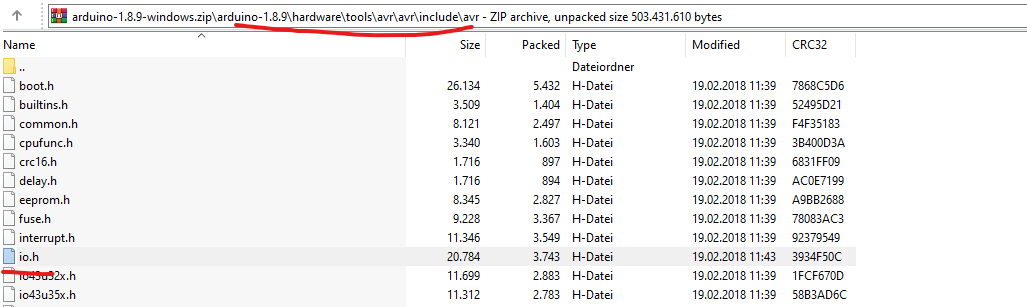
2.0 compiled fine
dont use windows appstore arduino ide,
use latest arduino IDE for marlin 2 (cause of subfolders)
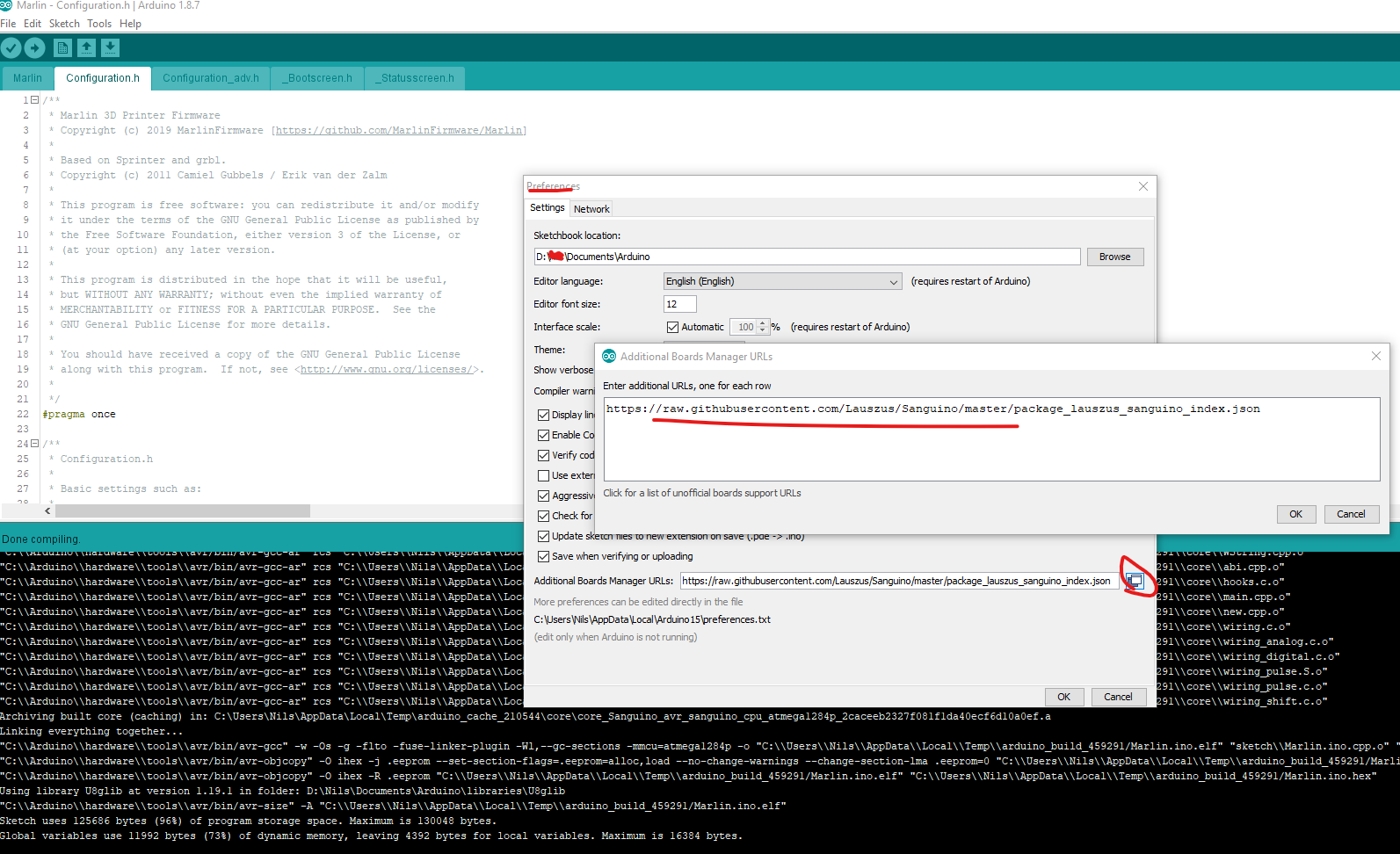
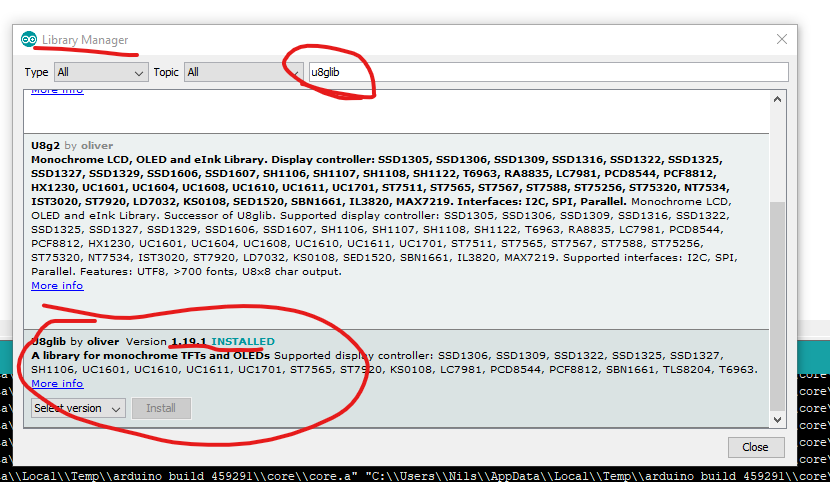
(ender 3 board)
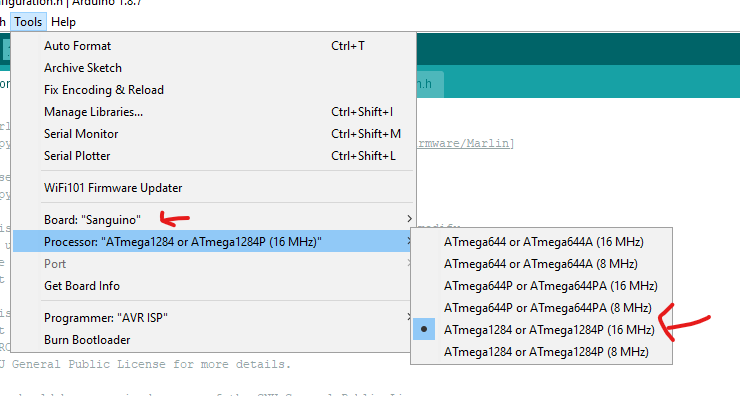
ps: platformio is the way to go, arduino ide sucks for big projects.
 reloxx13
on 6 Jul 2019
reloxx13
on 6 Jul 2019
Problem solved! Arduino IDE is built on an early version of Gnu AVR/WinAVR, and does not support the avr/io.h include file and library. My guess is that upgrading the support requires a new major version, and is probably not worth the effort, especially if your main interest is Marlin.
The best solution for you is probably to drop all support for Arduino IDE, and only support Atom/PlatformIO. If you state this on the website, it will save anyone interested in compiling Marlin 2 a lot of headscratching and effort.
sorjon02
on 7 Jul 2019
dude, i just compiled marlin 2.0, i even posted screenshots of it
did u even read it?
reloxx13
on 7 Jul 2019
I did read it! But I also spent two or three hours looking for the library avr/io.h in the Arduino IDE directory and subdirectories. Despite my effort, I could not find it. I decided to give up, and go for PlatformIO instead, and Marlin 2 compiled imidiately. So I go for Atom/PlatformIO now. I don't want to spend more time trying to make Arduino IDE work for me.
sorjon02
on 8 Jul 2019
Atom is no longer being supported by PlatformIO.
Going forward you should all use Visual Studio Code instead.
MarlinFirmware/MarlinDocumentation#176
 thinkyhead
on 9 Jul 2019
thinkyhead
on 9 Jul 2019
I have now changed from Atom/PlatformIO to Visual Studio/PlatformIO, in accordance with "Switch to PlatformIO IDE for VSCode #176 ". Sorry for this, but there has been a lot of invormation to take in, and I feel that it is fragmentetd. When it comes to Marlin development, it feels like everytime I has been presented with two choises I have managed to take the worst one. It's bad luck, but that's Life sometimes.
Best regards,
sorjon02
on 9 Jul 2019
it feels like everytime I has been presented with two choises I have managed to take the worst one
Murphy's Law. 🤷♂
thinkyhead
on 11 Jul 2019
This issue has been automatically locked since there has not been any recent activity after it was closed. Please open a new issue for related bugs.
![github-actions[bot] picture](https://avatars2.githubusercontent.com/in/15368?v=4&s=40) github-actions[bot]
on 5 Jul 2020
github-actions[bot]
on 5 Jul 2020
Related issues
 Tamonir
·
3Comments
Tamonir
·
3Comments
 modem7
·
3Comments
modem7
·
3Comments
 Matts-Hub
·
3Comments
Matts-Hub
·
3Comments
 ceturan
·
4Comments
ceturan
·
4Comments
 spanner888
·
4Comments
spanner888
·
4Comments
Most helpful comment
why you not try to use platformio?