Marlin: [1.1.x] TMC2208 UART - Grinding noise and no move on the Y stepper motor since the new Serial Communication
Description
Hello, I have synched my repository to the 1.1.x HEAD and since the update my Y stepper motor does a grinding noise and doesn't move (while my X and Z axis are ok). I can't do a Y homing too.
I have 3 TMC2208 (Fysetc) in UART on X, Y and Z axis. It worked well before the update (except for the M122 command). If I revert the changes done in stepper_indirection.cpp my Y axis works again. It looks like the bug could comes from the new Serial Communication method or maybe I have a defect TMC2208 on Y, I don't know.
I've made a video about the grinding noise and the Y homing fail : https://youtu.be/nuq0fsIUxcE
Here are my logs from M122:
SENT: M122
READ:       X   Y   Z
READ: Enabled       true    true    true
READ: Set current   800 800 800
READ: RMS current   795 795 795
READ: MAX current   1121    1121    1121
READ: Run current   25/31   25/31   25/31
READ: Hold current  12/31   12/31   12/31
READ: CS actual     12/31   12/31   12/31
READ: PWM scale     0   15  15
READ: vsense        1=.18   1=.18   1=.18
READ: stealthChop   true    true    true
READ: msteps        16  16  16
READ: tstep     1048575 1048575 1048575
READ: pwm
READ: threshold     0   0   0
READ: [mm/s]        -   -   -
READ: OT prewarn    false   false   false
READ: OT prewarn has
READ: been triggered    false   false   false
READ: off time      5   5   5
READ: blank time    24  24  24
READ: hysteresis
READ: -end      2   2   2
READ: -start        3   3   3
READ: Stallguard thrs
READ: DRVSTATUS X   Y   Z
READ: stst      X   X   X
READ: olb
READ: ola
READ: s2gb
READ: s2ga
READ: otpw
READ: ot
READ: 157C
READ: 150C
READ: 143C
READ: 120C
READ: s2vsa
READ: s2vsb
READ: Driver registers: X = 0xC0:0C:00:00
READ:   Y = 0xC0:0C:00:00
READ:   Z = 0xC0:0C:00:00
READ:
READ:
READ: ok
Steps to Reproduce
- Flash the firmware and POWER OFF the printer. The bug can't be reproduced if the previous firmware was ok and if we don't power off.
- POWER ON, Go to "Prepare"->"Move axis"->"Move Y"
- Try to move by 10 mm, the Y steppor motor do a grinding noise and move a little bit
- Go to "Prepare"->"Home Y" the motor do a grinding noise and doesn't move. The homing fails with the "PRINTER HALTED" message.
- Revert changes in stepper_indirection.cpp, flash and POWER OFF the printer
- Redo steps 2 to 4, everything is ok
Additional Information
 FromtonRouge
All 11 comments
Just to confirm, this is with software serial?
 teemuatlut
on 19 Aug 2018
teemuatlut
on 19 Aug 2018
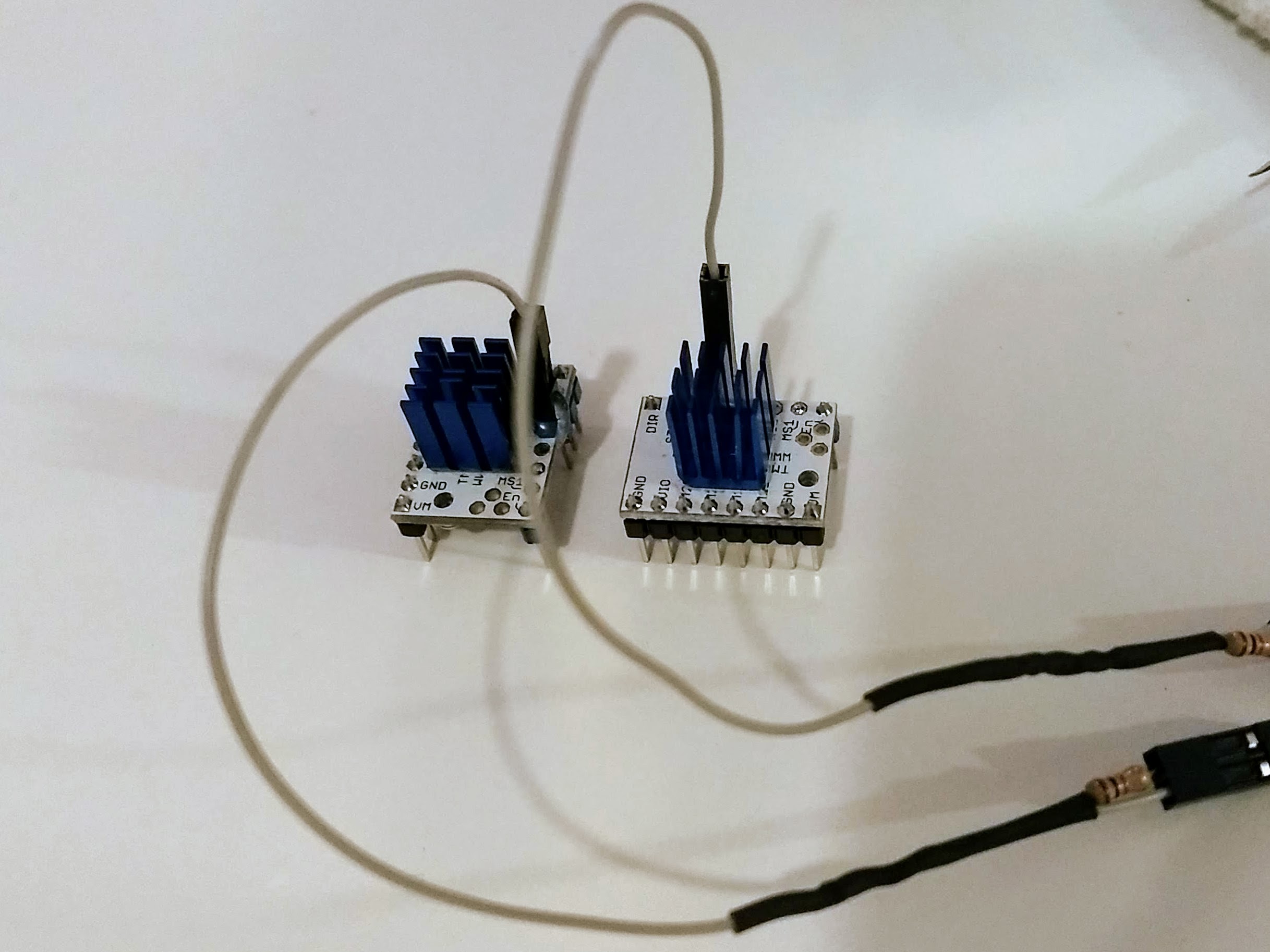
Yes I think, I connected my drivers with a Y cable on PDN_UART with a 1khom resistor on TX pins and no resistor on RX pins. This is software serial right ? Sorry I'm new to this :)
FromtonRouge
on 19 Aug 2018
The difference is which pins you use for TX and RX.
teemuatlut
on 19 Aug 2018
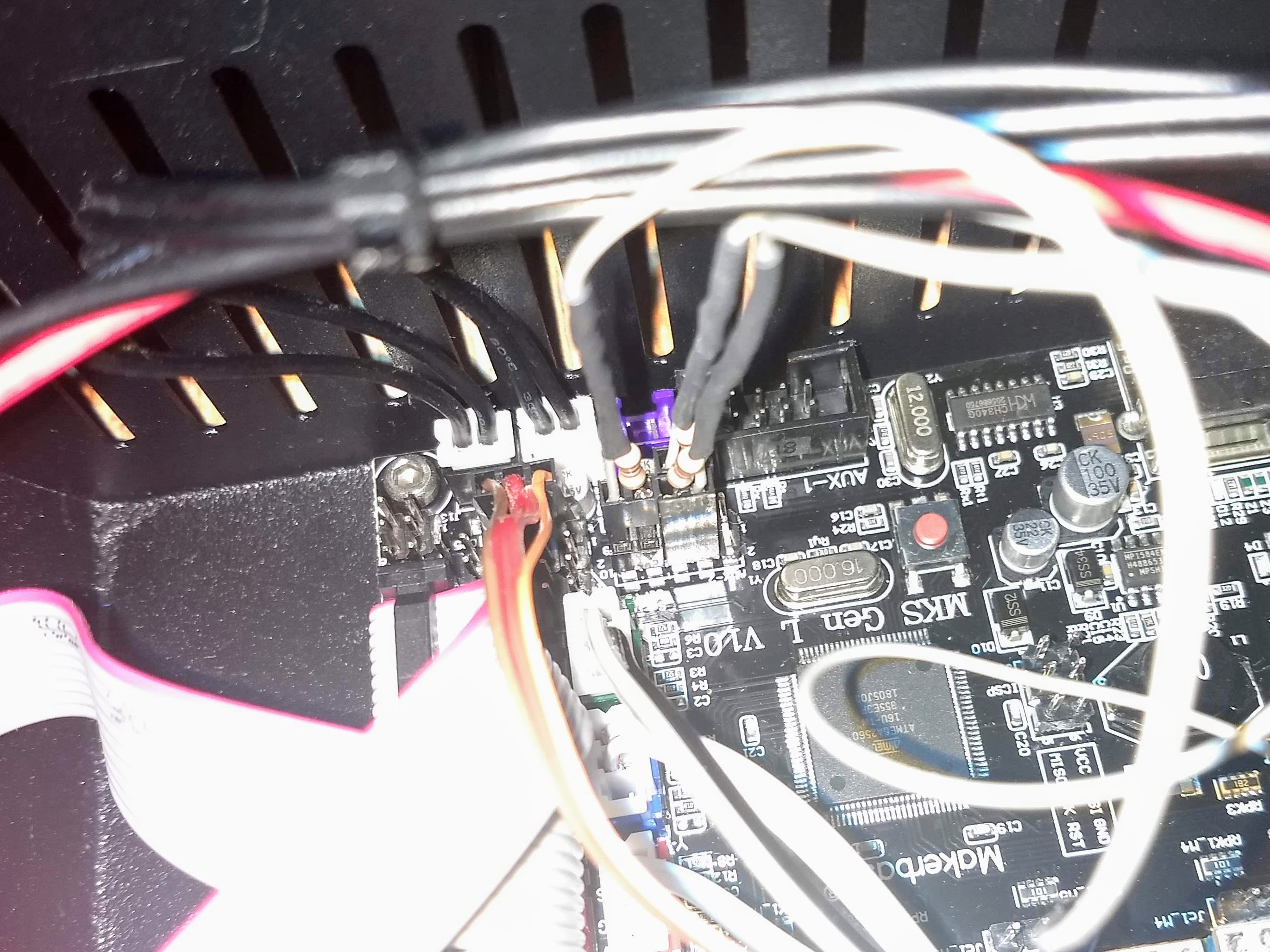
Ok so I connected my Y cables like this :
- On X axis : 1kOhm side goes to pin 40 (TX), the other side goes to pin 63 (RX)
- On Y axis : 1kOhm side goes to pin 59 (TX), the other side goes to pin 64 (RX)
- On Z axis : 1kOhm side goes to pin 42 (TX), the other side goes to pin 65 (RX)
Actually I just followed the pins defined in pins_RAMPs.h my board is a MKS GEN L v1.0
FromtonRouge
on 19 Aug 2018
Alright thanks for reporting. I'll need to see what's going on and what broke.
teemuatlut
on 20 Aug 2018
Same problems with UART since the last bugfix update posted in https://github.com/MarlinFirmware/Marlin/pull/11548
 kakou-fr
on 20 Aug 2018
kakou-fr
on 20 Aug 2018
Please try the latest version of the library from github.
I added a fix that was suggested to me but would like to verify before creating a new release.
teemuatlut
on 21 Aug 2018
Yes it works! My Y axis is ok now, the M122 command works and I also can change the current on the Y driver.
Thank you :+1:
FromtonRouge
on 21 Aug 2018
FYI confirmed working here.
- Marlin 1.1.x
- MKS1.4 Board
- https://github.com/teemuatlut/TMC2208Stepper master branch
Only thing I find odd is the driver register is the same for my Y and Z drivers?
Consecutive M122s also sometimes give out weird results:
>>> m122
...
Driver registers:   X = 0xC0:0A:00:00
    Y = 0xC0:0C:00:00
    Z = 0xC0:0C:00:00
    E0 = 0xC0:09:00:00

>>> m122
...
Driver registers:   X = 0xC0:0A:00:00
    Y = 0x00:00:00:00
    Z = 0x00:00:00:00
    E0 = 0xC0:09:00:00

>>> m122
...
Driver registers:   X = 0xC0:0A:00:00
    Y = 0xC0:0C:00:00
    Z = 0xC0:0C:00:00
    E0 = 0xC0:09:00:00
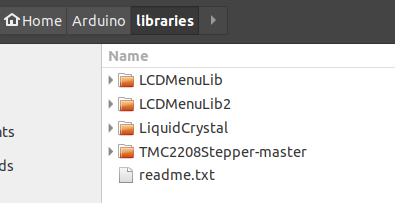
Copied lib to dir like so:
Wiring:

Output:
>>> m502
SENDING:M502
echo:Hardcoded Default Settings Loaded
>>> m122
SENDING:M122
        X   Y   Z   E0
Enabled     true    true    true    true
Set current 700 800 800 600
RMS current 673 795 795 581
MAX current 949 1121    1121    819
Run current 21/31   25/31   25/31   18/31
Hold current    10/31   12/31   12/31   9/31
CS actual       10/31   12/31   12/31   9/31
PWM scale       12  0   14  11
vsense      1=.18   1=.18   1=.18   1=.18
stealthChop true    true    true    true
msteps      16  16  16  16
tstep       1048575 1048575 1048575 1048575
pwm
threshold       0   0   0   0
[mm/s]      -   -   -   -
OT prewarn  false   false   false   false
OT prewarn has
been triggered  false   false   false   false
off time        5   5   5   5
blank time  24  24  24  24
hysteresis
-end        2   2   2   2
-start      3   3   3   3
Stallguard thrs
DRVSTATUS   X   Y   Z   E0
stst        X   X   X   X
olb
ola
s2gb
s2ga
otpw
ot
157C
150C
143C
120C
s2vsa
s2vsb
Driver registers:   X = 0xC0:0A:00:00
    Y = 0xC0:0C:00:00
    Z = 0xC0:0C:00:00
    E0 = 0xC0:09:00:00
M906 output:
>>> m906 z600
SENDING:M906 Z600
>>> m122
SENDING:M122
        X   Y   Z   E0
Enabled     false   false   true    true
Set current 700 800 600 600
RMS current 673 795 581 581
MAX current 949 1121    819 819
...

>>> m906 y600
SENDING:M906 Y600
>>> m122
SENDING:M122
        X   Y   Z   E0
Enabled     false   false   true    true
Set current 700 600 600 600
RMS current 673 581 581 581
MAX current 949 819 819 819
...

>>> m906 y500
SENDING:M906 Y500
>>> m122
SENDING:M122
        X   Y   Z   E0
Enabled     false   false   true    false
Set current 700 500 600 600
RMS current 673 489 581 581
MAX current 949 689 819 819
...
Thanks!
 swapsCAPS
on 25 Aug 2018
swapsCAPS
on 25 Aug 2018
See if swapping the physical drivers between X and Y causes the anomalies on the Y driver to show up on X instead.
 thinkyhead
on 1 Sep 2018
thinkyhead
on 1 Sep 2018
This issue has been automatically locked since there has not been any recent activity after it was closed. Please open a new issue for related bugs.
![github-actions[bot] picture](https://avatars2.githubusercontent.com/in/15368?v=4&s=40) github-actions[bot]
on 10 Aug 2020
github-actions[bot]
on 10 Aug 2020
Related issues
 modem7
·
3Comments
modem7
·
3Comments
 ceturan
·
4Comments
ceturan
·
4Comments
 Bobsta6
·
3Comments
Bobsta6
·
3Comments
 Tamonir
·
3Comments
Tamonir
·
3Comments
 StefanBruens
·
4Comments
StefanBruens
·
4Comments
Most helpful comment
Please try the latest version of the library from github.
I added a fix that was suggested to me but would like to verify before creating a new release.