Marlin: [1.1.7] Print starts below Z=0, using bilinear bed leveling
Bug Report
Description: After updating from Marlin 1.1.6 to 1.1.7 my prints are starting below the configured Z=0 position (with Z offset=-0.87). I call G28 to home all axis, than G29 to auto level my bed (with bilinear method). After that I can call "G0 Z0" and a slice of paper fits under the nozzle. But as soon as the printout starts Marlin seems to ignore the Z=0 position and prints much to near to the bed.
Expected behaviour: Prints are started at the configured Z position.
- Actual behaviour: Prints are starting below configured Z=0 position. The extruder is clicking all the time and it's hard to get the filament out. I doesn't matter if I set the offset to 0mm (instead of -0.87mm), the nozzle is starting to low.
- Steps to reproduce:
- Flash Marlin 1.1.7
- Configure Marlin to use Bilinear Auto Leveling
- Home you Z and configure the Z position to pass the paper test.
- Home all axis and run a G29 command
- Call "G0 Z0" and test with paper. Will be fine.
- Start a print => extruder is clicking
Debugged homing/leveling will follow...
 ikarisan
All 27 comments
Debugging from the point I started printing:
debugged_leveling.txt
ikarisan
on 17 Dec 2017
I noticed that there seems to be an issue with the Z offset with bilinear leveling. With UBL, I have to set my Z offset to around -1.5, but only -0.75 for bilinear. I thought it was a scaling issue, but it may actually be an offset issue since you can't get an offset of 0 to work. Have you tried positive z offset values?
 tcm0116
on 18 Dec 2017
tcm0116
on 18 Dec 2017
@tcm0116 Yes, I tried an offset of +1.00mm. The print still starts below the configured/measured zero.
ikarisan
on 18 Dec 2017
Okay, even with disabled auto leveling (no G29 command but BLL enabled in configuration.h) my extruder is clicking on small changes in direction. From the beginning it seems that the problem went away. But if I print something on which the extruder has to move/retract very fast, it starts to click / jumps steps again .
The same GCODEs worked like a charm on Marlin 1.1.6. :(
ikarisan
on 18 Dec 2017
1.1.7 was re-released yesterday due to an issue with the motion planner, so
you might want to refresh your 1.1.7 download and see if that helps with
your extruder clicking issue.
tcm0116
on 18 Dec 2017
@tcm0116 Thanks! That did the trick for the clicking extruder, But the problem with starting the print below Z=0 after a G29 command still exists.
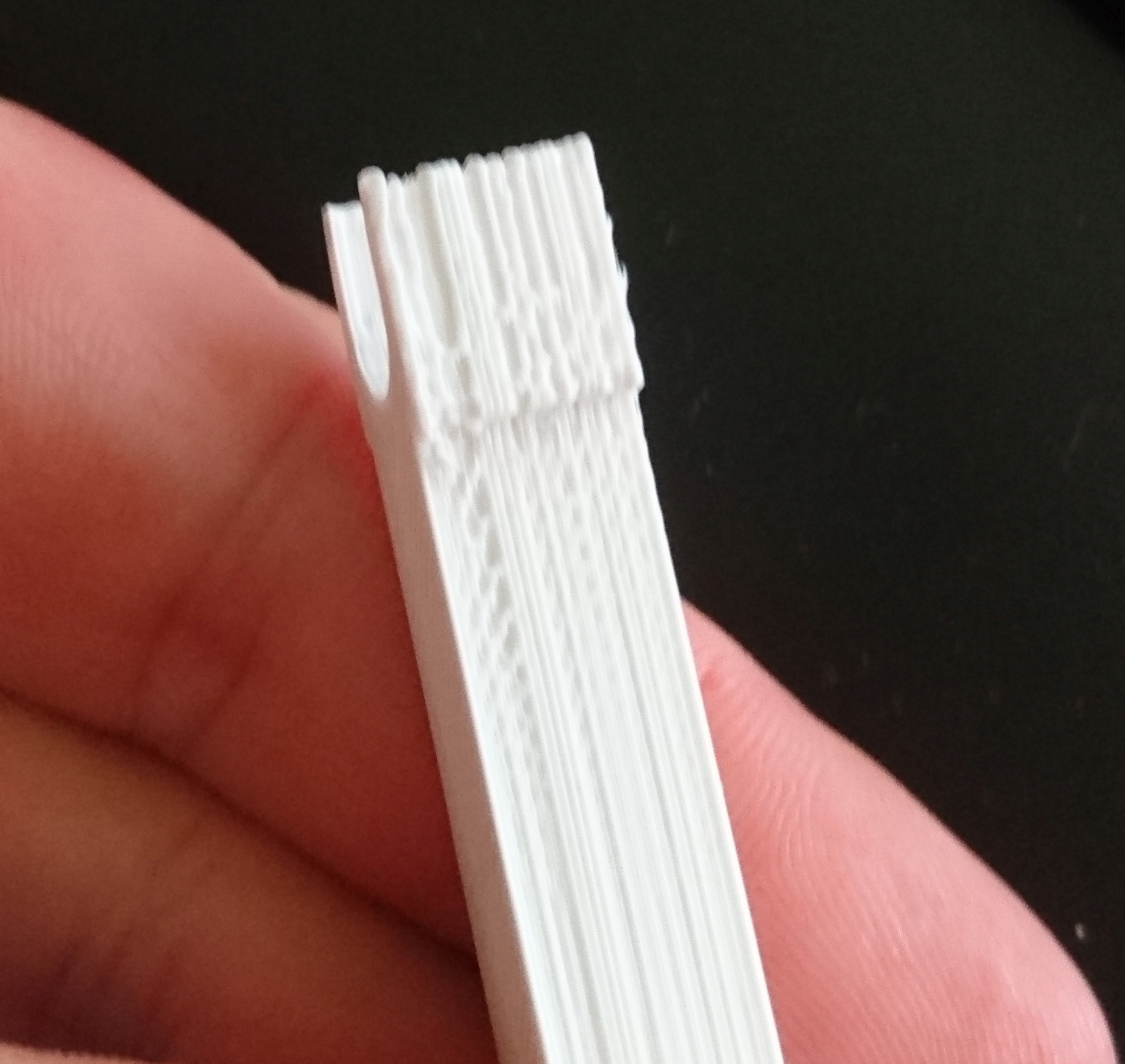
EDIT: @tcm0116 : The clicking is still there on short moves. I tried to print this: https://www.thingiverse.com/thing:1374915 and the moves along the long side are okay but when printing the small top and bottom parts (with fast and short moves), the extruder is clicking like a machine gun. :( Tried printing via OctoPrint and Simplify3D. Maybe before or after XMas I will try 1.1.6 again.
Oh, and the quality of the outer shell is realy "below bad". (
The attached photos are showing the bad (to the back of the bed) and the good (to the front of the bad) side of the printed object.

But this one is printed as good as never before:
https://www.thingiverse.com/thing:2723449
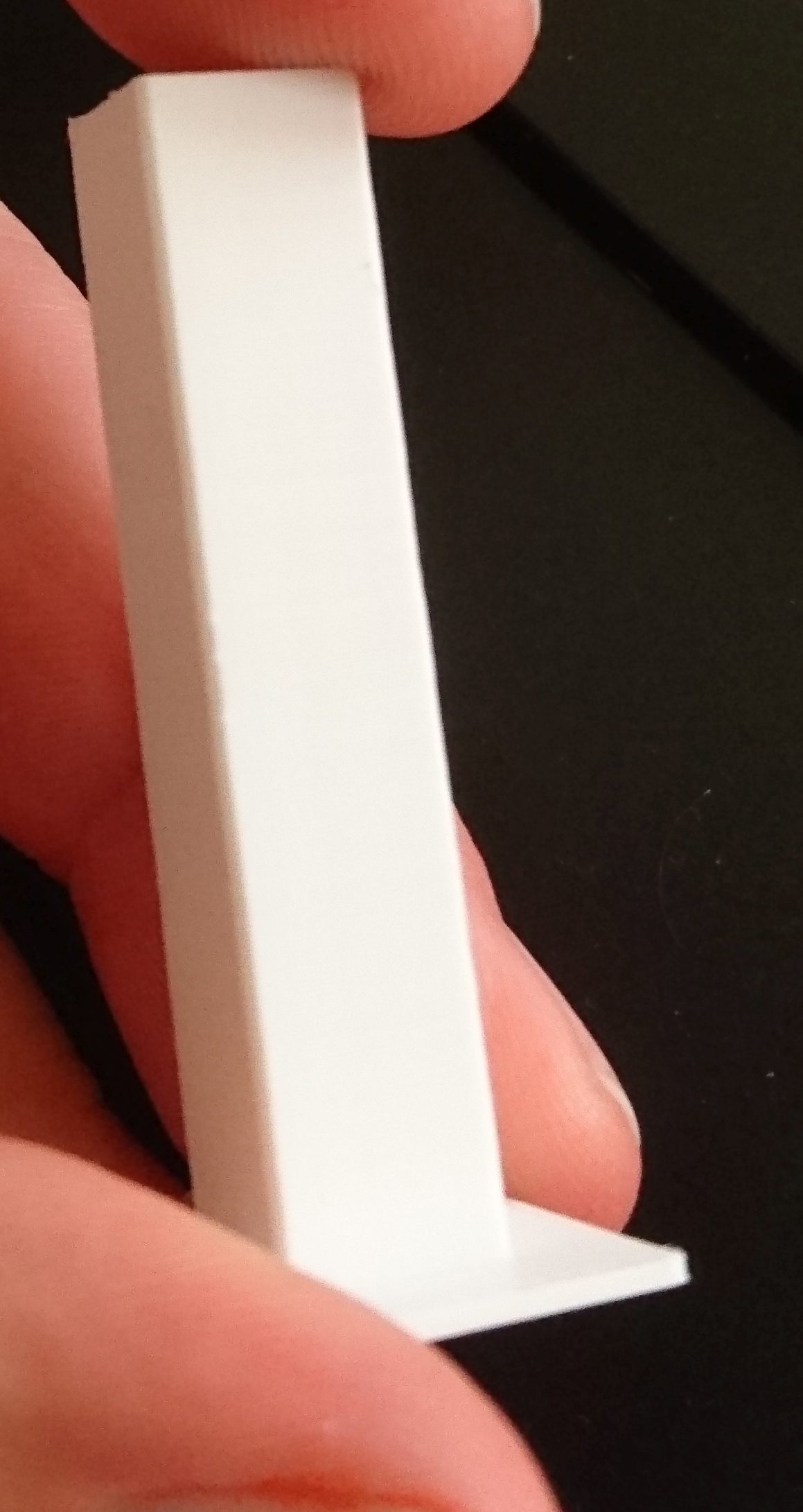
Never had this problems with version 1.1.6 :/
ikarisan
on 19 Dec 2017
I'm looking at the probe code but don't see anything obvious yet.
So meanwhile… whenever there are homing or leveling issues, we ask everyone to follow a standard procedure to gather more information so that we're not just taking stabs in the dark.
- Download Marlin
bugfix-1.1.xto test with the latest "nightly" code. - Enable
DEBUG_LEVELING_FEATUREand re-flash the firmware. - Connect to your printer from host software such as Printrun or Repetier Host.
- Issue the command
M111 S247to enable maximum logging. - Perform a
G28to do your standard homing procedure. - Perform a
G29 V4to do your standard leveling procedure.
Copy the console output from your host and put it into a log.txt file. Drop the file onto your next reply.
You might try both ABL and UBL so we can compare the difference.
 thinkyhead
on 20 Dec 2017
thinkyhead
on 20 Dec 2017
I noticed that there seems to be an issue with the Z offset with bilinear leveling. With UBL, I have to set my Z offset to around -1.5, but only -0.75 for bilinear.
It's interesting. I'd like to see the debug logs for each one and compare. Unfortunately I don't have a working probe to test with at the moment.
thinkyhead
on 20 Dec 2017
@thinkyhead This is my log.txt file
log.txt
Can't test UBL, because my board has not enough progmem for this. :(
ikarisan
on 20 Dec 2017
@thinkyhead
I oberserved a similar issue with the usage of ABL after flashing 1.1.7 (1.1.6 worked fine, but now even my already "old" compiled hex file has issues with ABL Oo... thats really crazy). Anyways... i flashed the latest "nightly" as you described above just a second ago to provide you a log.txt as well ->log.txt
In my case, the print starts to high. My startcode looked like this:
M140 S50 ; Set bed temp and do not wait- preheat
M104 S170 ; Set extruder and do not wait - preheat
G28 ; home all axes
G29 ; detailed z-probing
M190 S50 ; Set bed temp and wait - preheat
M109 S215 ; Set extruder temp and wait to be reached
When all temperatures are reached, the printhead moves to starting position BUT the z-axis doesn't move down far enough and my printer starts printing mid-air. I tried to measure it and the result was, that my printhead is ~5mm too high when the print starts. I have the feeling that the z-homing is diffrent than it was before in 1.1.6. I can't remember my z-axis moving UP first and then moving down until the limit switch (sensor) activates. But now the z-axis moves up, goes down "fast", sensor triggers, it moves up a little bit again and then slowly down, sensor triggers and THEN i have the feeling that the z-axis is moving up quite a lot more than it moved up than before this problem.
#define FIX_MOUNTED_PROBE
#define X_PROBE_OFFSET_FROM_EXTRUDER 29  // X offset: -left  +right  [of the nozzle]
#define Y_PROBE_OFFSET_FROM_EXTRUDER 0  // Y offset: -front +behind [the nozzle]
#define Z_PROBE_OFFSET_FROM_EXTRUDER 3.9   // Z offset: -below +above  [the nozzle]
If you need some more information, pls let me know.
 th33xitus
on 20 Dec 2017
th33xitus
on 20 Dec 2017
@ikarisan I see you've chosen to use LINEAR leveling rather than BILINEAR, which is usually the preferred choice. LINEAR and 3POINT leveling are good if you know your bed is very flat. BILINEAR is better if you have a large or uneven bed.
thinkyhead
on 21 Dec 2017
@thinkyhead Oh, sorry. I tried something yesterday and then forgot to change the configuration back to bilinear again. :( I will provide a new log later the day.
ikarisan
on 21 Dec 2017
I managed to solve my problem after a lot of trial and error and came to the conclusion, that the "z always too high" problem came from my previously set z-offset of +3.9 which worked like a charm in Marlin 1.1.6.
Now in 1.1.7 i surprisingly had to set it to 0 whatever the reason might be.
So...setting #define Z_PROBE_OFFSET_FROM_EXTRUDER 3.9 to #define Z_PROBE_OFFSET_FROM_EXTRUDER 0 seemed to fix my problem for now.
th33xitus
on 21 Dec 2017
Next try :)
log.txt
ikarisan
on 21 Dec 2017
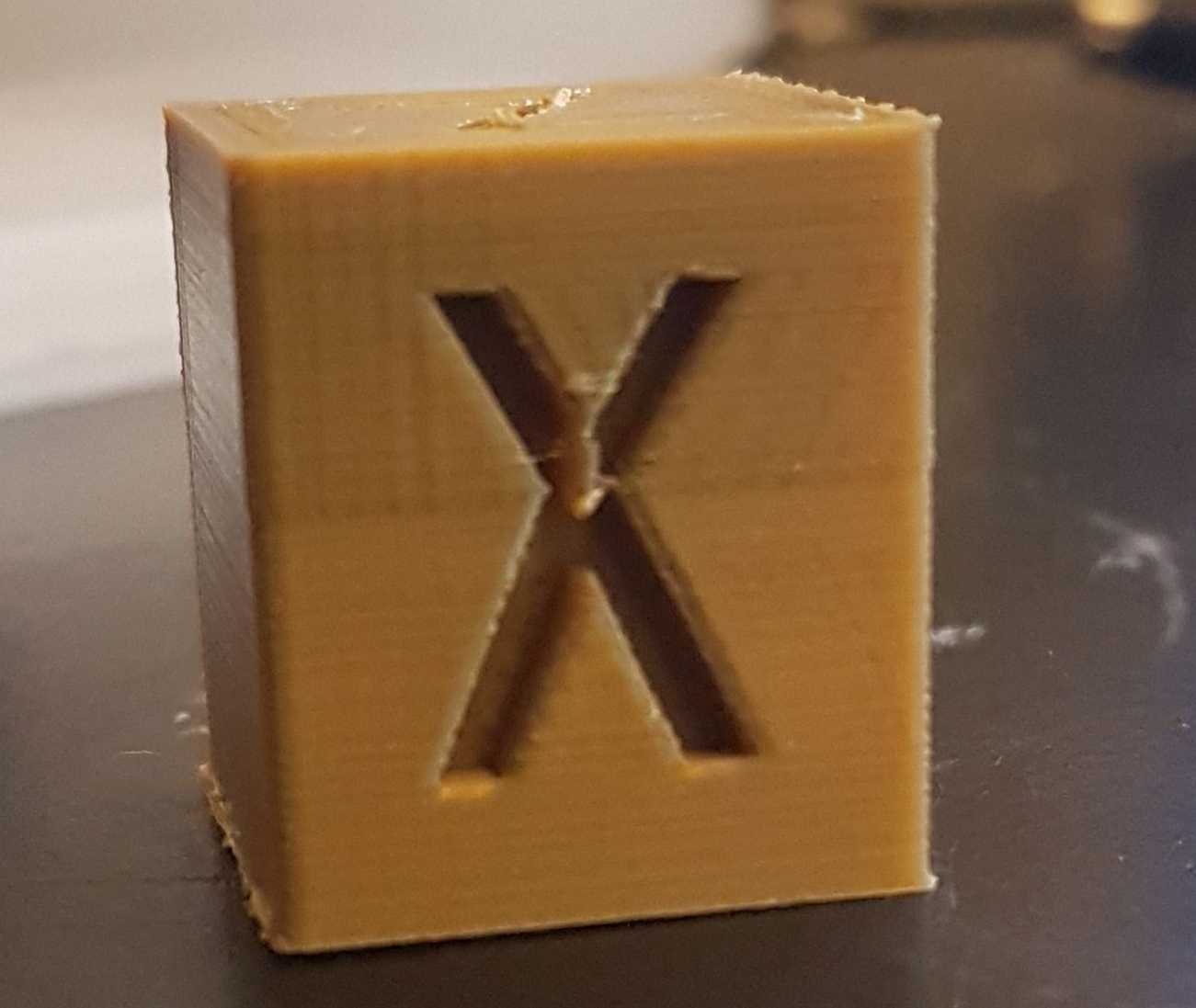
I've been seeing something similar, my prints were being scaled up by 125% but curiously only the first 10mm of the print suffered from this. Coincidentally, my z probe offset was exactly 1.25mm.
I've just commented out the 'ENABLE_LEVELING_FADE_HEIGHT' define and confirmed that it fixes my problem. I also had to dial in my z probe offset again when i did this...
Sorry in advance for poor dbg report - I dont have time to gather logs etc. ATM. I thought I should post on the off chance its useful.
 l0ne5tar
on 21 Dec 2017
l0ne5tar
on 21 Dec 2017
I guess, we are mixing three or more different bugs/issues.
It seems that @th33xitus has fixed his problem... @l0ne5tar 's problem seems to be a different and a "LEVELING_FADE_HEIGHT" one.
ikarisan
on 21 Dec 2017
My thought was that it's possible that the problem is related to how Z probe offset iteracts with fade height and by setting it to 0 @th33xitus has just removed problem in a different way.
maybe... or maybe not :)
l0ne5tar
on 21 Dec 2017
Don't know what has happened but the problem has gone away for the moment.
The only thing I did since the last failed test was everything described above. I guess it has something to do with acidentiatelly activating (flashing with) AUTO_BED_LEVELING_LINEAR do some G29/M500 and the reactivating (reflashing with) the AUTO_BED_LEVELING_BILINEAR feature.
But this problem still exists: https://github.com/MarlinFirmware/Marlin/issues/8831#issuecomment-352876805
Will keep an eye on both problems... after XMas :)
Wish you some stress-free days.
ikarisan
on 23 Dec 2017
For correct autolevel. i am use analog of BLtouch
Marlin config - bilenear via 2 points.
Via menu - Bed leveling (analog G29) after - in console M500 for save in eeprom.
In Gcode after need use only M420 S1 (recall calibration). For example:
G28 X0 Y0 ; home for XY
G28 Z0 ; home for Z
M420 S1; recall calibration level
 RMN9
on 24 Dec 2017
RMN9
on 24 Dec 2017
I managed to solve my problem after a lot of trial and error and came to the conclusion, that the "z always too high" problem came from my previously set z-offset of +3.9 which worked like a charm in Marlin 1.1.6.
@th33xitus A _positive Z offset_ indicates that the nozzle is the probe. I'm assuming the correct Z offset for your setup is supposed to be negative — -3.9mm — indicating that the nozzle is 3.9mm above the bed when the Z probe is triggered.
thinkyhead
on 25 Dec 2017
Question: If you do G28 before every G29 is it better than if you do G29 and then another G29?
Generally, doing two G29 in a row has been _verboten_. But I might have a patch that will make it work okay.
thinkyhead
on 25 Dec 2017
@thinkyhead Weird... then the "explanation-comments" within the configuration.h are either wrong or really ambiguous because the comment says #define Z_PROBE_OFFSET_FROM_EXTRUDER 0 // Z offset: -below +above [the nozzle] so negative is below the nozzle and positive is above the nozzle. At least in my understanding. Since my sensor sits 3.9mm above the nozzle bore i set it to positive 3.9mm. And it worked flawless with those settings in 1.1.6. I can not explain it myself why i have to set it to 0 now. So not even your assumed value of negative 3.9mm is the right setting which maybe would make even more sense than my current value of 0. Thats the whole point why it took my so long to figure out what is wrong because its against the whole logic of an offset lol ^^
I provide you my configuration.h and my configuration_adv.h if you are interested in my current working settings.
Configuration.zip
Configuration_adv.zip
Also here is a picture of my "nozzle-sensor-setup":
https://abload.de/img/img_20171225_1250323sjnl.jpg
https://abload.de/img/img_20171225_1251423kktr.jpg
(sorry i was not able to upload them here directly... i got an error message)
Edit:
I will try and set my offset to negative 3.9mm later today and see what happens.
To answer your question:
I always did a G28 before the G29, but never did a second G29 after the first G29. Maybe i will try that too.
th33xitus
on 25 Dec 2017
Since my sensor sits 3.9mm above the nozzle bore i set it to positive 3.9mm.
The offset is not to the tip of your sensor, but to the point below the nozzle that triggers the sensor. Your sensor is a magnetic field that extends below the nozzle.
thinkyhead
on 25 Dec 2017
@thinkyhead Oh... okaaay so that was a misunderstanding then from my side... since my sensor has a poti, i am actually able to set his detection range (which i did). I always assumed that the offset is the tip of my sensor (shame on me)
th33xitus
on 25 Dec 2017
 thinkyhead
on 25 Dec 2017
thinkyhead
on 25 Dec 2017
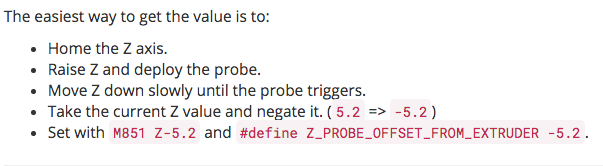
I know that description... but it's not compatible with the case if your probe is your z-endstop as well and it's triggering distance can be set via potentiometer.
When i home z, z will be set to 0 when the probe triggers. And since you home your nozzle-tip right before it touches the printbed the sensor has to be set to trigger right at this distance anyways otherwise the nozzle crashes.
So my order was a little bit diffrent to set this whole thing up since i couldn't apply your suggested way.
th33xitus
on 25 Dec 2017
The above procedure works for all probes. Once your probe is tuned how you like, you test it by moving slowly down until it triggers. Write down the current Z position at that time. It should be negated and used as your zprobe_zoffset.
And since you home your nozzle-tip right before it touches the printbed the sensor has to be set to trigger right at this distance anyways otherwise the nozzle crashes.
That distance, _or greater_.
thinkyhead
on 25 Dec 2017
Related issues
 Matts-Hub
·
3Comments
Matts-Hub
·
3Comments
 Tamonir
·
3Comments
Tamonir
·
3Comments
 esenapaj
·
3Comments
esenapaj
·
3Comments
 Glod76
·
3Comments
Glod76
·
3Comments
 otisczech
·
3Comments
otisczech
·
3Comments