Markdown-preview-enhanced: Omit first row in csv file when using @import
I was wondering if there is a way to omit the first row of a csv file when using @import file.csv and outputting to HTML and/or Pandoc (parser does support this).
header1,header2 <---
data1,data1
data2,data2
 RickTorresJr
All 2 comments
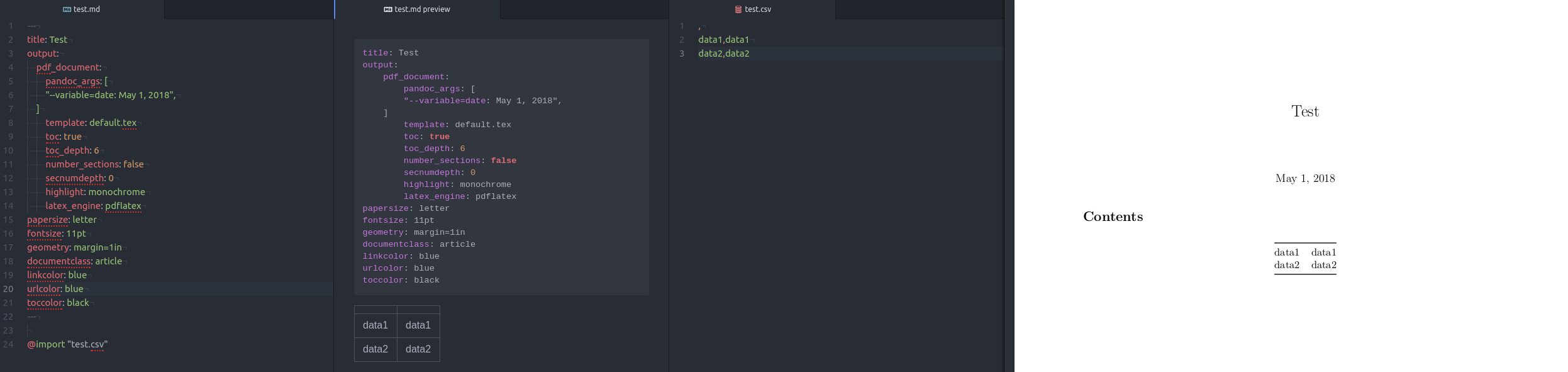
After some trial and error I discovered omitting anything in the header row except the commas omits the row when rendered via Pandoc. When rendered in HTML in the same manner, an empty row is shown. Attached is an example if anyone else is looking for the same functionality with this work around.
RickTorresJr
on 2 May 2018
👍1
It would be nice when importing CSV document that we could skip the first n lines of the dataset. I think this would work within the current framework:
@import "abc.csv" {skip=4}
it would also be nice to support the as option:
@import "abc.txt" {as="csv" skip=4}
 houghtonap
on 28 Jun 2018
houghtonap
on 28 Jun 2018
👍2
Was this page helpful?
0 / 5 - 0 ratings
Related issues
 siriuscc
·
3Comments
siriuscc
·
3Comments
 oneone1995
·
5Comments
oneone1995
·
5Comments
 ckdanny
·
5Comments
ckdanny
·
5Comments
 franklin373
·
4Comments
franklin373
·
4Comments
 StefanoCecere
·
5Comments
StefanoCecere
·
5Comments
Most helpful comment
It would be nice when importing CSV document that we could skip the first n lines of the dataset. I think this would work within the current framework:
@import "abc.csv" {skip=4}it would also be nice to support the
asoption:@import "abc.txt" {as="csv" skip=4}