Markbind: Unexpected indentation in the first line of fenced text
v1.17.0
Current:
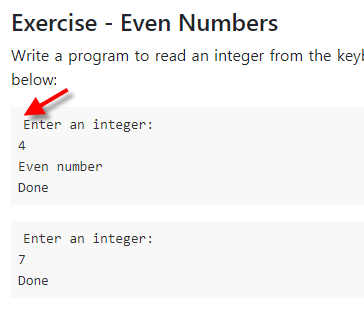
Code:
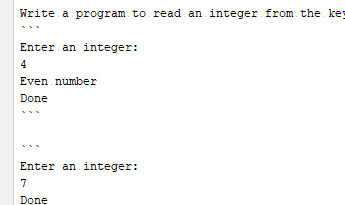
Problem: there seems to be an additional space at the start of the first line
 damithc
All 5 comments
The workaround was to style the block as python code, which is not ideal (as it introduces python syntax highlighting)
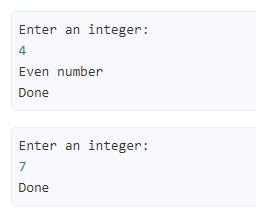
damithc
on 22 Jan 2019
Cause:
The hljs class is applied to the <pre> tag instead of the <code> tag when using the markdown code block syntax without specifying a language.
This is due to some inconsistent code, spotted by @amad-person when she was implementing the copy button for code blocks, within the Markdown-It library.
The underlying problem is that <code> tag has the display attribute default to inline, so only the first line within the <code> tag obeys the padding set by the element, while subsequent lines ignore the padding entirely. Setting the style to display: block will correctly align the text.
 Chng-Zhi-Xuan
on 22 Jan 2019
Chng-Zhi-Xuan
on 22 Jan 2019
The
hljsclass is applied to the<pre>tag instead of the<code>tag when using the markdown code block syntax without specifying a language.
Should we correct this in the code? The hljs class has display: block by default, so adding the hljs class for <code> can fix the problem too.
 amad-person
on 23 Jan 2019
amad-person
on 23 Jan 2019
I think we can correct this for now. Doesn't seem there is an example showing why the hljs class is inserted into <pre> instead of <code>.
Do check if inline code blocks using single back quote syntax is intentionally putting the class in <pre> because we do not want display: block for inline code blocks.
Chng-Zhi-Xuan
on 23 Jan 2019
Inline code blocks with the single back quote syntax aren't being wrapped with a <pre> tag, I'm thinking this fix won't break existing behaviour:
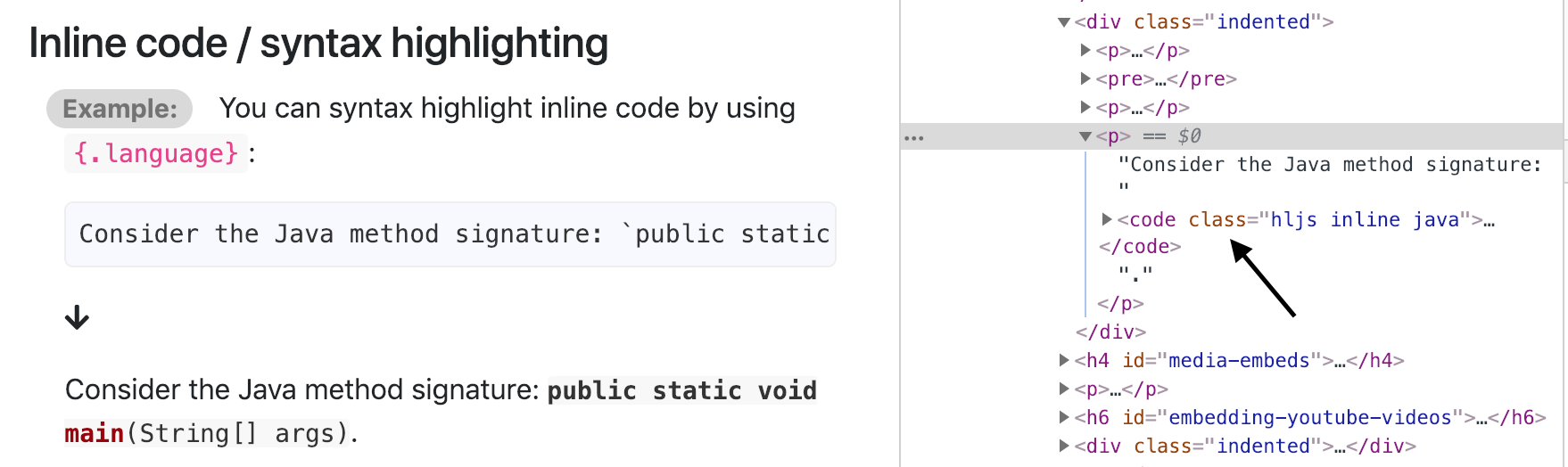
amad-person
on 23 Jan 2019
Related issues
damithc
·
3Comments
damithc
·
4Comments
 yamgent
·
6Comments
yamgent
·
6Comments
 sijie123
·
6Comments
damithc
·
3Comments
sijie123
·
6Comments
damithc
·
3Comments