Mapsui: Tiles flickering after change to SKGL
After recent change change to SKGL (#676), I noticed flickering when moving/zooming/rotating the map.
Here is video recording of the problem:
https://www.youtube.com/watch?v=JHmmFRwgh1I&feature=youtu.be
 hajmajeboss
All 49 comments
Thanks for submitting an issue and for the movie. Here are some screenshot from your movie:
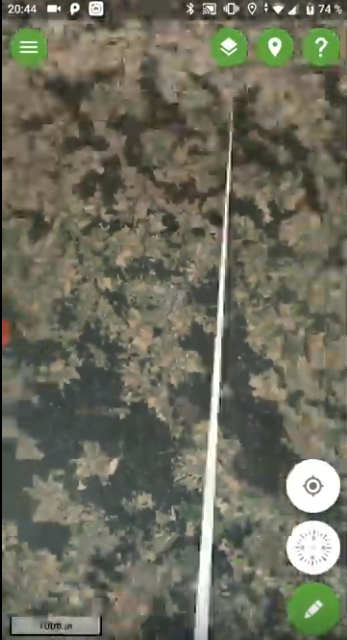


It seems to be related to tile boundaries, but they are not neat lines between the tiles. Sometimes big white patches.
 pauldendulk
on 5 Mar 2020
pauldendulk
on 5 Mar 2020
Yes, also the tiles seems to be fitting otherwise, it's just the white patch over it.
hajmajeboss
on 5 Mar 2020
Responding to remark from other thread.
Btw. if it would be an int/float problem, you should see it also in still images, shouldn't you?
Yes, the fact that is not in still images is really remarkable. Our drawing logic is not different if we move the map or not. What could be the difference? Tiles loading from server? You mentioned loading into the GPU, but why could this not happen at the moment we lift our fingers from the device? .... oh, I now remember. ... the render loop keeps running in SKGLView, that could explain it. If we avoid redraw in the loop by checking our own 'Invalidated' variable perhaps it will show in still images.
pauldendulk
on 5 Mar 2020
And the render loop was not running with SKCanvas? But this might be it i guess.
It should not redraw until something is changed anyway.
hajmajeboss
on 5 Mar 2020
btw. What helps is to choose a background color close to the color of your map. I just pushed an example, using a dark color as background for the BingSample.
pauldendulk
on 5 Mar 2020
Yes, but that's not gonna work well, because our "forest maps" are very colourful - a mix of red, blue, green, yellow polygons representing parts of forest by its age.
We need either lower fps, or redraw only on change. The higher the framerate, the worse it gets. Maybe even the same problem existed on canvas, but wasn't noticeable as it was running at max at 30 fps on my phone.
hajmajeboss
on 5 Mar 2020
The higher the framerate, the worse it gets
How did you investigate this?
Maybe even the same problem existed on canvas, but wasn't noticeable as it was running at max at 30 fps on my phone.
Yes, could be.
pauldendulk
on 5 Mar 2020
Just tested with a red background and the glitches show as red, so it is not something drawn on top, but what you see is the background. This is as expected but just wanted to make sure.
pauldendulk
on 5 Mar 2020
My position indicator thing is really slow and I'm looking into making it a layer. However, turning it off increased the framerate and it went from ocassional glitches to something like the situatiom shown in the video.
hajmajeboss
on 5 Mar 2020
Yes, when I have multiple tile layers, I can see the layer underneath it.
hajmajeboss
on 5 Mar 2020
So having two layers with same source might pretty much work, but then it will download it twice I guess, not somethimg I want to do with download limits in my country (1.5 gb per month limit is considered a very decent standard here).
hajmajeboss
on 5 Mar 2020
What might also be helpful - it seems like it's not happening for vector features layers, I didn't notice a single flicker there.
hajmajeboss
on 5 Mar 2020
Perhaps it is possible to use two layers with the same TileSource. Or perhaps the same TileCache. The TileCache should be thread save.
pauldendulk
on 5 Mar 2020
I will try it tomorrow, but I can't do that for like 15 WMS layers we're gonna use.
hajmajeboss
on 5 Mar 2020
https://www.youtube.com/watch?v=BKP1Bbhj39Y
Vector features behavior - it's not flickering - only some minor flickering of the default layer's style (I change style for every feature because different types of drawings require different types of styles. (I could use multiple layers, but it's still stored in one table in SQLite db with index on (minX, maxX, minY, maxY) and performance-wise, it's faster to do a single query in my provider.
But what I noticed, it's moving around a bit - it's out of sync with tile layer underneath.
hajmajeboss
on 5 Mar 2020
As I said in the last thread, I would say, that it is a performance issue. Raster tiles are big and must transferred to the GPU. And there it must be drawn as texture.
Perhaps it is possible to draw to a GPU backed surface with the same size as the viewport and than transfer this image to the right canvas. Should be easy to implement.
 charlenni
on 5 Mar 2020
charlenni
on 5 Mar 2020
I assume, that PR #851 solves this problem.
When drawing the canvas, the Viewport could change meanwhile. When this happens, than we get artefacts on screen. This could be solved by creating a local immutable viewport, which values couldn't change while the canvas is drawn.
Could surely made more elegant, but to test it, this should be enough.
@hajmajeboss, @pauldendulk Could you test it?
charlenni
on 6 Mar 2020
Looks good!! I did not see the glitches while testing for a minute. The glitches showed sporadically on my device so @hajmajeboss should test as well.
pauldendulk
on 6 Mar 2020
When drawing the canvas, the Viewport could change meanwhile
So, this is the explanation. Apparently the viewport is changes during rendering. For this to happen some threading need to happen. With touch detection and drawing on the main thread this should not be possible.
pauldendulk
on 6 Mar 2020
How says, that we draw on main thread? Drawing could happen in the background. It is time consuming and shouldn’t, if possible, not happen in the main thread.
charlenni
on 6 Mar 2020
Looks fixed on my side (in samples).
hajmajeboss
on 6 Mar 2020
Btw. @pauldendulk, the many different Viewports are very confusing. There are IReadOnlyViewport, IViewport, Viewport, LimitedViewport.
charlenni
on 6 Mar 2020
Sounds good. Than it helped to start the computer last night again 😎
What we than need is a lock function for Viewport or an immutable function, which returns a immutable version of the Viewport. Any suggestions?
charlenni
on 6 Mar 2020
Tested it in our app, no more glitches.
Performance wise - it looks slower, could it be? Right before fetching new tiles, it stutters a bit.
hajmajeboss
on 6 Mar 2020
It shouldn’t, but could be. Now we copy each draw a Viewport. If we would have a benchmarking tool (@pauldendulk 😉), we could have tested it.
charlenni
on 6 Mar 2020
@hajmajeboss Oh, right before fetching? I would say, the servers are slow. Perhaps it is rush hour?
charlenni
on 6 Mar 2020
No, it's still running on a different thread, isn't it?
hajmajeboss
on 6 Mar 2020
Performance wise - it looks slower, could it be? Right before fetching new tiles, it stutters a bit.
I do not expect this. The viewport copy operation is an extra step but it is tiny compared to all the drawing operations.
What might be happening is that now the change in viewport is only seen in the next draw iteration. So it might take a little longer for the effects of a pinch to show up in the rendering, but this is exactly what we need to do in order to fix this.
pauldendulk
on 6 Mar 2020
Yes, this will be it.
Thank you for coming with a solution in such a short time. We plan on releasing the app in September, so still plenty of time to fix any other bugs we will encounter.
hajmajeboss
on 6 Mar 2020
What might be happening is that now the change in viewport is only seen in the next draw iteration. So it might take a little longer for the effects of a pinch to show up in the rendering, but this is exactly what we need to do in order to fix this.
So we have to shorten the render process.
charlenni
on 6 Mar 2020
Targeting 60 fps seems reasonable. In samples, it's definitiely running at least at 60, it's a bit less in my app due to the slow GPS indicator.
hajmajeboss
on 6 Mar 2020
Targeting 60 fps seems reasonable. In samples, it's definitiely running at least at 60, it's a bit less in my app due to the slow GPS indicator.
How did you test this?
charlenni
on 6 Mar 2020
Simple - It's silk smooth. 30 looks quite laggy to me, 45 is somewhat tolerable, but not great, around 60, it seems smooth. I'm not talking exact numbers here, it will also probably differ from device to device.
hajmajeboss
on 6 Mar 2020
So we have to shorten the render process.
We just need to make it faster :)
pauldendulk
on 6 Mar 2020
It's smooth without the indicator anyway.
I just recalled that I'm using MemoryLayer for my vector features and they are fetched from SQLite database, that probably causes the stutter. If I use just Layer, features are not shown until the WMS tiles are fetched and rendered and sometimes it takes a loooot of time (another bug I'm probably going to report, but it's not happening with Bing maps or OSM, again just with our WMS source). Is there any way to prioritize fetching for one layer before the other?
hajmajeboss
on 6 Mar 2020
I just recalled that I'm using MemoryLayer for my vector features and they are fetched from SQLite database
That should definitively be avoided. File access in the render loop!
pauldendulk
on 6 Mar 2020
If I use just Layer, features are not shown until the WMS tiles are fetched
This is not how it is intended. Please submit another issue.
pauldendulk
on 6 Mar 2020
I will also be submiting an issue with decoding bitmaps - cause of an ocassional crash. But what bothers me more, there is a segfault probably related to SkiaSharp, which makes my app crash every one or two minutes. I will try to use older version of Skia and see if it happens anyway.
hajmajeboss
on 6 Mar 2020
I assume, that I saw this too. But this should a issue for SkiaSharp, isn't it?
charlenni
on 6 Mar 2020
Yes, definitely.
hajmajeboss
on 6 Mar 2020
No, it's still running on a different thread, isn't it?
@hajmajeboss You are right. The paint thread is on a background thread. So, the problem is now clear. Copying the Viewport is the proper solution.
pauldendulk
on 6 Mar 2020
@pauldendulk Should we make a special function for this? Like a IViewport Viewport.MakeImmutable() or IViewport Viewport.Copy()?
charlenni
on 6 Mar 2020
I wasn't able to simulate the extremely long WMs fetching after the viewport fix. Maybe it was related.
hajmajeboss
on 6 Mar 2020
I wasn't able to simulate the extremely long WMs fetching after the viewport fix. Maybe it was related.
Would not think so.
pauldendulk
on 6 Mar 2020
I really didn't see it happen since then. My idea is, that it was fetched immediately, but then the viewport changes made it hard to render - it wouldn't render until I stop manipulating the map entirely. Then it took some time, like 10-20 seconds before appearing.
hajmajeboss
on 6 Mar 2020
Should we make a special function for this? Like a IViewport Viewport.MakeImmutable() or IViewport Viewport.Copy()?
We already have some extensions methode called Copy. So maybe just Copy is good. It looks better than new Viewport(Viewport), which not so self explanatory.
Something else to think about is IViewport versus IReadOnlyViewport. If copying from IReadyOnlyViewport you would expect a IReadOnlyViewport as a result. On the other hand it is a copy, who cares if the copy is mutable. That is the problem of the user making the copy. That user can choose to pass it along as IReadOnlyViewport or not. I can even image it might be handy something to make local changes to your copy. So, my vote is not for a Copy method with returns an mutable Viewport. Good enough.
pauldendulk
on 6 Mar 2020
hajmajeboss
on 6 Mar 2020
beta.37 was published with this fix
pauldendulk
on 6 Mar 2020
Let's consider this fixed.
pauldendulk
on 21 Mar 2020
Related issues
charlenni
·
3Comments
pauldendulk
·
7Comments
 kisslori
·
8Comments
kisslori
·
8Comments
 Wil69
·
5Comments
Wil69
·
5Comments
 lukaszpitulski
·
3Comments
lukaszpitulski
·
3Comments