Mapsui: Massive performance issues on zoom
Hi.
I have been experimenting with the control for some time. And I face performance issues when I zoom in on a map with polylines/LineString.
The problem can be replicated using Simple LineStrings demo. Upon zooming to street level (max zoom) in an area near the line, the map stutters and gets visibly slow on drag. Both Skia and WPF renderers show this issue.
My guess is that when we zoom in, the renderer still draws the line even if its out of the view port. And upon maximum zoom, the line becomes just way too long to render. I've considered rasterizing the line, but it doesn't suit my requirements.
Thanks.
 AliFlux
All 41 comments
Thanks for reporting. I can replicate this.
 pauldendulk
on 19 Mar 2018
pauldendulk
on 19 Mar 2018
In the case of the 'Simple LineStrings' sample it seems to be resolved by using PenStyle.Solid:
        public static IStyle CreateLineStringStyle()
        {
            return new VectorStyle
            {
                Fill = null,
                Outline = null,
                Line = {Color = Color.Red, Width = 4, PenStyle = PenStyle.Solid }
            };
        }
Dashed pen styles are a new feature. It might need some rework.
pauldendulk
on 19 Mar 2018
@AliFlux Can you confirm this solves the problem in your scenario?
pauldendulk
on 19 Mar 2018
I see a more noticeable effect in Skia than in WPF. I would suggest we do not try to fix the WPF issue.
For me this issue does not have high priority (compared to the many other issues we are working on). @charlenni, some suggestions if you want to dig into this:
- Try to remove the creation of the SKPaint to see if this is an important factor.
- If it is not try to create a Mapsui-less skia sample to reproduce.
- If you don't see a way to fix it then post an issue in the SkiaSharp project.
pauldendulk
on 19 Mar 2018
I don't think, that we get this faster. I tried to draw lines (GPU) instead of a path (CPU),which is much faster, but than StrokeJoin isn't respected. If I use a solid line, it is faster, because we need no PathEffect. So it seems, that Skia need much time to draw stroked lines. See here. It is than a Skia problem and no SkiaSharp problem and should be the same on Android.
SKPaint is a light weight object and doesn't need much time to create.
Lines and othere things are only painted, when BoundingBox intersects with visible part of map. This is the case for large parts of the Simple Line demo. But do you have such large lines?
 charlenni
on 19 Mar 2018
charlenni
on 19 Mar 2018
It is not just a performance problem with drawing stroked lines. It draws okay at most levels but becomes a problem when you zoom in maximally. The amount of lines that needs to be drawn is very limited at that point (see screenshot below). It seems to slow down because skia spends time drawing pixels way outside the visible boundingbox. I have seen similar cases that could be resolved setting a bounding clip, but that is already set correctly on the skia canvas. Perhaps the draw strokes line implementation does not respect the clip bounds.

pauldendulk
on 19 Mar 2018
Just a wild guess and something that could help:
In OsmSharp I used to do simplification on-the-fly if needed for objects in view and used their simplified version around until zoom changed too much. I also dropped objects that became too small to render by zoom (<1px for example). Not sure if this could help with the issue, this just reminded me of fixing performance issues in OsmSharp.
It's also useful to preprocess larger layers sometimes when they are added to the map, this also happens in other frontends like Mapbox GL. A few versions are pre-built per zoom-level if I'm correct.
 xivk
on 19 Mar 2018
xivk
on 19 Mar 2018
@pauldendulk You are right, the time doubles each time when zoom in. It isn't a problem up to max. There it gets a problem. But I don't know, what to do.
@xivk Thank you for the tip. But than we had to change the whole handling of rendering. It would be much faster, when the path stays the same, but we don't check this. So it had to be recreated each time.
Perhaps we could test, if the single parts of the line intersect with the screen and only draw them, if this is the case. I don't know, if this is faster than drawing them all. Had to test it.
charlenni
on 19 Mar 2018
@charlenni What you could do.
- Create a minimal app that demonstrates the problem without Mapsui, with SkiaSharp. You could draw a regular line from (0,0) to (1000000, 1000000). Measure how long it takes. Draw the same line stroked and show it takes much longer. If you can not reproduce it is in Mapsui.
- If you can reproduce it then post it as a SkiaSharp issue. If it actually is a SkiaSharp issue it will be fixed quickly.
- If it is a Skia issue, post it there. This might be harder but you could be a hero and address an issue that is in every chrome browser :)
pauldendulk
on 19 Mar 2018
@xivk Hi Ben, nice to see you around here :)
Thanks for the suggestion. The weird thing about this issue is that it shows when zooming into the lowest detail. Only a small straight line (already quite simple I would say) needs to be drawn. So simplification won't help, but perhaps we should clip the polygon ourselves. This is something I have done a long time ago using older rendering libraries. But today I would expect the library to fix this for me. Clipping should be done on every rendering step so would impact performance.
Simplification will be useful when zooming out. An older idea I had was to build a kind of vector tile pyramid on the fly. Is this what you mean with 'preprocessing'?
pauldendulk
on 19 Mar 2018
Perhaps we could test, if the single parts of the line intersect with the screen and only draw them, if this is the case. I don't know, if this is faster than drawing them all. Had to test it.
This is the geometry clipping I had in mind. I assume NTS has this built in. But skia should have something like that too.
pauldendulk
on 19 Mar 2018
Ok, changed rendering of LineString in Skia renderer. See #354. With this, we are in worst case 10-15 times faster than the old one. Now only the visible parts of lines are drawn on screen. Because of this, the dashed array line starts always at the point, where the line comes from outside of screen.
But the problem exists further for Polygons. They couldn't be changed, because they are filled and so need a solid border. Perhaps it is possible to inflate the screen rect and draw lines outside of screen at this border. So they aren't visible, but used for filling.
charlenni
on 20 Mar 2018
I checked now the same with a dashed line for "Simple Polygon" demo. When you zoom to max, Skia replace the dashed line with a solid (to be correct, 3 levels before max). After this, it is relative fast. If you do the same with WPF, you have to wait around 10 seconds per frame.
The question is, should we do something about this. Are there so big polygons? What is the use case?
charlenni
on 20 Mar 2018
I'm glad to see some progress on this issue. I can say that there are some valid use-cases for big geometries.
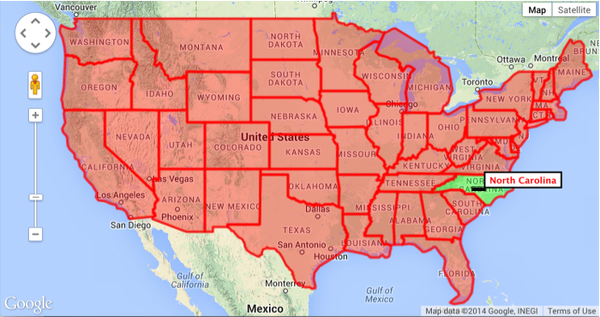
One of the most obvious ones is GeoJSON data about the world. People often store country boundaries as json features and display it on the map to highlight certain areas. Users might not zoom in on these polygons, but they might zoom just near to it, and that causes lag as well.

AliFlux
on 20 Mar 2018
Ok, with the last PR this problem should be solved for Skia renderer. Now all Polygons are clipped too.
@pauldendulk: Sorry, there is an error from Bitrise, but I couldn't see the error. No authorisation :(. Any idea?
charlenni
on 20 Mar 2018
I took a glance at Bitrise it seems to be a change in their configuration. I need to dive into it.
pauldendulk
on 21 Mar 2018
Closing. I assume this is fixed with charlenni's PR.
pauldendulk
on 30 Mar 2018
Is the problem fixed with WPF renderer as well? I can't use skia renderer because the map gets pixelated on zoom (is anyone aware of this problem as well?).
AliFlux
on 30 Mar 2018
No, I didn't do anything with Wpf renderer. That's Pauls part.
Could we have an image for the pixelated map?
charlenni
on 30 Mar 2018
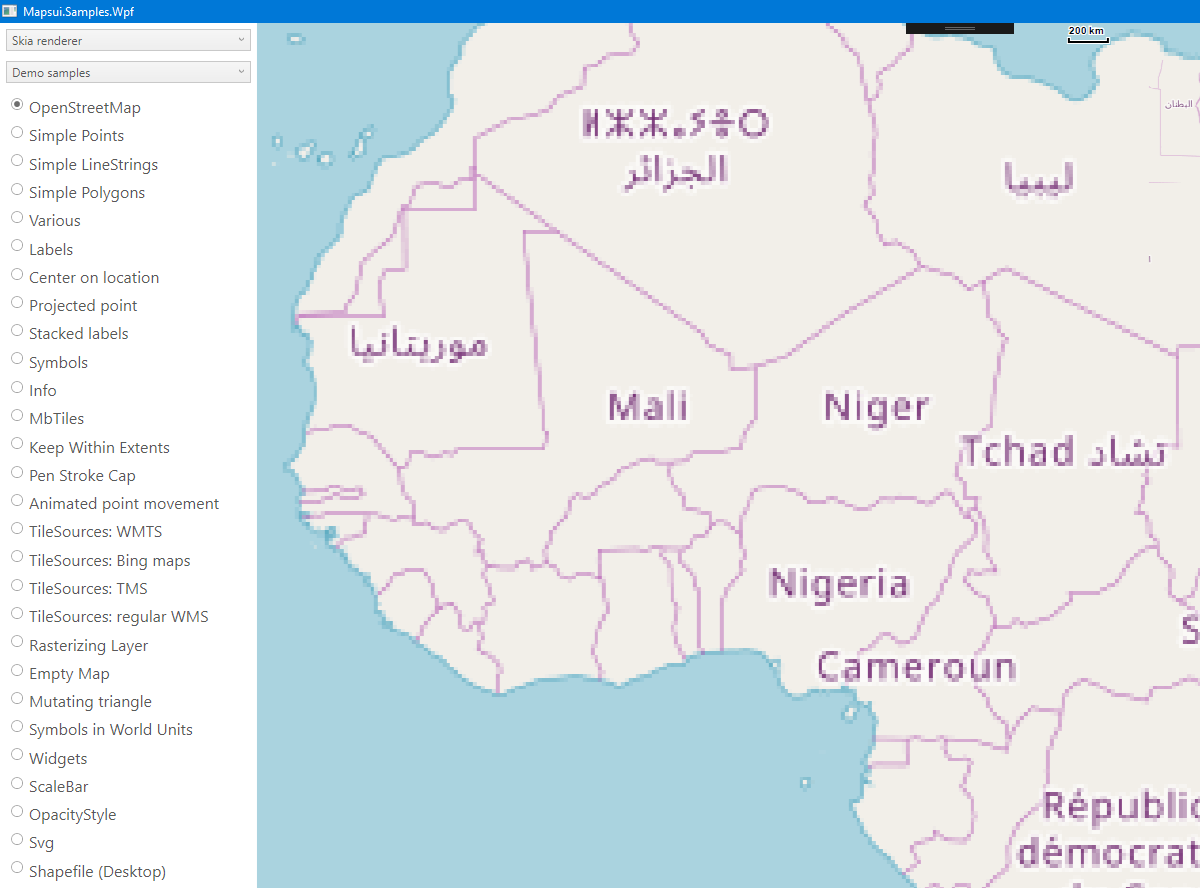
As soon as we zoom in, the existing tiles become pixelated when expanded (anti-aliasing issue probably).
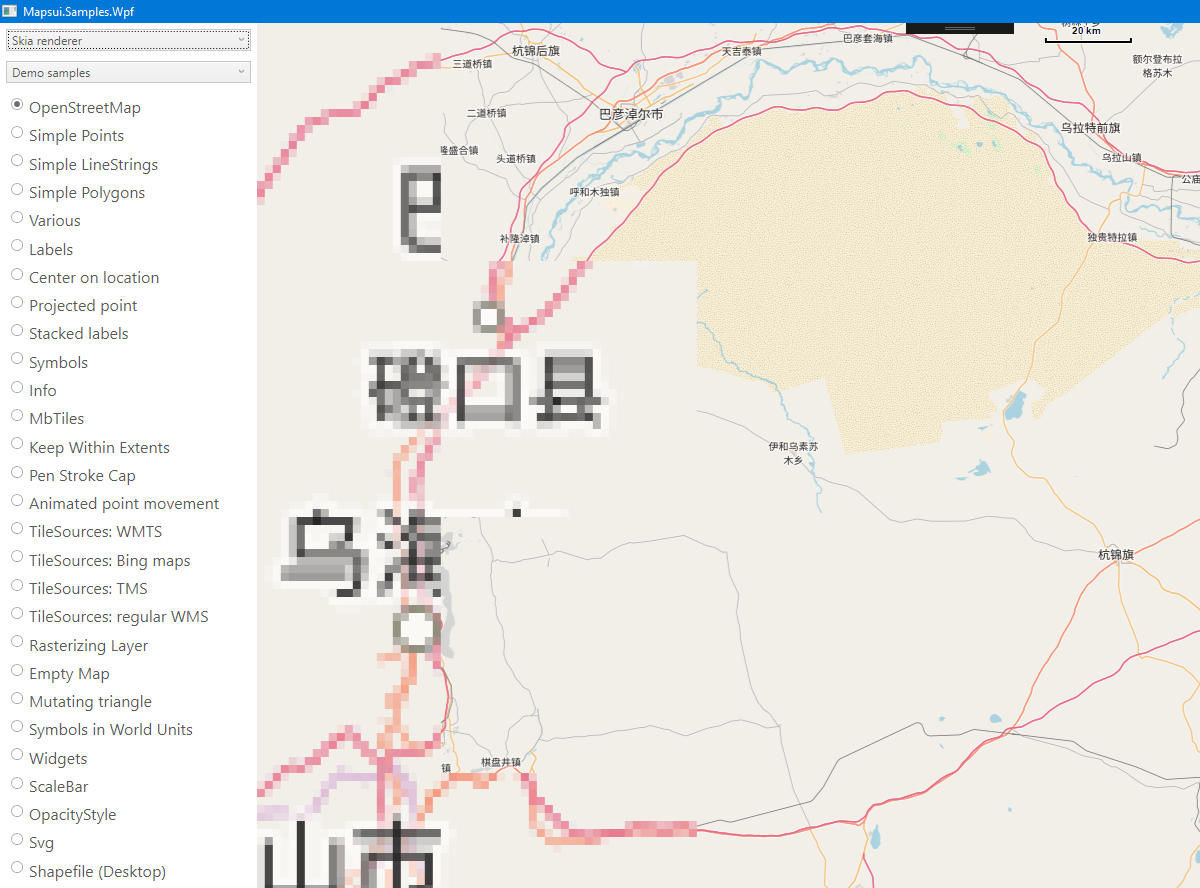
And they stay pixelated until the new tiles are fetched and previewed.
I thought this was a known problem, since I have been facing it from day 1.
AliFlux
on 30 Mar 2018

I also managed to make a gif out of this.
AliFlux
on 30 Mar 2018
You are missing tiles. They aren't fetched and should be fetch time by time. Up to than, the renderer shows the last tile for this place, but scaled at double size.
The first image could be short before the next tiles are loaded. The second image shows 5 x 4 tiles. In the first row the first tile isn't fetched in the correct resolution. The old one is shown (resacled). The rest in row are correct. In row 2 the first two tiles aren't loaded. In row 3 first isn't loaded and in row 4 first two aren't loaded.
So it isn't a renderer problem, but a tile fetching problem. Slow internet connection?
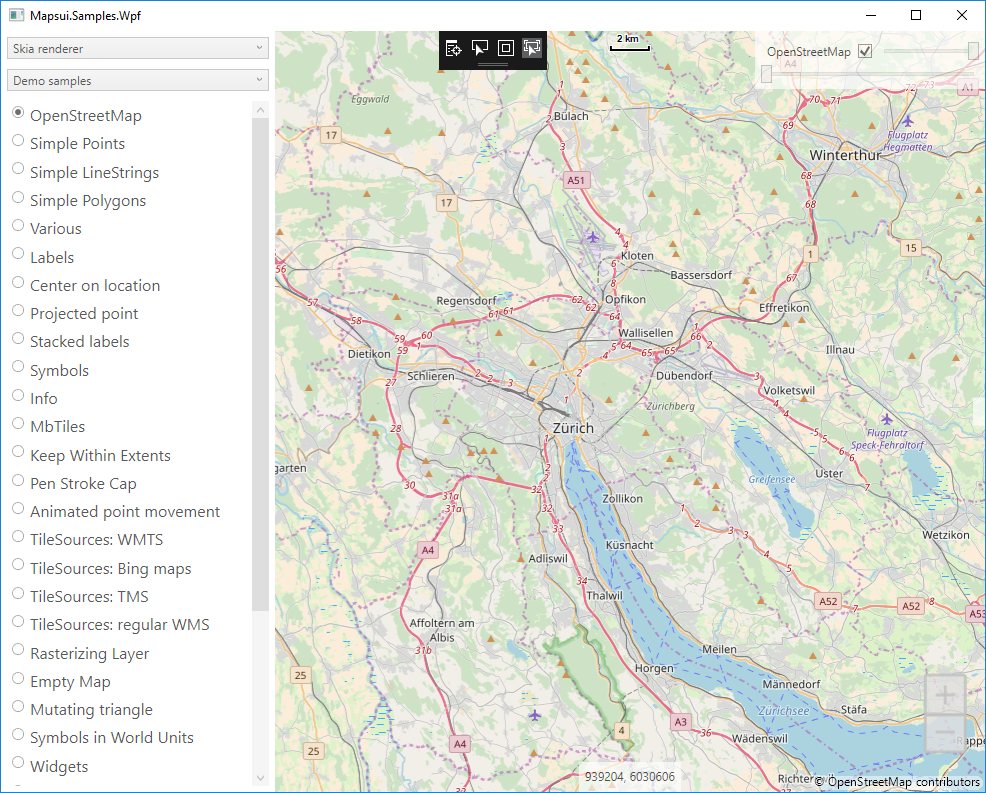
Normally the quality from Skia and Wpf renderer are nearly the same.
Btw. that's the quality of a Skia renderer map:
charlenni
on 30 Mar 2018
And the same as Wpf
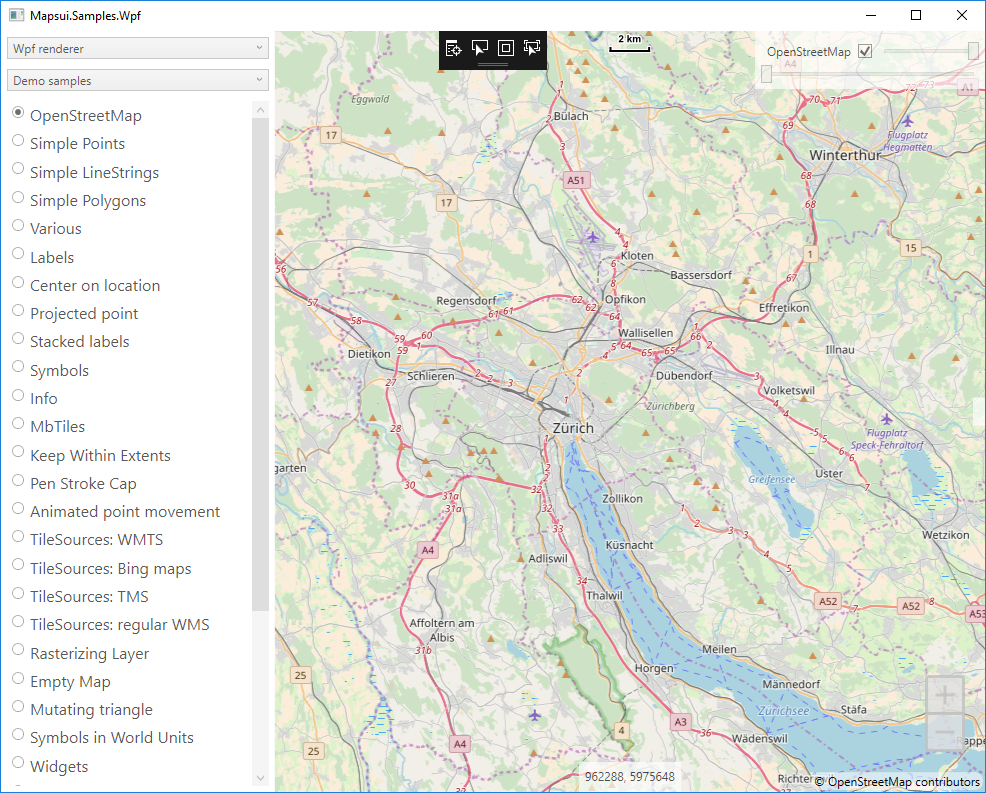
I see no differences.
charlenni
on 30 Mar 2018
It's an anti-aliasing problem actually. When the tile scales up in WPF renderer, it is done via bilinear/trilinear scaling. When its scaled up on Skia, it's done via nearest-neighbor scaling.
AliFlux
on 30 Mar 2018

I tried the same with WPF renderer. With the same slow internet connection. The result is better because the stretched tiles are smooth when the user zooms in.
AliFlux
on 30 Mar 2018
I searched for a while. The only thing, that I found is here. Sorry for that.
charlenni
on 30 Mar 2018
@AliFlux Thanks for the clear explanation and gifs. In my personal experience this has been a minor problem since usually tiles load very fast so it is only visible for a brief moment.
pauldendulk
on 31 Mar 2018
To reproduce the inflated tile problem I have now set the number of tile levels in the osm layer higher to what is actually available. In the code below the bottom level is now 30.
OpenStreetMap.cs:
C#
        private static HttpTileSource CreateTileSource()
        {
            return new HttpTileSource(new GlobalSphericalMercator(0, 30),
                "http://{s}.tile.openstreetmap.org/{z}/{x}/{y}.png",
                new[] { "a", "b", "c" }, name: "OpenStreetMap",
                attribution: OpenStreetMapAttribution);
        }
The zoom beyond the bottom level to inflate.
pauldendulk
on 31 Mar 2018
This is a bench at the Dam in Amsterdam with ugly skia rendering:
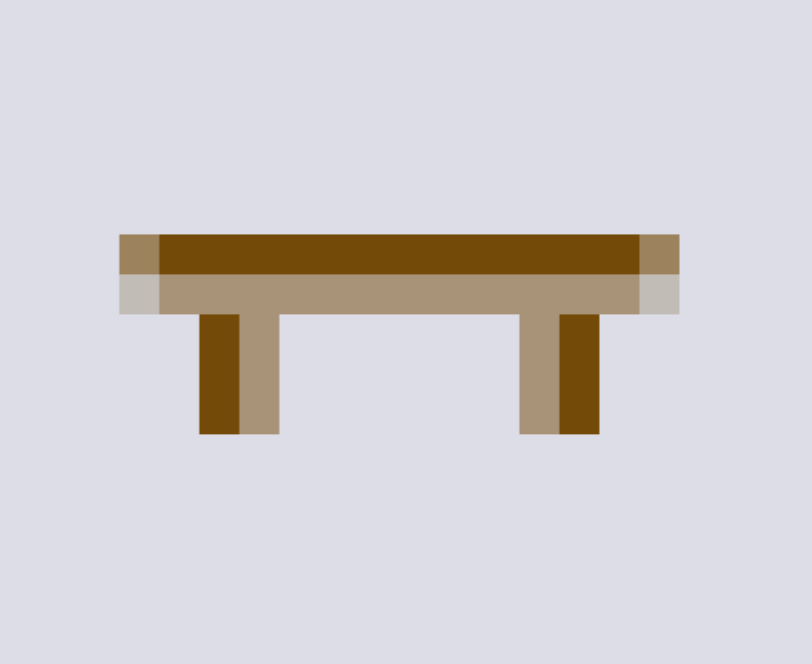
This the same bench in WPF rendering:

pauldendulk
on 31 Mar 2018
I've found a fix for this issue. I'll be sending a pull request in a few moments.
AliFlux
on 31 Mar 2018
In the skia BitmapHelper there is some commented out code for higher quality. If I re-enable this like this:
```C#
public static void RenderRaster(SKCanvas canvas, SKImage bitmap, SKRect rect, float layerOpacity)
{
// todo: Add some way to select one method or the other.
// Method 1) Better for quality. Helps to compare to WPF
var color = new SKColor(255, 255, 255, (byte)(255 * layerOpacity));
var paint = new SKPaint { Color = color, FilterQuality = SKFilterQuality.High };
canvas.DrawImage(bitmap, rect, paint);
        // Method 2) Better for performance:
        //if (Math.Abs(layerOpacity - 1) > Utilities.Constants.Epsilon)
        //{
        //    Paint.Color = new SKColor(255, 255, 255, (byte)(255 * layerOpacity));
        //    canvas.DrawImage(bitmap, rect, Paint);
        //}
        //else
        //{
        //    canvas.DrawImage(bitmap, rect);
        //}
    }
```
I get a better image like this:

But! the impact on performance is very high.
pauldendulk
on 31 Mar 2018
@AliFlux ah, let me know what you tried.
pauldendulk
on 31 Mar 2018
An alternative approach. The TileLayer constructor has a parameter renderFetchStrategy. It determines the way higher level tiles are fetched when lower levels are missing. You can change that strategy by implementing your own IRenderFetchStrategy. There is a MinimalFetchStrategy part of Mapsui that you could try like this:
C#
        public static TileLayer CreateTileLayer()
        {
            return new TileLayer(CreateTileSource(), renderFetchStrategy:new MinimalRenderGetStrategy())
            {
                Name = "OpenStreetMap"
            };
        }
The downside is that the map will just show the background color.
pauldendulk
on 31 Mar 2018
I've used a low quality paint and cached it. The performance impact is minimal, and the pixelated issue is gone. Please review the pull request at #363. The change is pretty tiny.
AliFlux
on 31 Mar 2018
Ah, it indeed looks much better, also with FilterQuality.Low:

pauldendulk
on 31 Mar 2018
Never tried the FilterQuality.Low setting. I always assumed the default was FilterQuality.Medium. Great find.
pauldendulk
on 31 Mar 2018
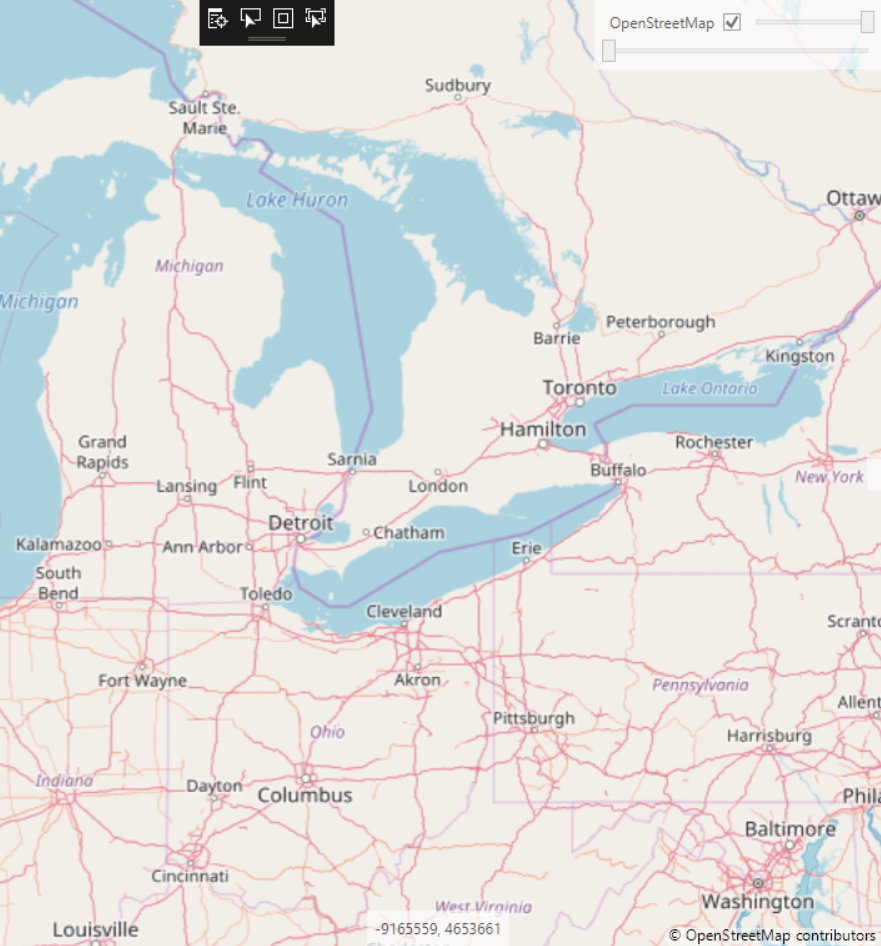
The FilterQuality.Low PR also fixes an issue that is much more important to me. If you zoom in between tile levels (so some image inflation needed) it looks blocky. This is what happens all the time when pinch zooming on mobile.
Bad:
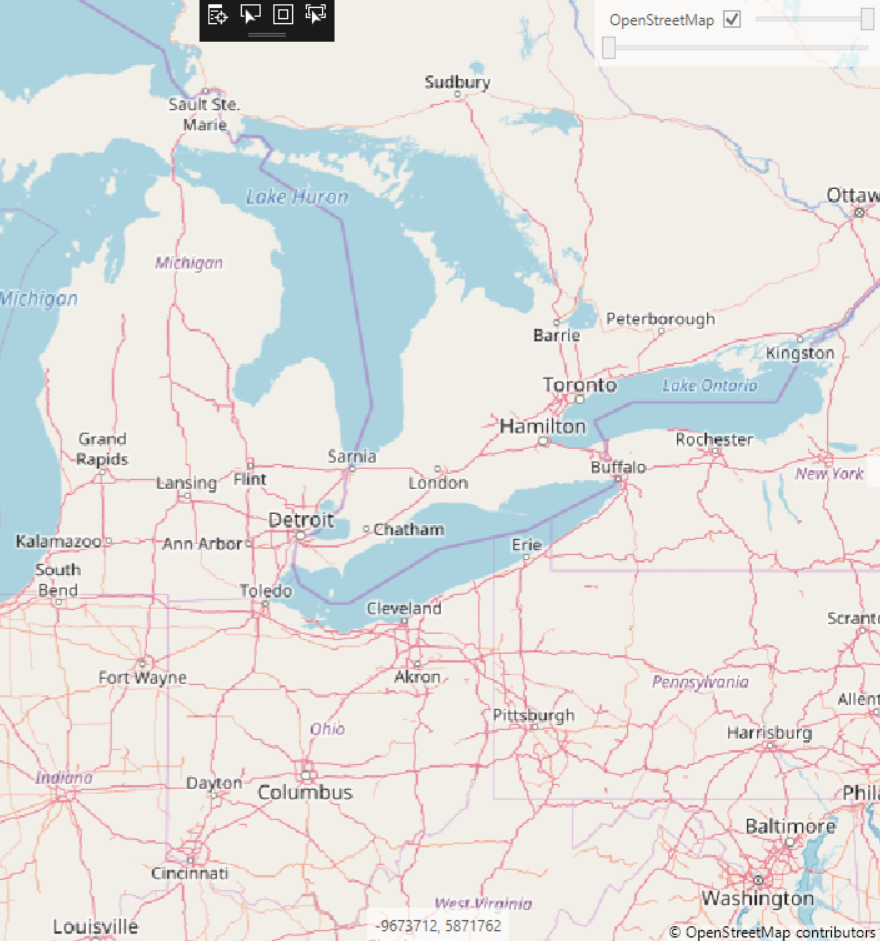
Much better:
pauldendulk
on 31 Mar 2018
So, I'm happy. Good moment to start the weekend :)
pauldendulk
on 31 Mar 2018
Sorry to disturb the starting of your Easter weekend, but this is only the cosmetic part of the problem. What about the massiv speed problem?
charlenni
on 31 Mar 2018
The massive performance issue is when using FilterQuality.High, not sure what the impact is of Low. I propose to start measurring things.
pauldendulk
on 31 Mar 2018
This is fixed in 1.3.3.
pauldendulk
on 22 Apr 2018
Related issues
 othmaniav
·
7Comments
othmaniav
·
7Comments
 felipechavez
·
4Comments
pauldendulk
·
7Comments
felipechavez
·
4Comments
pauldendulk
·
7Comments
 lukaszpitulski
·
8Comments
lukaszpitulski
·
8Comments
 EduardsBrown
·
5Comments
EduardsBrown
·
5Comments
Most helpful comment
I've used a low quality paint and cached it. The performance impact is minimal, and the pixelated issue is gone. Please review the pull request at #363. The change is pretty tiny.