Back from a long rest ( on a different project ). Happy to see this project grows nicely.
( Paul - You are awesome ! )
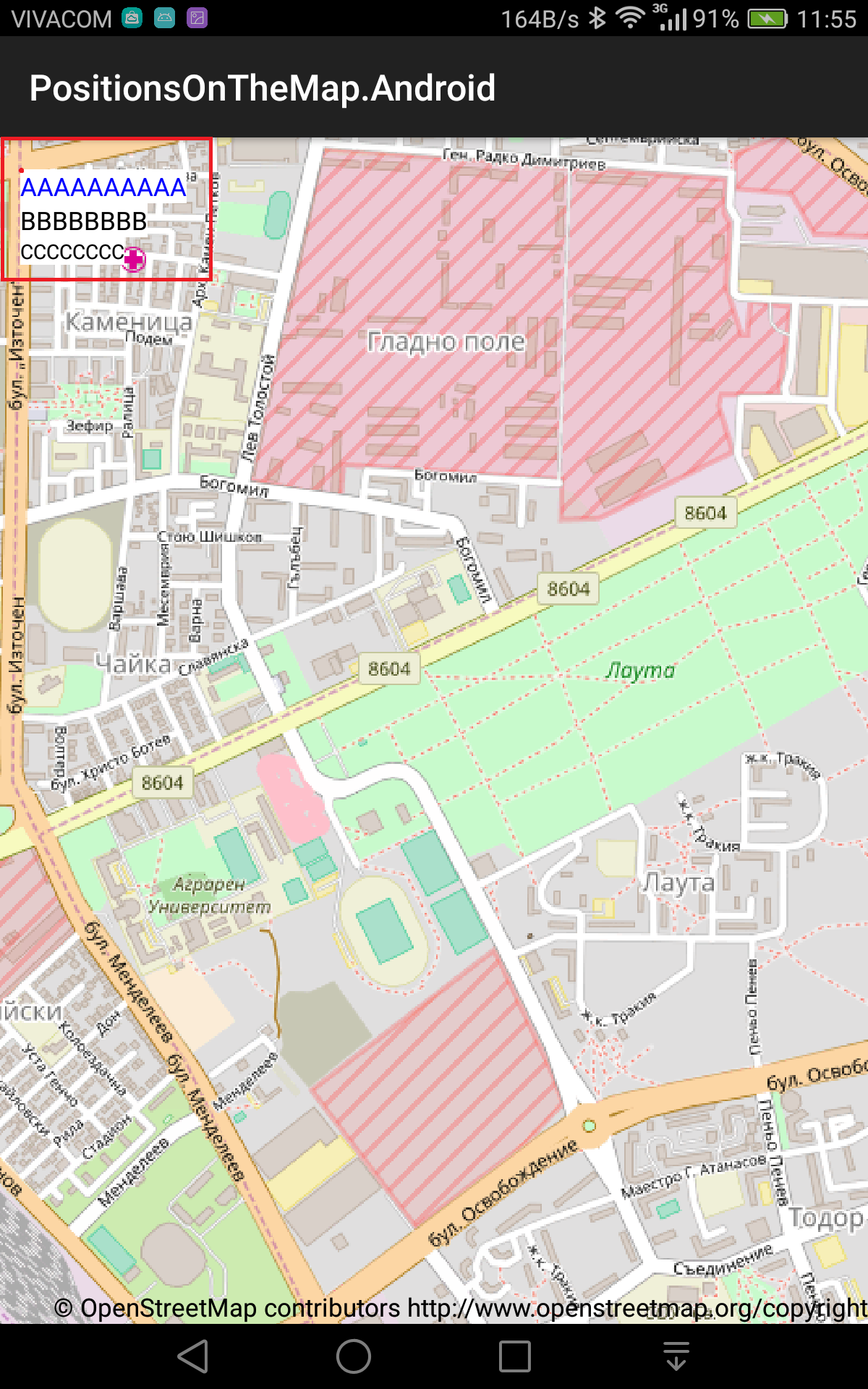
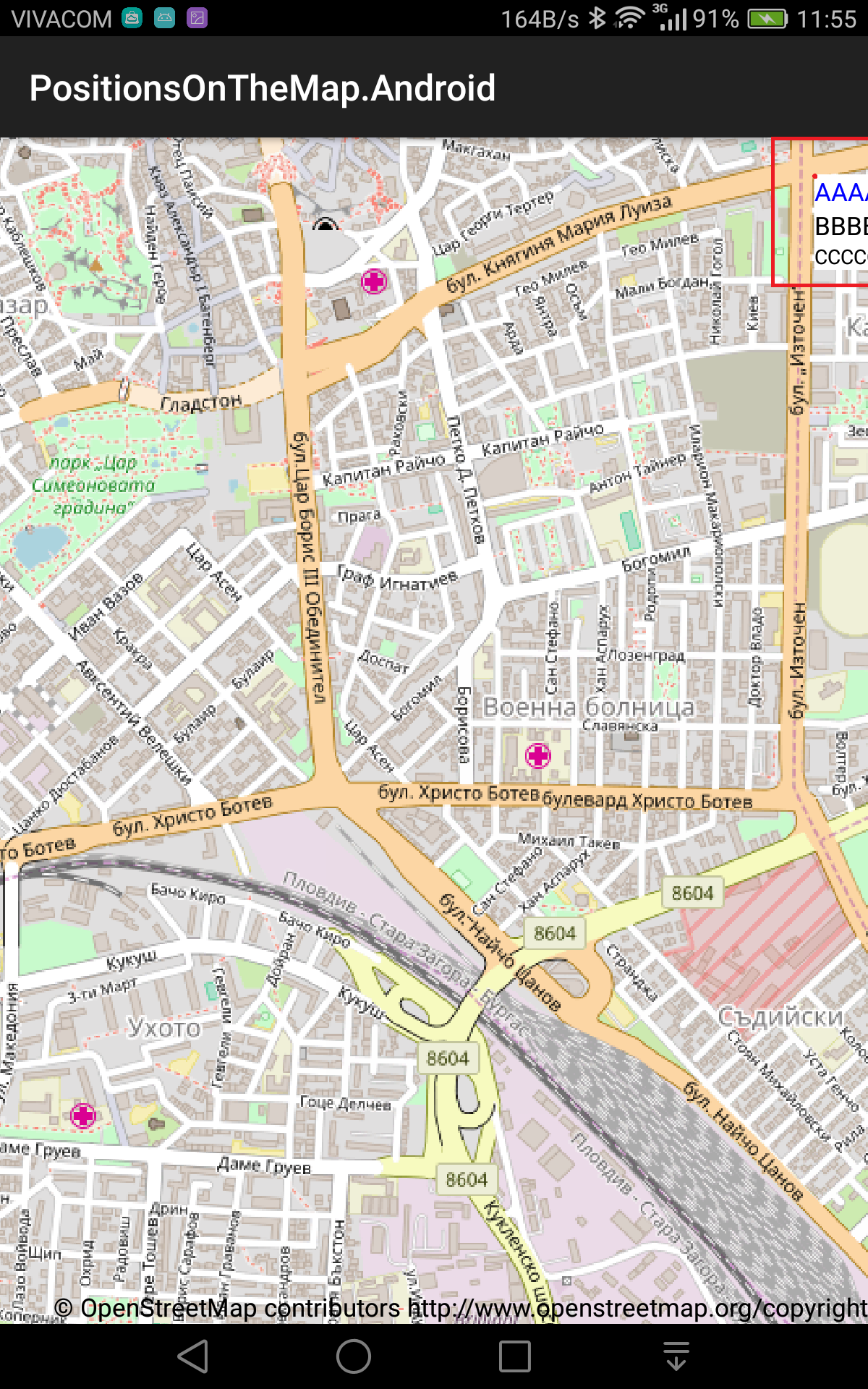
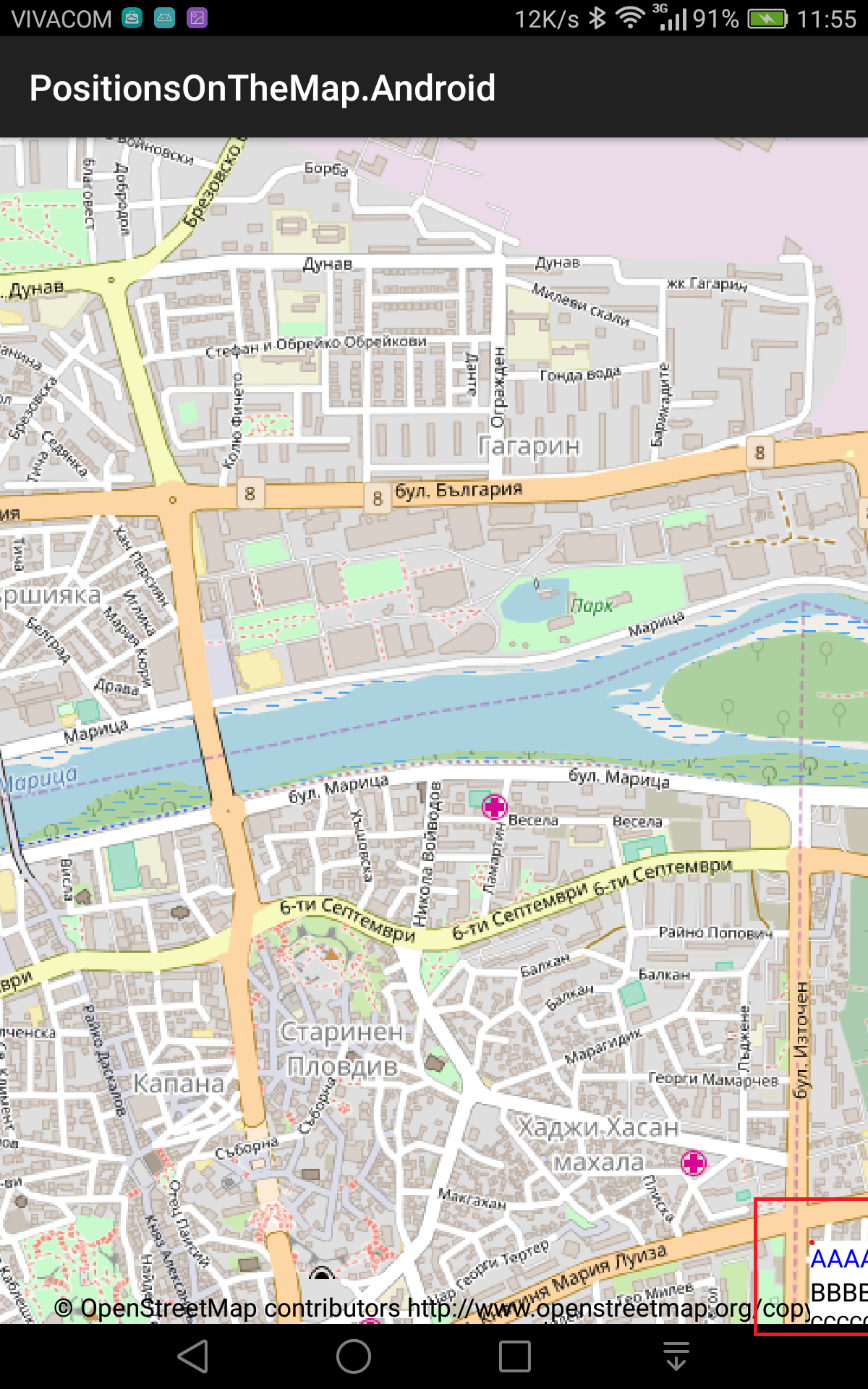
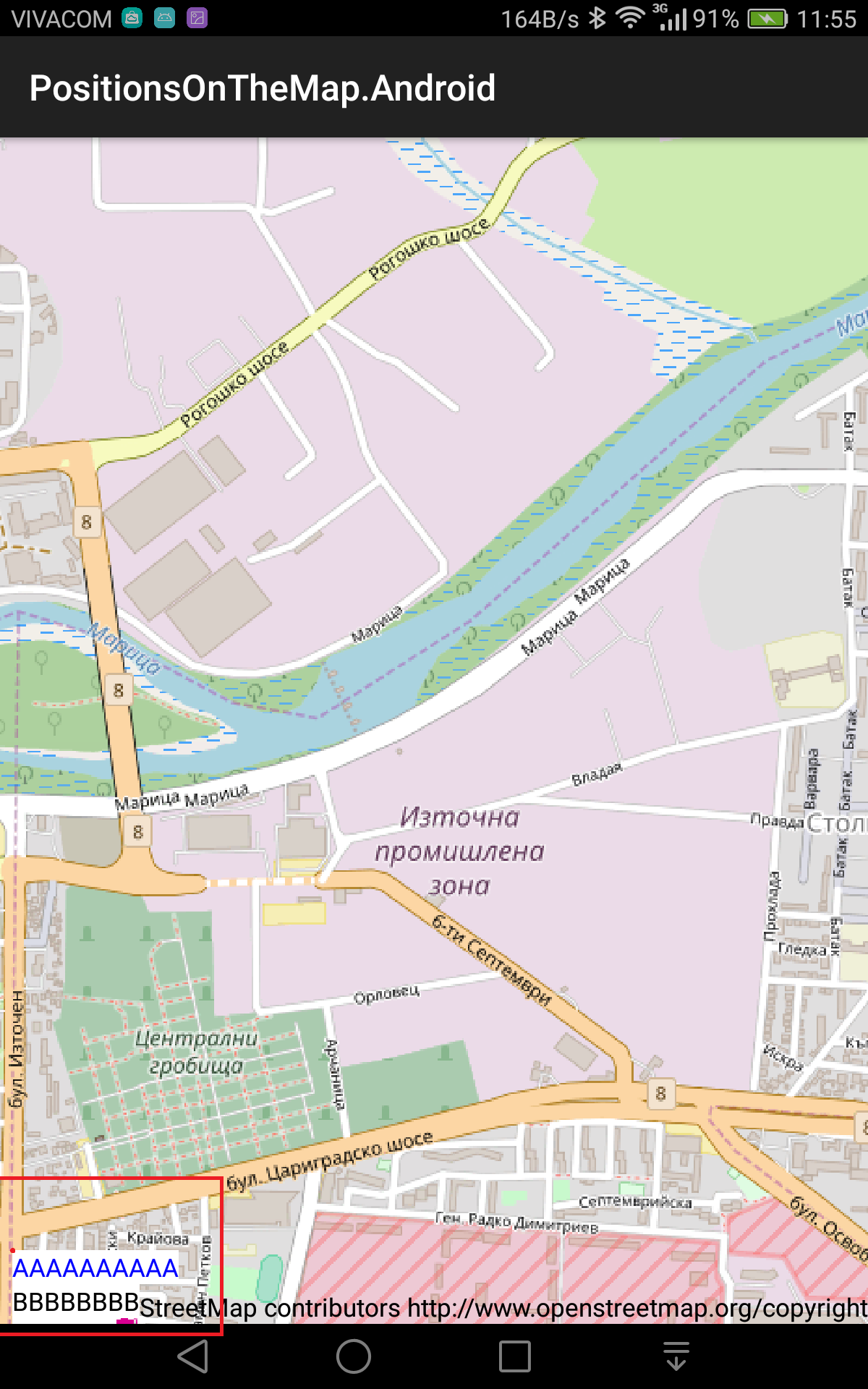
I have finally completed the application which I promise a long ago exposing the weird behavior I am getting with WorldToScreen function.
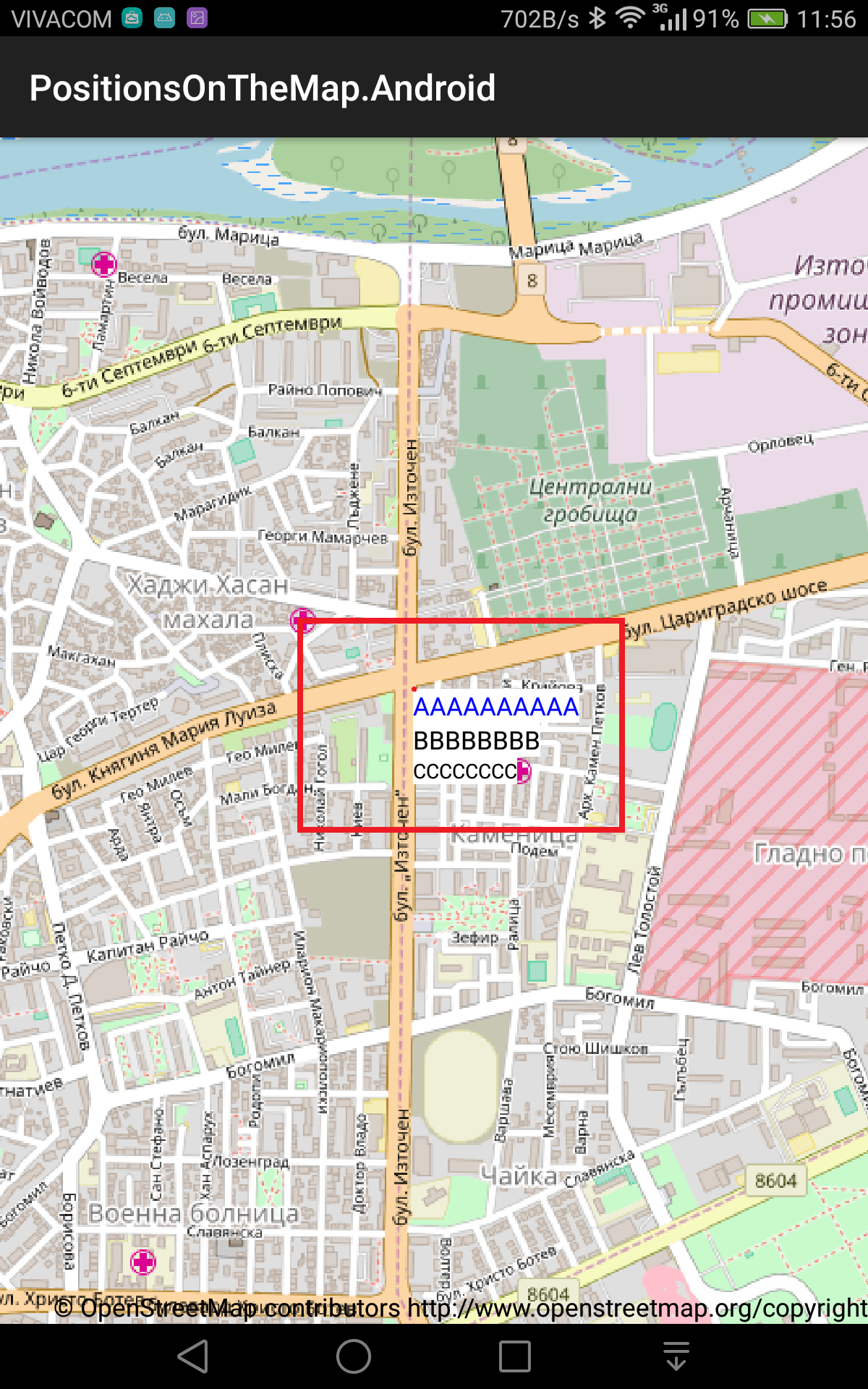
I am attaching the project plus screenshots from the demo app.
The point is to bring the layer as a hint on top of the position ( please correct me if I am doing something wrong ).
Anyway the actual point which is converted to the screen position is giving me wrong positions across the screen while moving.
 YordanYanakiev
All 6 comments
Hi Yoran, Good to see you back. The progress during the summer was mostly due to awesome contributors :), but I will be more active the coming months.
Thanks for your minimal application! This helps a lot. The problem seems to be with the scale of the map. I do not fully understand what is going on because there is no such problem going the other way around (ScreenToWorld). You can workaround this problem by multiplying with Resources.DisplayMetrics.Density. The code will look something like this:
private void Click(double pointerX, double pointerY)
{
    var latlon = new Point(24.763160, 42.146882);

    if (_first)
    {
        ZoomToPosition(latlon);
        _first =false;
    }

    var mapControl = FindViewById<MapControl>(Resource.Id.mapcontrol);
    var point =  SphericalMercator.FromLonLat(latlon.X, latlon.Y);
    var screenPoint = mapControl.Map.Viewport.WorldToScreen(point);

    screenPoint.X = screenPoint.X * Resources.DisplayMetrics.Density;
    screenPoint.Y = screenPoint.Y * Resources.DisplayMetrics.Density;

    _linearLayout.SetX((float)screenPoint.X);
    _linearLayout.SetY((float)screenPoint.Y);
    _linearLayout.BringToFront();
}
 pauldendulk
on 27 Sep 2017
pauldendulk
on 27 Sep 2017
I do correct for scale when going from screen to world in the MapControl here:
Map.InvokeInfo(GetPosition(args.Event, _scale).ToMapsui(), _renderer.SymbolCache);
Now I have to figure out how to go about this in the best way for world to screen.
pauldendulk
on 27 Sep 2017
One of the weirdest things that the same code / application shows complete different results on a different resolution devices.
Sometime the distance of the actual point is about half the screen. ( I will find a device later and make a screenshots ).
( My device resolution is 1920 x 1200 if it maters )
YordanYanakiev
on 27 Sep 2017
This should be fixed by using Resources.DisplayMetrics.Density. Did you try?
pauldendulk
on 27 Sep 2017
Works perfect on my device !
I was really misleading myself.
Thanks again Paul !
YordanYanakiev
on 27 Sep 2017
I added WorldToScreen and ScreenToWorld methods to all MapControls that take into account the map scale. The InfoLayersSample on Android now displays a native widget on the screen coordinate of the feature.
pauldendulk
on 29 Sep 2017
Related issues
 lukaszpitulski
·
5Comments
lukaszpitulski
·
5Comments
 kisslori
·
8Comments
kisslori
·
8Comments
 ricardoboss
·
5Comments
pauldendulk
·
7Comments
ricardoboss
·
5Comments
pauldendulk
·
7Comments
 charlenni
·
3Comments
charlenni
·
3Comments