Hi there,
I am switching from PointAnnotation to SymbolLayer, and I am still not sure how to use it, but first of all : all the pins on my map are SVG Pins, that I can custom "dynamically" (border, color, etc.). Is it possible to do so with SymbolLayer ?
 arnaudambro
All 33 comments
Answer: yes it is, just add a <View> child of <SymbolLayer> and be free to do whatever you want inside, including svgs...
arnaudambro
on 22 Jul 2019
@arnaudambro How did you manage to get this work? I tried to use a <View /> inside the <SymbolLayer /> and it renders nothing!. Is it possible to render custom react components as the shape source?
 0x006F
on 27 Oct 2019
0x006F
on 27 Oct 2019
Look at this comment on #227
arnaudambro
on 27 Oct 2019
Still no luck! Does the styles.marker has any special properties? (I assume there's a fixed height and width)
0x006F
on 27 Oct 2019
Yeah, you can pass anything as a View, but it actually doesn't work that much because the ShapeSource doesn't update dynamically. If you want to update your markers that way, you need to update the full map every time you update one of the markers / add a marker.
arnaudambro
on 27 Oct 2019
Didn't work with static rendering too!
I was hoping something simpler like asked here
0x006F
on 27 Oct 2019
Could you post your code here then ? Hard to check what could be your issue without it
arnaudambro
on 27 Oct 2019
export const Home = () => {
  return (
    <View style={{ flex: 1 }}>
      <MapboxGL.MapView
        style={{ flex: 1 }}
        attributionEnabled={false}
        logoEnabled={false}
        showUserLocation={true}
      >
        <MapboxGL.Camera
          zoomLevel={15}
          centerCoordinate={[7.2036162, 51.4455368]}
        />
        <MapboxGL.ShapeSource
          id="markersShape"
          shape={{
            type: "Feature",
            properties: {
              id: "asd"
            },
            geometry: {
              type: "Point",
              coordinates: [7.2036162, 51.4455368]
            }
          }}
        >
          <MapboxGL.SymbolLayer
            id="asd"
            sourceID="markersShape"
            style={{
              iconSize: 1,
              iconAllowOverlap: true
            }}
          >
            <View
              style={{ height: 40, width: 40 }}
              pointerEvents="none" // this is important for the onPress prop of ShapeSource to work
            >
              {/* ... place what you want as a marker here, even SVG from react-native-svg for instance */}
              <Text>something</Text>
            </View>
          </MapboxGL.SymbolLayer>
        </MapboxGL.ShapeSource>
      </MapboxGL.MapView>
    </View>
  );
};
Code seems good here, but you didn't put anything within the View so I don't know
arnaudambro
on 28 Oct 2019
Wait a minute, what am I missing? I put a <Text>something</Text> as the children of that View
:worried:
0x006F
on 28 Oct 2019
@0x006F I have the same problem 🙀
 xakep-sava
on 28 Oct 2019
xakep-sava
on 28 Oct 2019
Well I don't know, but I copy pasted your code and here is what I have:
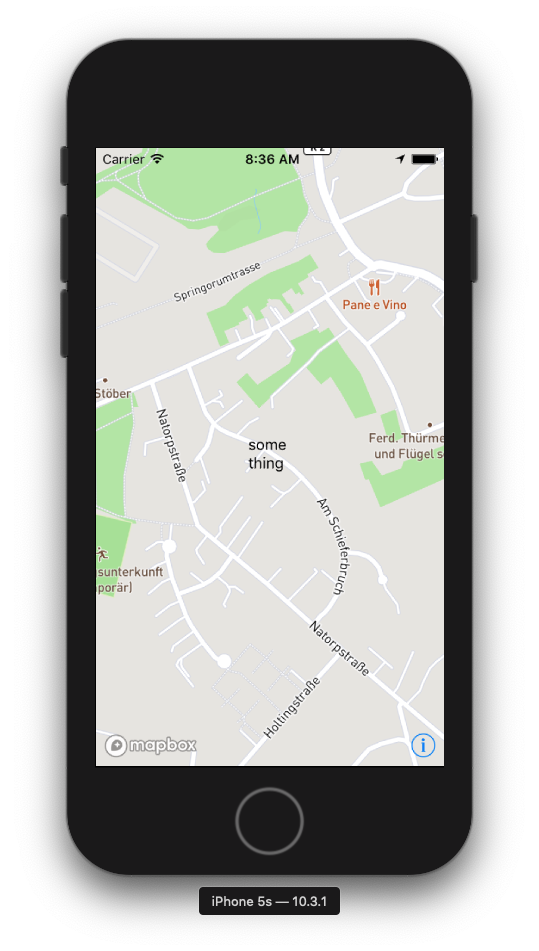
arnaudambro
on 28 Oct 2019
You've gotta be kidding me :rofl: Mine's dead blank. I can see the map, underneath, yet, no symbols or whatever. Package version difference may be?
Here's mine:
  "dependencies": {
    "@react-native-mapbox-gl/maps": "^7.0.7",
    "react": "16.9.0",
    "react-native": "0.61.2",
    "react-native-gesture-handler": "^1.4.1",
    "react-native-reanimated": "^1.3.0",
    "react-native-screens": "^2.0.0-alpha.6",
    "react-navigation": "^4.0.10",
    "react-navigation-stack": "^1.10.3"
  },
  "devDependencies": {
    "@babel/core": "^7.6.4",
    "@babel/runtime": "^7.6.3",
    "@react-native-community/eslint-config": "^0.0.5",
    "babel-jest": "^24.9.0",
    "eslint": "^6.5.1",
    "jest": "^24.9.0",
    "metro-react-native-babel-preset": "^0.56.3",
    "react-test-renderer": "16.9.0"
  }
Here's mine:
"dependencies": {
    "@react-native-community/art": "^1.0.2",
    "@react-native-community/async-storage": "^1.6.2",
    "@react-native-community/google-signin": "^3.0.1",
    "@react-native-community/push-notification-ios": "^1.0.2",
    "@react-native-mapbox-gl/maps": "^7.0.7",
    "@sentry/react-native": "^1.0.9",
    "lodash": "^4.17.15",
    "prop-types": "^15.7.2",
    "qs": "^6.9.0",
    "react": "16.8.1",
    "react-native": "0.61.2",
    "react-native-dialog": "^5.6.0",
    "react-native-emoji-selector": "^0.1.7",
    "react-native-geolocation-service": "^3.1.0",
    "react-native-progress": "^4.0.0",
    "react-native-push-notification": "^3.1.9"
  },
  "devDependencies": {
    "@babel/core": "^7.5.0",
    "@babel/runtime": "^7.5.0",
    "@react-native-community/eslint-config": "^0.0.3",
    "babel-jest": "^24.1.0",
    "jest": "^24.1.0",
    "metro-react-native-babel-preset": "^0.51.1",
    "react-test-renderer": "16.8.1"
  },
My RN version is 0.59.10 and react is 16.8.3, maybe that's why, dunno...
arnaudambro
on 28 Oct 2019
I tried to monkey-patch the SymbolLayer's children from node_modules and still didn't render anything.
0x006F
on 28 Oct 2019
I can see you have multiple dependencies in your projects: did you try a minimal project with just the code, with your versions of RN and react on a side, and my versions on the other side ?
That is a "must do" to know where your problem can come from.
arnaudambro
on 28 Oct 2019
Sure, I'll try it out. Give me some time.
0x006F
on 28 Oct 2019
@0x006F Did you solve the problem?
xakep-sava
on 4 Nov 2019
Hey @xakep-sava / @arnaudambro Apologies, got carried away with my work. Sorry for the delay.
And no, it's still not rendering anything. Just the map. No ShapeSource and all
0x006F
on 4 Nov 2019
Hi, anything new?
xakep-sava
on 5 Dec 2019
Any update guys? I cant add a marker to the map!!
 anastely
on 9 Dec 2019
anastely
on 9 Dec 2019
I am no maintainer so I'll just tell you what I did and what I know:
- To make
ShapeSourcework properly, you need to add your images to theMapBoxGL.Imagescomponent. ThenShapeSourcewill update your markers on the spot, when you want. - Svg are not supported, except if your markers are wrapped into a
Viewlike I said above, but then you can't change your markers dynamically.
I just read the whole thread again, and everything we need to know for now is there, I can't tell you more.
arnaudambro
on 9 Dec 2019
@arnaudambro Thanks I do it but didn't work sadly
i use PointAnnotation like this
 <MapboxGL.PointAnnotation
                selected={true}
                onSelected={() => console.log('selected')}
                key="key"
                id="id"
                title="End Location"
                coordinate={this.state.initialCoords}>
                <Icon name="ios-pin" size={45} color="red" /> // it's from RN-vector-icons , when i replace it with an SVG or Image or MapBoxGL.Images Not working
              </MapboxGL.PointAnnotation>
I don't use MapboxGL.PointAnnotation because it's no longer maintained, so I really can't tell you anything there ! Sorry
arnaudambro
on 9 Dec 2019
Not a problem i have one last question :V How can I use this thing inside my react native app
anastely
on 9 Dec 2019
Out
Not a problem i have one last question :V How can I use this thing inside my react native app
Open a new issue or go to stack overflow for this matter, but this has nothing to do with the current topic ! (And I can't help you because I don't know 😬)
arnaudambro
on 10 Dec 2019
Not able to get it work for me. Copy pasted the same code but no text coming on the map.
Can anyone please help?
Here is my code: -
const RouteMap = (props: Props) => {
  const [shipments, setShipments] = useState(
    MapboxGL.geoUtils.makeFeatureCollection(shape(props.shipmentCollection)),
  );

  return (
    <View style={{flex: 1}}>
      <MapboxGL.MapView
        style={{flex: 1}}
        attributionEnabled={false}
        logoEnabled={false}
        showUserLocation={true}>
        <MapboxGL.Camera
          zoomLevel={15}
          centerCoordinate={[7.2036162, 51.4455368]}
        />
        <MapboxGL.ShapeSource
          id="markersShape"
          shape={{
            type: 'Feature',
            properties: {
              id: 'asd',
            },
            geometry: {
              type: 'Point',
              coordinates: [7.2036162, 51.4455368],
            },
          }}>
          <MapboxGL.SymbolLayer
            id="asd"
            sourceID="markersShape"
            style={{
              iconSize: 1,
              iconAllowOverlap: true,
            }}>
            <View
              style={{height: 40, width: 40}}
              pointerEvents="none" // this is important for the onPress prop of ShapeSource to work
            >
              {/* ... place what you want as a marker here, even SVG from react-native-svg for instance */}
              <Text>something</Text>
            </View>
          </MapboxGL.SymbolLayer>
        </MapboxGL.ShapeSource>
      </MapboxGL.MapView>
    </View>
  );
};
 pango89
on 10 Jan 2020
pango89
on 10 Jan 2020
pango89
on 10 Jan 2020
you did not copy pasted my code. you have some extra code that needs to be checked.
but anyway, as many of you not succeed to make it work, I'll try again as soon as I have time and I'll let you know
arnaudambro
on 10 Jan 2020
What I did is:
react-native init testmapbox
cd testmapbox
yarn add @react-native-mapbox-gl/maps
cd ios
pod install
cd ..
# In one tab
yarn start
# In another tab
yarn ios
So my package.json is:
{
  "name": "testmapbox",
  "version": "0.0.1",
  "private": true,
  "scripts": {
    "android": "react-native run-android",
    "ios": "react-native run-ios",
    "start": "react-native start",
    "test": "jest",
    "lint": "eslint ."
  },
  "dependencies": {
    "@react-native-mapbox-gl/maps": "^7.0.9",
    "react": "16.9.0",
    "react-native": "0.61.5"
  },
  "devDependencies": {
    "@babel/core": "^7.7.7",
    "@babel/runtime": "^7.7.7",
    "@react-native-community/eslint-config": "^0.0.6",
    "babel-jest": "^24.9.0",
    "eslint": "^6.8.0",
    "jest": "^24.9.0",
    "metro-react-native-babel-preset": "^0.56.4",
    "react-test-renderer": "16.9.0"
  },
  "jest": {
    "preset": "react-native"
  }
}
Then I pasted the code on the comment above, with only the style prop to the MapView component.
import React from 'react';
import MapboxGL from '@react-native-mapbox-gl/maps';

import {
  View,
  Text,
} from 'react-native';

MapboxGL.setAccessToken(YOUR_TOKEN);

export default () => {
  return (
    <View style={{flex: 1}}>
      <MapboxGL.MapView style={{flex: 1}} >
        <MapboxGL.Camera
          zoomLevel={15}
          centerCoordinate={[7.2036162, 51.4455368]}
        />
        <MapboxGL.ShapeSource
          id="markersShape"
          shape={{
            type: 'Feature',
            properties: {
              id: 'asd',
            },
            geometry: {
              type: 'Point',
              coordinates: [7.2036162, 51.4455368],
            },
          }}>
          <MapboxGL.SymbolLayer
            id="asd"
            sourceID="markersShape"
            style={{
              iconSize: 1,
              iconAllowOverlap: true,
            }}>
            <View
              style={{height: 40, width: 40}}
              pointerEvents="none" // this is important for the onPress prop of ShapeSource to work
            >
              {/* ... place what you want as a marker here, even SVG from react-native-svg for instance */}
              <Text>something</Text>
            </View>
          </MapboxGL.SymbolLayer>
        </MapboxGL.ShapeSource>
      </MapboxGL.MapView>
    </View>
  );
};
and this is my result
in iOS

in Android

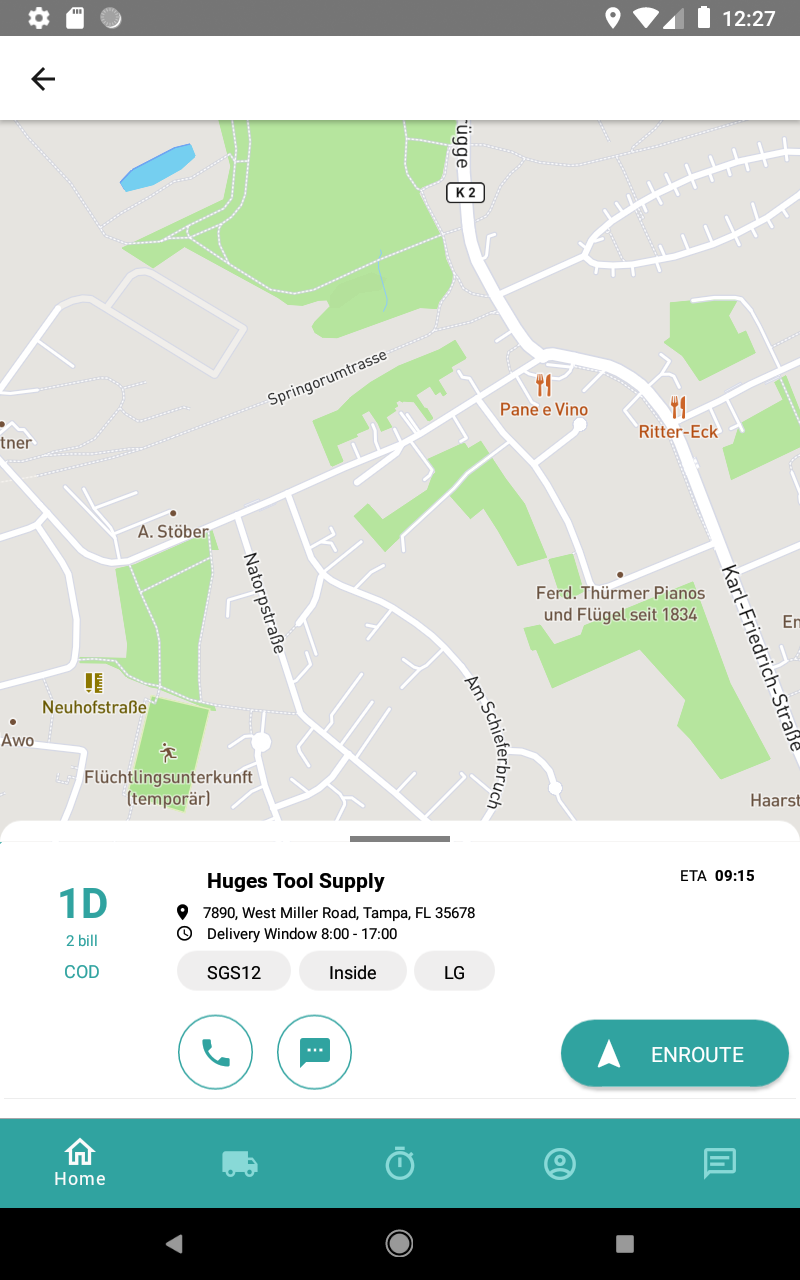
you can see that it doesn't work.
so for all the people it doesn't work (@pango89 @0x006F @xakep-sava @anastely ), please try exactly what I did, and it should work on iOS, but not on Android. I will not do more as I don't use ShapeSource like that, nobody should because ShapeSource should work with SymbolLayer with nothing inside.
Cheers !
🍻
arnaudambro
on 10 Jan 2020
@arnaudambro Thanks for the detailed explanation.
pango89
on 13 Jan 2020
@arnaudambro Thx!
xakep-sava
on 19 Jan 2020
Related issues
 MariaSyed
·
4Comments
MariaSyed
·
4Comments
 DroidZed
·
4Comments
DroidZed
·
4Comments
 dorthwein
·
3Comments
dorthwein
·
3Comments
 andrei-tofan
·
5Comments
andrei-tofan
·
5Comments
 SethArchambault
·
3Comments
SethArchambault
·
3Comments
Most helpful comment
Wait a minute, what am I missing? I put a
<Text>something</Text>as the children of thatView:worried: