Mapper: Concentric shift / parallel line

To draw exactly parallel lines (as a fence following along a winding road) it would be nice to have a parallel shift function ~ moving the points of a line symbol perpendicular to their tangents (?).
The parallel fence then could be drawn by "filling" the road with the fence first and then using that parallel shift...
 mlerjen
All 10 comments
This sounds similar to this issue https://github.com/OpenOrienteering/mapper/issues/362
It would definitely be useful. I would be interested to hear any clever ways of drawing parallel lines in the mean time.
 wanacode
on 7 Apr 2016
wanacode
on 7 Apr 2016
Another variant of #143.
 dg0yt
on 19 Jun 2016
dg0yt
on 19 Jun 2016
Please note - this kind of transformation called Concentric Shift or Radial Shift. The Parallel shift already implemented as Duplicate + Move Object.

 yevhenmazur
on 23 Jul 2016
yevhenmazur
on 23 Jul 2016
The new "follow outline" feature opens up for a temporary work-around to this concentric-shift issue... https://youtu.be/0nXfyCYcHjM
mlerjen
on 12 Apr 2020
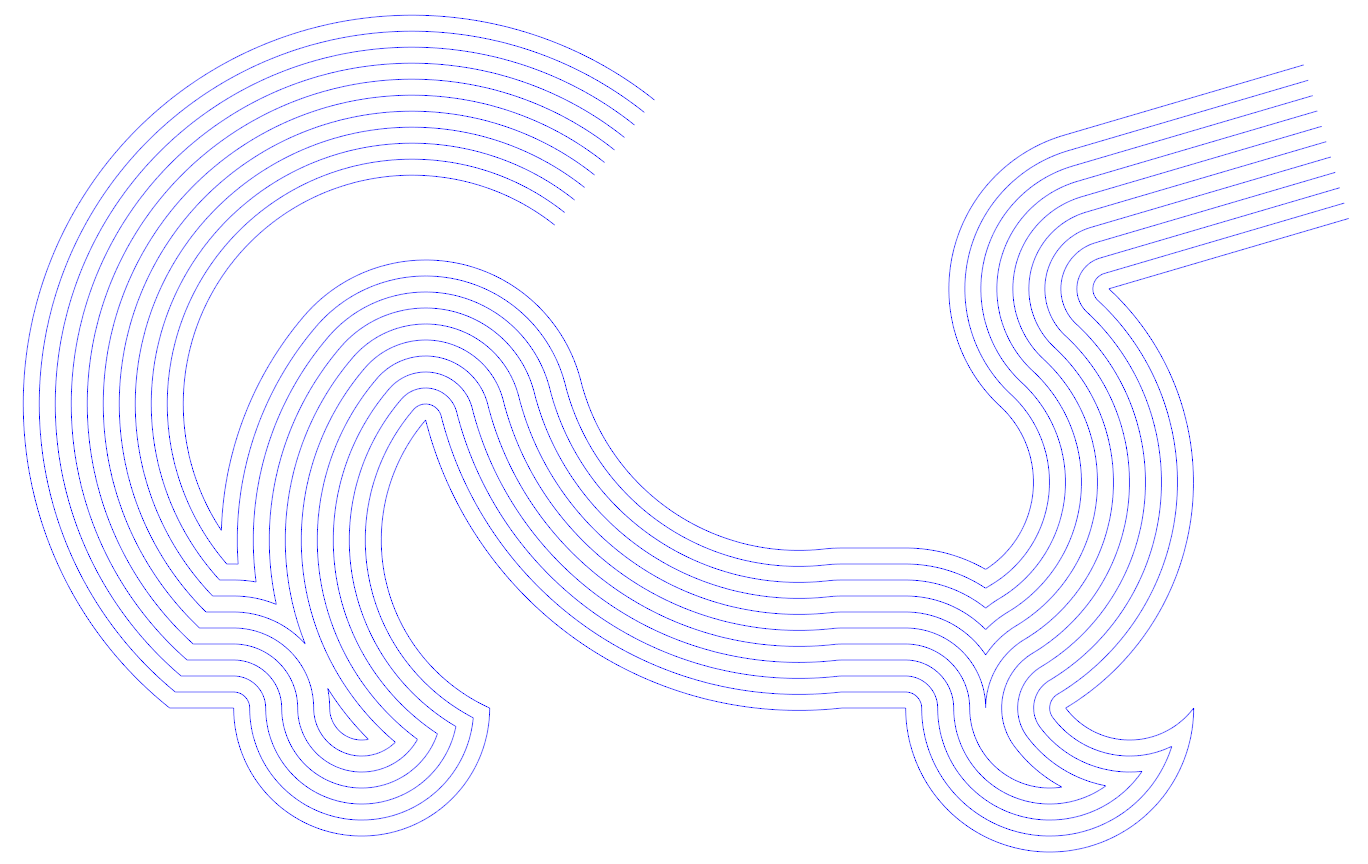
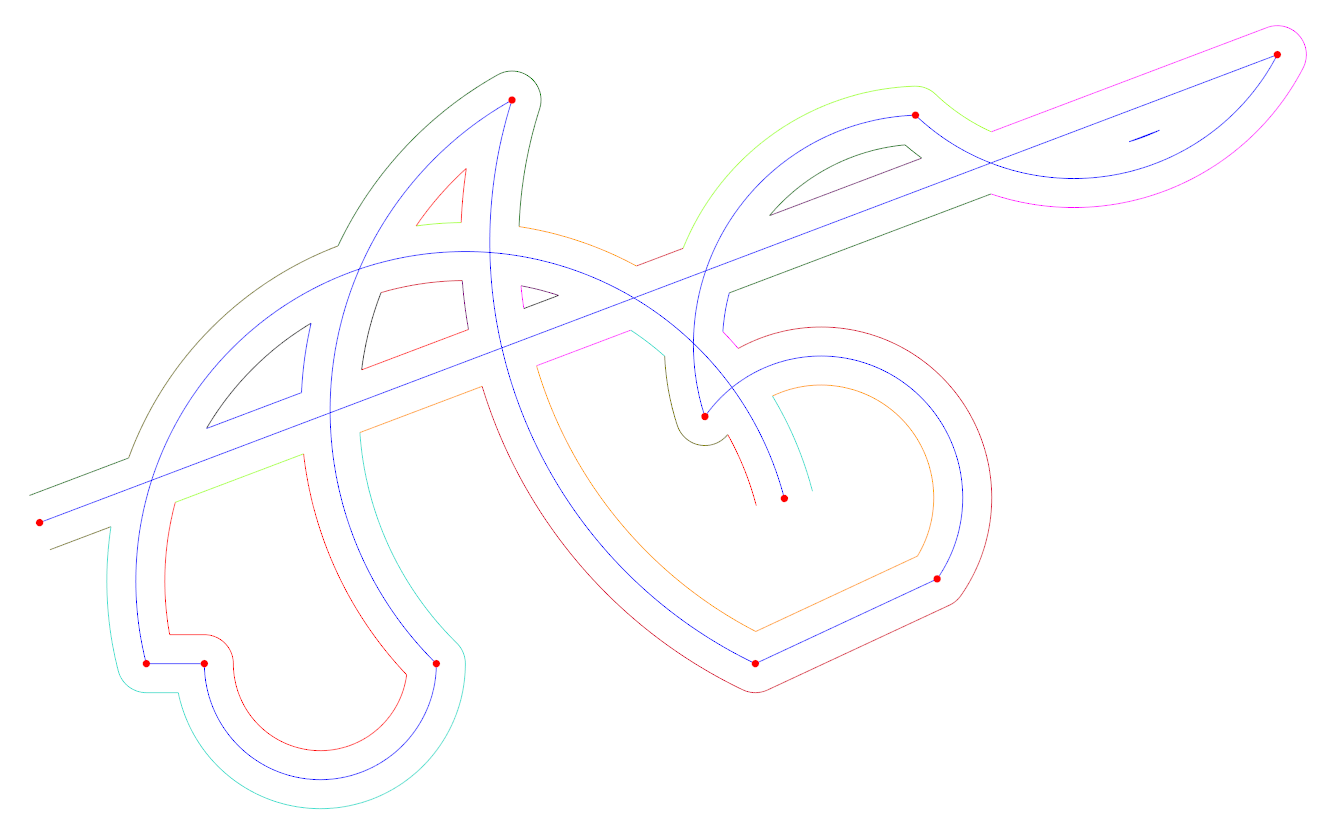
There is new open-source lib CavalierContours (MIT-licensed) that could be useful for Mapper, but as for now it limited only to "processing 2D polylines containing both straight line and constant radius arc segments" (no Bezier curves support yet)
- Lib (core) - https://github.com/jbuckmccready/CavalierContours
- GUI (interactive) - https://github.com/jbuckmccready/CavalierContoursDev
 Symbian9
on 18 Apr 2020
Symbian9
on 18 Apr 2020
There is new open-source lib
CavalierContours(MIT-licensed) that could be useful for _Mapper_, but as for now it limited only to _"processing 2D polylines containing both straight line and constant radius arc segments"_ (no Bezier curves support yet)
There may be more libraries, but we already do have QBezier for such calculations. Someone has to write the code which uses it.
dg0yt
on 22 Apr 2020
Someone has to write the code which uses it.
It's on my list and I've already made one (failed) attempt to implement it as a standalone tool. However, I'm more and more sure that it essentially should be a function of the Edit Line tool, which moves one segment in a "concentric" fashion. It's natural to extend the tool to move all path segments in a similar way. I'm wondering how the function should be switched. Any suggestions for modifier keys and/or switch key combinations are welcome.
BTW, I need this function too. :)
 lpechacek
on 22 Apr 2020
lpechacek
on 22 Apr 2020
Maybe better start with a standalone clone of the edit-line tool: I would prefer to select multiple bezier segments by dragging along the line, before shifting by dragging away from the line.
dg0yt
on 22 Apr 2020
By my understanding the concentric shift is applied to entire objects in most cases. You have an object you want a second to align to. You draw the second object snapping to the first, then you shift it concentric.

Thus I would prefer that the default is "all segments of the selected objects", with the option to deselect sections by ctrl-clicking on them before draging away.
mlerjen
on 22 Apr 2020
Thus I would prefer that the default is "all segments of the selected objects", with the option to deselect sections by ctrl-clicking on them before draging away.
One more reason to start with a separate tool ;-)
dg0yt
on 25 Apr 2020
Related issues
 ollesmaps
·
8Comments
Symbian9
·
3Comments
ollesmaps
·
8Comments
Symbian9
·
3Comments
 dl3sdo
·
5Comments
dl3sdo
·
5Comments
 sfroyen
·
6Comments
sfroyen
·
6Comments
 MartinHore
·
4Comments
MartinHore
·
4Comments
Most helpful comment
It's on my list and I've already made one (failed) attempt to implement it as a standalone tool. However, I'm more and more sure that it essentially should be a function of the Edit Line tool, which moves one segment in a "concentric" fashion. It's natural to extend the tool to move all path segments in a similar way. I'm wondering how the function should be switched. Any suggestions for modifier keys and/or switch key combinations are welcome.
BTW, I need this function too. :)