Mapbox-gl-native: [core] `maxZoom` source option allows downloading tiles at higher zooms
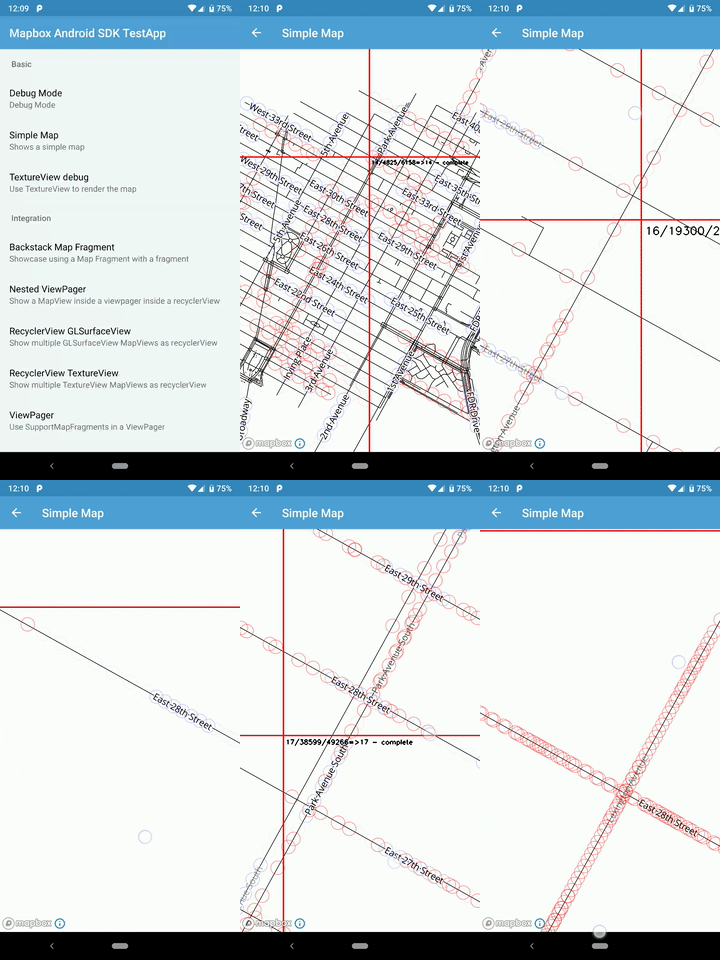
While debugging an issue where fewer labels were appearing on overzoomed tiles in the offline region than a regular map, we noticed that the map was not respecting maxZoom. Tiles up to ZL17 were still being requested even though maxZoom was set to ZL12. Therefore, the labels shown at very high zooms in the regular map were actually from overzoomed ZL17 tiles.
When creating an offline region with mbgl-offline and maxZoom 12, the highest zoom level of tiles downloaded is ZL12. Overzooming ZL12 tiles resulted in more sparse labels.
Map:
Offline region:
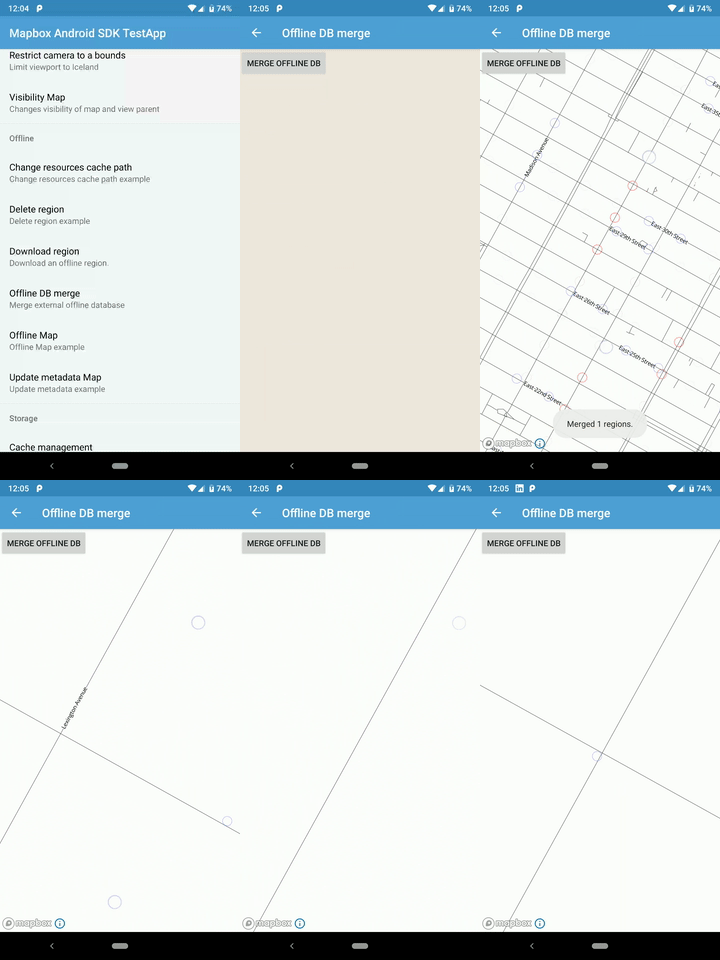
The style in both examples use "symbol-placement": "line".
It's possible there could still be an issue with textRepeatDistance in the offline region causing unexpectedly low label density. It's hard to say for sure until we fix maxZoom in the map, so that we can compare online overzoomed ZL12 tiles with offline overzoomed ZL12 tiles.
 chloekraw
All 19 comments
With brief debugging, it looks like the option maxzoom is totally ignored by gl-native and gl-js while parsing the source .
In gl-native, source.cpp, while converting the vector-tile source, only type and url are taken into consideration.
In gl-js, vector_tile_source.js, the constructor directly sets the zoom value as
this.minzoom = 0;
  this.maxzoom = 22;
I am not sure if this is done in purpose or not, however the style spec is not mentioning about it.
@alexshalamov @LukasPaczos @chloekraw
 zmiao
on 28 Aug 2019
zmiao
on 28 Aug 2019
Hmm, I did also notice that the style spec documentation did not mention maxZoom in the source section. Perhaps it was intentional. @mapbox/gl-core anyone know why this might the optimal behavior? Are there downsides to giving users the option to account for maxZoom in source parsing?
At the very least, it sounds like we might need the option ourselves for debugging overzoomed tiles in offline regions.
chloekraw
on 28 Aug 2019
I did also notice that the style spec documentation did not mention maxZoom in the source section.
@chloekraw -> https://docs.mapbox.com/mapbox-gl-js/style-spec/#sources-vector-maxzoom
In gl-js, vector_tile_source.js, the constructor directly sets the zoom value as
this.minzoom = 0; this.maxzoom = 22;
@zmiao the vector source max zoom is pulled out of the TileJSON and applied to the source object here: https://github.com/mapbox/mapbox-gl-js/blob/6275d07afd3ed2b9febcead2087cbc94c3183728/src/source/vector_tile_source.js#L78-L79
and checked prior to download here: https://github.com/mapbox/mapbox-gl-js/blob/6275d07afd3ed2b9febcead2087cbc94c3183728/src/source/vector_tile_source.js#L96-L98
In gl-native, source.cpp, while converting the vector-tile source, only type and url are taken into consideration.
vector_source.cpp will load the TileJSON from the URL and create a Tileset object that holds the zoomRange, which is passed into TilePyramid::update.
 asheemmamoowala
on 28 Aug 2019
asheemmamoowala
on 28 Aug 2019
Ohhh, it's because I was accidentally ctrl+fing through the API reference docs instead of the style spec docs yesterday. Thanks @asheemmamoowala!
chloekraw
on 28 Aug 2019
Tiles up to ZL17 were still being requested even though maxZoom was set to ZL12. Therefore, the labels shown at very high zooms in the regular map were actually from overzoomed ZL17 tiles.
When I was working on this, I cleared the offline cache and then went into aeroplane mode to make sure it was only using data from the offline pack.
 andrewharvey
on 29 Aug 2019
andrewharvey
on 29 Aug 2019
@zmiao could you edit out the customer's style plus token at the end there. I don't think that's meant to be public.
andrewharvey
on 29 Aug 2019
@andrewharvey I am sorry for the inconvenience, removed now.
zmiao
on 29 Aug 2019
@asheemmamoowala , thanks very much for the clarification. Based on what you said:
vector_source.cpp will load the TileJSON from the URL and create a Tileset object that holds the zoomRange, which is passed into TilePyramid::update.
I debugged a little further, the zoomRange was indeed set by the Tileset object, however, the maxzoom value we get from the object was different from what we really want from the style
The maxzoom we get from Tileset is 17 instead of 12, that explains why ZL17 could still be requested.
The problem is when we download offline map with maxZoom = 12, and we try to use the same style with the offline map, the actual maxzoom is still set as 17 since that's what we get from the Tileset object. Since we are in offline mode and with cache only up for ZL12, there is no way to get more data with zoom level up than that. However, if we use the same style but using online mode, we definitely will get more data than ZL12 as we actually request up to ZL17.
In a brief conclusion, what we saw with offline cache was the real view it should get from ZL12. But it leads to misunderstanding while comparing with online mode, since it request up to ZL17, due to the zoomRange setting.
It is the same case if we change to use json style file, for example:
"sources": {
    "roads": {
        "type": "vector",
        "url": "mapbox://somestyle",
        "maxzoom": 12
      }
    }
Assume the style provided by the url is with maxzoom 17, the maxzoom option with value 12 would be ignored, as the maxzoom of zoomRange is set as 17 by Tileset requested from "url"
CC @chloekraw
zmiao
on 29 Aug 2019
The problem is when we download offline map with maxZoom = 12, and we try to use the same style with the offline map, the actual maxzoom is still set as 17 since that's what we get from the Tileset object. Since we are in offline mode and with cache only up for ZL12, there is no way to get more data with zoom level up than that.
What you are saying here is that offline tiles only exist up to ZL12, so is it that the complaint here is :
if we use the same style but using online mode, we definitely will get more data than ZL12 as we actually request up to ZL17.
and that results in rendering differently based on whether the user is offline or online ?
I'm not sure I see this as a bug, but as the intended behavior of the offline functionality. If really needed, the app can be programmatically set to offline mode once the offline region is available.
asheemmamoowala
on 29 Aug 2019
@asheemmamoowala In my testing this was all done in aeroplane mode, so even if the style had a higher maxzoom it shouldn't make a difference since it would never be able to request tiles higher than what was in the offline pack.
I think you're correct though that this might be intended behaviour, because this issue is about the client downloading higher zoom tiles because the style has a higher maxzoom, regardless of what the offline pack was created down to. That makes sense.
andrewharvey
on 30 Aug 2019
@asheemmamoowala, that's exactly what I meant.
In a brief conclusion, what we saw with offline cache was the real view it should get from ZL12. But it leads to misunderstanding while comparing with online mode, since it request up to ZL17, due to the zoomRange setting.
Like @andrewharvey said, higher maxzoom level in the style leads to more extra tile downloading than the maxzoom level of offline pack expected.
cc @chloekraw
zmiao
on 30 Aug 2019
In my testing this was all done in aeroplane mode, so even if the style had a higher maxzoom it shouldn't make a difference since it would never be able to request tiles higher than what was in the offline pack.
@andrewharvey the issue isn't with tiles at higher zoom levels requested on Native, it's with tiles at higher zoom levels requested on JS. Because of the tileJSON, JS requests tiles up to ZL17. Therefore, when you're comparing a Native offline pack with JS, you're comparing overzoomed ZL12 tiles on Native with ZL17 tiles on JS. That's the reason labels are more sparse in your offline pack than what you see on JS.
There's no way to generate offline packs with JS, so no way to generate a comparable test case between JS and Native, short of using a different tileset that has a maxZoom of 12.
If you generate an offline pack with maxZoom: 17 and see that overzoomed ZL17 tiles are more sparse than overzoomed ZL17 tiles on JS, that would be a sign there's a bug in Native.
chloekraw
on 6 Sep 2019
Therefore, when you're comparing a Native offline pack with JS, you're comparing overzoomed ZL12 tiles on Native with ZL17 tiles on JS. That's the reason labels are more sparse in your offline pack than what you see on JS.
Thanks for looking into this @chloekraw
https://jsbin.com/mokedeg/edit?html,output it won't load any tiles over z12, similar to an offline pack for z12 on mobile in aeroplane mode.
For example in GL JS zooming right in I see:
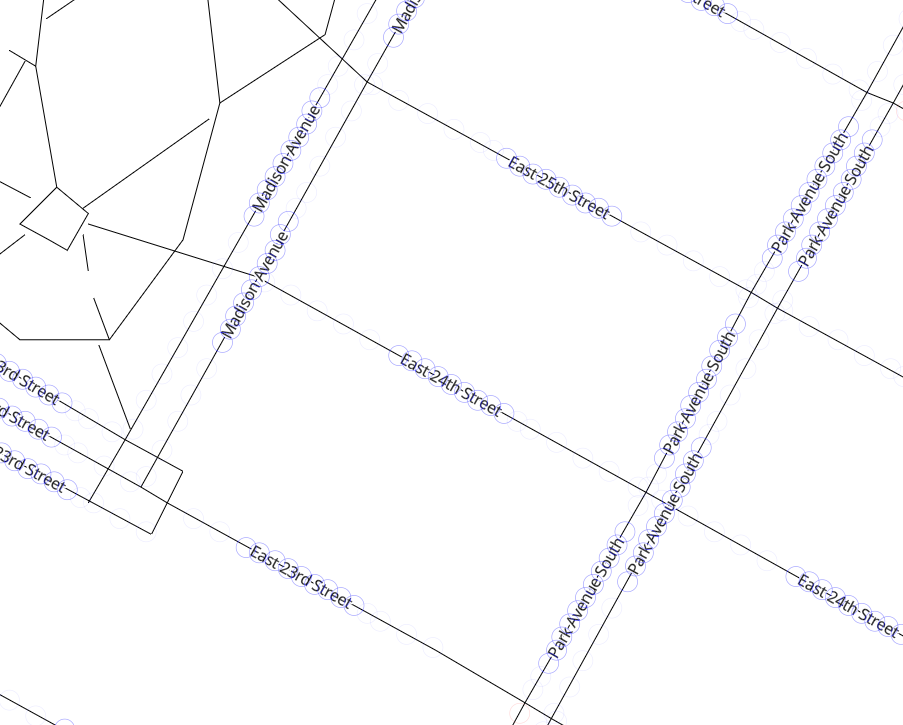
But when I take that same style and data and create the offline pack with:
mbgl-offline --north 40.7492 --west -73.9883 --south 40.7346 --east -73.9692 --minZoom 0 --maxZoom 12 --output nyc-center.db --style 'mapbox://styles/alantgeo-presales/cjzndm1ph02nw1clgj4zviv6y' --token pk.eyJ1IjoiYWxhbnRnZW8tcHJlc2FsZXMiLCJhIjoiY2pxcmZ1cW1mMG1tcDN4bDVvYzA4MWg5MyJ9.7QtVj_0ythHwEg1n_zaRTQ
Then load it onto a device in aeroplane mode (to ensure we are really testing the offline scenario) and I only see:
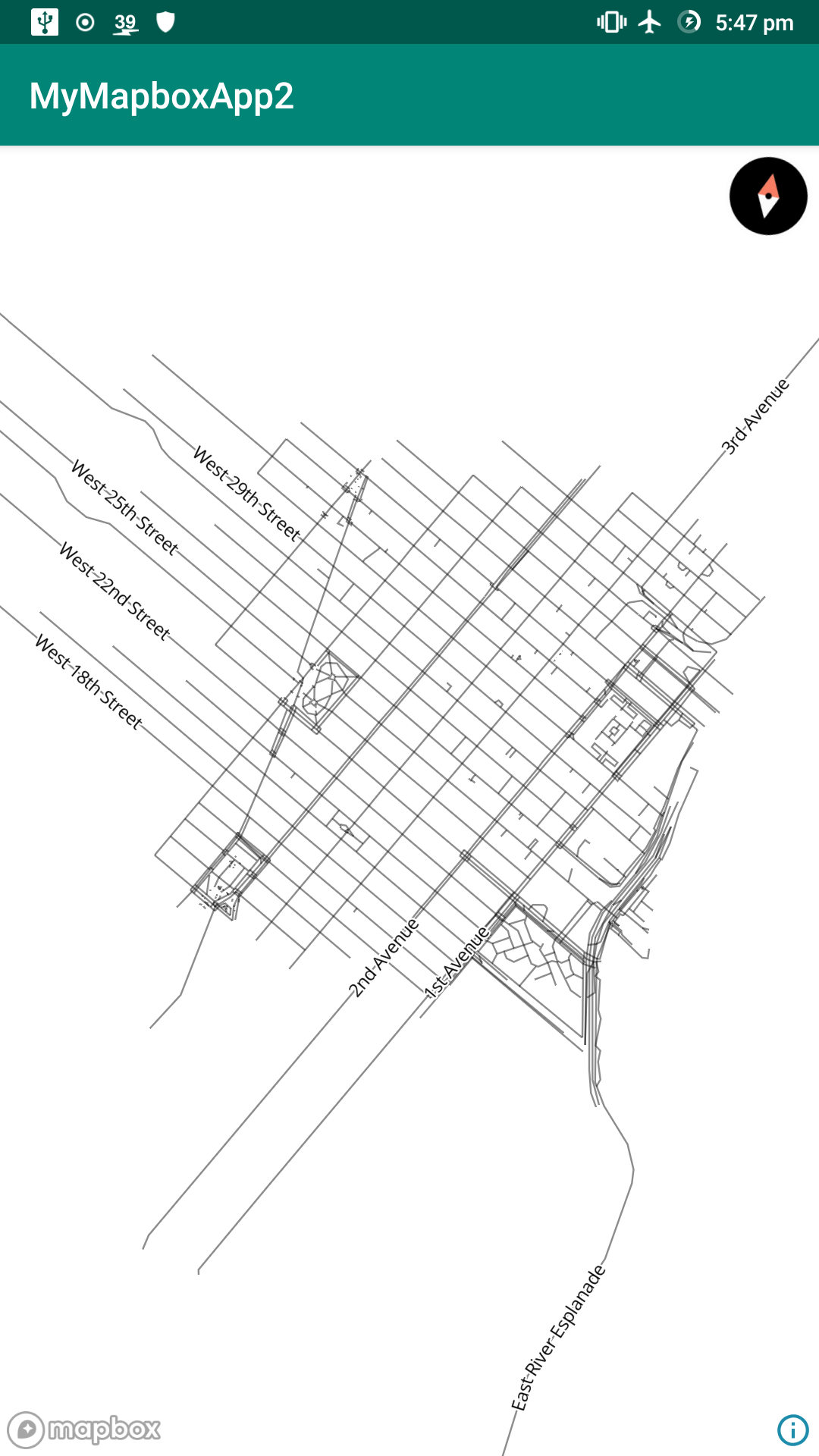
even zooming in further no more labels are rendered, even though they have space to, and are rendered in GL JS when zooming in, even though both are using the same data and to the same zoom level.
Mind you this is the original issue I reported via support, and not the issue in this thread.
andrewharvey
on 6 Sep 2019
Hi @andrewharvey, I checked again with the style you provided in
https://jsbin.com/mokedeg/edit?html,output it won't load any tiles over z12, similar to an offline pack for z12 on mobile in aeroplane mode.
The reality is it will load tiles over z12 . The reason is if the URL is provided as a source in the style, the maxzoom option will be ignored. Instead, the maxzoom inside the requested data from the URL with be used. Please check the last paragraph I mentioned in
https://github.com/mapbox/mapbox-gl-native/issues/15501#issuecomment-526219201.
Here is what I got from the request data via the URL: (I eliminated other information)
"{"bounds":[-74.0072934,40.710404,-73.9684566,40.758954],"center":[-73.987875,40.734679,0],"created":1566456478597,"filesize":342140,"format":"pbf","id":".........","mapbox_logo":true,"maxzoom":17,"minzoom":0.............
So with JS zoom in 14, it is indeed showing data fetched up to zl14 as the maxzoom is 17.
with offline package whose maxzoom is 12, you see data with zl12.
We agreed with @chloekraw there was ambiguity of the explaining and usage of maxzoom in the style spec.
zmiao
on 6 Sep 2019
hi @zmiao
The reality is it will load tiles over z12 . The reason is if the URL is provided as a source in the style, the maxzoom option will be ignored. Instead, the maxzoom inside the requested data from the URL with be used. Please check the last paragraph I mentioned in
15501 (comment).
But not in the corresponding GL JS example at https://jsbin.com/mokedeg/edit?html,output in that example I don't use the style instead I reference the Tileset only and use a client side style.
Indeed I cleared the application (tiles) cache:
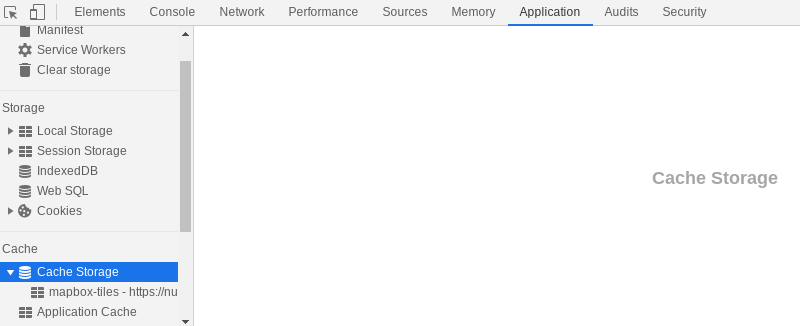
Then with network cache disabled refreshed and confirmed that only z12 tiles were downloaded:
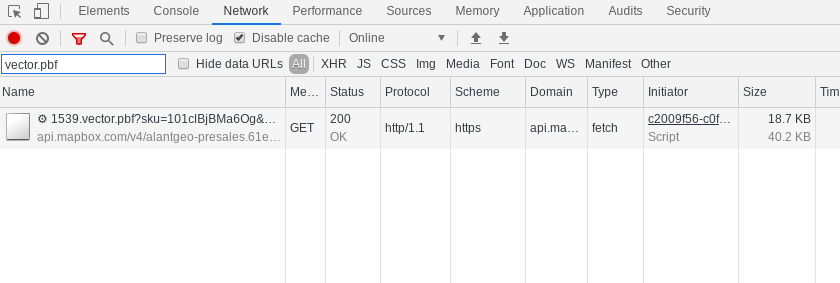
Even overzooming only that single z12 tile is downloaded, so the GL JS example is only loading z12 and overzooming the rest.
When you overzoom more labels start to popup in that GL JS example, that's the piece that I found wasn't working as I expected on the android SDK, that when it's overzooming no extra labels are showing up even though all the data is there, which is a different behaviour to GL JS.
Am I missing something?
So with JS zoom in 14, it is indeed showing data fetched up to zl14 as the maxzoom is 17.
with offline package whose maxzoom is 12, you see data with zl12.
When I'm testing overzooming we're going beyond whatever the maximum zoom level of tile data is, so it's not just because they have different maxzooms.
andrewharvey
on 6 Sep 2019
@andrewharvey, the maxZoom comes from the tileset, not the style. So unless you are using a tileset where the maxZoom in the tileJSON has been set to 12 in the jsbin, tiles up to ZL17 will be downloaded.
confirmed that only z12 tiles were downloaded:
How does your accompanying screenshot demonstrate only tiles up to ZL12 were downloaded? I’m missing something.
I presume this line of code from the jsbin is where you’re defining a tileset you’ve uploaded to Mapbox as the source:
      "roads": {
        type: "vector",
        url: "mapbox://alantgeo-presales.61egbcjb",
        maxzoom: 12
Setting maxZoom in the code here does nothing when you’re specifying a tileset via url. Tilesets come with their own tileJSON; GL-JS pulls the maxZoom value from the tileJSON to use as the maxZoom for this source.
Setting maxZoom only has an effect when you’re providing tileJSON resources directly as a source. You’ll see that maxZoom is only present in the first example on https://docs.mapbox.com/mapbox-gl-js/style-spec/#sources.
Further down, we explain that maxZoom is defined as “the maximum zoom level for which tiles are available, as in the TileJSON spec” in https://docs.mapbox.com/mapbox-gl-js/style-spec/#sources-vector-maxzoom. So you can set a maxZoom if you provide tileJSON properties directly as a source because they don’t come with their own separate tileJSON. Tilesets do, so maxZoom is not a property you can set on the source object in GL-JS.
Our documentation can definitely be improved and I apologize for the confusion.
chloekraw
on 6 Sep 2019
Hi @andrewharvey , I appreciate a lot about the debug information! I haven't realized it previously, which made me thought in a wrong direction. You are right, there is a bug relates to it. I made a fix here #15581. With this fix, the rendering result with offline db + zoom 14 will look like:
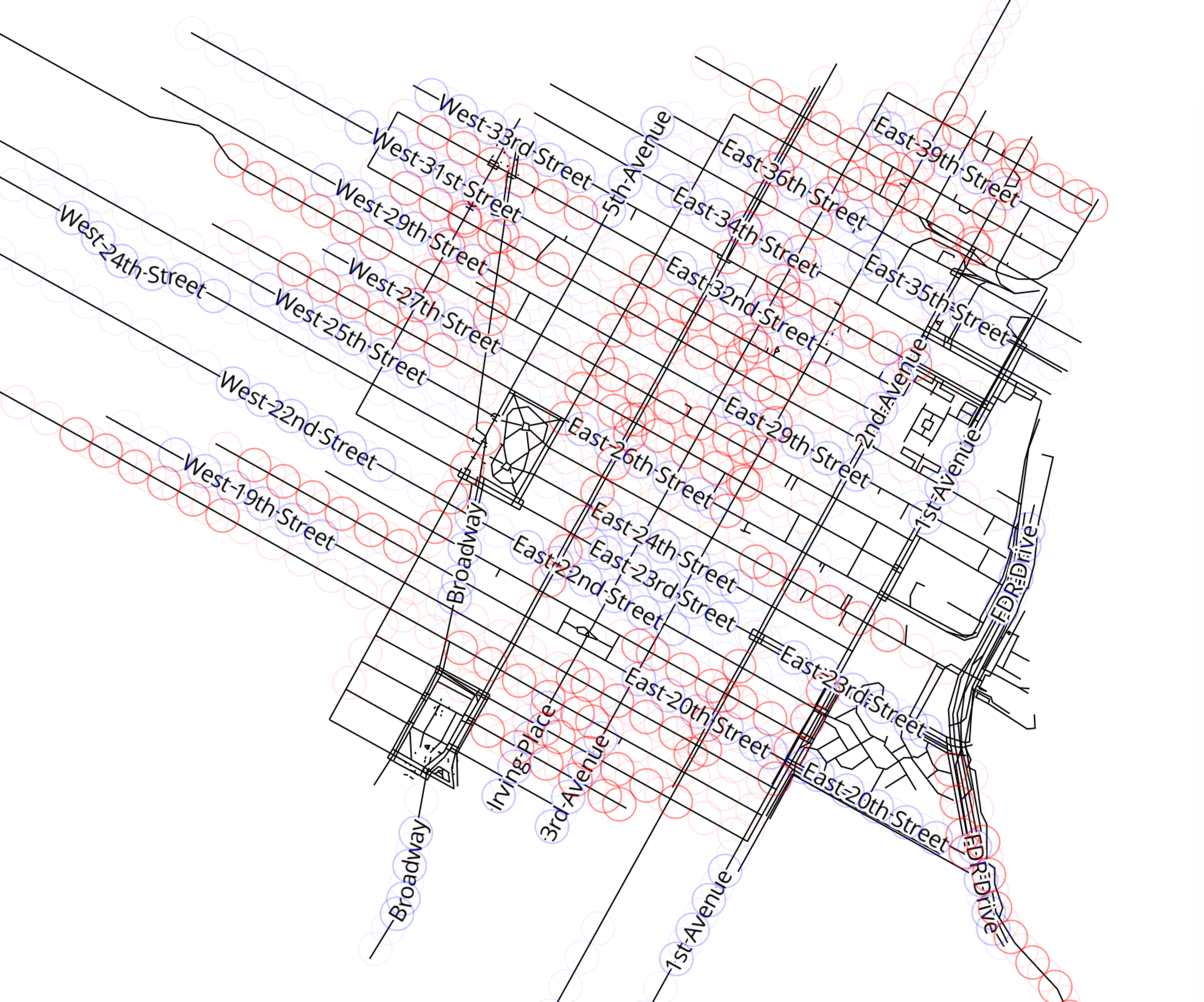
I feel really sorry about bringing up so many confusions. @andrewharvey @chloekraw
zmiao
on 6 Sep 2019
Thanks @zmiao! No problem, thanks for looking into it, and thanks for bringing this to our attention @andrewharvey.
chloekraw
on 6 Sep 2019
Thanks @zmiao , I couldn't work out how to test your PR in my test app, but once merged I should be able to test against the SNAPSHOT.
andrewharvey
on 8 Sep 2019
Related issues
 LukasPaczos
·
3Comments
LukasPaczos
·
3Comments
 ChrisLoer
·
3Comments
ChrisLoer
·
3Comments
 fousa
·
3Comments
fousa
·
3Comments
 xrayed
·
4Comments
xrayed
·
4Comments
 rshev
·
4Comments
rshev
·
4Comments
Most helpful comment
@chloekraw -> https://docs.mapbox.com/mapbox-gl-js/style-spec/#sources-vector-maxzoom
@zmiao the vector source max zoom is pulled out of the TileJSON and applied to the source object here: https://github.com/mapbox/mapbox-gl-js/blob/6275d07afd3ed2b9febcead2087cbc94c3183728/src/source/vector_tile_source.js#L78-L79
and checked prior to download here: https://github.com/mapbox/mapbox-gl-js/blob/6275d07afd3ed2b9febcead2087cbc94c3183728/src/source/vector_tile_source.js#L96-L98
vector_source.cppwill load the TileJSON from the URL and create aTilesetobject that holds the zoomRange, which is passed intoTilePyramid::update.