Mapbox-gl-native: MGLFillStyleLayer are drawn at wrong map-layer
Hey i discovered an issue in version 5.0.0 in the mapbox gl native SDK for iOS.
iOS: 12.2
iPhone XR
Xcode: 10.2
In our app we draw several polygons with the following code:
       `let url = URL(string: overlay.geojson_url)

        // Create source and add it to the map style.
        let source = MGLShapeSource(identifier: "\(overlay.id)", url: url!, options: nil)

        let layer = MGLFillStyleLayer(identifier: "\(overlay.id)", source: source)

        layer.fillColor = NSExpression(forConstantValue: UIColor(rgba: overlay.fill_color))
        layer.fillOpacity = NSExpression(forConstantValue: overlay.fill_opacity as NSNumber)

        let sourceAvailable = sources.filter({$0.identifier == overlay.id})

        if sourceAvailable.count == 0 {

            mapView.style!.addSource(source)

        }

        let annotationLayer = mapView.style?.layers.filter({$0.identifier == "com.mapbox.annotations.points"}).first

        mapView.style!.insertLayer(layer, below: annotationLayer!)`
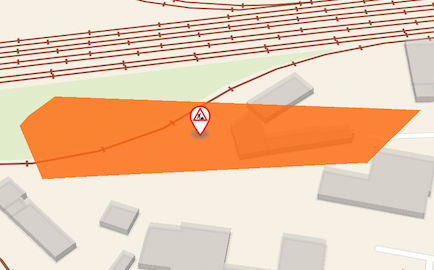
We expected to see the following behaviour like in version 4.6.0:
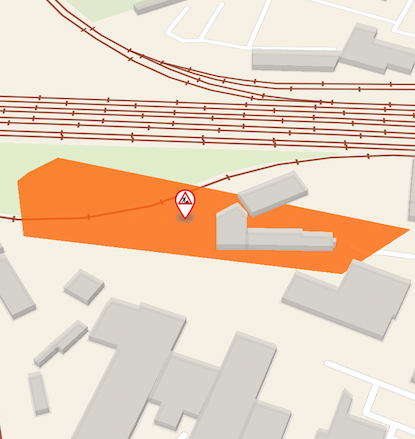
Instead the following happened in version 5.0.0:
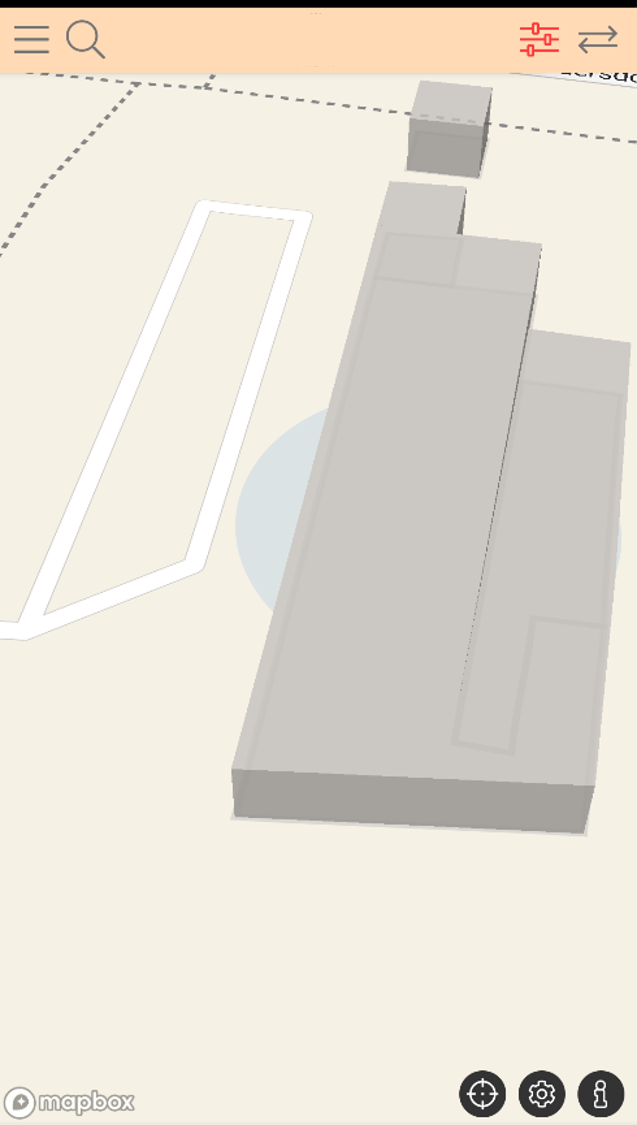
The same happens in the Android SDK Version 8.0.0. In addition we discovered that the position indicator in the Android SDK (v.8.0.0) is drawn below buildings in the map.
 Jackhammer42
All 6 comments
It looks like fill extrusion layers are being rendered above fill layers. This can be repro'd in iosapp by selecting Add Building Extrusions, then Dynamically Style Polygon.
cc @kkaefer
 jmkiley
on 29 May 2019
jmkiley
on 29 May 2019
Hi @jmkiley @kkaefer The same happens to me in the Android SDK Version 8.0.0. Is there any update on this issue?
Thank you very much in advance!
 mrfaa
on 21 Jun 2019
mrfaa
on 21 Jun 2019
Yeah, I encountered this as well in the move to 8.0.0. Is this going to be remedied in 8.2.0?
 snkashis
on 23 Jun 2019
snkashis
on 23 Jun 2019
cc @tmpsantos
 tobrun
on 25 Jun 2019
tobrun
on 25 Jun 2019
Wondering if this is somehow related to https://github.com/mapbox/mapbox-gl-native/issues/14844
 tmpsantos
on 25 Jun 2019
tmpsantos
on 25 Jun 2019
Fixed in #15065.
tmpsantos
on 9 Jul 2019
Related issues
 rshev
·
4Comments
rshev
·
4Comments
 xrayed
·
4Comments
xrayed
·
4Comments
 brunoabinader
·
4Comments
brunoabinader
·
4Comments
 friedbunny
·
4Comments
friedbunny
·
4Comments
 melihcolpan
·
3Comments
melihcolpan
·
3Comments
Most helpful comment
It looks like fill extrusion layers are being rendered above fill layers. This can be repro'd in
iosappby selectingAdd Building Extrusions, thenDynamically Style Polygon.cc @kkaefer