Mapbox-gl-native: Missing labels at tile borders
Hello, I'm using node-mapbox-gl-native to request tiles using a custom style. However, in some tiles, labels are not drawn at the borders.
I'm running node-mapbox-gl-native version 4.0.0-pre.14.
The style I'm using.
Rendering with the code:
var tile1 = {
  ratio: 1.556650390625,
  zoom: 8,
  width: 1024,
  height:  1024,
  center: [8.420257, 50.854598],
  pxWidth: 1594,
  pxHeight: 1594,
}

var tile2 = {
  ratio: 1.556650390625,
  zoom: 8,
  width: 1024,
  height:  1024,
  center: [11.232842, 50.854598],
  pxWidth: 1594,
  pxHeight: 1594,
}

renderTile('tile1', t1);
renderTile('tile2', t2);

function renderTile(name, tile) {
  var options = {
    request: function(req, callback) {
       // ...
    },
    ratio: tile.ratio,
  };

  var map = new mbgl.Map(options);

  map.load(require(stylePath));

  map.render({
    zoom: tile.zoom,
    width: tile.width,
    height:  tile.height,
    center: tile.center,
    bearing: 0,
    pitch: 0,
  }, function(err, buffer) {
      console.log(err);
      if (err) throw err;

      map.release();

      var image = sharp(buffer, {
          raw: {
              width: tile.pxWidth,
              height: tile.pxHeight,
              channels: 4
          }
      });

      // Convert raw image buffer to PNG
      image.toFile(name + '.png', function(err) {
          if (err) throw err;
      });
  });
}
Expected behavior
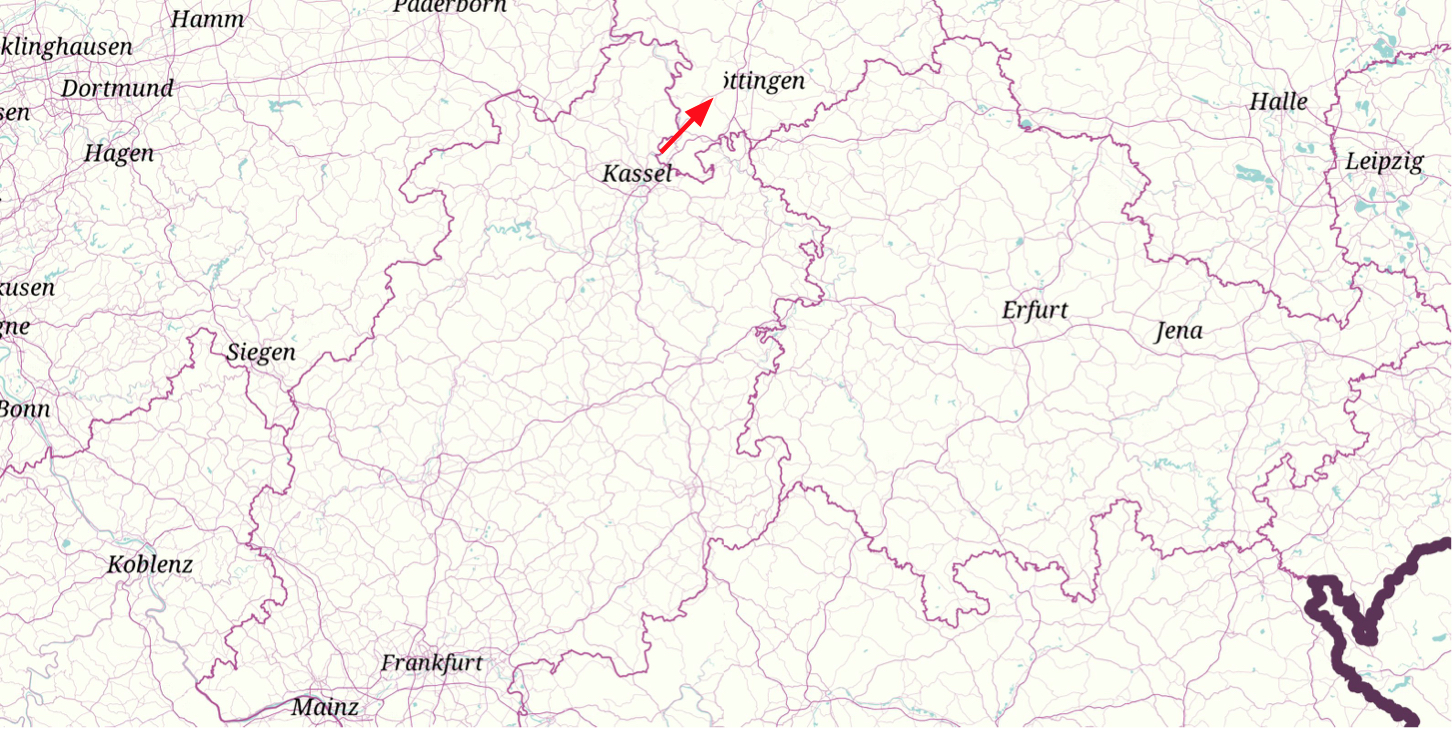
I'd expect labels that cross multiple tiles to not be cut-off, like it happens in most situations.
Actual behavior
I've aligned the two tiles here; notice how Göttingen is clipped:
Thanks
 pbnsilva
All 12 comments
Duplicate of #8587. Per #8587(comment), you can try using symbol-avoid-edges to improve this.
 asheemmamoowala
on 29 Aug 2018
asheemmamoowala
on 29 Aug 2018
Unfortunately, setting symbol-avoig-edges to true makes no difference.
pbnsilva
on 30 Aug 2018
node-v4.0.0-pre.15 contains https://github.com/mapbox/mapbox-gl-native/pull/12520, which re-enables the symbol-avoid-edges behavior and also makes a change to make line labels _always_ avoid tile boundaries.
 ChrisLoer
on 11 Sep 2018
ChrisLoer
on 11 Sep 2018
Thanks, node-v4.0.0-pre.15 fixes the issue for me.
pbnsilva
on 13 Sep 2018
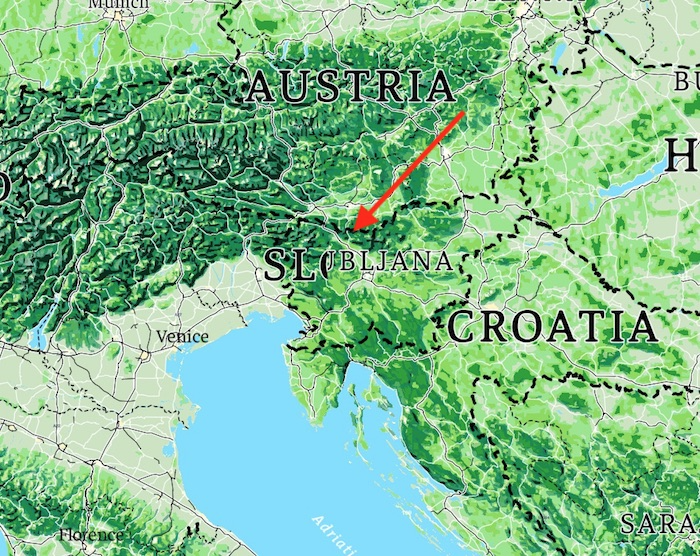
@ChrisLoer Unfortunately, this issue isn't completely fixed. I've come across a few more cases where clipping happens. I am using node-v4.1.0. For example (see zoomed in below):
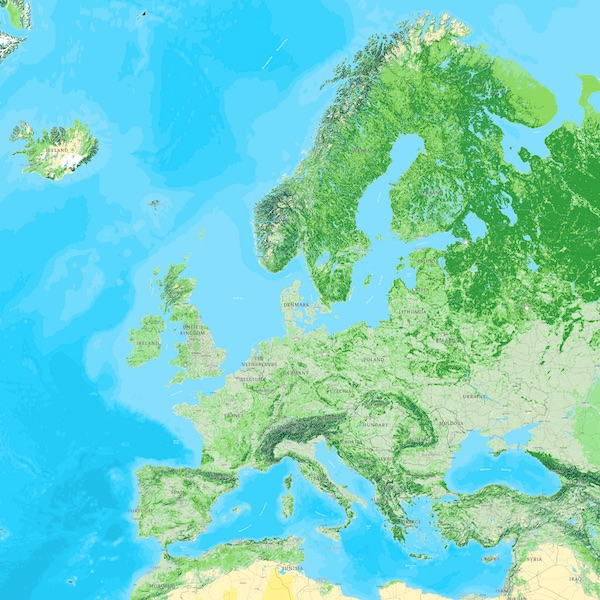
Zooming in on Slovenia:
Do you have any other suggestions?
pbnsilva
on 11 Oct 2018
Oof, that's a really dramatic one! The change to line label tile boundary handling won't make any difference in this case because both "Slovenia" and "Ljubljana" look like they're point labels. Are you sure that both layers that those two labels are part of have symbol-avoid-edges: true? I don't see symbol-avoid-edges anywhere in the style.json you linked (by the way, it looks beautiful!).
ChrisLoer
on 11 Oct 2018
I've tried setting symbol-avoid-edges: true in all my country and city labels, but no difference. Any other ideas?
pbnsilva
on 29 Oct 2018
Can you post the modified style so I can take a look just in case anything obvious jumps out?
ChrisLoer
on 29 Oct 2018
Thanks, here it is.
pbnsilva
on 29 Oct 2018
d'oh, I think the important part could be right here:
  var options = {
    request: function(req, callback) {
       // ...
    },
    ratio: tile.ratio,
  };
What's the rest of your options argument? Are you using mode: "tile"? If not, it defaults to "static" mode, which won't avoid edges (static mode is made for making an entire map in a single render call).
FWIW, I loaded your style in tiled mode and didn't see any edge-collision issues.
ChrisLoer
on 29 Oct 2018
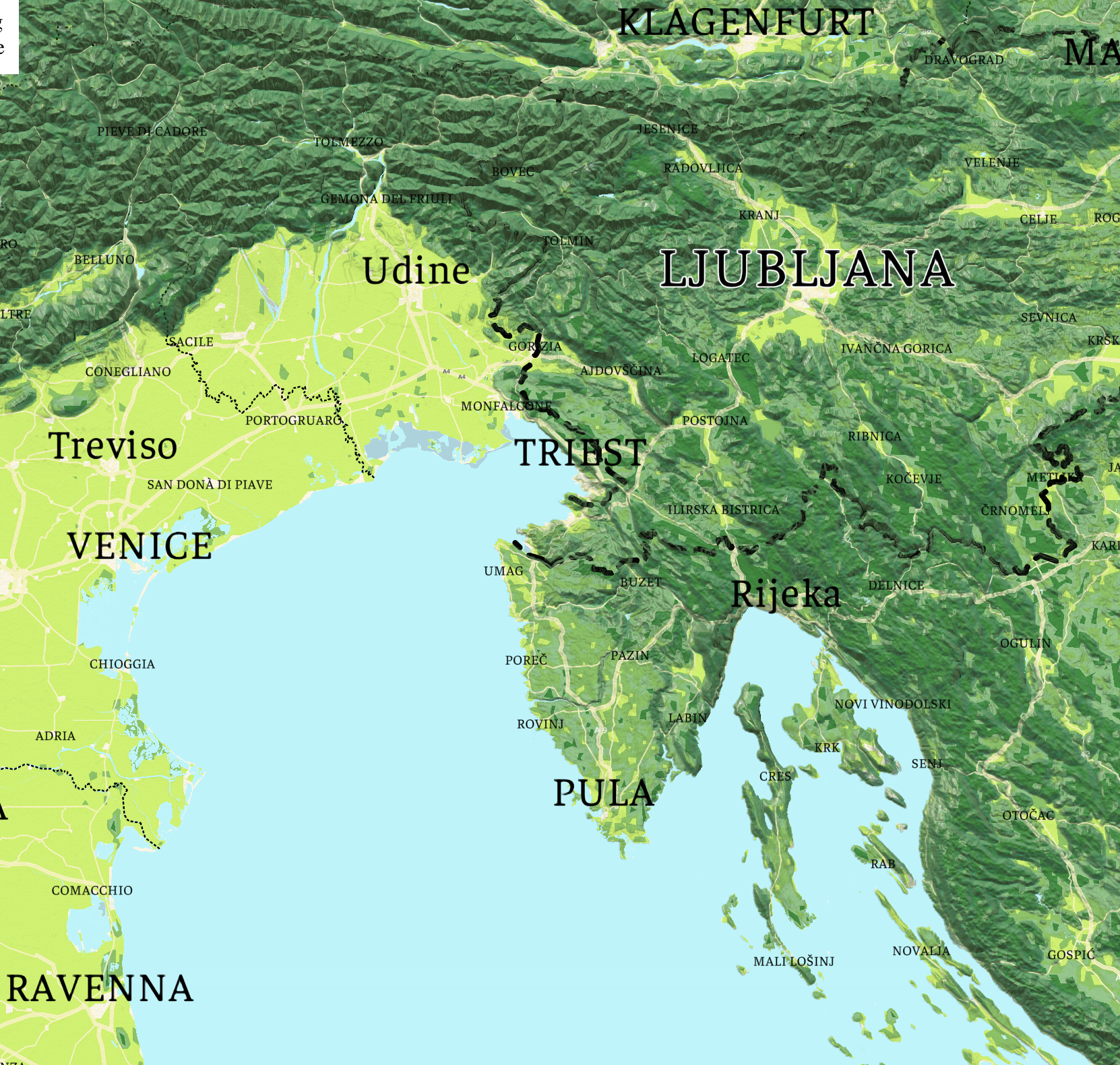
By the way, I hope this isn't rude, but when I loaded up your style, I thought "this would look really cool with dynamic hillshading added". Have you experimented with that?
ChrisLoer
on 29 Oct 2018
Completely missed that. Adding mode: "tile" fixed my problems. Thanks for your help Chris!
And not rude at all, it does look cool! Will share with the team.
pbnsilva
on 29 Oct 2018
Related issues
 LukasPaczos
·
3Comments
LukasPaczos
·
3Comments
 fousa
·
3Comments
fousa
·
3Comments
 melihcolpan
·
3Comments
melihcolpan
·
3Comments
 brunoabinader
·
4Comments
brunoabinader
·
4Comments
 MattKiazyk
·
3Comments
MattKiazyk
·
3Comments