Mapbox-gl-native: Wrong touch handling when centerOffset is used
Platform: iOS
Mapbox SDK version: 4.0.0
Steps to trigger behavior
- Apply those changes to the examples project:
diff --git a/Examples/Swift/AnnotationViewExample.swift b/Examples/Swift/AnnotationViewExample.swift
index e30240e..2955345 100644
--- a/Examples/Swift/AnnotationViewExample.swift
+++ b/Examples/Swift/AnnotationViewExample.swift
@@ -71,6 +71,20 @@ class AnnotationViewExample_Swift: UIViewController, MGLMapViewDelegate {
 //
 // MGLAnnotationView subclass
 class CustomAnnotationView: MGLAnnotationView {
+    override init(annotation: MGLAnnotation?, reuseIdentifier: String?) {
+        super.init(annotation: annotation, reuseIdentifier: reuseIdentifier)
+        centerOffset = CGVector(dx: 0, dy: -20)
+    }
+
+    override init(reuseIdentifier: String?) {
+        super.init(reuseIdentifier: reuseIdentifier)
+        centerOffset = CGVector(dx: 0, dy: -20)
+    }
+
+    required init?(coder aDecoder: NSCoder) {
+        fatalError("init(coder:) has not been implemented")
+    }
+
     override func layoutSubviews() {
         super.layoutSubviews()
- Run the project and open
AnnotationViewExample_Swift - Tap on the 20pt area below the annotation (you can use Reveal.app to make it obvious)
Expected behavior
The touch would be ignored
Actual behavior
The annotation is selected
I'm trying to add pin-like annotations to the map, where you want the tip point to be on the coordinate, (not the center of the annotation). If this is not the recommended way to accomplish this, I'd love to hear other alternatives. Having a sample example that uses centerOffset would also be helpful.
 marcelofabri
All 9 comments
Thanks for the report — is this a regression you’re seeing in 4.0.0? It looks like https://github.com/mapbox/mapbox-gl-native/pull/5931 should have addressed this use case.
 friedbunny
on 4 May 2018
friedbunny
on 4 May 2018
@friedbunny this is the first time I’m using Mapbox, so I don’t know if it’s a regression
marcelofabri
on 4 May 2018
Can someone please confirm if this is indeed an issue or if I'm misusing the API? 😬
marcelofabri
on 9 May 2018
@marcelofabri If you’re wanting to add additional tappable space above an annotation view, you would use a positive number — a negative number will _add_ space at the bottom. It’s not currently possible to use this property to subtract from the tap target and tapping the view annotation’s true frame will always select that annotation (https://github.com/mapbox/mapbox-gl-native/pull/5931).
The docs are a little unclear about the intention behind this property, so there may be room to improve there.
/cc @frederoni
friedbunny
on 10 May 2018
@friedbunny I think the docs are actually wrong:
Set the offset if the annotation view’s visual center point is somewhere other than the logical center of the view. For example, the view may contain an image that depicts a downward-pointing pushpin or thumbtack, with the tip positioned at the center-bottom of the view. In that case, you would set the offset’s dx to zero and its dy to half the height of the view.
Setting a positive dy makes the annotation move down, not up, so pin ends up even further away from the expected position.
For example, here I'm setting dy to half the height of the annotation:
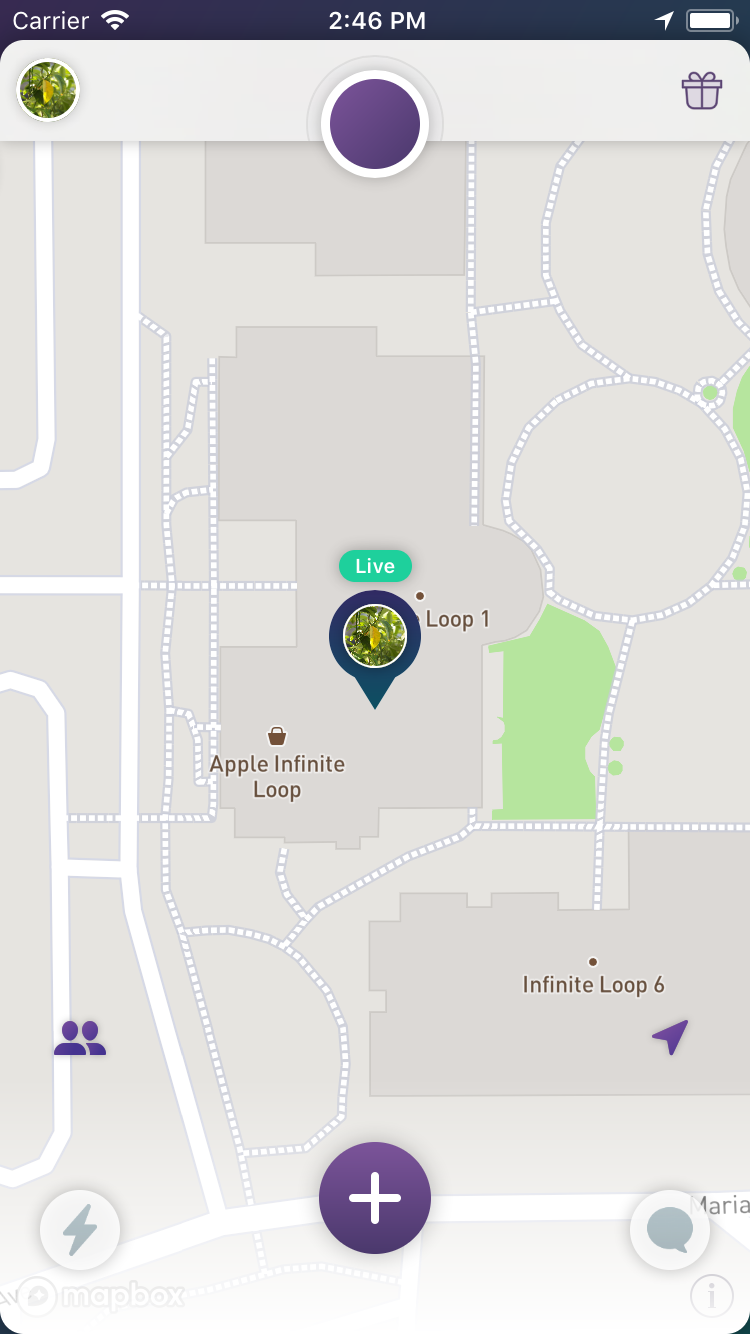
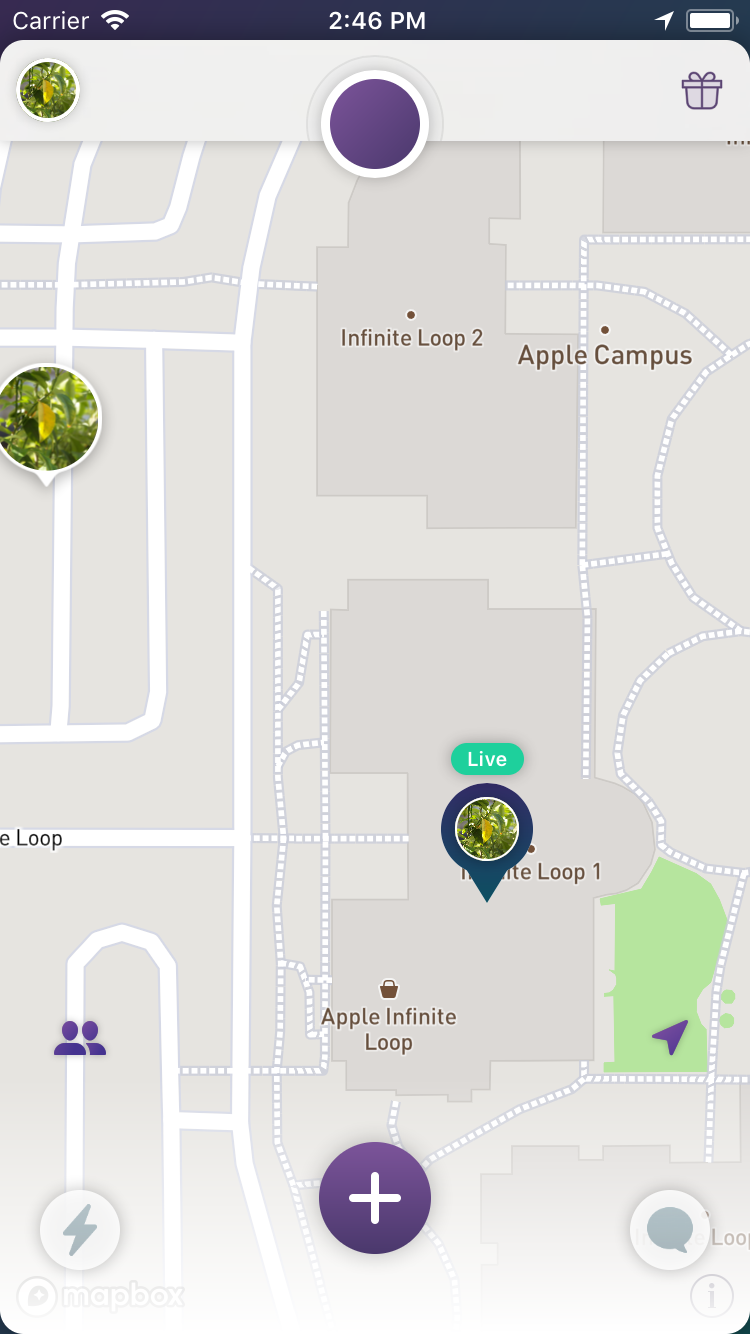
This is without setting centerOffset at all:
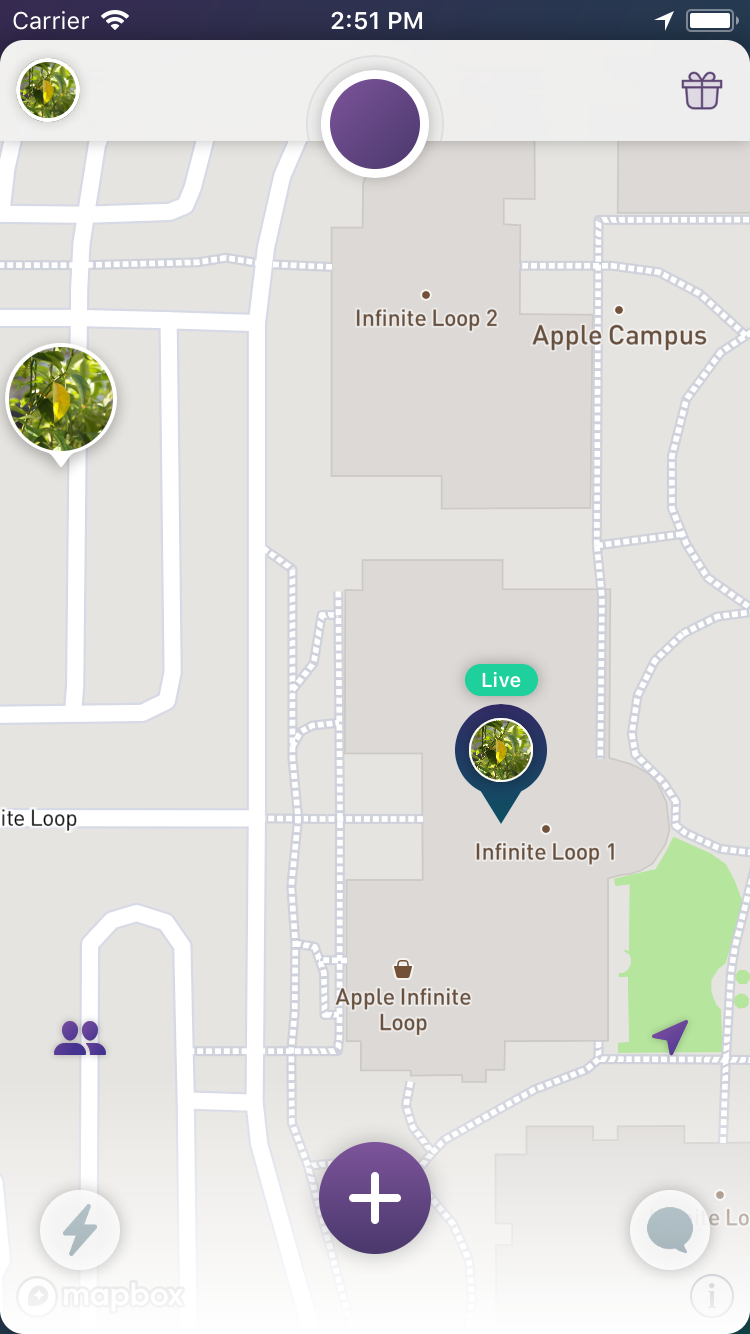
This is setting a negative dy, which looks right but the tap area is wrong:
I'm open about alternatives to implement this in other ways. I wanted to avoid having to double the annotation view height and having to deal with this on every annotation view.
marcelofabri
on 10 May 2018
@friedbunny It looks like the same thing happens on 3.7.5.
marcelofabri
on 15 May 2018
I have the same problem. Is there any solution?
 JamieJeon
on 24 May 2018
JamieJeon
on 24 May 2018
Thank you for sending me the email.
I want to get the answer if there is a solution to this problem.
Could you email back when they come back from vacation?
Thank you.
2018-06-19 11:20 GMT+09:00 Leslie Nakajima notifications@github.com:
@pveugen https://github.com/pveugen with @friedbunny
https://github.com/friedbunny on vacation this week, who could answer
this question? Sounds like there might be a glitch. This is an iOS SDK
support question, yes?—
You are receiving this because you commented.
Reply to this email directly, view it on GitHub
https://github.com/mapbox/mapbox-gl-native/issues/11829#issuecomment-398253368,
or mute the thread
https://github.com/notifications/unsubscribe-auth/ATTATISL-zeJ4mX5QUtb8XBbiZpxDnE9ks5t-GAHgaJpZM4Tx0Uh
.
JamieJeon
on 22 Jun 2018
This is addressed in the upcoming 4.2.0 release.
 julianrex
on 17 Jul 2018
julianrex
on 17 Jul 2018
Related issues
 klblk
·
4Comments
klblk
·
4Comments
 JobGetabu
·
3Comments
JobGetabu
·
3Comments
 13kz
·
3Comments
13kz
·
3Comments
 rshev
·
4Comments
rshev
·
4Comments
 michaelfomin
·
3Comments
michaelfomin
·
3Comments
Most helpful comment
This is addressed in the upcoming
4.2.0release.