Mapbox-gl-native: [iOS] Mapbox continuously asks for permission to access location on first launch.
Platform: iOS (only on Device not in Simulator)
Mapbox SDK version: 3.7.4
Steps to trigger behavior
- Configure the App to support MapBox and set
NSLocationWhenInUseUsageDescriptionandNSLocationAlwaysUsageDescriptionin itsInfo.plist. - Instantiate a new
MGLMapView. - Set
showsUserLocationtotrue.
Expected behavior
When a user opens the map the first time I want the popup Allow "AppName" to access your location? to appear exactly once.
Actual behavior
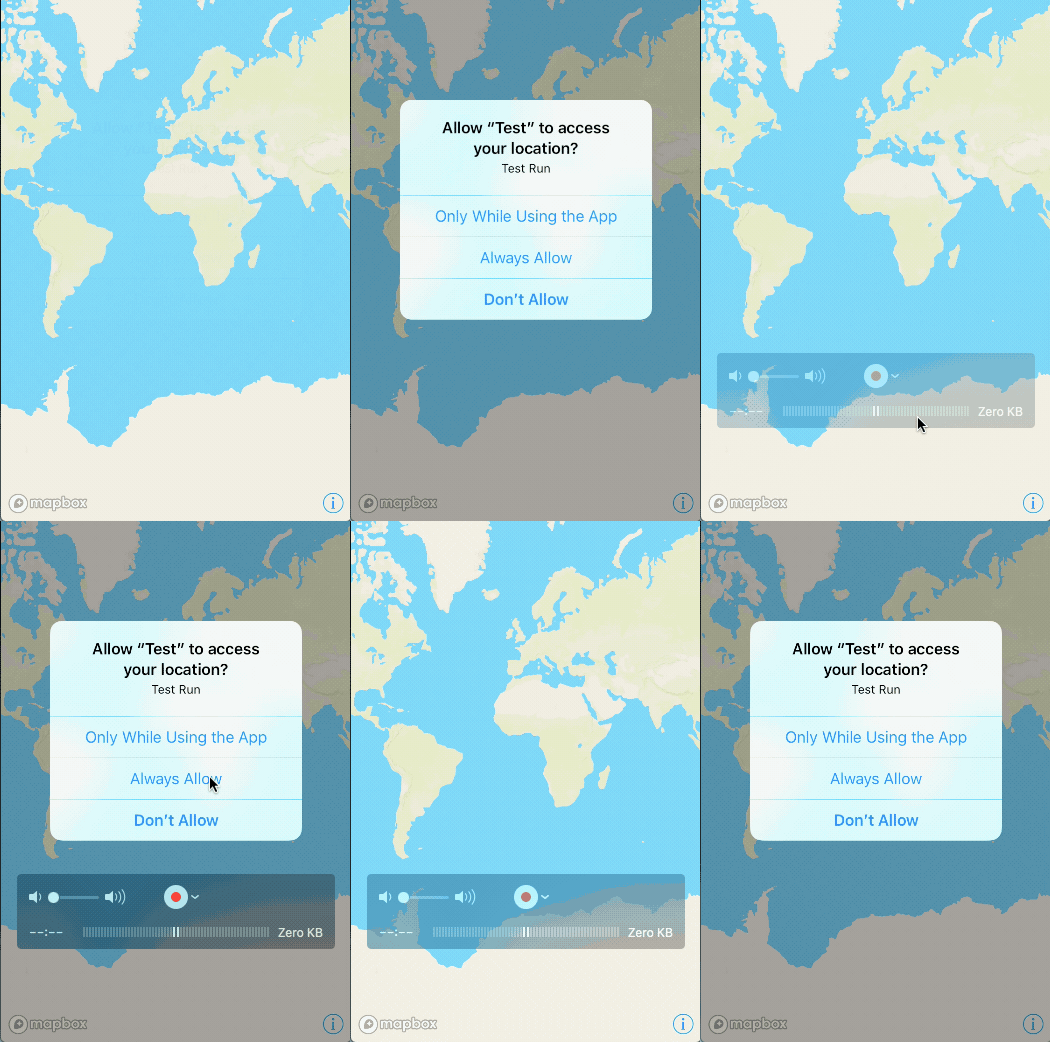
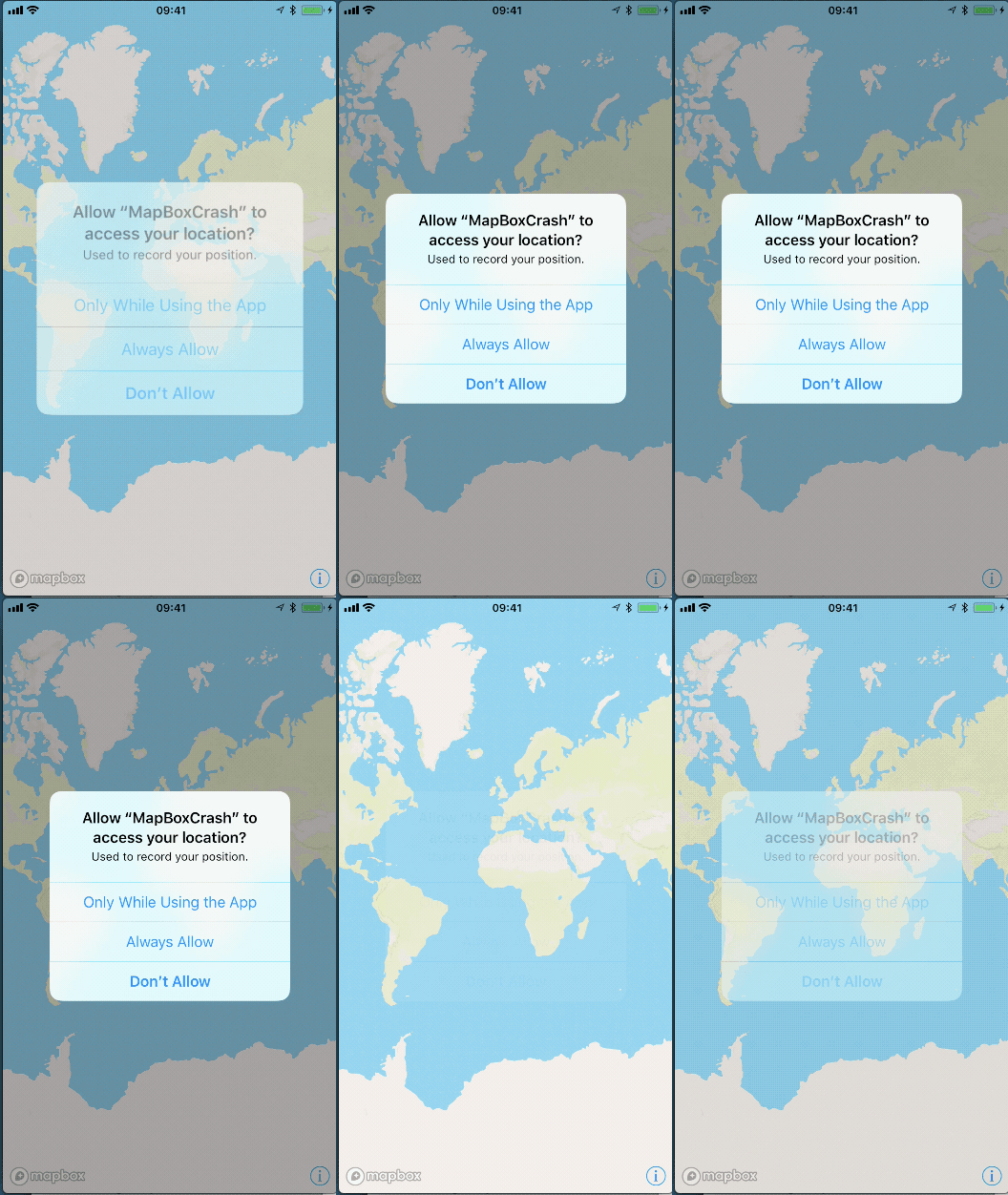
When a user opens the map the first time the popup Allow "AppName" to access your location? appears in an infinite loop and I cannot tap any button like Only While Using the App, Always Allows or Don't Allow. The popup is visible for about 1 second and then reappears.
Workaround
Downgrading to version 3.7.3 solves the issue on our devices.
Screenshot
 rweindl
All 8 comments
A few questions:
- Which iOS version(s) are you seeing this on?
- Which are you specifying:
NSLocationAlwaysUsageDescriptionorNSLocationAlwaysAndWhenInUseUsageDescription? Both? - Does the app a separate
CLLocationManagerthat could be requesting permission?
 friedbunny
on 16 Feb 2018
friedbunny
on 16 Feb 2018
Hi @friedbunny thanks for taking such a quick look on that issue. To your questions:
- iOS Version is 11.2.5.
- Device is iPhone 6s / iPhone 7 and iPhone 8.
- Both
NSLocationAlwaysUsageDescriptionandNSLocationAlwaysAndWhenInUseUsageDescriptionare specified. - App is not using another
CLLocationManager. The App also uses Firebase SDK whichmightuseCLLocationManagerin their SDK but this is only a hypothesis.
rweindl
on 16 Feb 2018
@rweindl Hrm, so I can’t reproduce this — neither by enabling showsUserLocation in viewDidLoad nor in a storyboard, with any combination of usage descriptions.
- Can you say more about how/where/when you instantiate the map view?
- Do you implement any of our location delegate methods or set any user location properties?
Oh, and if you have a test app that you can share that’d be greatly appreciated. 🙇
friedbunny
on 16 Feb 2018
I can reproduce this with the Mapbox Studio Preview app.

 captainbarbosa
on 16 Feb 2018
captainbarbosa
on 16 Feb 2018
Hi @friedbunny I created a small test project for you illustrating this behavior. The only dependency is Mapbox 3.7.4. One note: The home button seems no longer to work as soon this behavior starts.
Execution:
pod install- Set
MGLMapboxAccessTokenin the Info.plist - Select a Developer Team to deploy on device.
- Build on Device.
Zip File of the Test project:
Screenshot:
rweindl
on 16 Feb 2018
Thanks for your help @rweindl and @captainbarbosa — this is happening because #11151 re-added a listener for UIApplicationWillResignActiveNotification in 3.7.4.
After a bit of preliminary digging, it looks like this is the sequence of events leading to the loop:
- The app gets
UIApplicationWillResignActiveNotificationwhen the permission dialog appears. - We catch the notification and call
sleepGL:, which disables location services. - The dialog disappears, because location services have been disabled and the permissions request effectively cancelled.
- With the dialog gone, the app gets
UIApplicationDidBecomeActiveNotificationand callswakeGL:, which re-enables location services and asks for permission.
The quick fix would be to just remove the listener for UIApplicationWillResignActiveNotification (which we’ve evidently judged to be unnecessary in the past: https://github.com/mapbox/mapbox-gl-native/pull/2988), but perhaps we should also reevaluate wakeGL:/sleepGL:.
/cc @julianrex @1ec5 @akitchen @lilykaiser
friedbunny
on 17 Feb 2018
Thanks for identifying the issue that quickly and keeping us in the loop! We're using 3.7.3 in the meantime.
rweindl
on 17 Feb 2018
Fixed by #11229, which is now available in Mapbox Maps SDK for iOS 3.7.5. Thanks again for reporting this issue and helping us fix it, @rweindl. 🙇
friedbunny
on 17 Feb 2018
Related issues
 JobGetabu
·
3Comments
JobGetabu
·
3Comments
 MattKiazyk
·
3Comments
MattKiazyk
·
3Comments
 13kz
·
3Comments
13kz
·
3Comments
 melihcolpan
·
3Comments
melihcolpan
·
3Comments
 lamhuynh96
·
3Comments
lamhuynh96
·
3Comments
Most helpful comment
Fixed by #11229, which is now available in Mapbox Maps SDK for iOS 3.7.5. Thanks again for reporting this issue and helping us fix it, @rweindl. 🙇