Mapbox-gl-js: Building roofs with terrain enabled behave inconsistently
Motivation
When using fill-extrusion to render building polygons with height, the points on the source polygon follow the contours of 3D Terrain, then extrude from there.
This means that the tops of the buildings are rendered in a way that is less correct.
Design Alternatives
- Add a style option to "flat" extrude, from:
a. The lowest point's height
b. The average height
c. The highest point's height
d. From a specified value
Design
There is only one design, so I suggest that one.
Mock-Up
Developers now have a new option to extrude buildings that aren't offset by the 3D terrain; producing results that look similar to v1.0 maps.
 psmaAaron
All 13 comments
@psmaAaron can you share a live test case where roofs are rendered incorrectly with regards to terrain? We spent a lot of time making sure they're flat regardless of elevation changes, but there may be some edge cases left:
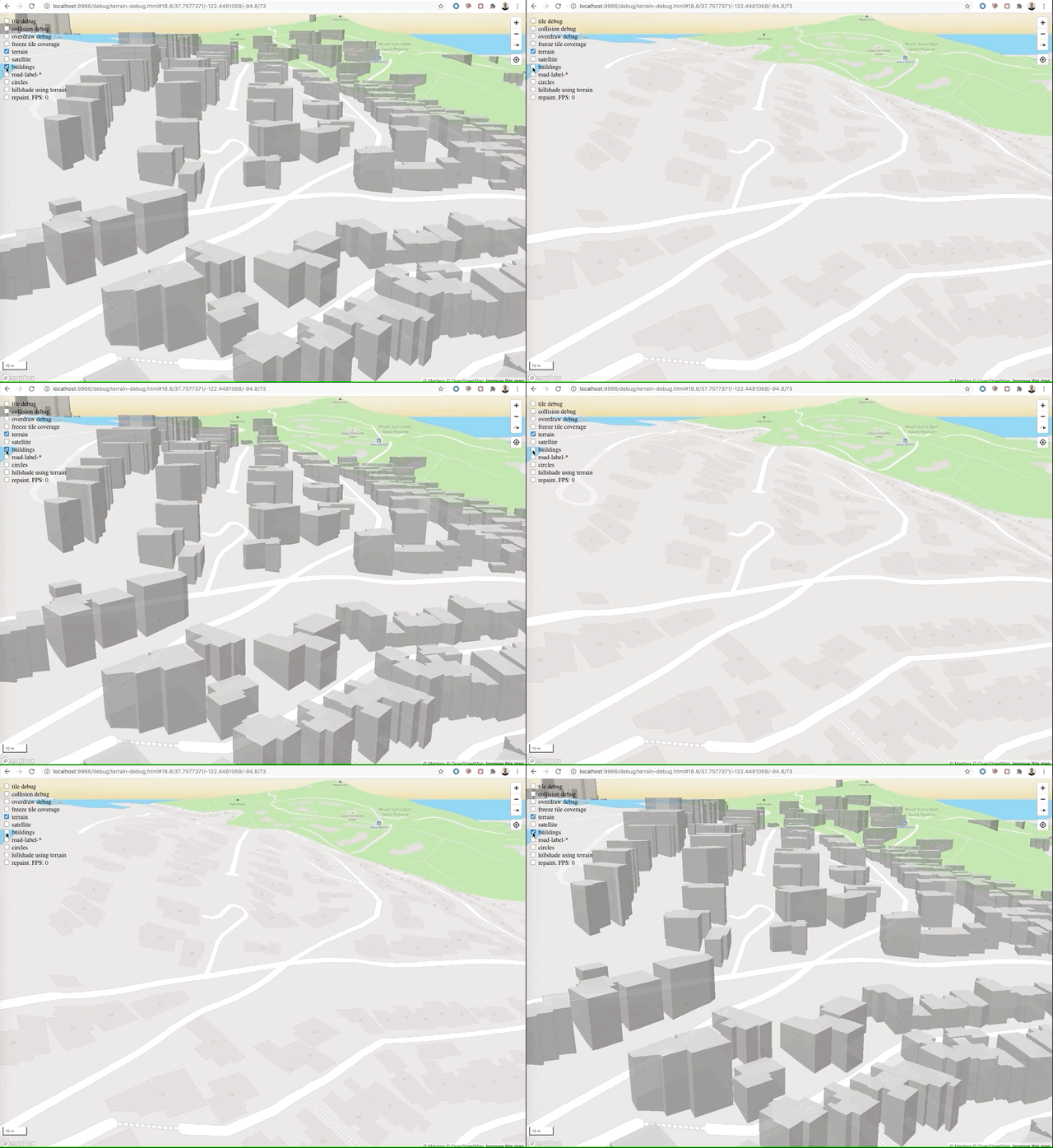
 mourner
on 9 Dec 2020
mourner
on 9 Dec 2020
@mourner first off, congrats on this amazing release! I'm seeing this as well, I'll try to get you a private link for the 3rd party data
3rd party building footprints (building stop loading at some point and I can see a lot of these errors in the console: [.WebGL-0x7fcef7ef5200]GL ERROR :GL_INVALID_OPERATION : glDrawElements: attempt to access out of range vertices in attribute 1)

Mapbox buildings (also, if I use the outdoors basemap, no buildings show in this area)
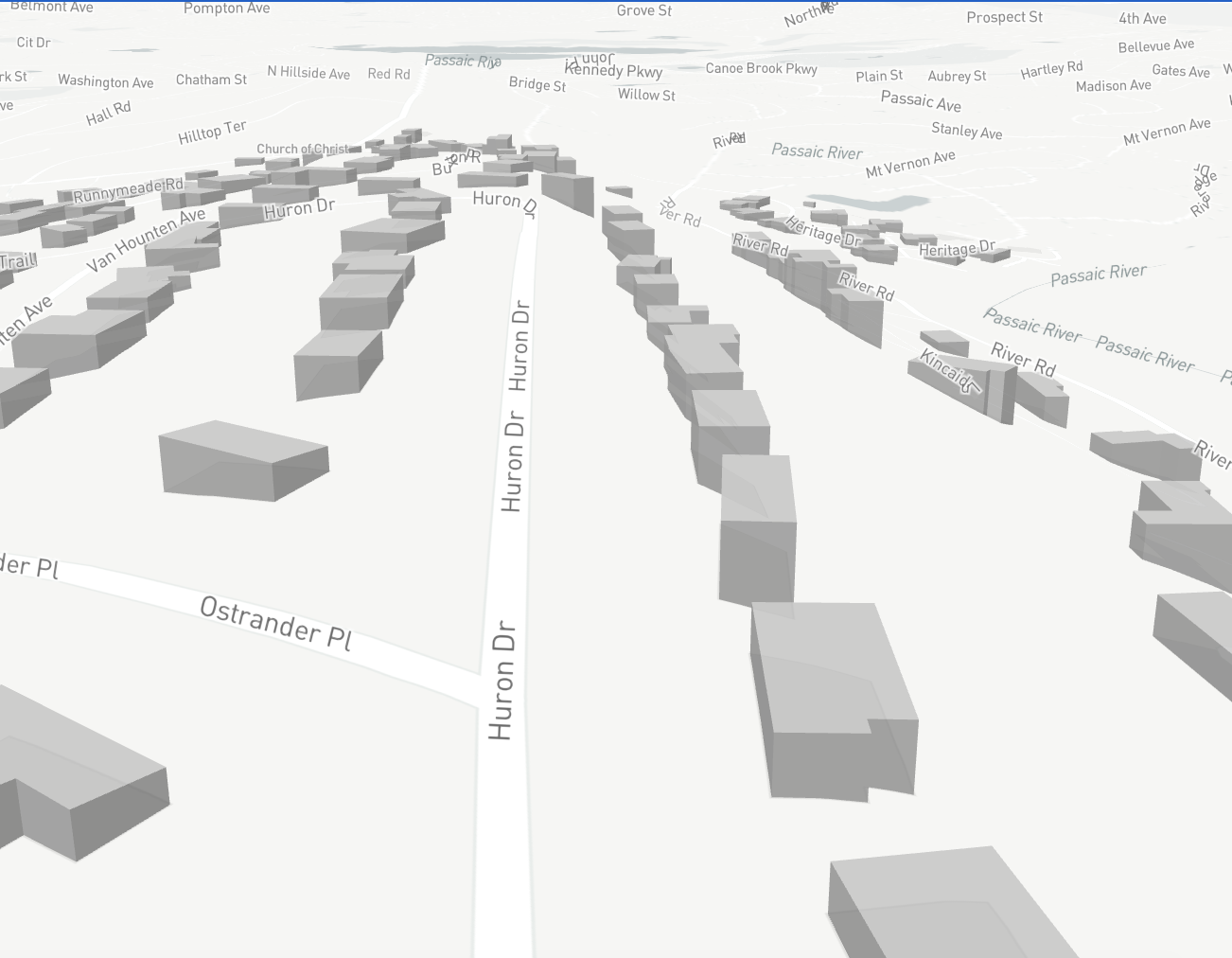
 bFlood
on 9 Dec 2020
bFlood
on 9 Dec 2020
Yep, it's to do with 3rd party buildings.
Guess I should have specified that.
Not sure if I can share a live demo with any of our data, but here's a little GIF showing it off.
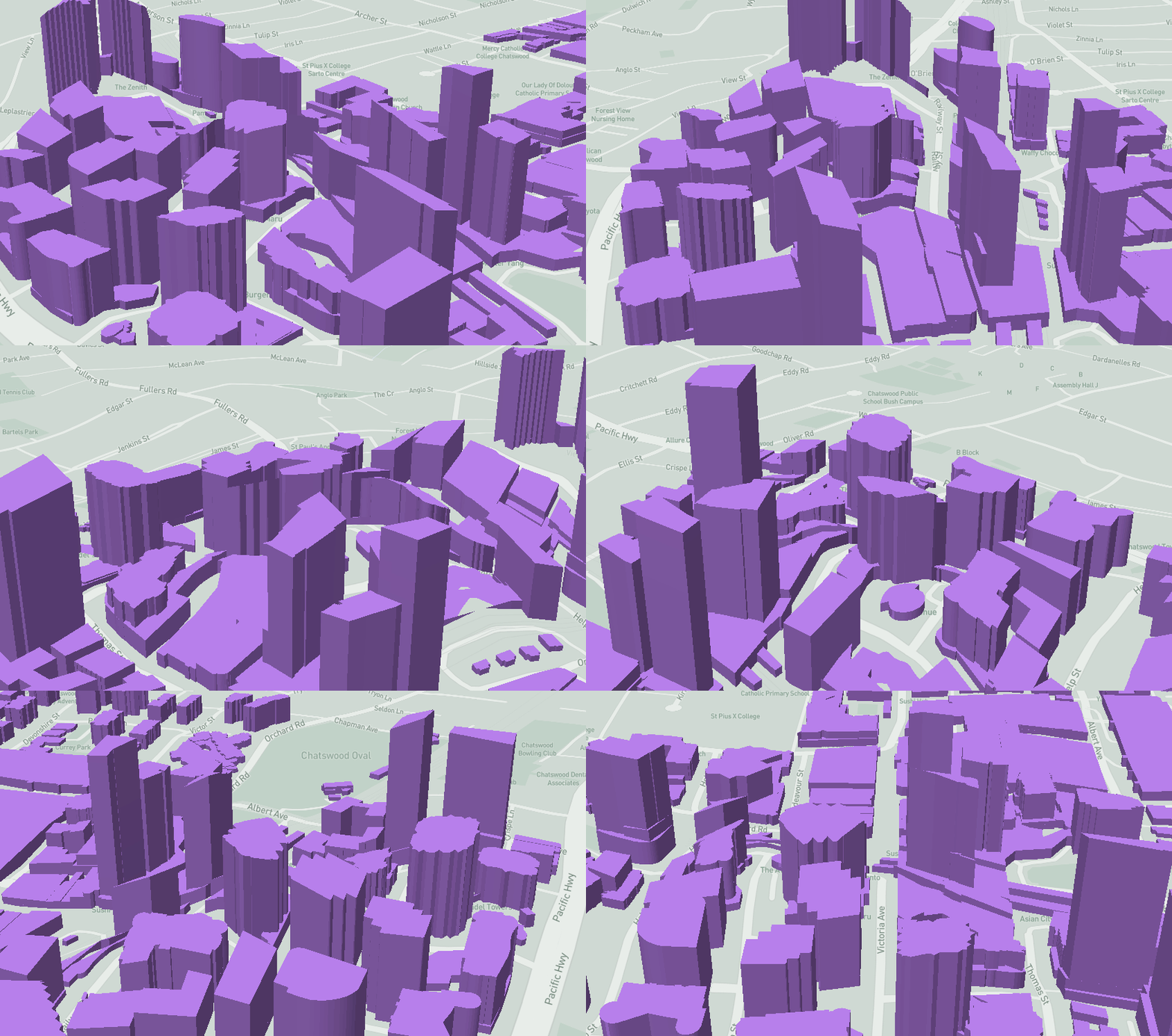
psmaAaron
on 10 Dec 2020
@psmaAaron you even managed to include the building I'm working from in your gif :wink:
I noticed this too when testing the beta with custom building footprints curved to follow the terrain like in these screenshots. I can put together an example too.
Agreed that it's not too clear currently with terrain what the extrusion-height should be relative to (low, high, middle, first point of polygon, last point of polygon etc.).
As a side point I mentioned to @asheemmamoowala that being able to specify an absolute extrusion height makes doing building extrusions on top of terrain more reliable when you switch terrain sources. But that's a separate issue to this.
 andrewharvey
on 10 Dec 2020
andrewharvey
on 10 Dec 2020
@psmaAaron can you share a live test case where roofs are rendered incorrectly with regards to terrain? We spent a lot of time making sure they're flat regardless of elevation changes, but there may be some edge cases left:
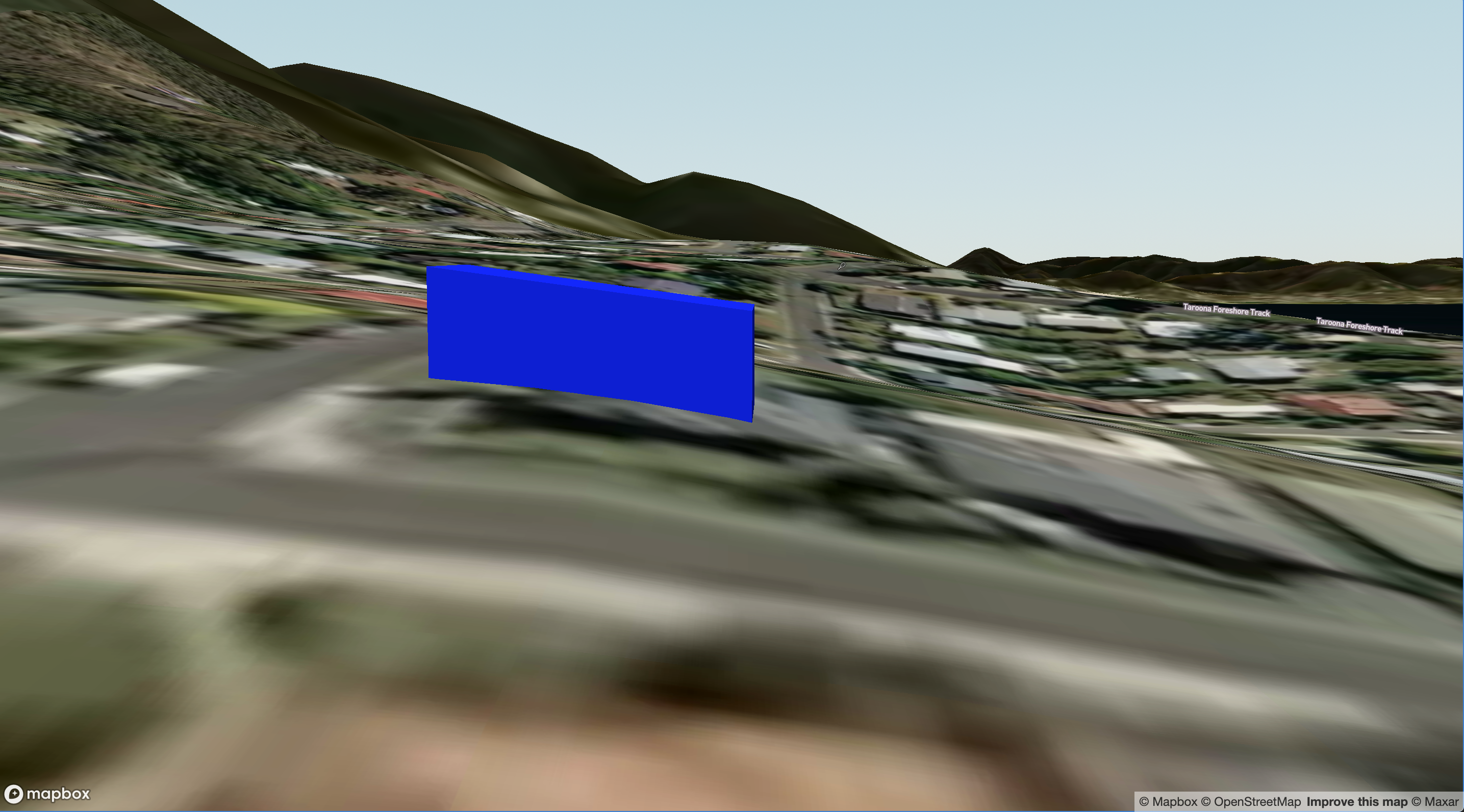
example https://codepen.io/mjamjamja/pen/bGwwQma
This release is amazing. Great work.
 mjasher
on 10 Dec 2020
mjasher
on 10 Dec 2020
Here is a pen with some of the buildings.
This is just a GeoJson extract from our data; I had cross-origin problems with some of our usual MVT things :(
https://codepen.io/Charcoal/pen/abmmPoz
The building right at the back shows it off the most, I think.
psmaAaron
on 10 Dec 2020
In order to enable flat roofs to existing styles, with no new API mechanism required to specify when to enable flat roofs and when not to, we enabled flat roofs for polygon features that have height property only:
As an example on how to specify if in geojson, please check fill-extrusion-pattern/opacity-terrain-flat render test. When there's no height property, roof is not flat, as in fill-extrusion-pattern/opacity-terrain render test.
Hope this helps.
Note that parts of the same building footprint could be specified in different, neighboring tiles. Building pieces in this case are "stitched" together on when both tiles get loaded:
For now, it's done for one tile border only. If a building crosses more than one tile border, flat roof is not displayed.
Related to precision of flat building base and roof position over terrain
In an attempt to optimize performance and time required to display buildings, there are several trade-offs done when it comes to precision of roof elevation over terrain, or let's say how a flat building base is calculated:
- For buildings that are _not spanning across_ tile borders, elevation is calculated on GPU; sampling height from multiple points around building centroid to calculate slope of terrain.
- When building parts lay in neighboring tiles, we estimate flat building base elevation based on elevation of three points:
https://github.com/mapbox/mapbox-gl-js/blob/20b953937ac54e3743aed06066b0bbe0092f5c9a/src/render/draw_fill_extrusion.js#L252-L254
How much these tradeoffs make sense and what kind of approach to take... well, it depends on feedback here. Thanks for help.
 astojilj
on 10 Dec 2020
astojilj
on 10 Dec 2020
As an example on how to specify if in geojson, please check fill-extrusion-pattern/opacity-terrain-flat render test. When there's no height property, roof is not flat, as in fill-extrusion-pattern/opacity-terrain render test.
Hope this helps.
That definitely explains it. However I think in the long run it's better to make this an additional style spec property, or just make it one way or the other all the time regardless of the height attribute. Relying on the presence of a particular attribute would lead to a lot of head scratching when you can't work out why it's behaving differently in different scenarios.
andrewharvey
on 10 Dec 2020
UK Ordnance Survey Building heights data in vector layer source also shows rooflines following terrain. Exaggeration: 1.
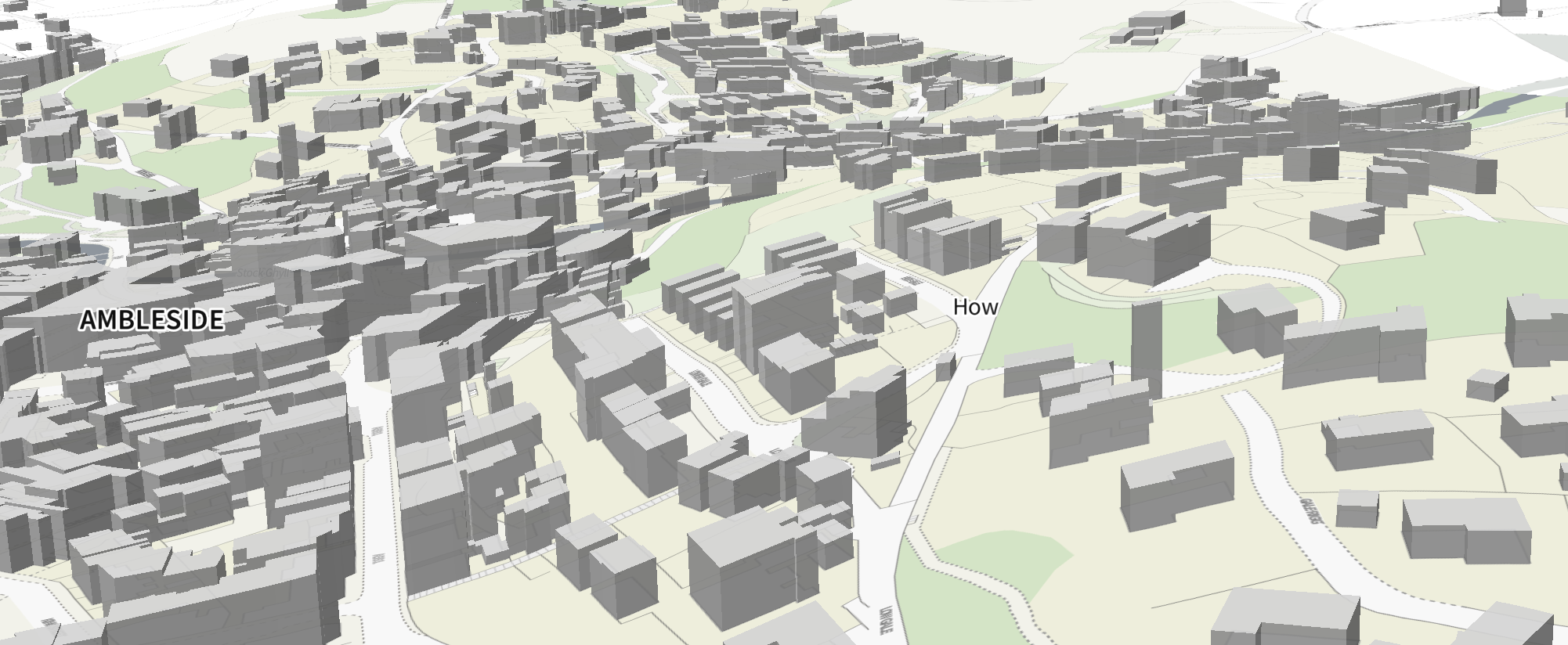
Height property in dataset is called "RelHMax"
 ashleyclough
on 10 Dec 2020
ashleyclough
on 10 Dec 2020
@astojilj Can confirm that changing making the height property that key and adding a "type": "building" does work
psmaAaron
on 11 Dec 2020
It would be good to have this as a style spec option, as some use cases would prefer the extrusion to follow the terrain, while other use cases would want a flat roof.
andrewharvey
on 1 Feb 2021
@andrewharvey can you share some examples of use cases where it's preferable for extrusions to follow the terrain? I know that ideally we'd have the flexibility to choose one or the other, but on the other hand, I can't think of any compelling use cases for non-flat roofs, so if there's a chance to remove the complexity and just have it work right by default, I'd personally go for it.
mourner
on 1 Feb 2021
@andrewharvey can you share some examples of use cases where it's preferable for extrusions to follow the terrain? I know that ideally we'd have the flexibility to choose one or the other, but on the other hand, I can't think of any compelling use cases for non-flat roofs, so if there's a chance to remove the complexity and just have it work right by default, I'd personally go for it.
One customer mentioned for vegetation coverage, they'd like to have a semi-transparent green extrusion for areas of foliage and the asked if that could follow the terrain rather than be flat as an approximation of average tree/canopy height. Though I do understand it's more complexity to support this as an style property...
andrewharvey
on 1 Feb 2021
Related issues
 iamdenny
·
3Comments
iamdenny
·
3Comments
 jfirebaugh
·
3Comments
jfirebaugh
·
3Comments
 PBrockmann
·
3Comments
PBrockmann
·
3Comments
 muesliq
·
3Comments
muesliq
·
3Comments
 infacq
·
3Comments
infacq
·
3Comments
Most helpful comment
That definitely explains it. However I think in the long run it's better to make this an additional style spec property, or just make it one way or the other all the time regardless of the
heightattribute. Relying on the presence of a particular attribute would lead to a lot of head scratching when you can't work out why it's behaving differently in different scenarios.