Mapbox-gl-js: Poor Geojson rendering precision, apparent at close zoom levels.
mapbox-gl-js version: 1.11.0
browser: Chrome 86.0.4240.198 on Windows 10
I'm not sure if this is a bug, or just a known limitation of mapbox-gl.
I've been trying to add extra styling details in mapbox using "pseudo-geometry", similar to how the mapbox-gl-draw plugin uses geojson point data to visually accentuate vertexes and midpoints.
While doing this, I noticed what appears to be a rendering position precision limitation, as if geometry points as-rendered are snapping to an invisible grid.
For example, I added hatch-lines to a polygon edge. Although the "pseudo-geometry" geojson lines are parallel and of equal length in the data, when rendered the result is distorted:
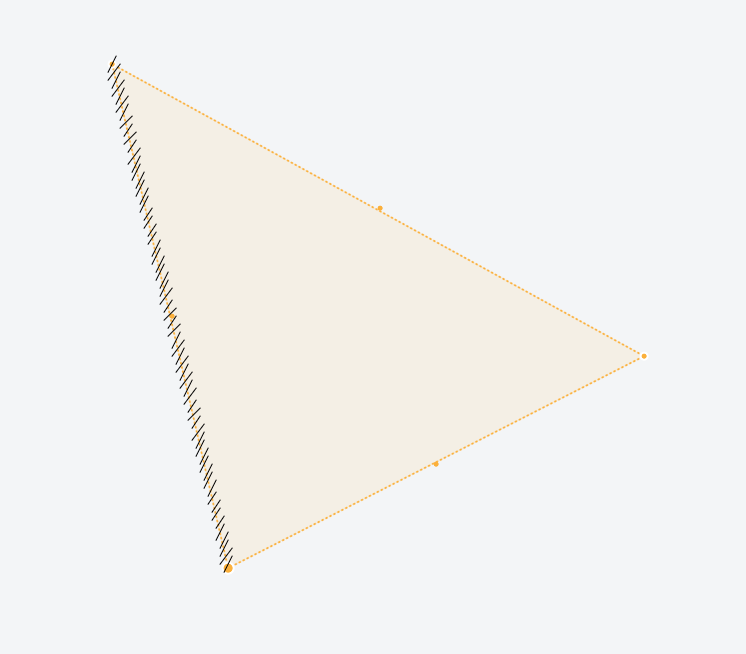
This is at zoom level 24. The hatched edge is just under 2.5m long, and the hatch lines are supposed to be 8cm long.
The "invisible grid" manifests in real-world units, so zooming in makes the effect more noticeable. For example, if I increase the max zoom (beyond the recommended max value of 24) to 27, and zoom right in, the limitations become immediately apparent when manipulating geometry with the mouse:
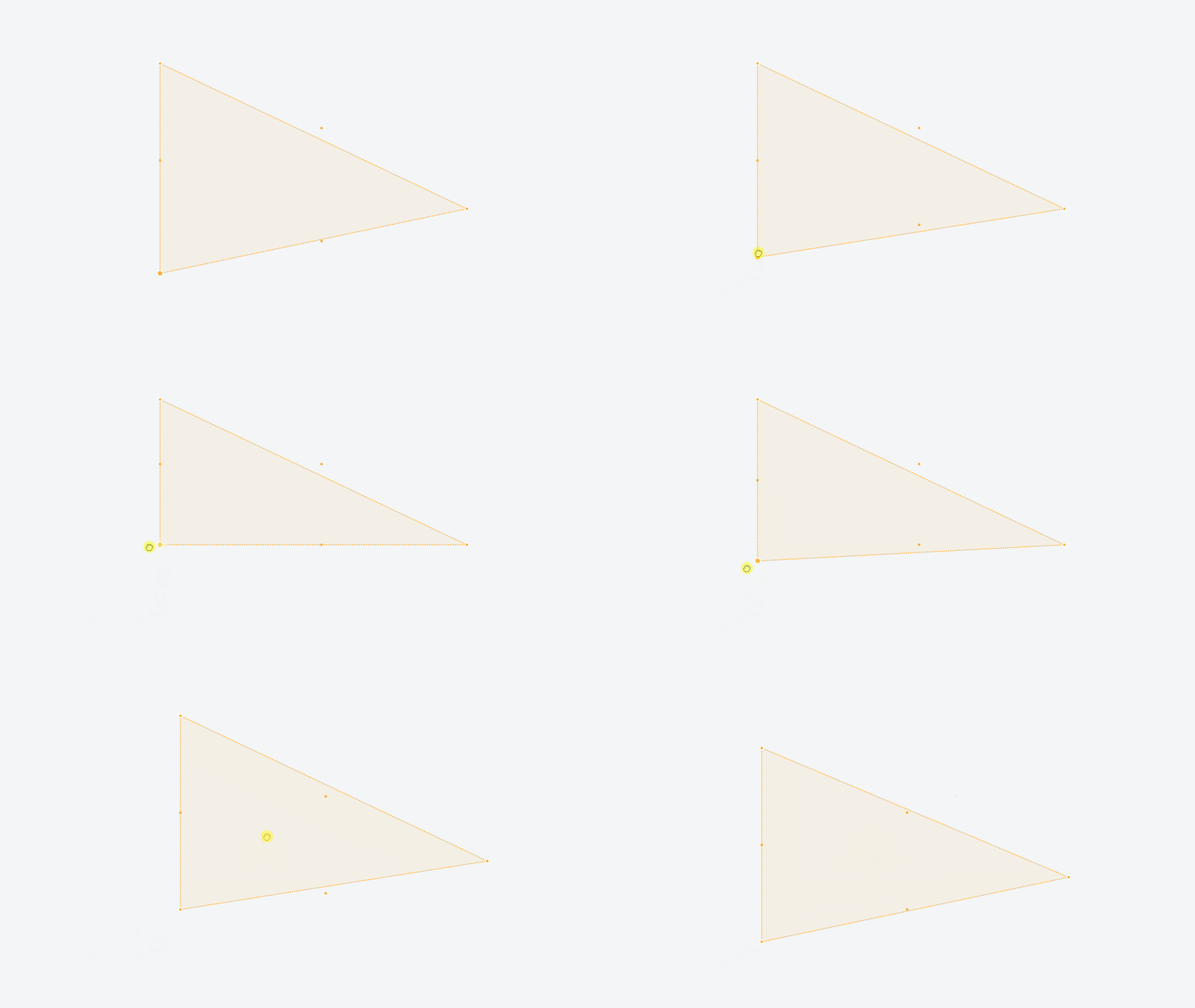
The vertical edge of this polygon is between 20 and 30cm long.
The geometry in the examples is located near null island. The effect is similar at -80 degrees latitude. My rough, eyeballed estimation is that rendered geojson points snap to something like a 1.5cm grid, regardless of latitude.
This effect is noticeable, although more subtle, at zoom level 24.
Beyond styling possiblities, I'm hoping to display potential geometry alignment issues, for example "are two vertexes actually snapped together, or merely in close proximity". A rendering precision limitation makes two vertexes appear to share the same coordinates when they do not.
Is the rendering precision limitation I'm seeing a known phenomenon? Did I miss a config option that would give me more rendering precision, or are there any tips on a potential workaround?
Expected (Desired) Behavior
Arbitrary rendering precision would be nice ^_^, millimeter precision would probably be more than enough.
Actual Behavior
Geojson rendering precision limited to a couple cm
 bhouser
All 2 comments
They do snap to an invisible grid, as you have noticed, because GeoJSON is converted into vector tiles under the hood for rendering. However, the default maximum zoom the tiles go to is 18 — try bumping this to e.g. 24 with the maxzoom option of the GeoJSON source. Let us know if it helps!
 mourner
on 16 Nov 2020
mourner
on 16 Nov 2020
This totally solved my problem. Thanks so much!
bhouser
on 16 Nov 2020
Related issues
 jfirebaugh
·
3Comments
jfirebaugh
·
3Comments
 foundryspatial-duncan
·
3Comments
foundryspatial-duncan
·
3Comments
 aaronlidman
·
3Comments
aaronlidman
·
3Comments
 mollymerp
·
3Comments
mollymerp
·
3Comments
 stevage
·
3Comments
stevage
·
3Comments
Most helpful comment
They do snap to an invisible grid, as you have noticed, because GeoJSON is converted into vector tiles under the hood for rendering. However, the default maximum zoom the tiles go to is 18 — try bumping this to e.g. 24 with the
maxzoomoption of the GeoJSON source. Let us know if it helps!