Mapbox-gl-js: Incorrect display of the 3D model after adding it to the map as custom layer in v0.52.0
mapbox-gl-js version:
v0.52.0
browser:
Google Chrome 71.0.3578.98
Link to Demonstration
Full example can be seen here:
https://bl.ocks.org/ryanbaumann/b9725e79b5b1742d92ada00ddbf5c3d3
Expected Behavior
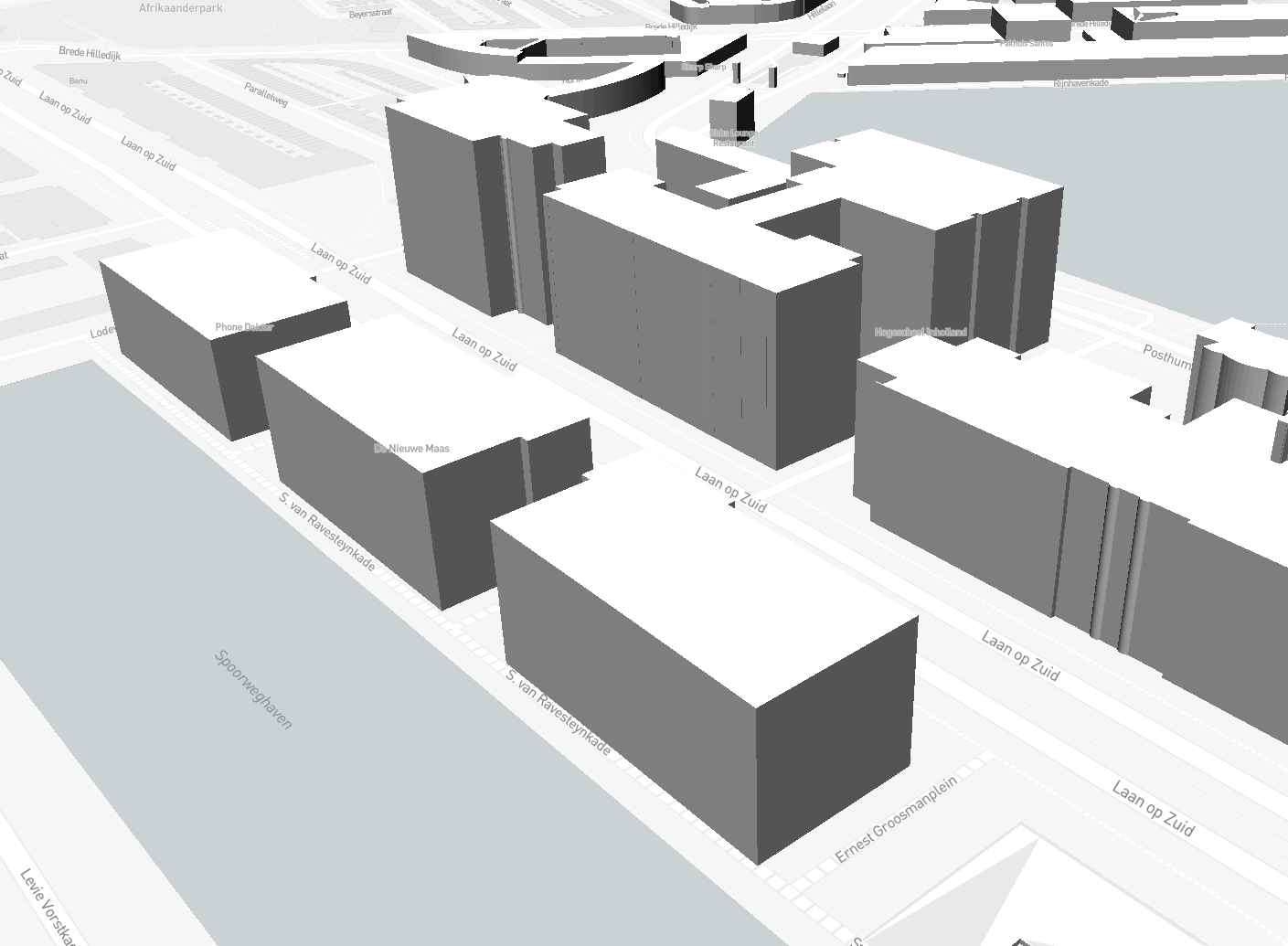
in v0.51.0
https://i.imgur.com/cLR3OFJ.jpg
Actual Behavior
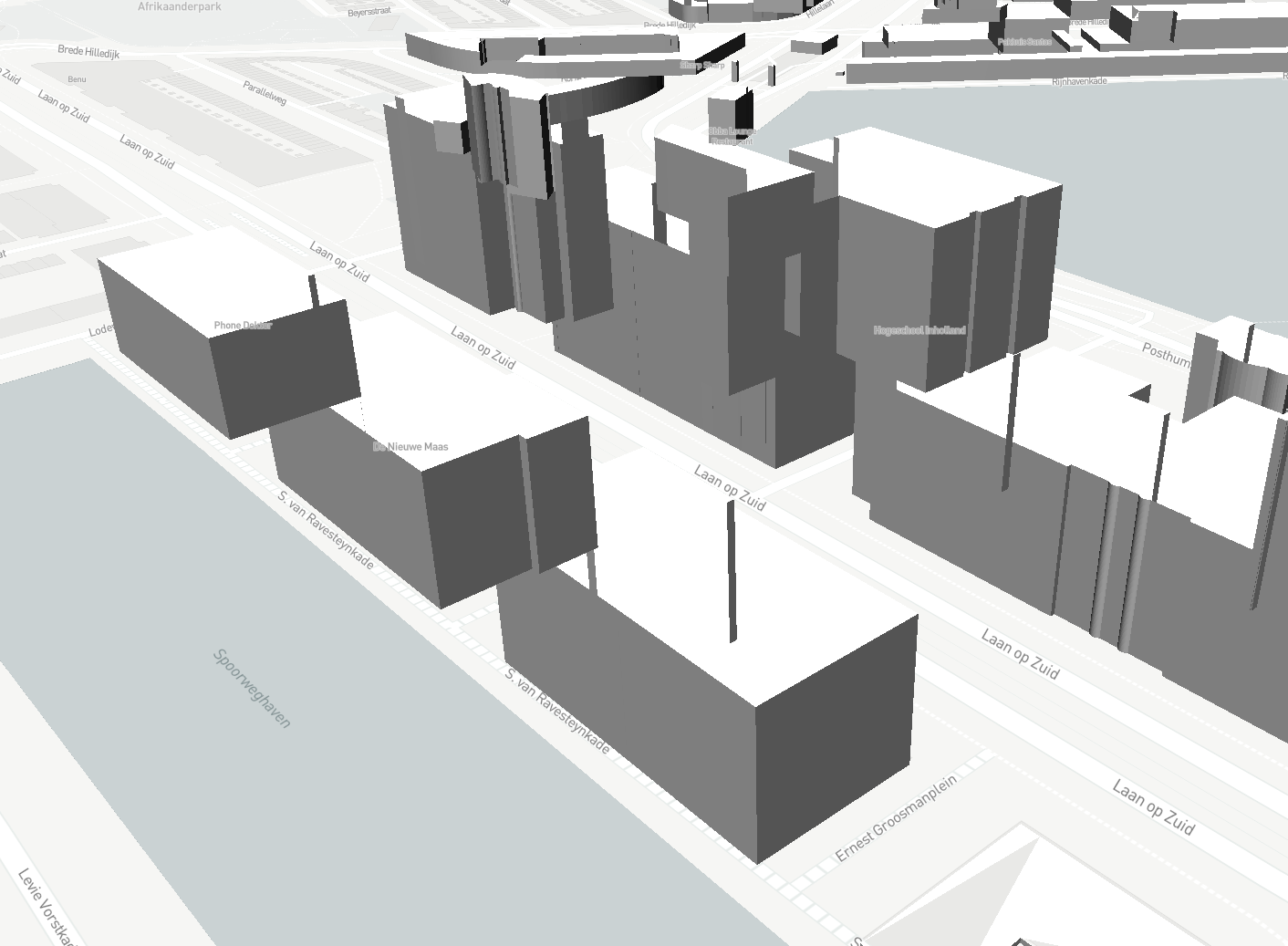
in v0.52.0
https://i.imgur.com/R9T3Tsa.jpg
 Solomka12
All 7 comments
I can confirm I am having the same problem. It appears the rendering order is incorrect since v0.52.0.
v0.51.0:
v0.52.0:
 RubioV
on 21 Feb 2019
RubioV
on 21 Feb 2019
In order for depth rendering to work correctly the layer needs to specify "renderingMode": "3d". For example:
var threeJSModel = {
    id: 'custom_layer',
    type: 'custom',
    renderingMode: '3d'
    ...
};
This was not documented anywhere! I've opened a pull request to document this property: https://github.com/mapbox/mapbox-gl-js/pull/7951
@RubioV @Solomka12 can you confirm that this fixes your issues?
@ryanbaumann - https://bl.ocks.org/ryanbaumann/b9725e79b5b1742d92ada00ddbf5c3d3 should start using "renderingMode": "3d"
 ansis
on 25 Feb 2019
ansis
on 25 Feb 2019
Updated the block example @ansis, thanks for the bug report @rubiov @solomka12
 ryanbaumann
on 26 Feb 2019
ryanbaumann
on 26 Feb 2019
@ansis: yes this fixes the problem, thanks!
RubioV
on 26 Feb 2019
Yes, everything works as it should, thanks!
Now even models in custom layers are part of the map. This can be seen by the way they are displayed with the native 3d-buildings layer:
renderingMode: '3d'

But what if I need this behavior when my model overlaps all other native layers. How do I get this effect now?
renderingMode: '2d'

Solomka12
on 27 Feb 2019
@Solomka12 thanks for confirming! Adding this to the top of render should work:
gl.clear(gl.DEPTH_BUFFER_BIT);
This clears all the depth information previously rendered which lets you draw above the buildings.
ansis
on 27 Feb 2019
@ansis Hi Ansis, how can i do that?
 Nimash68
on 30 Jun 2020
Nimash68
on 30 Jun 2020
Related issues
 rasagy
·
3Comments
rasagy
·
3Comments
 Scarysize
·
3Comments
Scarysize
·
3Comments
 infacq
·
3Comments
infacq
·
3Comments
 yoursweater
·
3Comments
yoursweater
·
3Comments
 stevage
·
3Comments
stevage
·
3Comments
Most helpful comment
@Solomka12 thanks for confirming! Adding this to the top of
rendershould work:This clears all the depth information previously rendered which lets you draw above the buildings.