Mapbox-gl-js: Fallback value in "match" expression is not applied to features with missing property
Hi,
In Mapbox Studio, I am using data conditions to style features based on a property value. (in my case: lots based on their land use category).
Here is a sample use case:
I set a yellow color for all lots that fall within the "01" land use category. All lots that belong to another category are colored using the fallback color. However, unlike before, the fallback color is only applied to features that actually have the property. So lots with missing LandUse property are being colored in black:
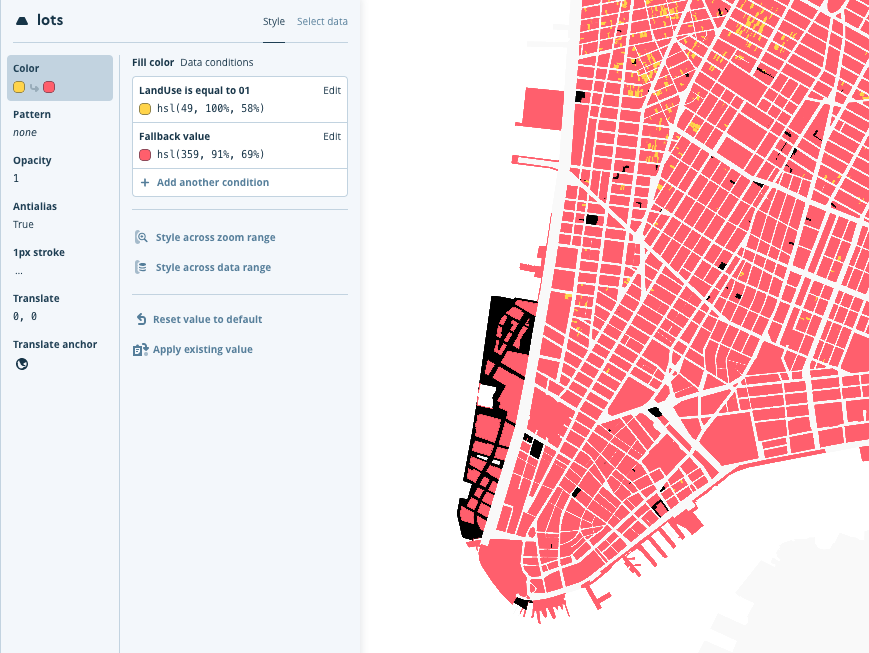
By default, Mapbox Studio uses a "match" expression:

On the other hand, if I use a "case" expression, the "fallback" value is assigned to all features that don't match the "01" condition (even if the property is missing). Here is how it looks:
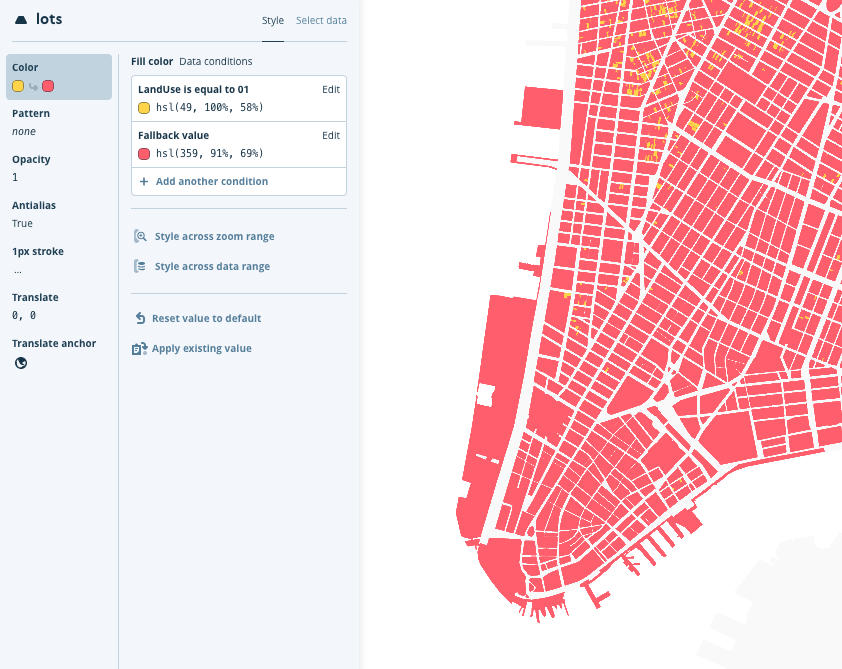
when a "case" expression is used:
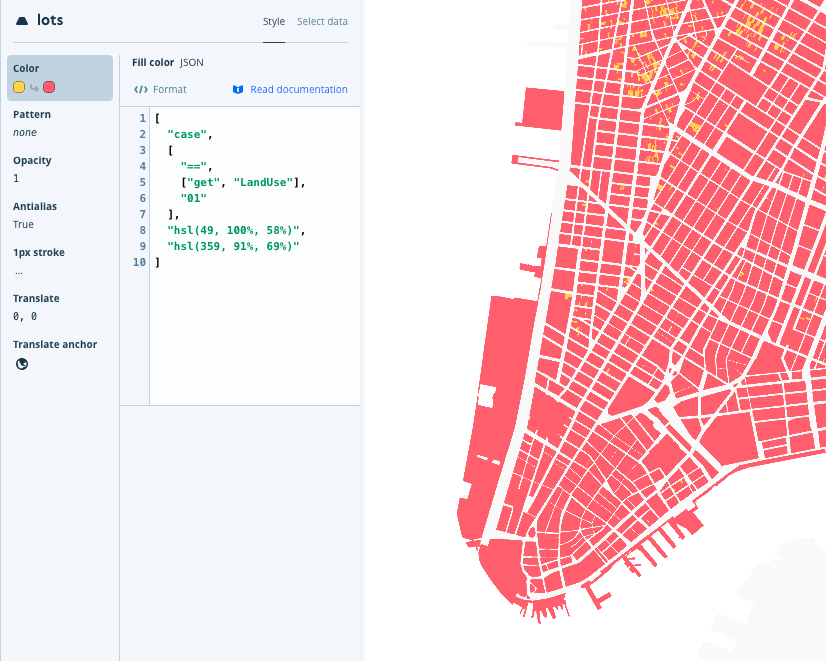
Personally I expect to see the fallback color assigned to all lots (like in the second example - when using the "case" expression). This is how data-driven styling used to work: there was a "default" value which was assigned to all features no matter if they had the property or not.
I wonder if this is the expected behavior of the "match" expression ? Is there a way to assign a color value to lots with a missing property through the UI (without replacing the match expression with a case)?
Best regards,
Kiro
 kmandov
All 4 comments
👋 @kmandov thanks for filing this. We're tracking the issue in Studio (so I'm going to close this here). The expression statement would need to factor null being a value which complicates the UI somewhat but we should have some resolution to this in the future.
 tristen
on 16 May 2018
tristen
on 16 May 2018
Per discussion on the Studio issue, I think the best way of resolving this is in fact to make match equivalent to the combination of case and == as suggested by @kmandov, such that the default value is used if "get" produces a null value (or any other value that's not the expected type).
 jfirebaugh
on 16 May 2018
jfirebaugh
on 16 May 2018
This doesn't seem solved for my case: colour red if name abc, otherwise (any other name, empty string, or missing property) colour grey:
"line-color": [
                    "match",
                    ["downcase",["get", "name"]],
                    ["abc"],
                    "hsl(0, 100%, 25%)",
                    "hsl(0, 0%, 25%)"
                ],
This colours objects with name=abc red, other names grey, empty names grey, but objects with missing property name black? :/
 bloodybeet
on 16 Feb 2019
bloodybeet
on 16 Feb 2019
I had the same issue. The case expression doesn't seem to use the default value if the values I was writing a expression against was null. Also explicitly writting a expression that checks for null didn't seem to work either.
Instead i had to use the coalesce expression to use a different value if we found a null then my expressions would work. Hope this helps someone.
 MitchellMonaghan
on 28 May 2020
MitchellMonaghan
on 28 May 2020
Related issues
 rasagy
·
3Comments
rasagy
·
3Comments
 aaronlidman
·
3Comments
aaronlidman
·
3Comments
 infacq
·
3Comments
infacq
·
3Comments
 PBrockmann
·
3Comments
PBrockmann
·
3Comments
 aderaaij
·
3Comments
aderaaij
·
3Comments
Most helpful comment
Per discussion on the Studio issue, I think the best way of resolving this is in fact to make
matchequivalent to the combination ofcaseand==as suggested by @kmandov, such that the default value is used if"get"produces a null value (or any other value that's not the expected type).