Mapbox-gl-js: iOS 11.3 beta 1 breaks map panning & zooming
In iOS 11.3 beta 1, panning and zooming the map results in incorrect behavior. Panning the map vertically scrolls the web page at the same time, whereas in previous versions of iOS, only the map would move (expected behavior.) In addition, zooming the map zooms the entire web page instead of zooming in on the Mapbox map.
Using Mapbox GL JS version 0.44:
Steps to Trigger Behavior
- Upgrade an iPhone or other iOS device to iOS 11.3 beta 1.
- Navigate to a web page that includes a Mapbox GL JS map. Some examples I tried:
- Mapbox Streets
- Any example from the API docs
- My site that I noticed the issue on: sfstreetcars.co
- Pan the map up or down, or try to zoom the map.
Expected Behavior
- When panning a Mapbox map on a webpage, the map should move without the entire webpage moving.
- I should be able to zoom a Mapbox map using two fingers without the entire webpage moving.
Correct behavior on iOS 11.2.5
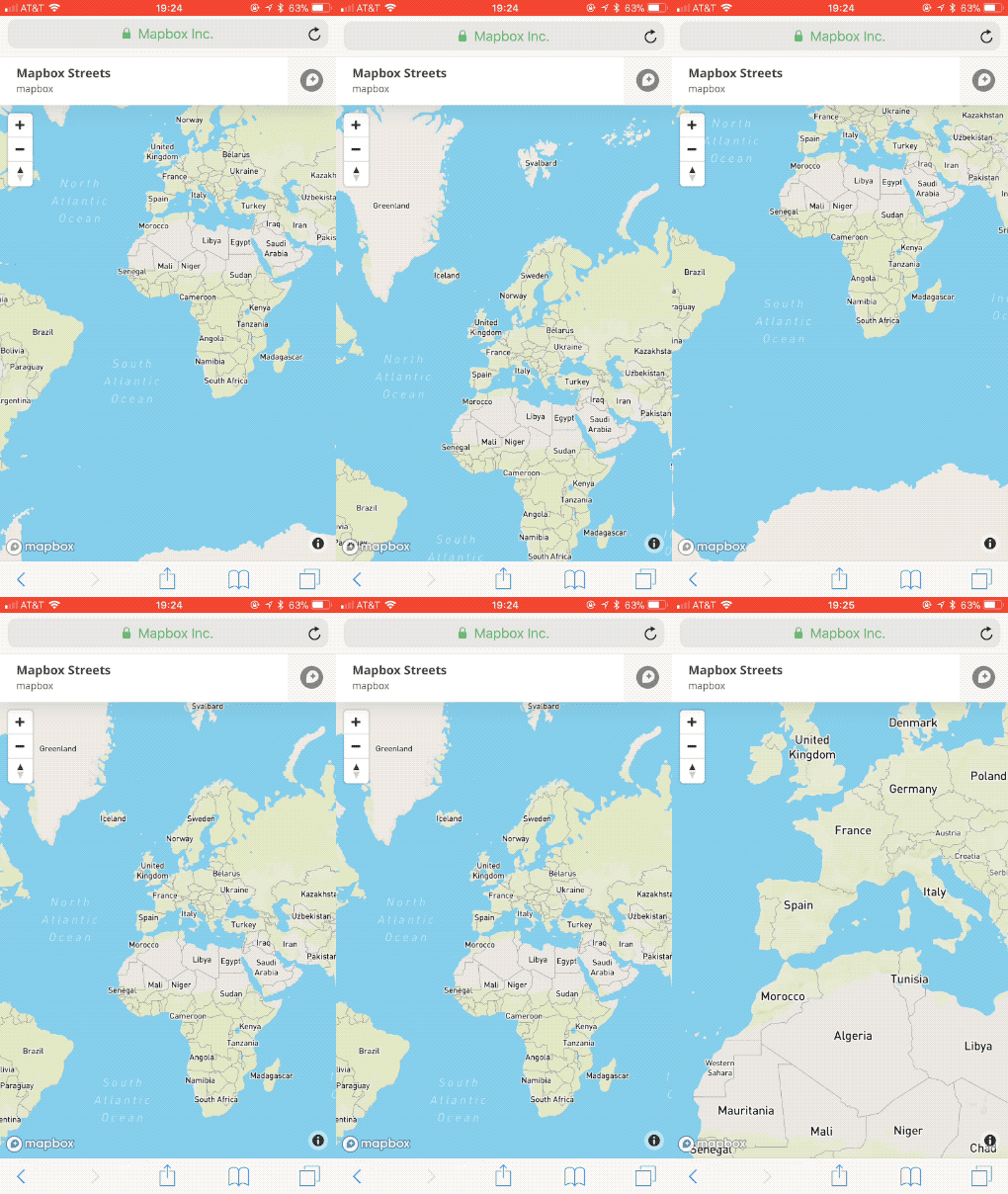
Actual Behavior
- When panning the map, the entire webpage scrolls as well.
- When zooming the map, the entire webpage zooms as well.
Incorrect behavior on iOS 11.3 beta 1 and iOS 11.3 beta 2

To show that this is a Mapbox-specific issue, here's an example of a Google Maps map working as expected on the same device:
 carvin
All 6 comments
@carvin I don't use beta, but have the same scroll with ios 11.2.5 on your website. When photo-carousel is set to display: none, the whole page stops scrolling. Maybe you have the same issue?
 bravecow
on 9 Feb 2018
bravecow
on 9 Feb 2018
@bravecow Possible there's a separate issue on my site, so let's just use Mapbox's site as an example:
Correct behavior on iOS 11.2.5
Incorrect behavior on iOS 11.3 beta 1 and iOS 11.3 beta 2
carvin
on 11 Feb 2018
Ok, I've found a solution that works for my site. It feels hacky but it's getting the job done for now. I'm tracking when any touch begins and ends on the map canvas. If, while the user is interacting with the map, the page detects a "touch move" event on any element beside the map, I prevent that touch move from being registered.
Here's my workaround (using jQuery):
//Global var tracks whether map is being touched
var touchingMap = false;

//When the Mapbox canvas is touched, adjust the global tracking var
$(document).on("touchstart","canvas",function(e){
  touchingMap = true;
});

//When the Mapbox canvas is no longer being touched, adjust the global tracking var
$(document).on("touchend","canvas",function(e){
  if(e.touches.length == 0){
    touchingMap = false;
  }
});

//When any touch move event happens fire this:
$("*").on("touchmove",function(e){
  //If the map is currently being touched, block any touch move event except those coming from the map.
  if(touchingMap && !($(this).prop("tagName").toLowerCase() == "canvas")){
    e.preventDefault();
  }
});
 jfirebaugh
on 27 Feb 2018
jfirebaugh
on 27 Feb 2018
This issue has been closed for just over a month, but it's not out on NPM. Is there any word on when the next release will be?
 mikew
on 3 Apr 2018
mikew
on 3 Apr 2018
A v0.44.2 patch release fixing this issue is in flight now.
 anandthakker
on 3 Apr 2018
anandthakker
on 3 Apr 2018
Related issues
 Scarysize
·
3Comments
Scarysize
·
3Comments
 muesliq
·
3Comments
muesliq
·
3Comments
 iamdenny
·
3Comments
iamdenny
·
3Comments
 mollymerp
·
3Comments
mollymerp
·
3Comments
 stevage
·
3Comments
stevage
·
3Comments
Most helpful comment
A v0.44.2 patch release fixing this issue is in flight now.