Mapbox-gl-js: Zoom performance with cluster of points
I thought this might be related to https://github.com/mapbox/mapbox-gl-js/issues/5041 but I've tried on both 0.38.0 and 0.39.1
Steps to Trigger Behavior
- Using geojson points (1 point = 1 feature, as described in https://www.mapbox.com/mapbox-gl-js/example/geojson-markers/)
- Have a densely clustered area of points
- Zoom in
- Wait for points to load
Expected Behavior
Points should render smoothly
Actual Behavior
Points look sparse then after a few seconds will load
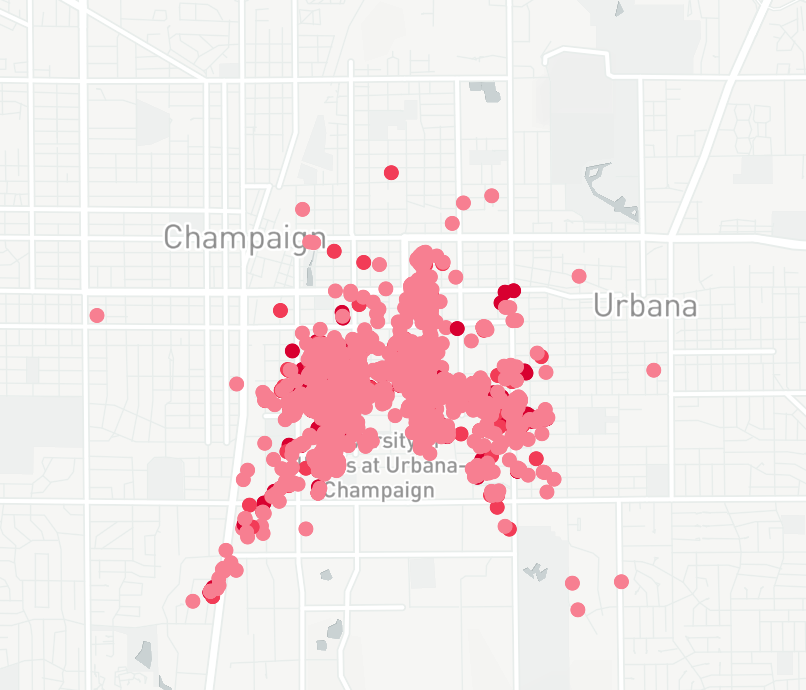
Here is an example of a dense area of about 13k points. When I first zoom in it looks like theres only a small number of points.

After waiting a few seconds the rest of the points render:
 sthomp
All 18 comments
Thanks for using Mapbox, and sorry to hear you're running into an issue. In order for us to diagnose this issue, we'll need to be able to reproduce it ourselves. Could you please create a minimal self-contained JSFiddle that demonstrates the issue?
 jfirebaugh
on 30 Aug 2017
jfirebaugh
on 30 Aug 2017
Hi, thanks for the quick response.
I've created a minimal example to reproduce. When the example loads it will zoom into the points. Then you'll need to wait for about 5-10 seconds for the points to re-appear.
https://jsfiddle.net/w2frv0ns/
https://github.com/sthomp/mapbox_test
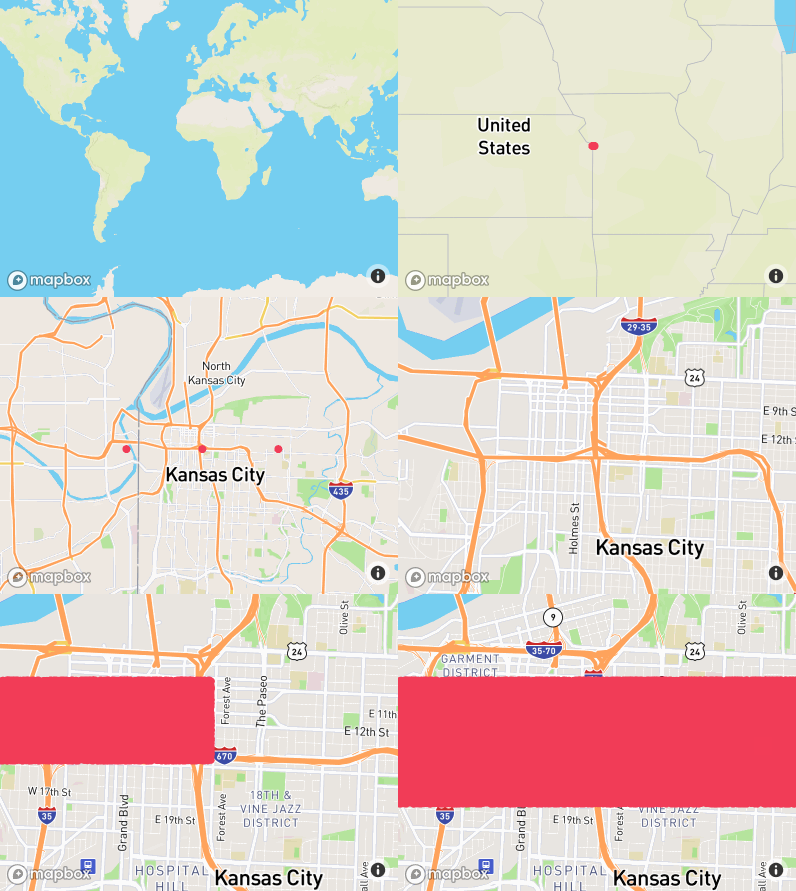
Here's a screen recording:
sthomp
on 30 Aug 2017
Thanks @sthomp! I can immediately see that it's the background processing that's needed to convert the GeoJSON into buffers usable by WebGL that's the bottleneck and leading to the rendering delays. This is the kind of use case we want Mapbox GL to shine at, and I see at least one easy performance improvement -- we'll put some work into optimizing this. In the meantime, have you considering using clustering? That's a common way to both provide a more digestible visual representation and improve performance to boot.
jfirebaugh
on 30 Aug 2017
Thanks for the clustering suggestion - I'll have a go at that.
If we do keep the raw points are there any workarounds in the meantime?
Maybe some kind of pre-processing I can do on my end that would help? We generate the geojson on a server so it would be easy to do additional processing.
Or perhaps a loading indicator to at least indicate that some background processing is in progress. But it's not clear to me how to hook into a loading status. Not sure if sourcedata provides the right lifecycle.
sthomp
on 30 Aug 2017
@sthomp you might also want to look at https://github.com/mapbox/tippecanoe for generating a vector tileset for the data (instead of GeoJSON). It has a feature of filtering out points on lower zoom levels for faster rendering / less bandwidth.
 mourner
on 1 Sep 2017
mourner
on 1 Sep 2017
Thanks for filing this issue and providing the sample data @sthomp, it turned out to be interesting to analyze. You can see a few issues linked above with improvements landing soon. One other thing you can try in the meantime is using a GeoJSON MultiPoint feature rather than individual Point features -- in my tests this is quite a bit faster.
jfirebaugh
on 6 Sep 2017
Interesting! Will give multipoint a shot.
sthomp
on 6 Sep 2017
Hm actually on second thought, Im currently using the properties map to contain more details about each point (speed, altitude, etc). In this way I can interact with each point on the map to investigate more. Using multipoint won't allow this.
sthomp
on 6 Sep 2017
@sthomp here's a draft of a doc I'm working on about handling large geojson sources in GL JS. Some of these techniques could be helpful for your questions here - especially minifying and pruning our geoJSON, loading geojson from a URL vs. a local JS object, reducing the geojson buffer option, and setting a lower maxzoom level.
 ryanbaumann
on 6 Sep 2017
ryanbaumann
on 6 Sep 2017
Here's a quick example of the results, forking your minimal jsfiddle @sthomp https://jsfiddle.net/w2frv0ns/1/
ryanbaumann
on 6 Sep 2017
That looks great @ryanbaumann definitely much smoother
sthomp
on 6 Sep 2017
The reason I'm loading from js object is that the query to the server is a POST request which sends a json payload of search arguments. The search arguments allow the server to find only the relevant data points (ie: points within a bounding box or within a given time period).
Im not familiar with what mapbox is doing under the hood with the data argument for loading from URL but maybe there is something I can do in my client code to get the same effect?
sthomp
on 6 Sep 2017
@sthomp the URL load for a geojson source should mainly affect a) client memory useage and b) source load time.
The ajax request for a geojson data from URL can be made on a web worker. I believe that removes the time to pass string data from the main thread to the web worker, and the memory overhead on the client of holding the geojson data in two places (main thread and web worker).
ryanbaumann
on 6 Sep 2017
Just want to note here that using clustering has been a huge help. It's more visually digestive too. Thanks all for the help and suggestions.
sthomp
on 8 Sep 2017
@ryanbaumann Thanks for posting that doc draft, that's awesome. Could you elaborate (in the doc, perhaps) about "Load[ing] geojson from a data URL". Do you mean, a "http://...geojson" URL, or a "data:..." URL? If the latter, what's the workflow for constructing that?
 stevage
on 11 Sep 2017
stevage
on 11 Sep 2017
@stevage thanks for the feedback, Ill clarify in the doc!
Answer - Http url. The goal is to reduce client memory overhead by only persisting the source data as vector tiles, instead of as both a raw object and as vector tiles.
ryanbaumann
on 11 Sep 2017
Ah, that makes sense - thanks for the clarification.
stevage
on 11 Sep 2017
Trying the original reported example with 0.47.0, looks like the performance improved considerably — you no longer have to wait 5-10 seconds as reported, the points appear relatively quickly. Given this, and the fact there are no clear next actions, I'm closing this for now. Further improvement might be achieved with #5246.
mourner
on 25 Jul 2018
Related issues
 aendrew
·
3Comments
aendrew
·
3Comments
 muesliq
·
3Comments
muesliq
·
3Comments
 PBrockmann
·
3Comments
PBrockmann
·
3Comments
 samanpwbb
·
3Comments
samanpwbb
·
3Comments
 BernhardRode
·
3Comments
BernhardRode
·
3Comments
Most helpful comment
@sthomp here's a draft of a doc I'm working on about handling large geojson sources in GL JS. Some of these techniques could be helpful for your questions here - especially minifying and pruning our geoJSON, loading geojson from a URL vs. a local JS object, reducing the geojson
bufferoption, and setting a lowermaxzoomlevel.