Mapbox-gl-js: Strange artifacts when zooming in to line layer "Geometry exceeds allowed extent"
I am uncertain if this is a bug in mapbox-gl-js or in tegola, but after trying to set up serveral custom vector tile servers where I end up with pbfs but no rendering, I am giving up.
When zooming in on a vector tiles strange stuff appears around zoom level 12. In the JavaScript console I notice: "Geometry exceeds allowed extent, reduce your vector tile buffer size". I am using 0.39.1.
I have tried to reproduce it with GeoJSON as datasource this does not trigger the same behavior.
http://stefan.konink.de/zones/test.html (geojson test)
http://stefan.konink.de/zones/mapboxgl1a.html (tegola backend)
http://stefan.konink.de/zones/test.geojson (data)
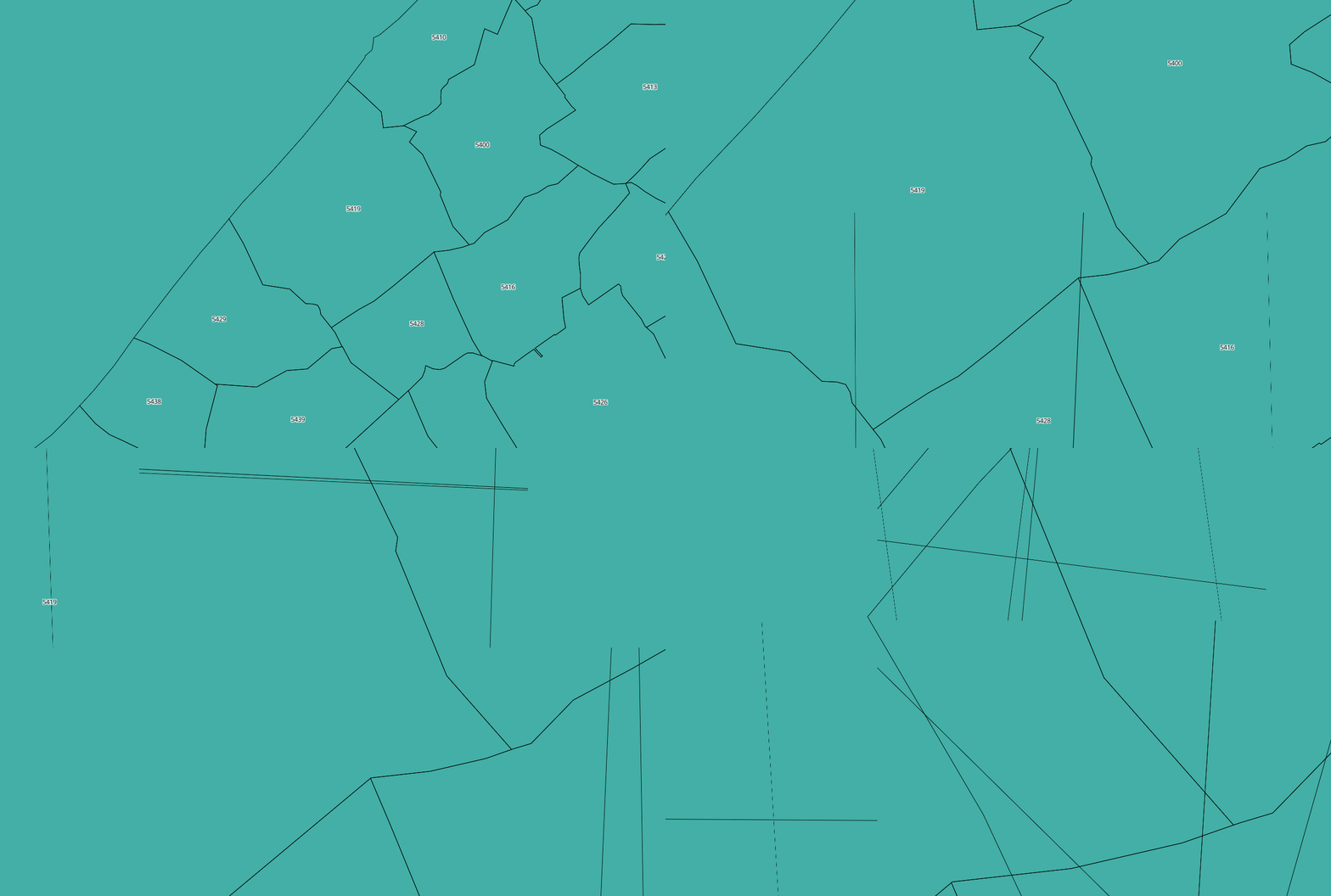
OpenLayers doesn't seems to have the problem.
http://stefan.konink.de/zones/index.html
Issue seems to be the same as #2854
 skinkie
All 12 comments
I have validated in qgis that the vector tiles itself are not the issue.
skinkie
on 20 Aug 2017
What's the tiles extent and buffer size?
 mourner
on 20 Aug 2017
mourner
on 20 Aug 2017
@mourner could you tell me where to get this information? I have not configured it.
skinkie
on 20 Aug 2017
Unfortunately we're not able to track every vector tile back end and know how it works and whether it conforms to the vector tile specification. I'd suggest seeking the answer from the Tegola maintainers.
mourner
on 20 Aug 2017
So given that you probably have a QA test for MapBox GL JS around. Why is OpenLayers working without a problem and even the conversion to GeoJSON works flawlessly? Better put: why does MapBox GL JS fail (and due to specifications) is it not considered a bug?
skinkie
on 20 Aug 2017
OpenLayers might not have the same restrictions as Mapbox GL JS, which does fast hardware-accelerated rendering of vector tiles, but can't handle vector tiles where extent is too big (any coordinate values exceed 32768, so they can't be encoded in a 16-bit integer). If Mapbox GL JS throws an error which says "Geometry exceeds allowed extent", it means what it says.
If your tiles have such values, it's on the Tegola side or your configration of it, and there's nothing we can do on GL JS side.
mourner
on 20 Aug 2017
Thanks, that honestly helped more :+1:
skinkie
on 20 Aug 2017
@mourner this is on the tegola side and has to do with tegola's clipping algorithm which is still under development. The v0.4.0-alpha release demonstrates the clipping improvements but still has edge cases that are being worked on. Thanks for chiming in on this.
 ARolek
on 25 Aug 2017
ARolek
on 25 Aug 2017
Just so that everyone is aware of what the issue was in Tegola. We had a regression where we stopped clipping lines. This is what lead to lines being drawn pass an acceptable buffer.
Thank you to all for looking into this and responding.
 gdey
on 10 Nov 2017
gdey
on 10 Nov 2017
Great, thanks for letting us know @gdey!
mourner
on 10 Nov 2017
Is this still an issue with tegola?
 mhuconcern
on 24 May 2019
mhuconcern
on 24 May 2019
@mhuconcern this specific issue has been fixed in tegola.
ARolek
on 24 May 2019
Related issues
 aendrew
·
3Comments
aendrew
·
3Comments
 iamdenny
·
3Comments
iamdenny
·
3Comments
 stevage
·
3Comments
stevage
·
3Comments
 aaronlidman
·
3Comments
aaronlidman
·
3Comments
 shotor
·
3Comments
shotor
·
3Comments
Most helpful comment
Just so that everyone is aware of what the issue was in Tegola. We had a regression where we stopped clipping lines. This is what lead to lines being drawn pass an acceptable buffer.
Thank you to all for looking into this and responding.