Mapbox-gl-js: Getting the feature under the mouse (queryRenderedFeatures)
I appreciate this isn't a Q&A, but I have looked through the docs, searched everywhere I can online and can't see an answer, so perhaps there isn't one.
queryRenderedFeatures (and also querySourceFeatures) doesn't return the actual polygon/feature under the mouse:
Because features come from tiled vector data or GeoJSON data that is converted to tiles internally, feature geometries may be split or duplicated across tile boundaries and, as a result, features may appear multiple times in query results. For example, suppose there is a highway running through the bounding rectangle of a query. The results of the query will be those parts of the highway that lie within the map tiles covering the bounding rectangle, even if the highway extends into other tiles, and the portion of the highway within each map tile will be returned as a separate feature. Similarly, a point feature near a tile boundary may appear in multiple tiles due to tile buffering.
I was using queryRenderedFeatures to grab features for hover styles (because filter is seemingly very slow with a decent amount of polygons) but doing this means that the fill doesn't always fill the whole polygon because of the above.
How can you get the actual feature? e.g the whole polygon? Is there something like getLayer but for features? I suppose I could use queryRenderedFeatures, get the first object from the array, take a unique property, search through all my geojson to find the matching feature, then load that specific feature into whatever other layer I wanted (e.g a layer with a fill style). However that would take ages as we're using 50mb of geojson...
 ralphking
All 10 comments
can you supply a jsfiddle example of this? - I'm curious if i can help.
 denistsoi
on 26 Jul 2017
denistsoi
on 26 Jul 2017
I appreciate this isn't a Q&A
This is quite a recurring question, the Q&A site gis.stackexchange.com is a great place to ask this so others can find similar questions and answers.
How can you get the actual feature? e.g the whole polygon? Is there something like getLayer but for features? I suppose I could use queryRenderedFeatures, get the first object from the array, take a unique property, search through all my geojson to find the matching feature, then load that specific feature into whatever other layer I wanted (e.g a layer with a fill style). However that would take ages as we're using 50mb of geojson...
I would have thought that even at 50mb of geojson that approach should work, but using the vector tiles directly you could instead do a map.querySourceFeatures to get all the features across all tiles and then turf.union them back together.
map.on('load', function () {
    map.addSource('HOVERSOURCE', {
        type: 'geojson',
        data: {
            type: 'FeatureCollection',
            features: []
        }
    });

// id of currently hovered feature
var hoveredFeature;

  map.on('mousemove', 'LAYERID', function (e) {
      map.getCanvasContainer().style.cursor = 'pointer';
      if (e.features.length) {
          var feature = e.features[0];
          if (hoveredFeature !== feature.properties.id) {
              hoveredFeature = feature.properties.id;
              var sourceFeatures = map.querySourceFeatures('composite', {
                  sourceLayer: 'SOURCELAYER',
                  filter: ["==", "id", hoveredFeature]
              });

              // join them together
              if (sourceFeatures.length > 1) {
                  feature = sourceFeatures[0];
                  for (var i = 1; i < sourceFeatures.length; i++) {
                      feature = turf.union(feature, sourceFeatures[i]);
                  }
              }

              map.getSource('HOVERSOURCE').setData(feature);
          } // else same feature already hovered
          tooltip.style.display = 'block';
      } else {
          clearHover();
      }
  });
  map.on('mouseleave', 'LAYERID', clearHover);

function clearHover() {
    map.getCanvasContainer().style.cursor = null;
    map.getSource('HOVER LAYER').setData({type: 'FeatureCollection', features: []});
    hoveredFeature = null;
}
You should also listen for on map move or zoom end because camera changes might bring in new tiles which include the feature hovered and you need to update the hover source again.
This is an ugly workaround until https://github.com/mapbox/mapbox-gl-js/issues/2874 is fixed or some other cleaner approach than this is available.
 andrewharvey
on 26 Jul 2017
andrewharvey
on 26 Jul 2017
Hi @andrewharvey as far as i can understand this solution is for custom geoJSON polygons that are added to separate layer. For days I've been struggling with mapboxes 3d-extrusions that are cut with tile boundaries. Could you please do something similar to example above just with 3d - buildings from composite layer? My end goal is to be able to change selected buildings color regardless tile boundary cutting it in half. Your help would be highly appreciated. Asked this also on gis Stack Exchange: https://gis.stackexchange.com/questions/251551/how-to-change-buildings-colour-regardless-of-it-being-cut-with-tile-boundary since i know github generally isn't for how to-s.
 lanprijatelj
on 9 Aug 2017
lanprijatelj
on 9 Aug 2017
@lp6191 I recommend using the approach below:
- A vector tileset where each hover feature has a uniquely identifying property value
- A separate
hoversource and layer, which you only run setFilter() on for hover effects.
Quick Example: https://bl.ocks.org/ryanbaumann/3c97e3a8738fc30486623ce16a9a3a2b/74856ca20f24873e84f948962912fe20a28500c4
 ryanbaumann
on 10 Aug 2017
ryanbaumann
on 10 Aug 2017
I agree that this uniq id + hover layer + setFilter is a cleaner solution, but I've run into poor performance with that approach, which is improved with the querySourceFeatures -> turf.union -> setData approach. @lp6191 You should be able to use either approach for extrusion layers.
andrewharvey
on 10 Aug 2017
Yup that is where I am also getting poor performance, using the filter with anything over a trivial amount of layers/polygons grinds everything to a halt.
At the moment I am using my initial suggestion, just taking a unique identifier from queryRenderedFeatures, and iterating through my loaded features to find the match, then adding that feature to a hover layer. Seems to be much faster than using a filter.
I will try the turf.union way that you have suggester Andrew, hopefully that will be even faster.
For reference, we have 3 main layers with around 30mb of geojson in each (they are UK postcode Polygons). We're loading and unloading features on the fly when the map is moved, as obviously loading 80-100mb through the browser on first load does not end well for the user...
ralphking
on 10 Aug 2017
@ryanbaumann Thanks for your reply/solution, but I can't seem to find the unique identifying property of a single building. Maybe you know how can I "know" which buildings are the same from "composite" ->building layer?
@andrewharvey Thanks for the reply, I have just two more questions.
1.) Based on which property can I determine that two buildings from map.querySourceFeatures are the same?
2.) When i try to draw a building with parts that are "empty"(inside the building: imagine a square with empty square) I get this error: Uncaught Error: First and last Position are not equivalent. I get that error in the line where I try to make a polygon from points that the inside square. I checked The coordinates, there are two coordinates that are the same, and i only use data, that mapbox provides... Do you maybe know what is the problem?
Thanks again for answering and helping, it's nice to see some people actually take time to help others :)
lanprijatelj
on 10 Aug 2017
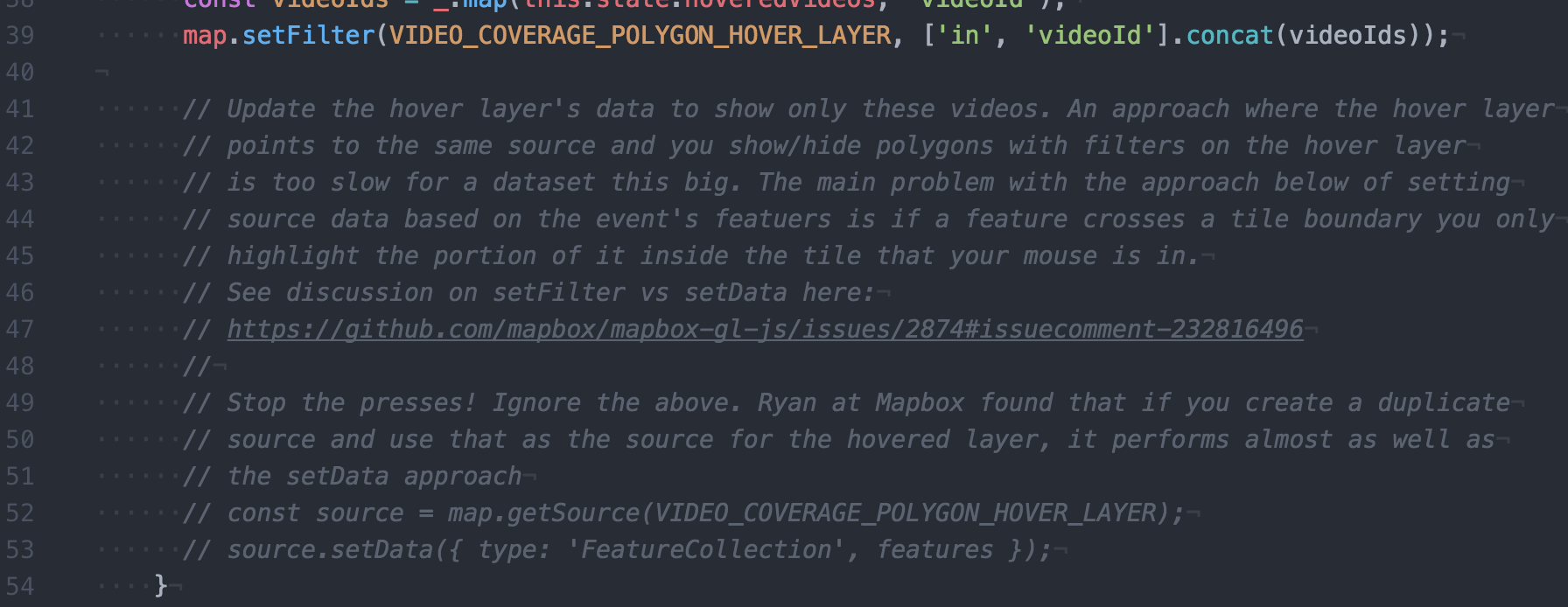
@ryanbaumann Thanks heaps for that example and well done figuring on how to make setFilter hovers fast!
Normal setFilter (very slow)
https://jsbin.com/yufavo/edit?html,outputYour mirrored source setFilter (good performance)
https://jsbin.com/fuzeyav/edit?html,outputsetData approach (good performance)
https://jsbin.com/hufoyag/edit?html,output
I noticed lag on all of them. 3 did still seem to be less laggy than 2, but for the simplicity and not having to redo the turf union every time the map bounds change I'd opt for 2.
andrewharvey
on 11 Aug 2017
Thanks @ryanbaumann, your suggestion saved me from having to choose between two not-good options!
 dpieri
on 11 Aug 2017
dpieri
on 11 Aug 2017
This was very problematic for my situation. I am drawing thousands of shapes on the map and when I tried to multi-select them it would give me duplicates and half shapes.
What I ended up doing was querying for the id's and then selecting from my original geoGSON. I would have preferred this working right off the bat, but this seemed to solve the problem with minimal performance loss. (faster than the other solutions mentioned).
Here is my bit of code:
`
  const bbox = [this.state.start, e.point];
  const features = this.state.map.queryRenderedFeatures(bbox, {layers: ['rowLayerFill']});

  //I Had to query the geoJSON for the features because the ones from the map were getting cropped;
  const featuresToSelect = this.props.geoJSON.rows.features.filter(feature => features.map(f => f.properties.id).includes(feature.properties.id));

  // Mapbox's geoJSON onclick handeler does not return the id, so we have to
  // retrieve the id from feature.properties and reappend it to the feature.
  if (featuresToSelect.length > 0) {
    this.state.draw.set({
      type: 'FeatureCollection',
      features: featuresToSelect
    });
  }
`
And yeah, I know it's ugly.
 weisssean
on 21 Jun 2018
weisssean
on 21 Jun 2018
Related issues
 shotor
·
3Comments
shotor
·
3Comments
 rigoneri
·
3Comments
rigoneri
·
3Comments
 iamdenny
·
3Comments
iamdenny
·
3Comments
 mollymerp
·
3Comments
mollymerp
·
3Comments
 yoursweater
·
3Comments
yoursweater
·
3Comments
Most helpful comment
@ryanbaumann Thanks heaps for that example and well done figuring on how to make setFilter hovers fast!
Normal setFilter (very slow)
https://jsbin.com/yufavo/edit?html,output
Your mirrored source setFilter (good performance)
https://jsbin.com/fuzeyav/edit?html,output
setData approach (good performance)
https://jsbin.com/hufoyag/edit?html,output
I noticed lag on all of them. 3 did still seem to be less laggy than 2, but for the simplicity and not having to redo the turf union every time the map bounds change I'd opt for 2.