Manim: How to choose a font with Text object?
This code does not change the font and letter become distorted (click on the image to enlarge and look at letters: B, D, f, g, P, U...):
script = '''
AaBbCcDdEeFfGg
HhIiJjKkLlMmNn
OoPpQqRrSsTtUu
VvWwXxYyZz
'''

class WriteText(Scene):
  def construct(self):
    text = Text(script, font='/usr/share/fonts/truetype/open-sans/OpenSans-Regular.ttf')
    self.play(Write(text))
    self.wait(.1)
!python3 -m manim example_scenes.py WriteText -r 480,854

If I change this line the result is kind of similar to the target, but I can't choose regular and letters are distorted (look at the small g it has a stair on the top):
text = Text(script, font="Open Sans")

 qo4on
qo4on
All 48 comments
See this
 Elteoremadebeethoven
on 14 Feb 2020
Elteoremadebeethoven
on 14 Feb 2020
@Elteoremadebeethoven Thank you.
I found that Text object can take:
slant={ITALIC|NORMAL|OBLIQUE}, t2s={'world':ITALIC}
weight={BOLD|NORMAL}, t2w
size=5
lsh=1.5
color='#066E8B', gradient=(BLUE, GREEN), t2c={'[1:2]':'#e53125'}, t2g
fill_color, fill_opacity, stroke_color, stroke_width
- What is the difference between
slant={ITALIC|OBLIQUE}they look identical? - Where can I find a list of all parameters that
Textcan take? - As I see
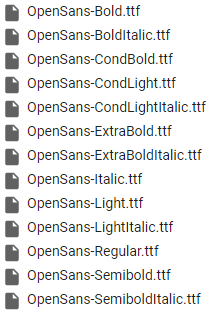
fontparameter can't take path to the font thereby how can I choose a particular font style, for exampleOpenSans-CondLightItalic.ttf? I have severalOpen Sansfonts installed:
qo4on
on 14 Feb 2020
As far as I understand, ITALIC can have "ligatures", that is, it is a separate font. And OBLIQUE simply transforms the normal font. So if your font does not have ITALIC support then it will look the same as OBLIQUE.
Textis a subclass ofSVGMobject, which in turn is a subclass ofVMobject, which in turn is a subclass ofMobject. SoTexthas all the properties of SVGMobject, VMobject and Mobject.I was not the one who created this tool, in my first comment I left you the Author's Pull Request, surely he can answer you. I believe that if you write the full name of the font (
font = 'OpenSans-CondLightItalic') it should work.
Don't forget close the issue.
Elteoremadebeethoven
on 15 Feb 2020
I believe that if you write the full name of the font (
font = 'OpenSans-CondLightItalic') it should work.
Thanks again. But it doesn't work. I listed all Open Sans fonts with !fc-list, some of them work. But half of them have the same name. Have you any idea how to choose them?
OpenSans-Bold.ttf: Open Sans:style=Bold
???
OpenSans-BoldItalic.ttf: Open Sans:style=Bold Italic
???
OpenSans-CondBold.ttf: Open Sans Condensed:style=Bold
font="Open Sans Condensed"
OpenSans-CondLight.ttf: Open Sans,Open Sans Condensed Light:style=Condensed Light,Regular
font="Open Sans Condensed Light"
OpenSans-CondLightItalic.ttf: Open Sans,Open Sans Condensed Light:style=Condensed Light Italic,Italic
???
OpenSans-ExtraBold.ttf: Open Sans,Open Sans Extrabold:style=Extrabold,Regular
font="Open Sans Extrabold"
OpenSans-ExtraBoldItalic.ttf: Open Sans,Open Sans Extrabold:style=Extrabold Italic,Italic
???
OpenSans-Italic.ttf: Open Sans:style=Italic
???
OpenSans-Light.ttf: Open Sans,Open Sans Light:style=Light,Regular
font="Open Sans Light"
OpenSans-LightItalic.ttf: Open Sans,Open Sans Light:style=Light Italic,Italic
???
OpenSans-Regular.ttf: Open Sans:style=Regular
???
OpenSans-Semibold.ttf: Open Sans,Open Sans Semibold:style=Semibold,Regular
font="Open Sans Semibold"
OpenSans-SemiboldItalic.ttf: Open Sans,Open Sans Semibold:style=Semibold Italic,Italic
???
You can try something like this:
from manimlib.imports import *

class Demo(Scene):
    def construct(self):
        text1 = Text('Hello, world!', font='Source Han Sans')
        text2 = Text('Hello, world!', font='Source Han Sans ExtraLight')
        text2.next_to(text1, UP)
        self.play(Write(text1))
        self.play(Write(text2))
The font Source Han Sans supports ExtraLight, Light, Normal, Regular, Medium, Bold and Heavy.
 xy-23
on 19 Feb 2020
xy-23
on 19 Feb 2020
I tried text = Text('Hello, world!', font='Open Sans Condensed Light Italic') just now,
and it works successfully.
If you are running windows10, you can go to setting/font to check the font name and meta data.
xy-23
on 19 Feb 2020
By the way, if you found the letter has some unexpected "thorn“, you can try stroke_width=0
xy-23
on 19 Feb 2020
I tried
text = Text('Hello, world!', font='Open Sans Condensed Light Italic')just now,
and it works successfully.
It works. But if you look closer you'll see that rendered font is not Italic. The question is how to choose OpenSans-CondLightItalic?
qo4on
on 19 Feb 2020
It works. But if you look closer you'll see that rendered font is not Italic. The question is how to choose
OpenSans-CondLightItalic?
I'm confused.
Aren't Open Sans Condensed Light Italic and OpenSans-CondLightItalic same?
The Text uses pycario to generate the svg that contains the string you input.
And pycario can't use .ttf files directly.
It might call some system functions to generate the svg,
so you need to install your font to your system.
This is generated by Adobe Illustrator(You can see the font used in the right panel)

And this is generated by manim
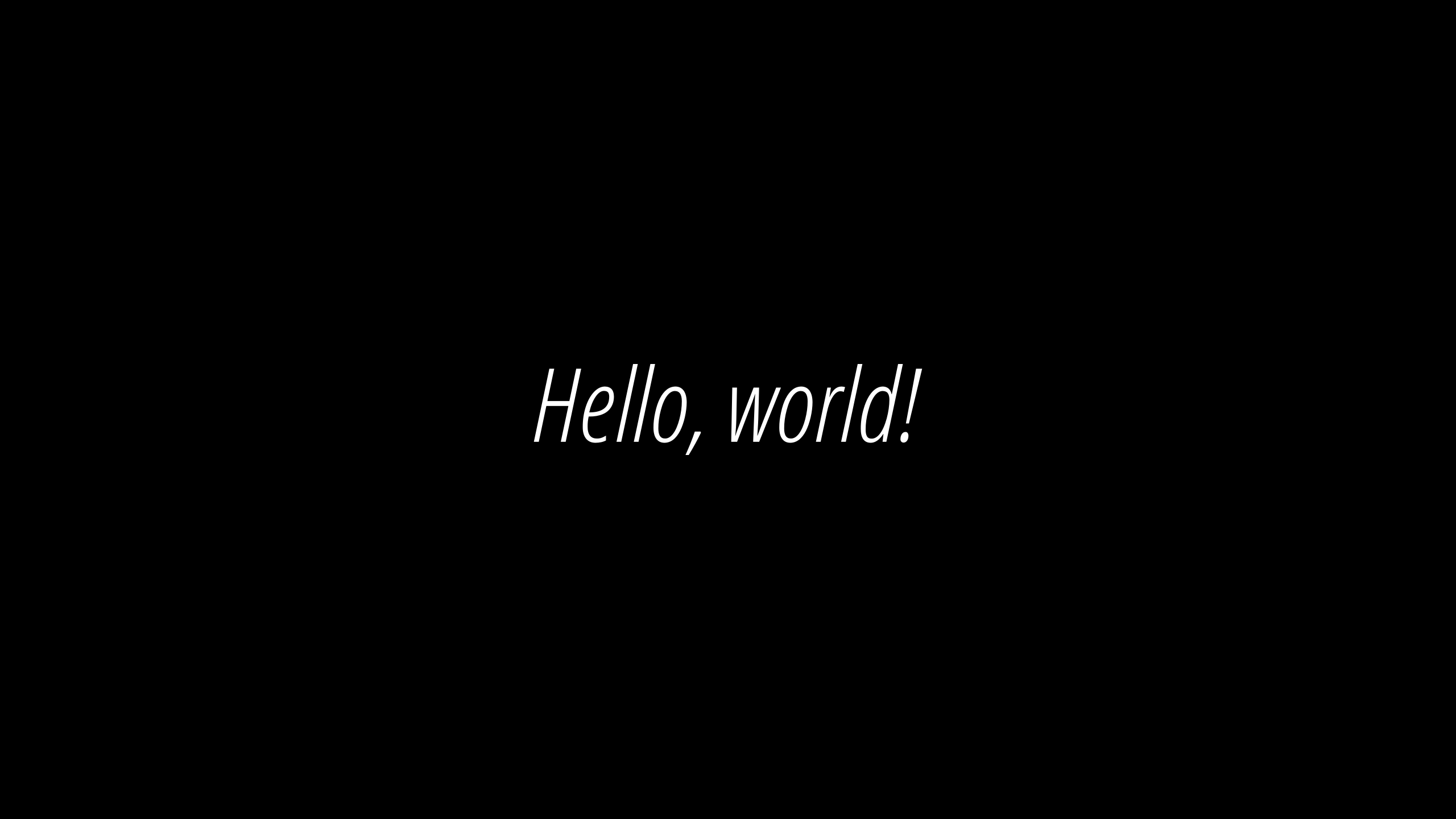
I can't see the difference between the two results.
xy-23
on 20 Feb 2020
Please share the code you used to create your last image. I'm getting a different result.
Open Sans looks great:
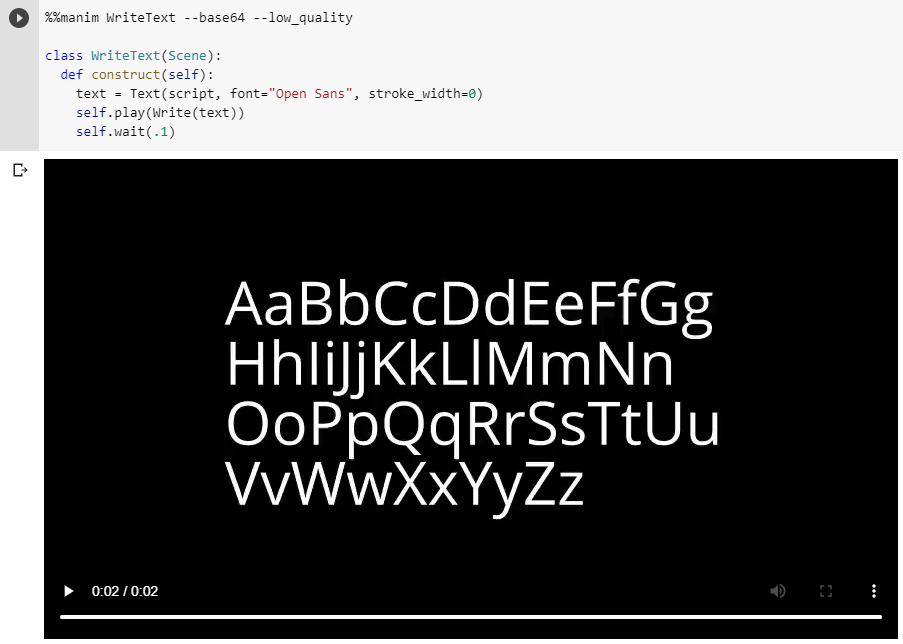
Open Sans Condensed Light is ok too:

Open Sans Condensed Light Italic dosen't look like Italic:

qo4on
on 20 Feb 2020
That's weird.
The code that I used:
from manimlib.imports import *

letters = '''
AaBbCcDdEeFfGg
HhIiJjKkLlMmNn
OoPpQqRrSsTtUu
VvWwXxYyZz
'''

class Demo(Scene):
    def construct(self):
        text = Text(letters, font='Open Sans Condensed Light Italic', stroke_width=0)
        self.play(Write(text))
And the result:
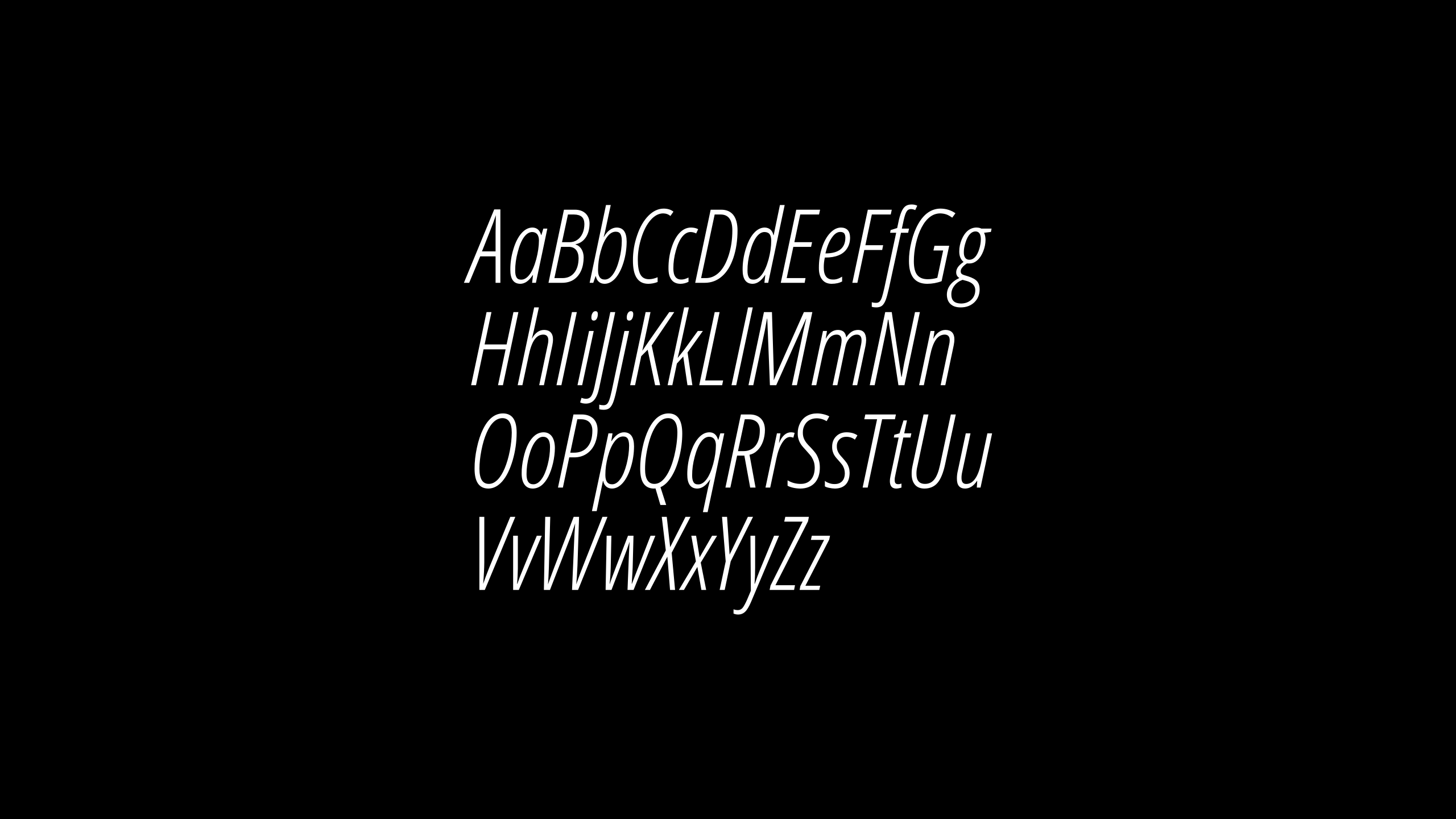
I'm curious about the platform you use.
My platform is windows10 x64 vscode python3.7
Maybe you can try to delete the files under manim\media\texts\ and run again.
Or try other fonts like Open Sans Italic and Open Sans Light Italic
xy-23
on 20 Feb 2020
I can't get the same. I use Colab:
Linux 4.14.137+ x86_64
Python 3.6.9 (default, Nov  7 2019, 10:44:02) \n[GCC 8.3.0]
I have all the fonts properly installed with texlive-full package in the derectory /usr/share/fonts/truetype/open-sans:
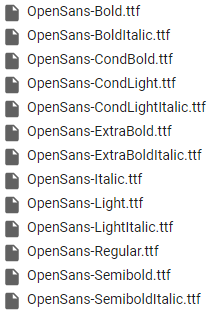
Manim works perfectly.
qo4on
on 20 Feb 2020
Have you tried to delete the files under manim\media\texts\ and run again.
Because manim doesn't generate svg files each time you run,
it depends on whether the content(string, font and so on) changes
xy-23
on 20 Feb 2020
When I run this script it does not create anything inside Tex folder. It creates svg file in texts and video files in videos folder. I deleted whole media folder. It didn't help.
qo4on
on 20 Feb 2020
Have you tried use Open Sans Light Italic?
xy-23
on 20 Feb 2020
I tried every Open Sans font and wrote above all working commands and questions where I can't find proper command to run.
qo4on
on 20 Feb 2020
Try this:
from manimlib.imports import *

letters = '''
AaBbCcDdEeFfGg
HhIiJjKkLlMmNn
OoPpQqRrSsTtUu
VvWwXxYyZz
'''

class Demo(Scene):
    def construct(self):
        text = Text(letters, font='Open Sans Condensed Light', slant=ITALIC, stroke_width=0)
        self.play(Write(text))
This approach gives a bit different font. I think that is because slant=ITALIC applies slant to any font. It doesn't use real slant of OpenSans-CondLightItalic.ttf. As a result we see not so nice looking font.
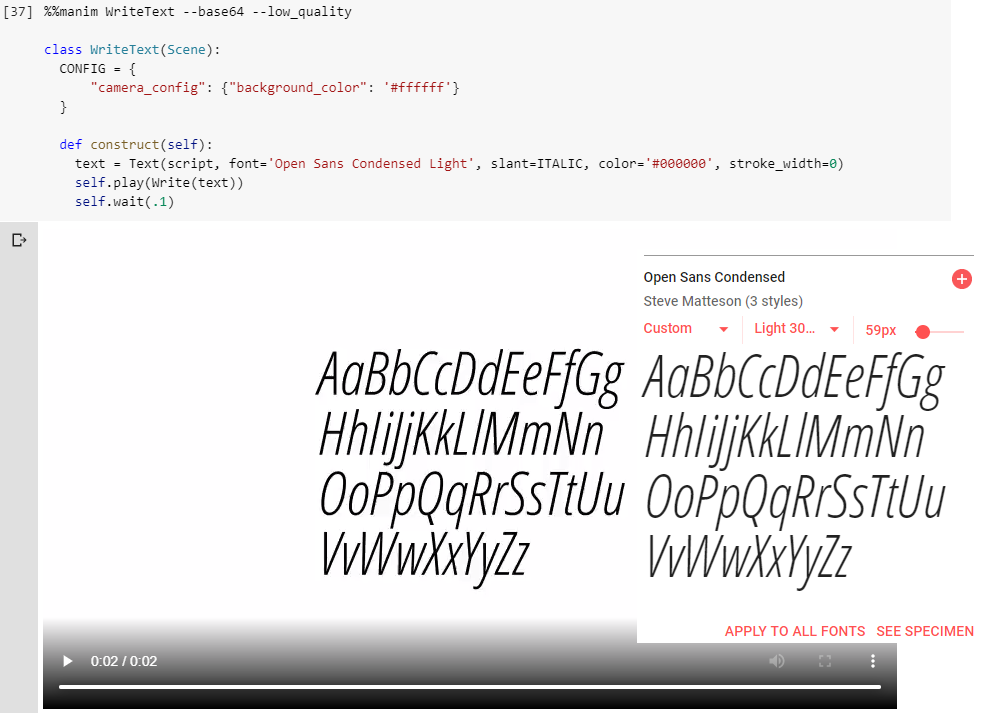
The main question is how to setup a path to the font I'd like to use?
Or how to choose a font with the same name and different style like:
OpenSans-Bold.ttf: Open Sans:style=Bold
OpenSans-BoldItalic.ttf: Open Sans:style=Bold Italic
Or maybe there is a bug for a font path for linux systems. As I see it uses default font instead of specified Open Sans Condensed Light Italic.
qo4on
on 20 Feb 2020
The main question is how to setup a path to the font I'd like to use?
Or how to choose a font with the same name and different style like:
OpenSans-Bold.ttf: Open Sans:style=Bold
OpenSans-BoldItalic.ttf: Open Sans:style=Bold Italic
If you want to use
OpenSans-Bold.ttf, you can do like this:
font='Open Sans Bold'
And If you want to use OpenSans-BoldItalic.ttf, you can do like this:
font='Open Sans Bold Italic'
So if you want to use OpenSans-CondLightItalic.ttf, you should do like this:
font = 'Open Sans Condensed Light Italic'
But it's weird that you can't get the same result as me.
You can't give manim the path of the font file. It dosen't work like that.
xy-23
on 20 Feb 2020
If you want to use
OpenSans-Bold.ttf, you can do like this:
font='Open Sans Bold'
And If you want to use
OpenSans-BoldItalic.ttf, you can do like this:
font='Open Sans Bold Italic'
No. Look at small g, it is a default font:

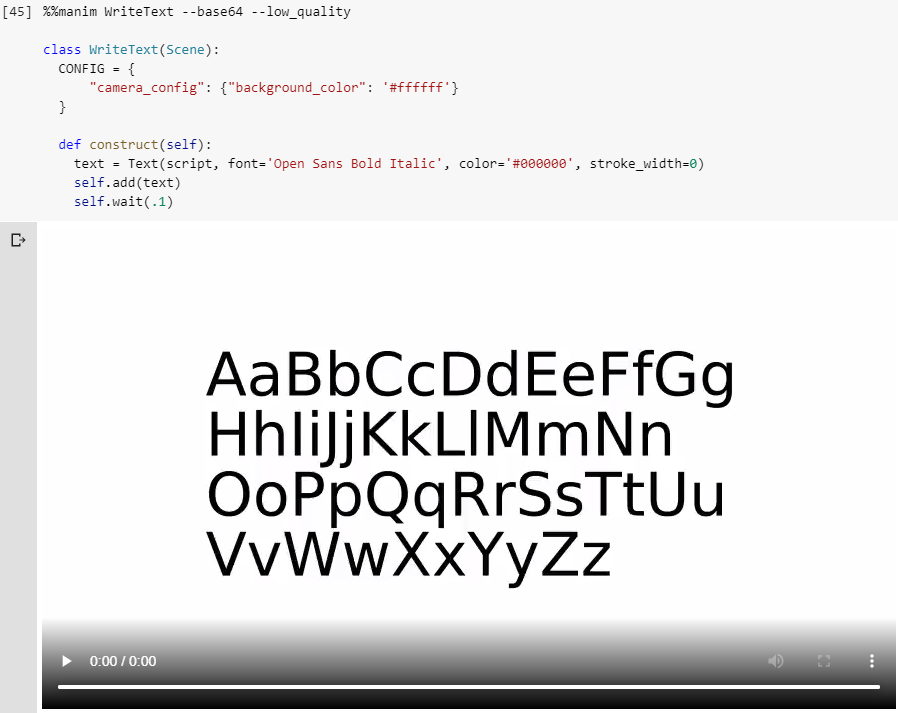
But it's weird that you can't get the same result as me.
Possibly there is a bug with font path for linux. Linux and windows have slightly different paths.
You can't give manim the path of the font file. It dosen't work like that.
It eventually uses the path to the font under the hood. Try to delete the font and you'll get an error (default font).
qo4on
on 20 Feb 2020
I have tested all the font you list above.
from manimlib.imports import *

strs = ['OpenSans-Bold.ttf',
        'OpenSans-BoldItalic.ttf',
        'OpenSans-CondBold.ttf',
        'OpenSans-CondLight.ttf',
        'OpenSans-CondLightItalic.ttf',
        'OpenSans-ExtraBold.ttf',
        'OpenSans-ExtraBoldItalic.ttf',
        'OpenSans-Italic.ttf',
        'OpenSans-Light.ttf',
        'OpenSans-LightItalic.ttf',
        'OpenSans-Regular.ttf',
        'OpenSans-Semibold.ttf',
        'OpenSans-SemiboldItalic.ttf']

fonts = {'OpenSans-Bold.ttf': 'Open Sans Bold',
         'OpenSans-BoldItalic.ttf': 'Open Sans Bold Italic',
         'OpenSans-CondBold.ttf': 'Open Sans Condensed Bold',
         'OpenSans-CondLight.ttf': 'Open Sans Condensed Light',
         'OpenSans-CondLightItalic.ttf': 'Open Sans Condensed Light Italic',
         'OpenSans-ExtraBold.ttf': 'Open Sans ExtraBold',
         'OpenSans-ExtraBoldItalic.ttf': 'Open Sans ExtraBold Italic',
         'OpenSans-Italic.ttf': 'Open Sans Italic',
         'OpenSans-Light.ttf': 'Open Sans Light',
         'OpenSans-LightItalic.ttf': 'Open Sans Light Italic',
         'OpenSans-Regular.ttf': 'Open Sans Regular',
         'OpenSans-Semibold.ttf': 'Open Sans Semibold',
         'OpenSans-SemiboldItalic.ttf': 'Open Sans Semibold Italic'
         }


class Demo(Scene):
    def construct(self):
        for i in range(len(strs)):
            text = Text(strs[i], font=fonts[strs[i]], stroke_width=0, size=0.5)
            text.move_to(UP/2*(6-i))
            self.play(Write(text))
            self.wait(1)
Result:
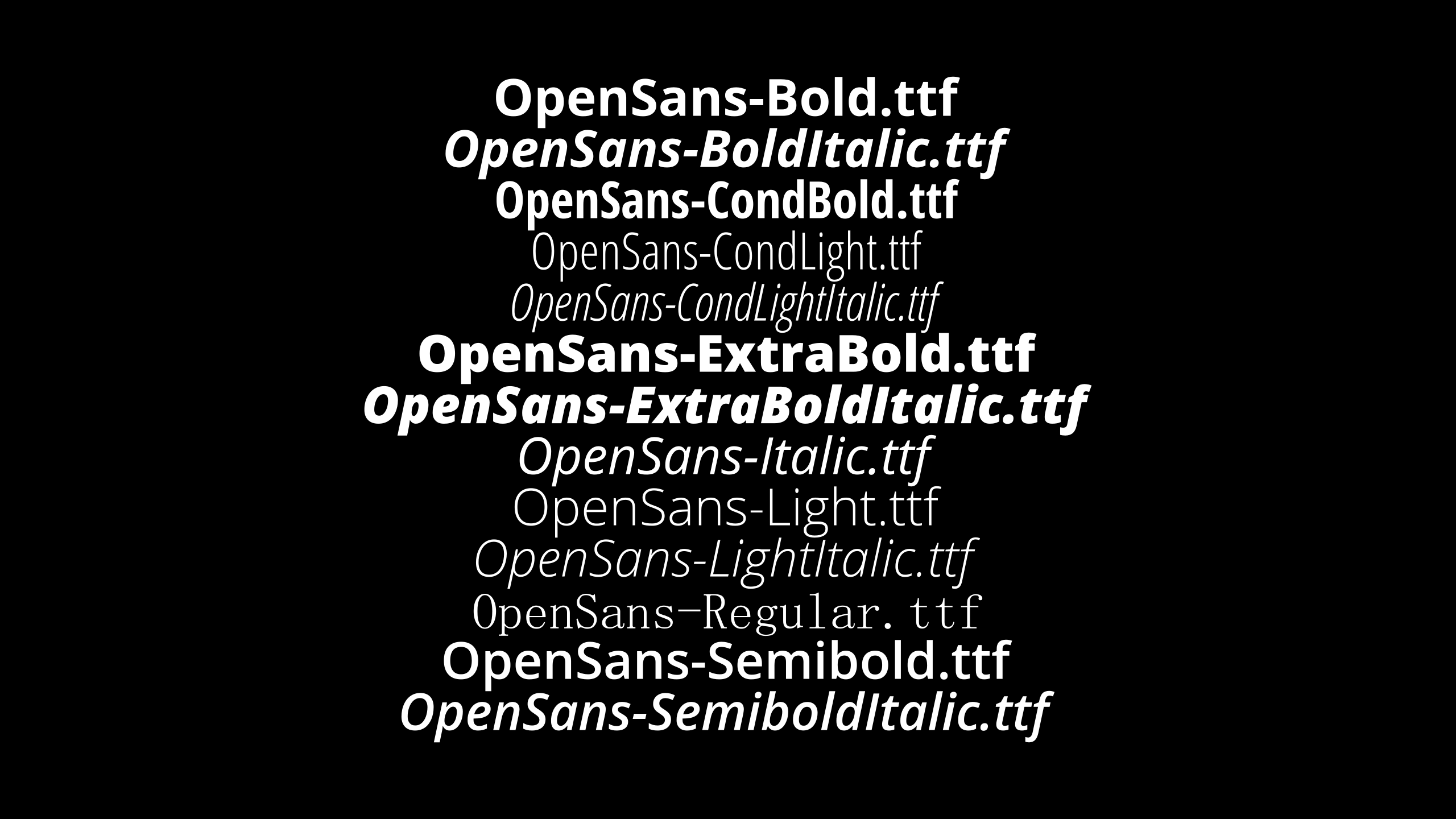
I did find OpenSans-Regular.ttf displaying unexpectedly.
But then I go to the Control Panel/Fonts in windows.
I found the one of the attributes of the OpenSans-Regular.ttf called Title(标题) is 'Open Sans'.
Which means if you want to use OpenSans-Regular.ttf, you should type font='Open Sans' rather than font='Open Sans Regular'.
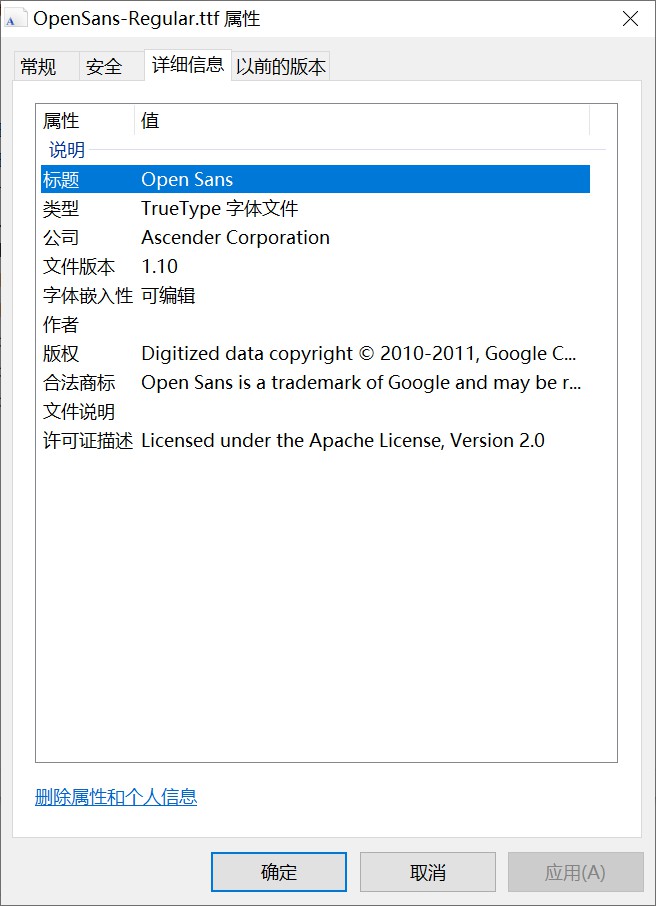
So that means if you can't get the correct result, you either typed wrong name(maybe the font's name is different because different platform), or there is an unkown bug on Linux platform.
I hope it is the first situation. I recommand you to try to type !fc-list again, because last time your result has many ???, which I guess it is the main problem.
And I noticed that the fonts which has font=... can be used properly.
OpenSans-Bold.ttf: Open Sans:style=Bold
???
OpenSans-BoldItalic.ttf: Open Sans:style=Bold Italic
???
OpenSans-CondBold.ttf: Open Sans Condensed:style=Bold
font="Open Sans Condensed"
OpenSans-CondLight.ttf: Open Sans,Open Sans Condensed Light:style=Condensed Light,Regular
font="Open Sans Condensed Light"
OpenSans-CondLightItalic.ttf: Open Sans,Open Sans Condensed Light:style=Condensed Light Italic,Italic
???
OpenSans-ExtraBold.ttf: Open Sans,Open Sans Extrabold:style=Extrabold,Regular
font="Open Sans Extrabold"
OpenSans-ExtraBoldItalic.ttf: Open Sans,Open Sans Extrabold:style=Extrabold Italic,Italic
???
OpenSans-Italic.ttf: Open Sans:style=Italic
???
OpenSans-Light.ttf: Open Sans,Open Sans Light:style=Light,Regular
font="Open Sans Light"
OpenSans-LightItalic.ttf: Open Sans,Open Sans Light:style=Light Italic,Italic
???
OpenSans-Regular.ttf: Open Sans:style=Regular
???
OpenSans-Semibold.ttf: Open Sans,Open Sans Semibold:style=Semibold,Regular
font="Open Sans Semibold"
OpenSans-SemiboldItalic.ttf: Open Sans,Open Sans Semibold:style=Semibold Italic,Italic
???
xy-23
on 20 Feb 2020
I tried your code. This doesn't work for me: 'OpenSans-CondBold.ttf': 'Open Sans Condensed Bold', I replaced it with 'OpenSans-CondBold.ttf': 'Open Sans Condensed'.
There are only 6 out of 13 fonts work as expected:
fonts = {'OpenSans-Bold.ttf': 'Open Sans Bold',
         'OpenSans-BoldItalic.ttf': 'Open Sans Bold Italic',
         'OpenSans-CondBold.ttf': 'Open Sans Condensed',
         'OpenSans-CondLight.ttf': 'Open Sans Condensed Light',
         'OpenSans-CondLightItalic.ttf': 'Open Sans Condensed Light Italic',
         'OpenSans-ExtraBold.ttf': 'Open Sans ExtraBold',
         'OpenSans-ExtraBoldItalic.ttf': 'Open Sans ExtraBold Italic',
         'OpenSans-Italic.ttf': 'Open Sans Italic',
         'OpenSans-Light.ttf': 'Open Sans Light',
         'OpenSans-LightItalic.ttf': 'Open Sans Light Italic',
         'OpenSans-Regular.ttf': 'Open Sans',
         'OpenSans-Semibold.ttf': 'Open Sans Semibold',
         'OpenSans-SemiboldItalic.ttf': 'Open Sans Semibold Italic'
         }


class Demo(Scene):
  def construct(self):
    for i in range(len(strs)):
      text = Text(strs[i], font=fonts[strs[i]], stroke_width=0, size=0.5)
      text.move_to(UP/2*(6-i))
      self.add(text)
      self.wait(.1)
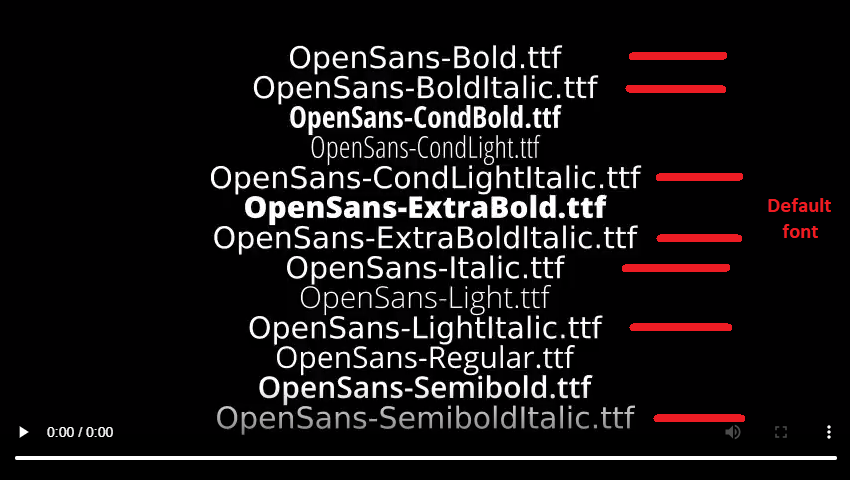
I wrote manually ??? and font=.... The whole list is large.
It has format:
Path: Name:Style
If you look closer you'll see that the name for not working fonts is Open Sans which stands for Regular, for example:
/usr/share/fonts/truetype/open-sans/OpenSans-LightItalic.ttf: Open Sans,Open Sans Light:style=Light Italic,Italic
qo4on
on 20 Feb 2020
I went through the file, and found the problem is the font you want to use actually doesn't have an independent name.
For example, in the file, it said :
/usr/share/fonts/truetype/open-sans/OpenSans-CondLightItalic.ttf: Open Sans,Open Sans Condensed Light:style=Condensed Light Italic,Italic
So that means if you want to use OpenSans-CondLightItalic.ttf, only way to do this is
Text('some text', font='Open Sans Condensed Light', slant=ITALIC)
I think that's because Linux recognizes OpenSans-CondLightItalic.ttf as a sub style of OpenSans-CondLight.ttf, which is unlike windows(recognize it as a independent font)
This problem happens on the fonts end with Italic or Bold, but all of them can be called by slant=ITALIC or weight=BOLD
This approach gives a bit different font. I think that is because
slant=ITALICapplies slant to any font. It doesn't use real slant ofOpenSans-CondLightItalic.ttf. As a result we see not so nice looking font.
The main question is how to setup a path to the font I'd like to use?
Or how to choose a font with the same name and different style like:
OpenSans-Bold.ttf: Open Sans:style=Bold
OpenSans-BoldItalic.ttf: Open Sans:style=Bold Italic
Or maybe there is a bug for a font path for linux systems. As I see it uses default font instead of specified
Open Sans Condensed Light Italic.
To be honest, I can't actually see the difference between the two pictures that you gave, I think they are the same, and probably this is the only way to specify a font which has different styles.
xy-23
on 20 Feb 2020
Here is a small experiment to test whether there are difference between font='...Italic' and slant=ITALIC
The blue one is in front:
from manimlib.imports import *

class Demo(Scene):
    def construct(self):
        text1 = Text('Hello, world!', font='Open Sans Condensed Light Italic', stroke_width=0, color=BLUE)
        text2 = Text('Hello, world!', font='Open Sans Condensed Light', slant=ITALIC, stroke_width=0)
        self.play(Write(text2))
        self.play(Write(text1))
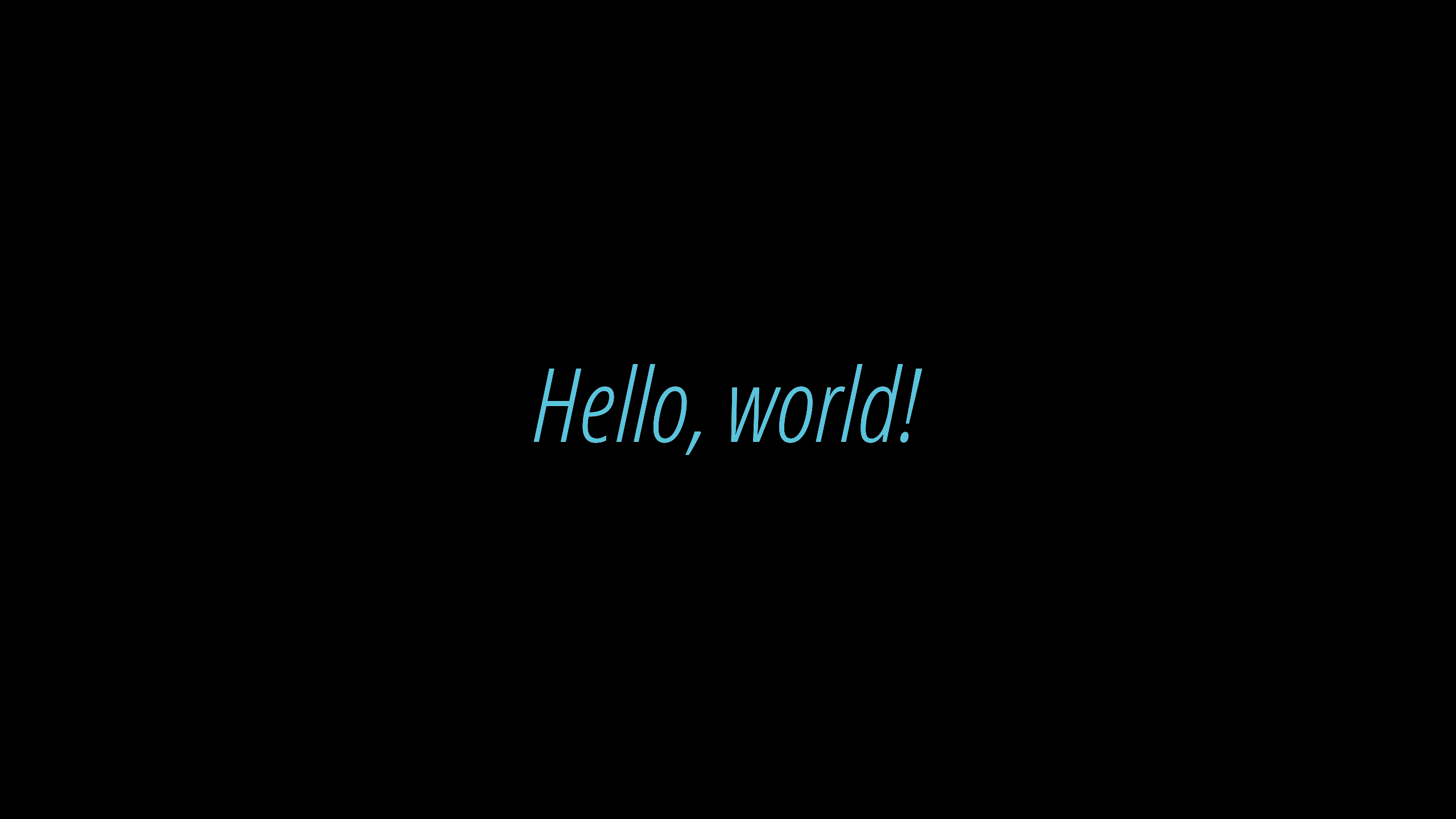
The white one is in front:
from manimlib.imports import *

class Demo(Scene):
    def construct(self):
        text1 = Text('Hello, world!', font='Open Sans Condensed Light Italic', stroke_width=0, color=BLUE)
        text2 = Text('Hello, world!', font='Open Sans Condensed Light', slant=ITALIC, stroke_width=0)
        self.play(Write(text1))
        self.play(Write(text2))
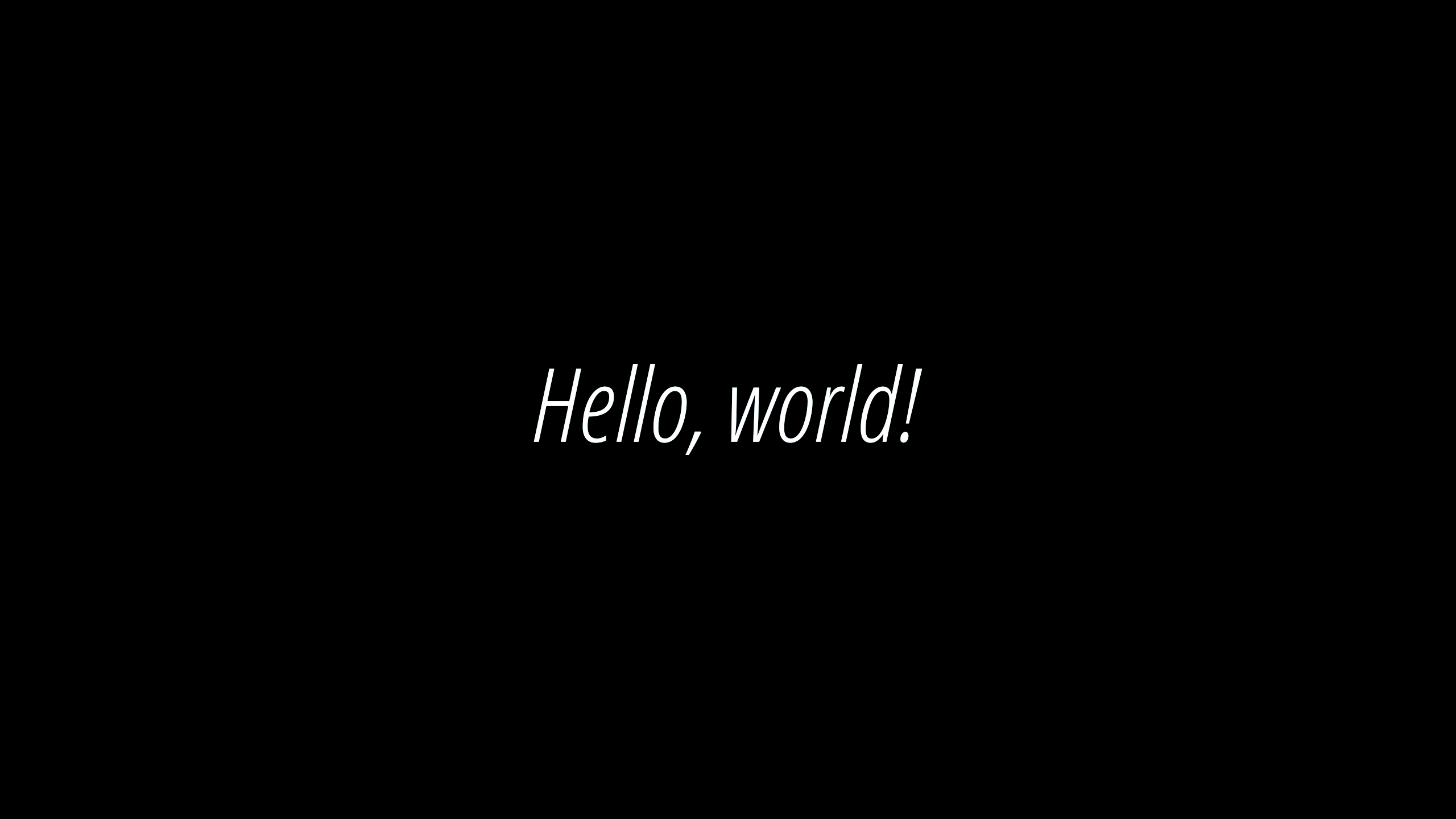
As you can see, there is no difference at all.
xy-23
on 20 Feb 2020
It doesn't cancel the fact that there is a bug in manim with fonts on linux.
Actually I don't understand why manim duplicates the functionality with slant=ITALIC and weight=BOLD instead of simply choose the font file. What is the reason for this?
qo4on
on 20 Feb 2020
The Text mobject is based on an other package called pycario, which only support for this way and it doesn't support to use the font file directly, but I do find some way to use the font file directly, and I need to do some research which takes some time.
I doesn't think it is a bug, it is just doesn't support this feature at all.
So until I can finish this feature to Text mobject, you need to use the way I gave above.
Or you maybe you can try to write a function by yourself, I found that freetype-py dose support the way you want, but it needs some code to be integrated into manim.
xy-23
on 21 Feb 2020
You wrote that
size=1, lsh=1 are irrelevant with MUnit
So how can I set the exact size and lsh in pixels.
For example If I'd like to draw a line from [0, 0, 0] to [0, 10, 0] at resolution 1920x1080 I do Line([0, 0, 0], [0, 10/(1080/8), 0])'. What should I do withTextto getsize=10 pixels and lsh=10 pixels`?
qo4on
on 29 Feb 2020
Because Text is a subclass of Mobject, you can try this:
text.scale(2/text.get_width())
This code will scale text‘s width to 2 MUnit.
xy-23
on 29 Feb 2020
I'm talking about height of text, not width: in a word "Text" the height of letters "ex".
qo4on
on 29 Feb 2020
It's similar:
text.scale(2/text.get_height())
xy-23
on 29 Feb 2020
In the word "Text" that command will scale the first capital letter "T" to the height=2, not the letters "ex".
qo4on
on 29 Feb 2020
Can you show your result?
xy-23
on 29 Feb 2020
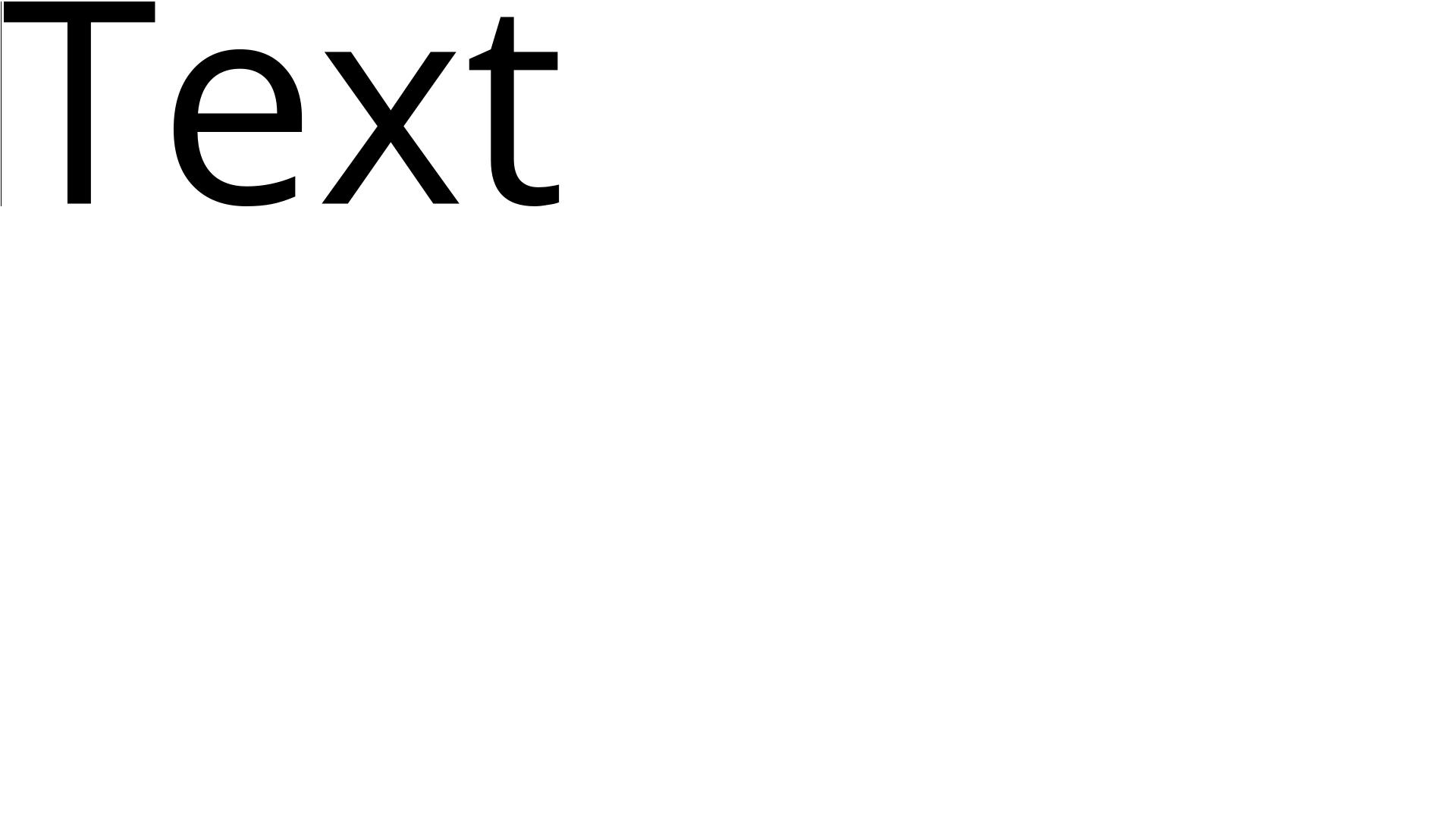
Line height = 2 MUnit, rendered at 1920x1080.
def c(coord):
  if isinstance(coord, (np.ndarray, list)) and len(coord) == 3:
    return np.asarray(coord, dtype=np.float32) / 135
  else:
    return coord / 1.35

class mainScene(Scene):
  CONFIG = {
      "camera_config": {"background_color": '#ffffff'}
  }

  def construct(self):
    text = Text("Text", font="Open Sans", size=1, lsh=1, color='#000000', stroke_width=0)
    text.scale(2/text.get_height()).move_to(c([-955, 538, 0]), UL)
    line = Line(c([-958.5, 538, 0]), c([-958.5, 538-270, 0]), stroke_width=c(1), stroke_color='#000000')
    self.add(text, line)
qo4on
on 29 Feb 2020
You want ex as heigh as T?
xy-23
on 29 Feb 2020
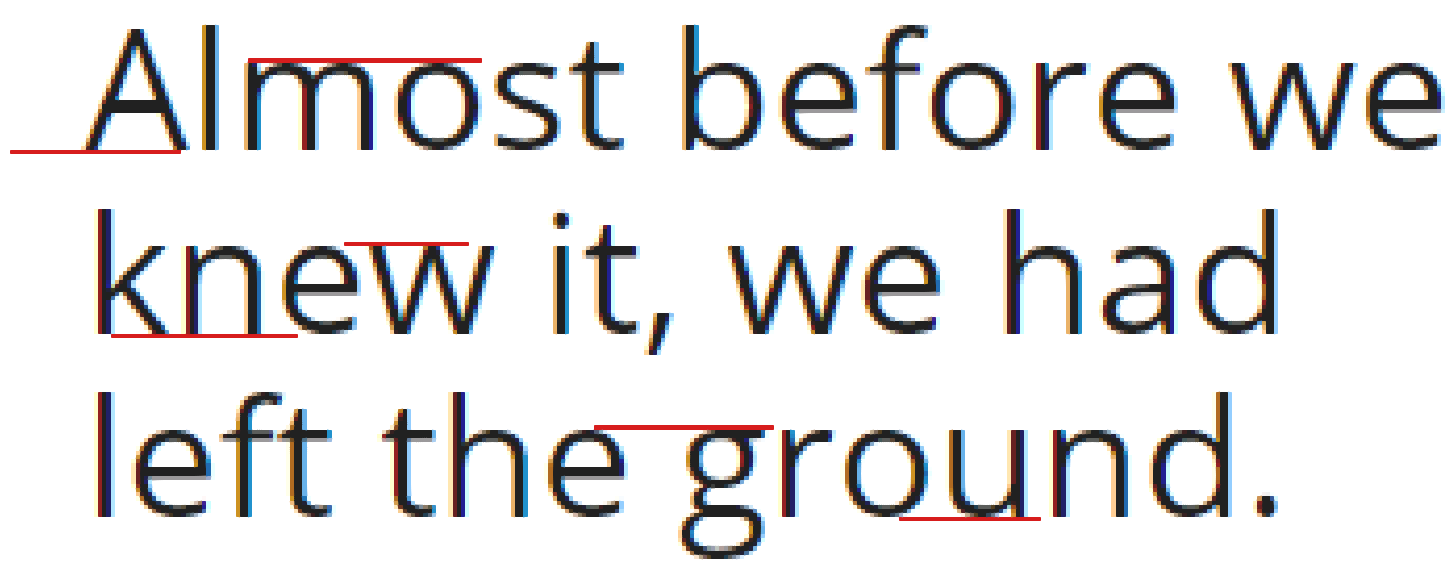
I want to set font height ("ex" in this case) to certain height in pixels, for example 10 pixels.
qo4on
on 29 Feb 2020
It's sad that there is no the function you want.
But you can separate the T and ex to achieve this result.
Like:
text1 = Text('T')
text2 = Text('ex')
text2.scale(...)
text2.next_to(text1, RIGHT)
The word "Text" is just an example. How do you scale other letters like t, i, j, g, comma? Fonts don't render antialiasing on top and bottom (look at the picture below). All I want to do is to get the same result:
qo4on
on 29 Feb 2020
The Text mobject can't handle that so far, may be you can try to use Adobe Illistrator to create the result you want and then save as svg file, which can be loaded by SVGMobject in manim.
xy-23
on 29 Feb 2020
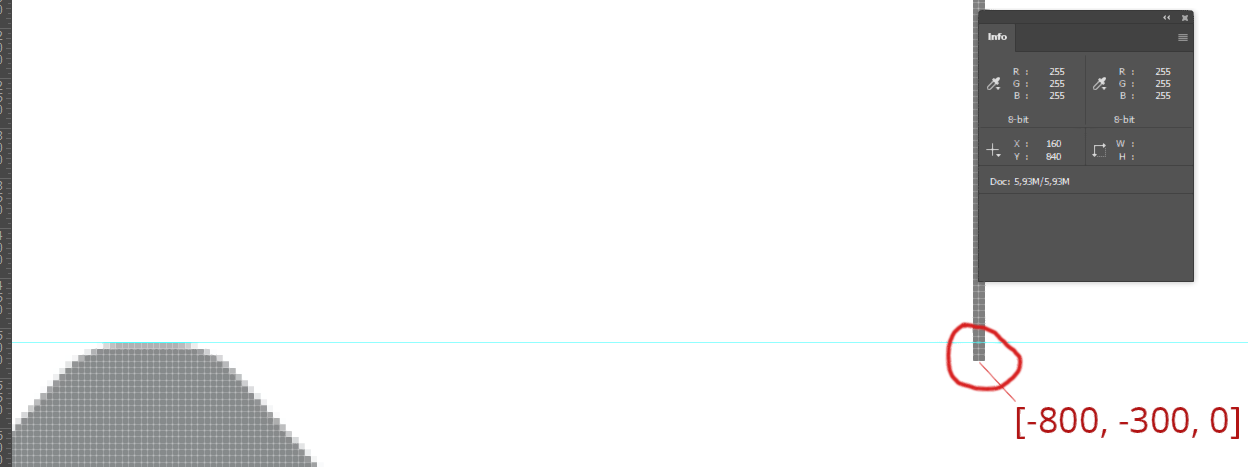
Thanks for your help... But this also doesn't work. Manim incorrectly identifies corners of svg files.
I took this svg viewBox="0 0 1920 1080"><path d="M258,0c2.9,0,9.6,2.1,13,6l211,240c7,7.9,12,14.6,12,22c0,18.7-17,20-23,20H340V500H160V288H28c-5,0-21.1-2.1-22-20c0-6.8,4.7-13.4,12,-22l211-240c3.3-3.8,10-6,13-6L258,0Z". And then move_to(c([-800, -300, 0]), UR) The arrow appeared 3 pixels higher than it should be.
qo4on
on 29 Feb 2020
Make sure SVGMobject is setted stroke_width=0.
xy-23
on 29 Feb 2020
There is no stroke.
<svg version="1.1" id="Layer_1" xmlns="http://www.w3.org/2000/svg" x="0px" y="0px" viewBox="0 0 1920 1080"><path d="M258,0c2.9,0,9.6,2.1,13,6l211,240c7,7.9,12,14.6,12,22c0,18.7-17,20-23,20H340V500H160V288H28c-5,0-21.1-2.1-22-20c0-6.8,4.7-13.4,12,-22l211-240c3.3-3.8,10-6,13-6L258,0Z"/></svg>
I mean that the manim adds stroke around the arrow, because SVGMobject has a default stroke_width=4
xy-23
on 29 Feb 2020
from manimlib.imports import *

class Demo(Scene):
    def construct(self):
        svg = SVGMobject(file_name='temp.svg', stroke_color=BLUE)
        self.play(Write(svg))

xy-23
on 29 Feb 2020
Thanks a lot!
qo4on
on 29 Feb 2020
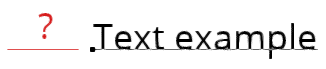
With Text fonts it's impossible to get coordinates of the bottom line, right?
qo4on
on 3 Mar 2020
Yes.
text = Text('Text example')
line = Line()
line.next_to(text[0], DOWN)
This code will let the line next to the bottom of the first latter T.
(Maybe you need to have some changes to get the result...)
xy-23
on 3 Mar 2020
Is it hard to implement? This line is needed for reference. The main idea is to place different texts on the same place. Now words Text, text and example will appear in different places because T is higher, p is lower. An anchor point would be very useful.
qo4on
on 3 Mar 2020
When I install 10 usual Open Sans fonts and 3 Condensed ones on Windows I see only 6 of them in the PowerShell:
[System.Reflection.Assembly]::LoadWithPartialName("System.Drawing")
(New-Object System.Drawing.Text.InstalledFontCollection).Families

So, theoretically, on Windows I can choose only 6 fonts as inputs for cairo.context.select_font_face(family[, slant[, weight]]) where family (str or unicode) – a font family name.
And some differences in naming like: 'Open Sans Semibold' for Linux, 'Open Sans SemiBold' for Windows.
Names that work on Windows:
Open Sans Condensed Bold = Open Sans Condensed
Open Sans Condensed Light
Open Sans Condensed Light Italic
Open Sans Bold
Open Sans Bold Italic
Open Sans ExtraBold
Open Sans ExtraBold Italic
Open Sans Italic
Open Sans Light
Open Sans Light Italic
Open Sans Regular
Open Sans SemiBold
Open Sans SemiBold Italic
But sometimes Text uses default font when I change the size or even when I change the text.
qo4on
on 10 Sep 2020
Related issues
 GrouperTamaki
·
5Comments
GrouperTamaki
·
5Comments
 lkevinzc
·
3Comments
lkevinzc
·
3Comments
 Glidos
·
5Comments
Glidos
·
5Comments
 BhupalaSriHari
·
5Comments
BhupalaSriHari
·
5Comments
 WeiruLin
·
5Comments
WeiruLin
·
5Comments