How do I set the "level" of an object, so that it always stays in front?
I have a title on a black background (here red to highlight the effect) that is written before the numberplane is generated:
        title = TextMobject("Applying the cartesian product to two points of a R2 plane")
        title.add_background_rectangle(color=RED, opacity=1)
        title.to_edge(UP)

        grid = NumberPlane()
        grid.scale(0.5)

        self.play(
            Write(title),
            ShowCreation(grid, run_time=3, lag_ratio=0.1)
        )
        self.wait()
When run, the numberplane overlaps with the text, but i would like for it to stay in the background.
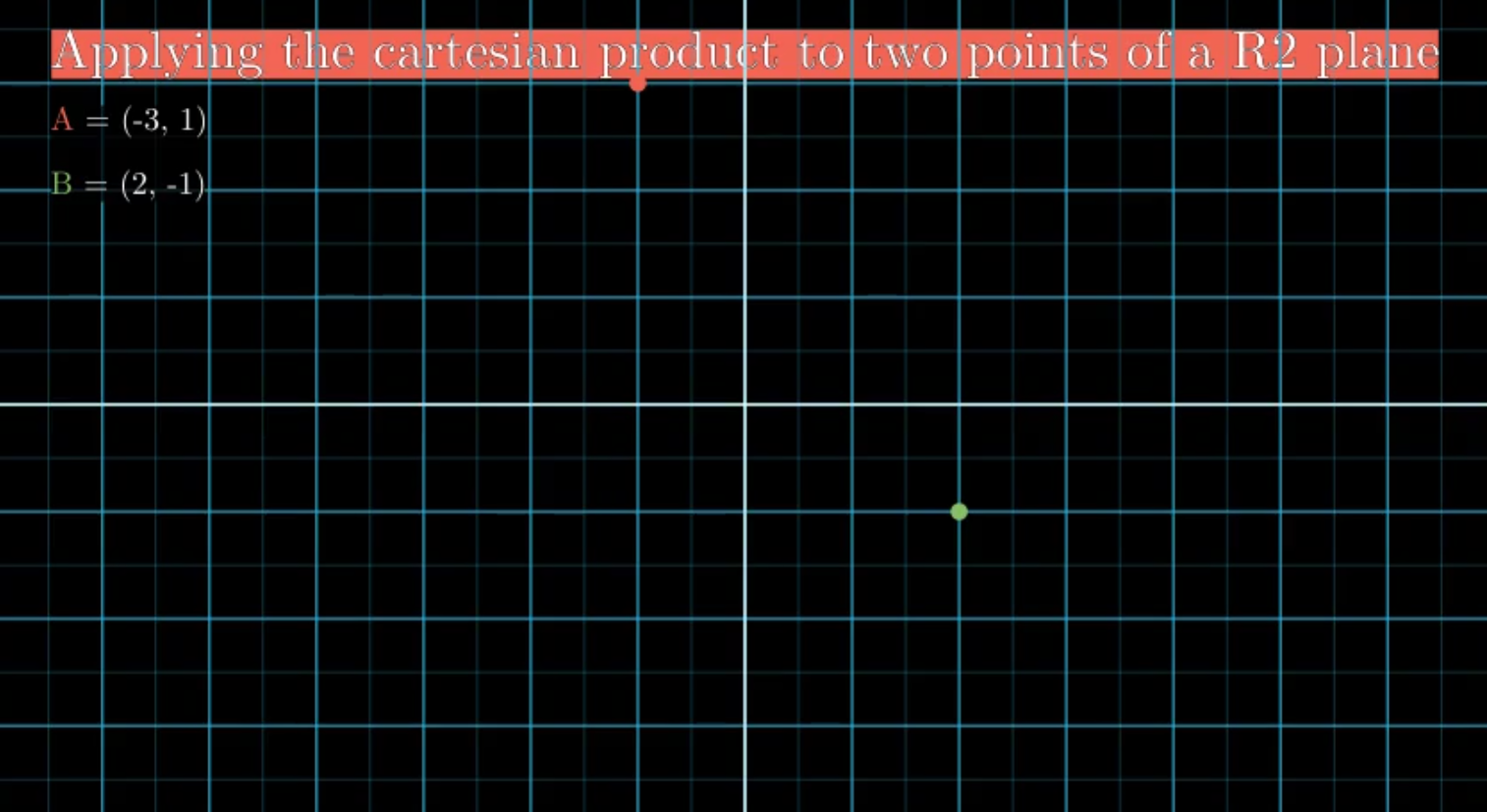
If the text is generated after the plane, then the text is in front (like for the A and B text). Is there a "send_to_back" kind of function?
Thanks, and sorry if this is a stupid question
 ggraziano98
All 2 comments
Check manimlib/scene/scene.py
There are 4 methods:
self.bring_to_front(mobject)
self.bring_to_back(mobject)
If you wanna put a mobject always in front use:
self.add_foreground_mobjects(mobjects)
And to remove this property use:
self.remove_foreground_mobjects(mobjects)
 Elteoremadebeethoven
on 15 Apr 2019
Elteoremadebeethoven
on 15 Apr 2019
👍3
Thanks, I couldn't find the commands. I'll be closing the issue
ggraziano98
on 15 Apr 2019
Was this page helpful?
0 / 5 - 0 ratings
Related issues
 Formicoxenus
·
4Comments
Formicoxenus
·
4Comments
 lkevinzc
·
3Comments
lkevinzc
·
3Comments
 AliNear
·
3Comments
AliNear
·
3Comments
 Glidos
·
5Comments
Glidos
·
5Comments
 BhupalaSriHari
·
5Comments
BhupalaSriHari
·
5Comments
Most helpful comment
Check manimlib/scene/scene.py
There are 4 methods:
If you wanna put a mobject always in front use:
And to remove this property use: