Makie.jl: Ginormous tick marks on retina display
By typing this in a notebook, I can open a plot window.
scene = Scene(resolution = (800, 800))
display(Makie.image!(scene, rand(200,200)))`
I'm using a Mac and it plots at full "retina" resolution, which is really nice. However, the fonts and tick marks are enormous:
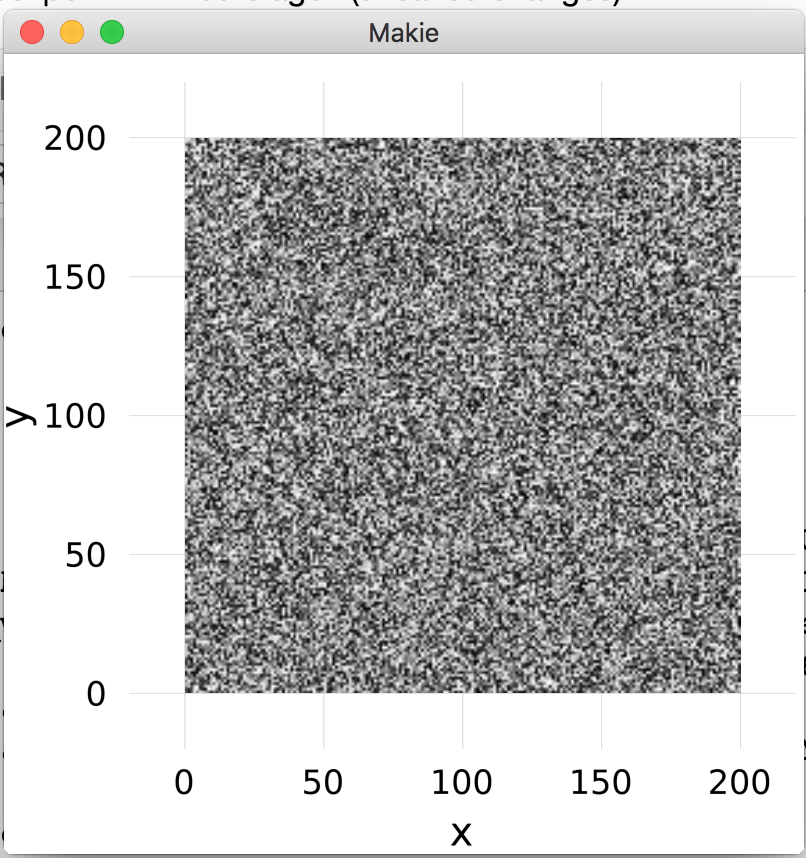
I can reduce the font sizes with
scene[Axis][:ticks][:textsize] = (3,3)
scene[Axis][:names][:textsize] = (3,3)
but the tick marks themselves are still massive:
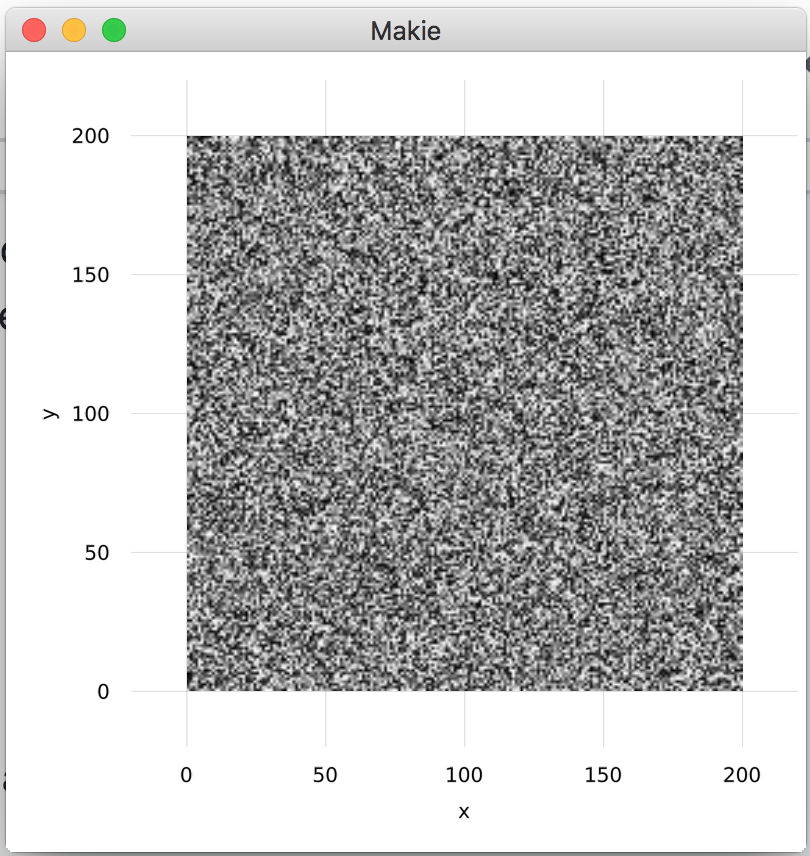
I guess this is because, for some reason, on the retina display it thinks the plot has a really small physical size. But there isn't an obvious way for the user to change this (at least, I couldn't find it in the documentation or by poking around). Just resizing the window doesn't help, because they get bigger proportionally.
Is there some way to make the sizes of the fonts and tickmarks appear generally more sensible?
 nathanielvirgo
All 10 comments
I can replicate (on my Mac with Retina screen), but only when specifying the resolution - if I don't specify the resolution the font looks fine. Not really sure what may cause this, could be interesting to have a report from someone not on a Mac.
Btw it's not the tick marks that are big, it's the grid lines extending out past the image area. Makie's default Theme does not show axes or tick marks. Maybe grid lines should be turned off for heatmap/image plots?
 mkborregaard
on 29 May 2019
mkborregaard
on 29 May 2019
I can confirm on Kubuntu 18.04, with a regular 1920x1080 display. Specifying the resolution does not help in my case.
I would expect gridlines by default, IIRC this is what matplotlib and matlab do.
 AndiMD
on 8 Jun 2019
AndiMD
on 8 Jun 2019
@AndiMD, what do you mean by gridlines - the extensions out of the plot limits or something else?
 asinghvi17
on 8 Jun 2019
asinghvi17
on 8 Jun 2019
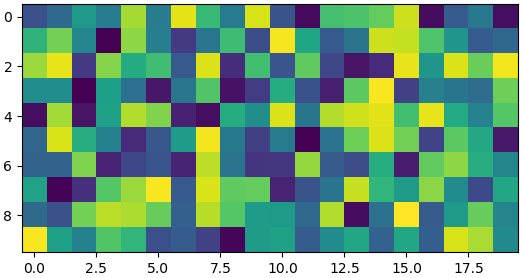
@asinghvi17 Yes, I guess "tickmarks" would have been the appropriate term. For example, the default matplotlib.pyplot.imshow yields this:
AndiMD
on 20 Jun 2019
Ah, I see. That's a consequence of how we draw the axis lines. Once the recipe and layout system are fully in place, we will probably get to that...
asinghvi17
on 20 Jun 2019
Is there any update on this?
 aramirezreyes
on 4 Sep 2019
aramirezreyes
on 4 Sep 2019
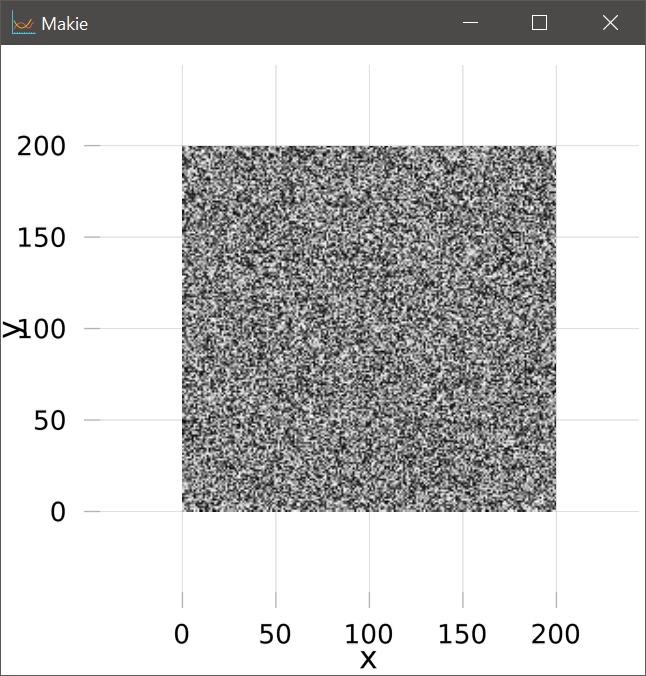
I have the same issue on Windows, but worse. The grid extends by a full grid square on every side of the image.
 SimonWoods
on 21 Feb 2020
SimonWoods
on 21 Feb 2020
@SimonWoods I think there is currently no remedy for this with only Makie, but you can try working with MakieLayout. Take a look at https://github.com/jkrumbiegel/MakieLayout.jl . Hopefully both packages will be integrated soon!
aramirezreyes
on 21 Feb 2020
Yep, they'll be integrated at Vizcon! The extra-long tickmarks are sort of baked into the axis drawing code, so any attempt to remove them will be extra annoying. IMO, it's not worth the effort considering that MakieLayout will become part of Makie so soon...
asinghvi17
on 21 Feb 2020
@SimonWoods I think there is currently no remedy for this with only Makie, but you can try working with MakieLayout. Take a look at https://github.com/jkrumbiegel/MakieLayout.jl . Hopefully both packages will be integrated soon!
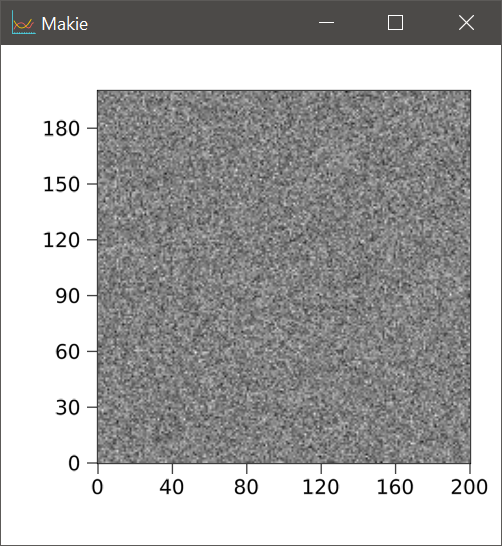
Yeah that works brilliantly, thank you!
using MakieLayout
scene, layout = layoutscene(1, 1, 30, resolution=(500,500))
la = LAxis(scene)
tightlimits!(la)
la.aspect = DataAspect()
layout[1,1] = la
image!(la, randn(200,200))
scene
SimonWoods
on 21 Feb 2020
Related issues
 ashwani-rathee
·
6Comments
ashwani-rathee
·
6Comments
 grahamas
·
3Comments
grahamas
·
3Comments
 MartinOtter
·
5Comments
MartinOtter
·
5Comments
 chriselrod
·
5Comments
chriselrod
·
5Comments
 SebastianM-C
·
3Comments
SebastianM-C
·
3Comments
Most helpful comment
Ah, I see. That's a consequence of how we draw the axis lines. Once the recipe and layout system are fully in place, we will probably get to that...