Mailspring: Some O365 accounts seem to require web-based Oauth instead of app password
Describe the bug
When attempting to add 2 office 365 email accounts on two different domains, I receive the familiar No Login Failed error message.
To Reproduce
Steps to reproduce the behavior:
- Start the App
- Sign in with my Mailspring User Account
- On the Connect an Email Account window, click Office 365
- Enter my email address and password
- See error
Expected behavior
Accounts are added to mail spring.
Setup: (please complete the following information):
- OS: Pop_OS!
- OS Version 19.10
- Mailspring Version: 1.7.5, snap installed.
mailspring 1.7.5 456 latest/stable foundry376✓ -
Additional context
I have tried in the past to use 1.7.2 and that version as well would not allow me to add either of my business office 365 accounts. The email addresses I'm using are both in a similar format. The domain on one is hyphenated and the domain on the other includes a subdomain. The username is firstname[dot]lastname for both.
----------IMAP----------
* OK The Microsoft Exchange IMAP4 service is ready. [UwBOADYAUABSADAANABDAEEAMAAwADgANgAuAG4AYQBtAHAAcgBkADAANAAuAHAAcgBvAGQALgBvAHUAdABsAG8AbwBrAC4AYwBvAG0A]
1 CAPABILITY
* CAPABILITY IMAP4 IMAP4rev1 AUTH=PLAIN AUTH=XOAUTH2 SASL-IR UIDPLUS MOVE ID UNSELECT CHILDREN IDLE NAMESPACE LITERAL+
1 OK CAPABILITY completed.
2 LOGIN "[email protected]" "*********"
2 NO LOGIN failed.
 jwshive
All 11 comments
Hey @klainn thanks for reporting this! Could you try creating an Office365 App Password for Mailspring? I believe that when you log in via a third party mail client, you need to use a password created specifically for the app, and not your usual Office 365 password:
https://support.office.com/en-us/article/create-an-app-password-for-office-365-3e7c860f-bda4-4441-a618-b53953ee1183
 bengotow
on 17 Apr 2020
bengotow
on 17 Apr 2020
Thanks for the reply. I have looked for this option on both accounts but I don't seem to have it where all the documentation says I would have it. Just to note, I do use Hiri on linux as a snap and it accepted both accounts just fine. I just greatly dislike their client but it's the only one that works out of the box. We do use multifactor authentication for one account, not the other.
jwshive
on 17 Apr 2020
oh good to know! Hmm if it works in Hiri it should work in Mailspring as well. Do you know exactly what Office 365 product you're using? (https://products.office.com/en-us/compare-all-microsoft-office-products?activetab=tab%3aprimaryr1)
I've been doing our O365 testing with Office 365 Business Essentials but I wonder if there's another version we need to look at too.
bengotow
on 17 Apr 2020
I don't know specifically, but if any of those it would be business premium. Both accounts are work related. One is a public company the other is a government entity. Some digging I found this Office 365 E3 and the government entity I found "Office 365 GCC G3 without ProPlus".
jwshive
on 17 Apr 2020
Hey! Ahh cool, good to know - it looks like Office 365 E3 is maybe (?) the same as what I have, but I'll have to dig in a bit more and see. It looks like when I go to our account admin portal, I can manage exchange and I have IMAP turned on.
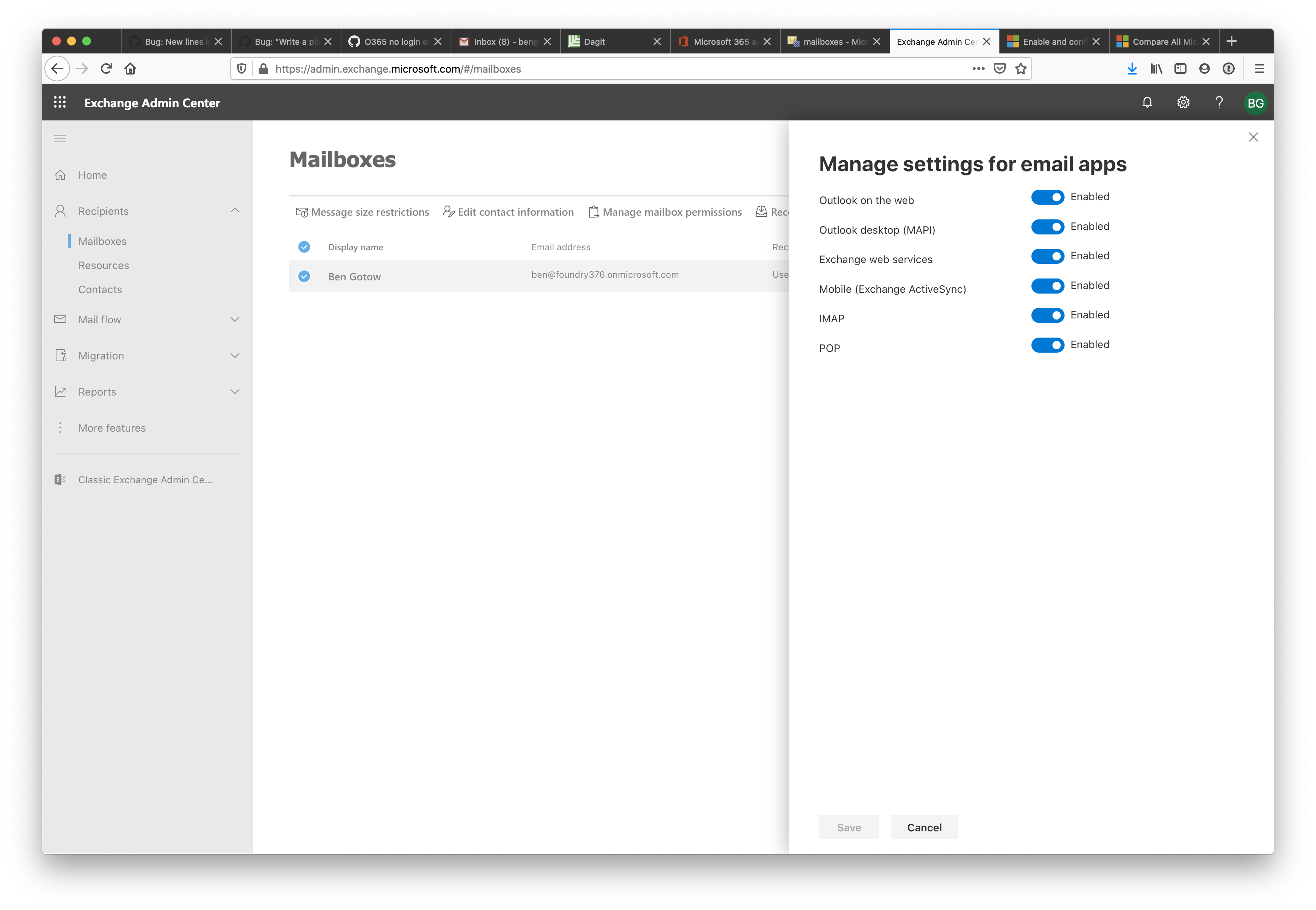
If I disconnect and re-connect the account with the wrong password I get this message, which looks the same as yours... except that yours indicates it supports the IMAP "MOVE" extension (which is weird, but probably not relevant). Will keep digging in to this.
----------IMAP----------
* OK The Microsoft Exchange IMAP4 service is ready. [QgBOADYAUABSADEAMwBDAEEAMAAwADcAMgAuAG4AYQBtAHAAcgBkADEAMwAuAHAAcgBvAGQALgBvAHUAdABsAG8AbwBrAC4AYwBvAG0A]
1 CAPABILITY
* CAPABILITY IMAP4 IMAP4rev1 AUTH=PLAIN AUTH=XOAUTH2 SASL-IR UIDPLUS ID UNSELECT CHILDREN IDLE NAMESPACE LITERAL+
1 OK CAPABILITY completed.
2 LOGIN "[email protected]" *********
2 NO LOGIN failed.
Edit: Actually, do you know if Hiri had you connect to this account using a web interface / OAuth screen? It looks like the server indicates it supports both direct (PLAIN) auth and also (XOAUTH2) which would be a token obtained from a web login flow. I wonder if your setup actually doesn't support the plain approach but still advertises it...
bengotow
on 17 Apr 2020
You're correct. I removed and re-added one of my accounts and it takes me to what looks like a web form.
jwshive
on 17 Apr 2020
@bengotow a lot of companies (including mine) have disabled IMAP access to exchange accounts for security reasons. Is there any way I can help with adding two-factor-only exchange accounts to Mailspring? It's my favorite client and I'd hate to lose it and have to go back to using outlook web access.
Thanks!
 d3sandoval
on 21 May 2020
d3sandoval
on 21 May 2020
Having the same problem as @d3sandoval I was happily using my client and suddenly my company decided to disable IMAP. I have created an application for Evolution under my Azure Active Directory, forced to use Evolution... If it can work in Evolution, it can work in Mailspring too I guess. I hope you can implement it soon.
 iboware
on 25 May 2020
iboware
on 25 May 2020
Several university office 365 accounts do not allow for app passwords, making it necessary for Mailspring to use OAuth2 (online login for dual factor authentication) to function for these emails. Unfortunately, I also run into the issue where Mailspring does not appear to have this option?
I know this would work since, as an example, Thunderbird now has OAuth2 as a password option when trying to log into email, and that connects fine to university email.
I wish I could use Mailspring, but until I find a way to use OAuth2, I am struggling.
 keithcdodd
on 30 Aug 2020
keithcdodd
on 30 Aug 2020
Any updates on this ?
 jdalrymple
on 10 Nov 2020
jdalrymple
on 10 Nov 2020
Related issues
 applesea2
·
3Comments
applesea2
·
3Comments
 purefan
·
3Comments
purefan
·
3Comments
 LeandroStanger
·
3Comments
LeandroStanger
·
3Comments
 liam-wiltshire
·
3Comments
liam-wiltshire
·
3Comments
 tuxmachine
·
3Comments
tuxmachine
·
3Comments
Most helpful comment
Several university office 365 accounts do not allow for app passwords, making it necessary for Mailspring to use OAuth2 (online login for dual factor authentication) to function for these emails. Unfortunately, I also run into the issue where Mailspring does not appear to have this option?
I know this would work since, as an example, Thunderbird now has OAuth2 as a password option when trying to log into email, and that connects fine to university email.
I wish I could use Mailspring, but until I find a way to use OAuth2, I am struggling.