Mailspring: 'Archive' and 'Mark as Spam' buttons change locations unexpectedly
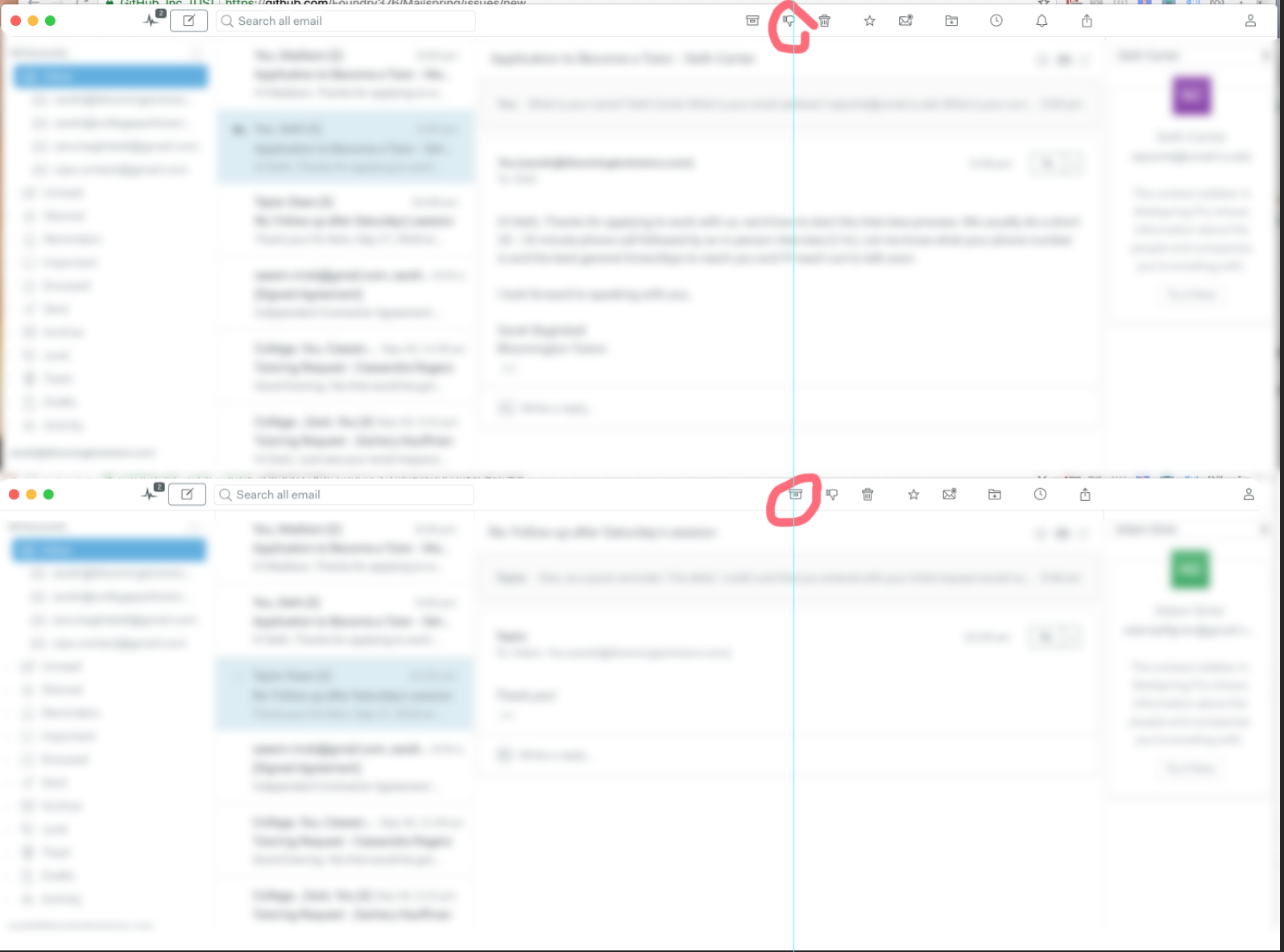
When I'm archiving a number of messages in a row, the location of icons in the icon bar changes depending on the message. Sometimes that means that where the 'archive' button is for one message, for another message it will be the 'mark as spam' button. So when I'm clicking 'archive' a bunch of times in a row, it's pretty easy to accidentally click 'mark as spam' since that button sometimes just happens to be under my cursor unexpectedly. Its due to the number of icons changing but also due to different icons having different widths.
I would suggest that either certain critical buttons have a fixed location or that the 'mark as spam' button has a confirmation dialogue since that's a relatively rare action (hopefully).
What operating system are you using?
OSX 10.13.6
What version of Mailspring are you using?
1.4.2
 SarahBaghdadi
All 2 comments
I agree. I think buttons that may or may not show up should not shift other buttons position. A better solution, in my opinion, would be just graying out the buttons that are not usable. In this way, no shifting is required, and it would improve the discoverability (in the sense that I would know which function isn't supported for which email, and potentially why).
 PowerSnail
on 5 Jan 2019
PowerSnail
on 5 Jan 2019
I like the option suggested by @PowerSnail of disabling the non-usable buttons... it is very frustrating to wonder why I all of a sudden stop getting notifications from my servers, etc simply because I inadvertently clicked send to spam instead of archiving an email! Please fix this.
This is happening on both my Win10 and Linux Mint PCs using MailSpring v1.7.2
 manzwebdesigns
on 19 Dec 2019
manzwebdesigns
on 19 Dec 2019
Related issues
 k4rli
·
3Comments
k4rli
·
3Comments
 liam-wiltshire
·
3Comments
liam-wiltshire
·
3Comments
 KristerV
·
3Comments
KristerV
·
3Comments
 dgattey
·
3Comments
dgattey
·
3Comments
 LeandroStanger
·
3Comments
LeandroStanger
·
3Comments
Most helpful comment
I agree. I think buttons that may or may not show up should not shift other buttons position. A better solution, in my opinion, would be just graying out the buttons that are not usable. In this way, no shifting is required, and it would improve the discoverability (in the sense that I would know which function isn't supported for which email, and potentially why).