Mailspring: spell check does not work
Are there any related issues?
Not sure.
What operating system are you using?
MacOS High Sierra 10.13.6
What version of Mailspring are you using?
1.4.2
--
Bug?
Is this an email sync or connection issue?
No
Is the issue related to a specific email provider (Gmail, Exchange, etc.)?
Unclear
Is the issue reproducible with a particular attachment, message, signature, etc?
Yes
--
Feature Request?
Does this feature exist in another mail client or tool you use?
Yes
Just downloaded Mailspring for mac. Spellcheck does not work:

even though spellcheck is turned on:

Am I missing something?
 lrdegeest
All 5 comments
Hmm interesting—this is working for me on macOS... could you see if there's anything different in the Keyboard panel of System Preferences? Also, do you know if you have your keyboard set to US English or another locale? I switched the "Default spellcheck language" to Spanish and it started spellchecking in Spanish for me... not sure what else could be going on!

 bengotow
on 17 Sep 2018
bengotow
on 17 Sep 2018
Sorry, my settings are in order but spell check still does not work. MacOS High Sierra 10.13.6
lrdegeest
on 24 Sep 2018
I have the exact same problem. I am using Mojave 10.14.
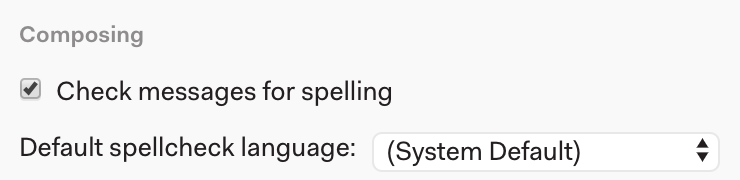
To clarify, if you misspell a word you don't get the dotted bottom border. however, if you right-click you do get spelling suggestions.
The spelling settings are the default:
 texelate
on 27 Sep 2018
texelate
on 27 Sep 2018
I am also having the same issue using High Sierra 10.13.6
There is no red dotted line beneath misspelled words
 liamdevine82
on 28 Sep 2018
liamdevine82
on 28 Sep 2018
Hey folks—any chance you've been using Mailspring with an "interface zoom" setting < 1? In #1140 we found that the red squiggles were getting rounded-down out of existence if you choose anything less than one, so there was no highlighting of misspelled words. Hopefully that's the issue here as well—will be fixed in the next release!

bengotow
on 4 Nov 2018
Related issues
 enoversum
·
3Comments
enoversum
·
3Comments
 KristerV
·
3Comments
KristerV
·
3Comments
 imbrn
·
3Comments
imbrn
·
3Comments
 justindoran
·
3Comments
justindoran
·
3Comments
 LeandroStanger
·
3Comments
LeandroStanger
·
3Comments