Mailspring: An unexpected mailsync error occurred (129)
all of a suden all mailboxes are offline.
When trying to reaithenticate I get the error in the title.
lately I am getting
several of your account are having issues
and while it shows this error doesn't let me edit /create or send emails.
If possible having a bad sync shouldn't prevent creating and sending emails. Maybe cache these and send them when online.
while having these sync issues my internet is rock solid and I am not behind a proxy.
What operating system are you using?
fedora 27
What version of Mailspring are you using?
1.2.1
Bug?
Do you have any third-party plugins installed? If so, which ones?
none
Is the issue related to a specific email provider (Gmail, Exchange, etc.)?
imap and gmail
Is the issue reproducible with a particular attachment, message, signature, etc?
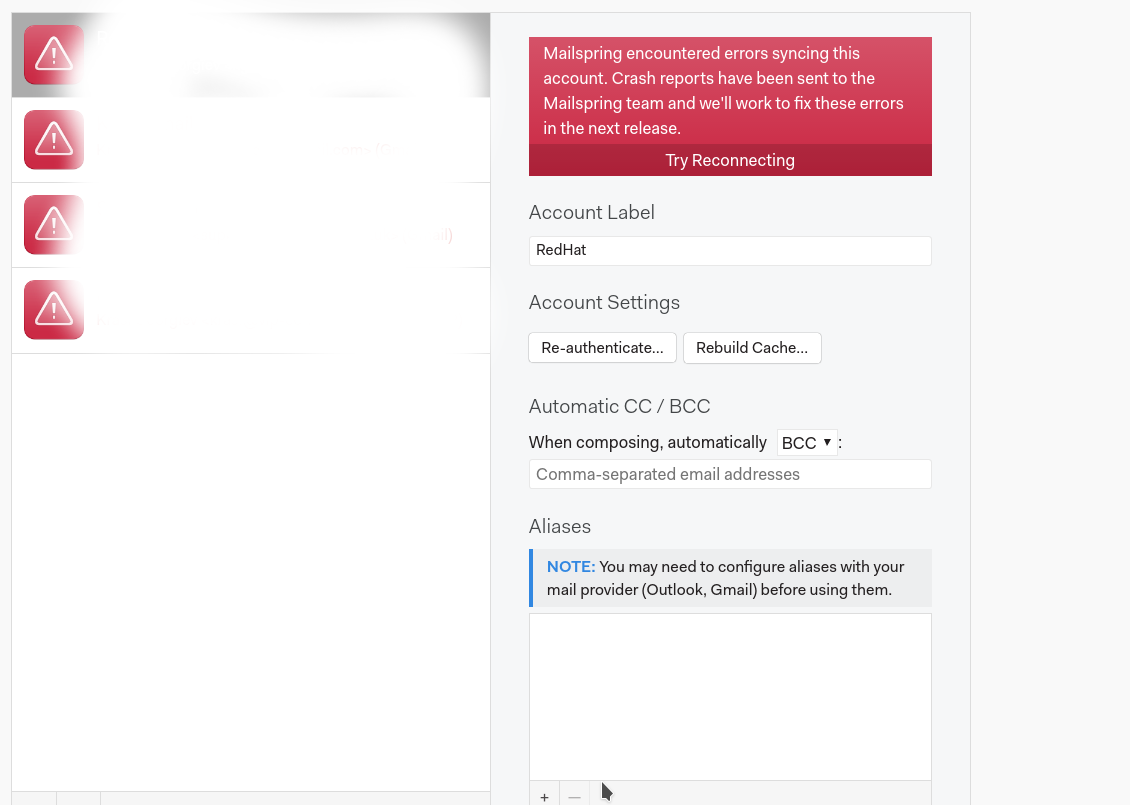
when I try to reconnect to the imap account it shows a link to this log.
Waiting for Account JSON:

Waiting for Identity JSON:
info: Identity created at 1515180431 - using ID Schema 0
/usr/share/mailspring/resources/app.asar.unpacked/mailsync: line 4: 15706 Hangup                  SASL_PATH="$(dirname $(realpath $0))" LD_LIBRARY_PATH="$(dirname $(realpath $0));$LD_LIBRARY_PATH" "$(dirname $0)/mailsync.bin" "$@"
 krasi-georgiev
All 13 comments

clicking check again doesn't fix
application restart doesn't fix.
any idea what might be causing this?
it happened before, but only temporary and an application restart usually fixes the issue, but this time it seems permanent.
krasi-georgiev
on 13 Apr 2018
not sure if this fixed it , but after a laptop restart seems ok now.
this happened few times now so it is definitely some weird bug
Where are the logs under linux ?
maybe they will give a clue on what was wrong.
krasi-georgiev
on 13 Apr 2018
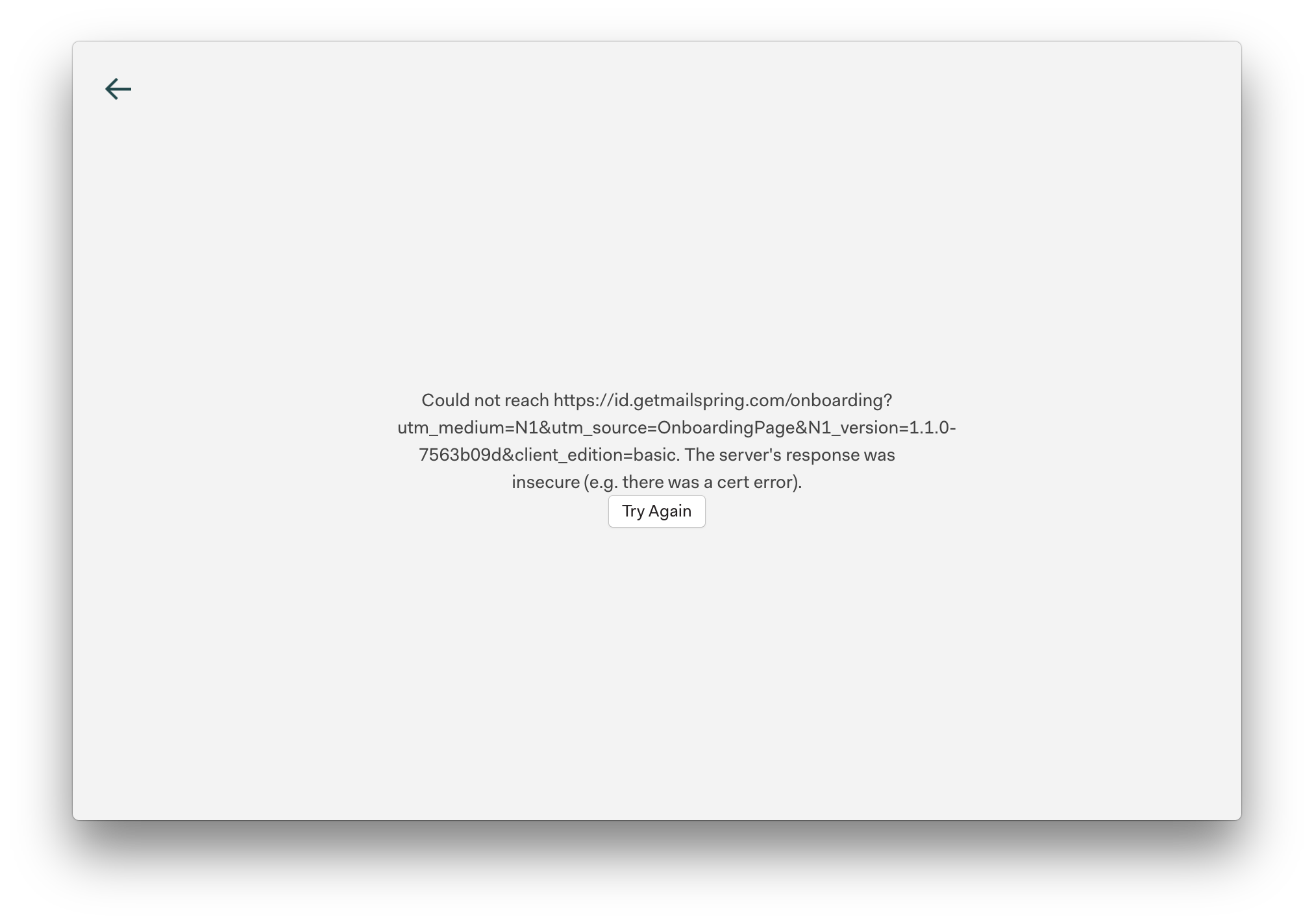
Having similar issues with Mac OS X
Also attempted a clean install on different part. to ensure it was a system problem — see attached screen shot on a fresh install of OS X
 AgentSource
on 14 Apr 2018
AgentSource
on 14 Apr 2018
hm it seems that mailsping depends on some external services and when these are down it can't function.
I am sure there is a reason for this so I hope the maintainers give us some info about this.
I would have expected that mailpsing shouldn't depend on external services.
krasi-georgiev
on 15 Apr 2018
I'm having the same thing with my work Gmail account on MacOS 10.13.4 and Mailspring 1.2.1. Rebuilding the cache helps a bit but the sync error reemerges pretty quickly, basically making Mailspring unusable at the moment.
 palefire19
on 21 Apr 2018
palefire19
on 21 Apr 2018
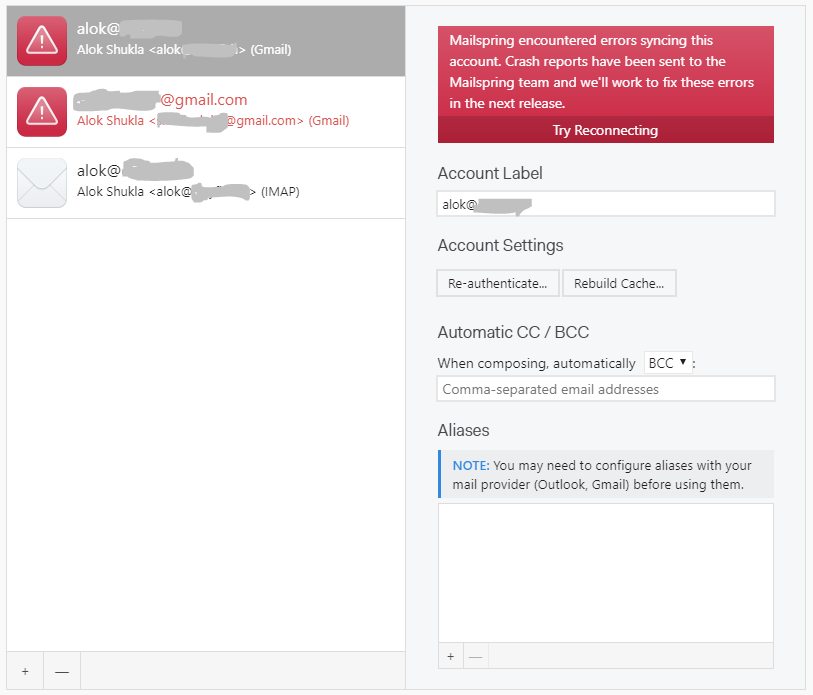
The same issue for me. It does not work for Gmail addresses even after re-authentication.
 shuklaalok7
on 7 May 2018
shuklaalok7
on 7 May 2018
any comments from the maintainers?
krasi-georgiev
on 11 Jun 2018
@krasi-georgiev I am no longer having auth issues — have to tried a fresh install?
AgentSource
on 19 Jun 2018
I think the problem was never the software but some external service it connects to.
the maintainers should confirm , but in general if this is true it is a bit disappointing that it causes complete downtime for all mailboxes.
krasi-georgiev
on 19 Jun 2018
Agreed it appeared to be an issue with the auth callback handled via http vs https — but it would be cool to know for sure
AgentSource
on 19 Jun 2018
ping to the maintainers
krasi-georgiev
on 28 Nov 2018
Hey folks—hmm this one is interesting. Mailspring does require a connection to https://id.getmailspring.com/, but just during initial setup. You should be able to block it's access if you'd like once you've signed in (it'll try and fail to sync your snooze dates, read receipts, etc., but that's fine.)
In @AgentSource's screenshot above it looks like there's a certificate validation error when it's trying to connect to https://id.getmailspring.com/, which is odd. Any chance you've customized the certificate trust chain on your machine, or you're using a proxy that is decrypting and re-encrypting HTTPS requests?
Unfortunately I don't think I've seen any other logs like this, and I'm not sure what's going on there. I think we had an issue on Fedora 27 at one point ages ago because the app was shipping with a newer version of a library than was available on the system. I'd recommend you download 1.5.6 (the latest release) and see if this is still happening!
/usr/share/mailspring/resources/app.asar.unpacked/mailsync: line 4: 15706 Hangup
 bengotow
on 23 Feb 2019
bengotow
on 23 Feb 2019
I keep updating the releases and haven't seen this issue for a while now so will close and reopen if it re-occurs.
krasi-georgiev
on 23 Feb 2019
Related issues
 applesea2
·
3Comments
applesea2
·
3Comments
 tuxmachine
·
3Comments
tuxmachine
·
3Comments
 scooby
·
3Comments
scooby
·
3Comments
 spartero
·
3Comments
spartero
·
3Comments
 DylanC
·
3Comments
DylanC
·
3Comments