Mailspring: Some HMTL mails are not loaded
Last week, I said to myself "I finally found what i'm looking for" but it looks like MailSpring have some huge bugs on rendering HTML mails.
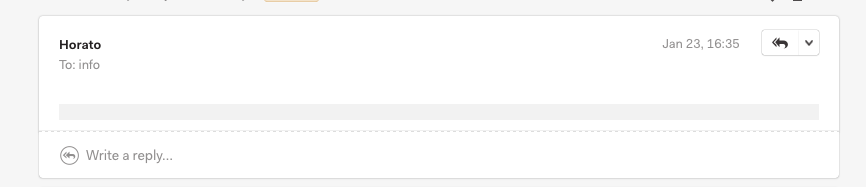
Bug 1: Some HTML mails are completely invisible. I mean you can't even see the mails. I've checked their HTML code and also i go further and send the same HTML mail to Default Mac Mail, Gmail, Yahoo, Hotmail and Yandex. They all render it and show the mail perfectly. But MailSpring hiding all the content when i open it.
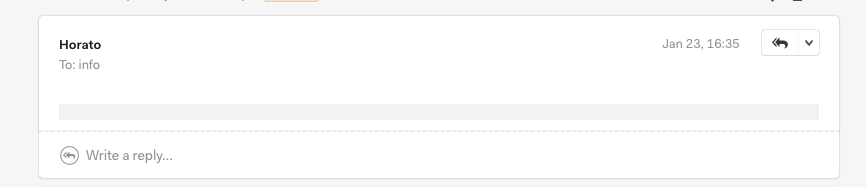
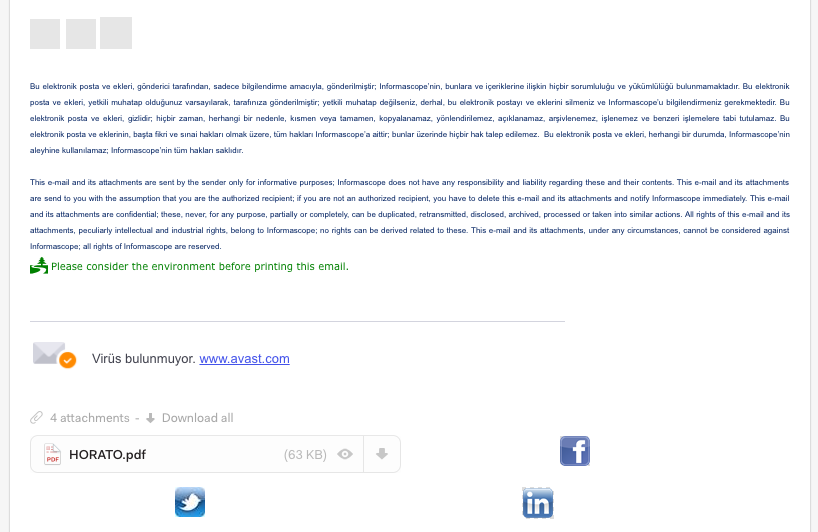
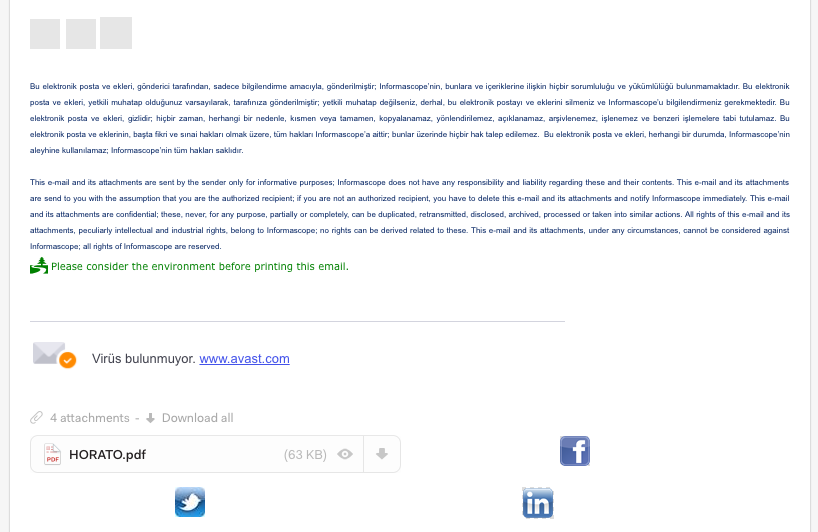
Bug 2: Most of the HTML signature images are de-attached from the mail and shown as attachment. This is the first i see something like this. It's a very strange bug.
Are there any related issues?
...
What operating system are you using?
MacOs - High Sierra
What version of Mailspring are you using?
Version 1.1.0
--
Bug?
Do you have any third-party plugins installed? If so, which ones?
No
Is the issue related to a specific email provider (Gmail, Exchange, etc.)?
Don't know. I'm using Gmail
Is the issue reproducible with a particular attachment, message, signature, etc?
--
Feature Request?
Does this feature exist in another mail client or tool you use?
Yes
 etekinbas
All 16 comments
Exactly same problem here. Some of the HTML mails are not shown.
 umutbesler
on 25 Jan 2018
umutbesler
on 25 Jan 2018
Another example of this is emails from tripit.com:
http://share.jermops.com/1K1q2T433A0a (blurry bits are my doing)
Happy to share original source directly.
 jerm
on 26 Jan 2018
jerm
on 26 Jan 2018
Hmm strange indeed - I'll see if I can reproduce this locally.
 bengotow
on 27 Jan 2018
bengotow
on 27 Jan 2018
Same issue for me
 jacoboAR
on 29 Jan 2018
jacoboAR
on 29 Jan 2018
Hey folks - I've been able to reproduce this and the next version will include a fix. Essentially the images are being referenced from the message body in an unusual way that Mailspring didn't recognize, so it threw them at the bottom instead.
bengotow
on 30 Jan 2018
Oh interesting.. I guess mine was different, as there's nothing at the bottom, it's just blank gray line of sadness: http://share.jermops.com/1K1q2T433A0a
jerm
on 30 Jan 2018
Hmm that is interesting... I take that back, it looks like my solution so far only corrects issue #2 above. I'll see if there's something separate going on for that first scenario where the entire email is gone.
bengotow
on 30 Jan 2018
Hello Ben, if you need i can send you an example mail that Mailspring views empty.
umutbesler
on 30 Jan 2018
Hey! @umutbesler that'd actually be really helpful - I haven't been able to reproduce that part of this ticket. Could you send me one to [email protected]? If you have a mail client like Thunderbird or Apple Mail that supports "redirecting" messages, that'd be ideal since it preserves the message exactly. (Gonna try to add that feature to Mailspring soon.)
bengotow
on 9 Feb 2018
Hello @bengotow, i've both send the message directly and redirect from Apple mail.
umutbesler
on 12 Feb 2018
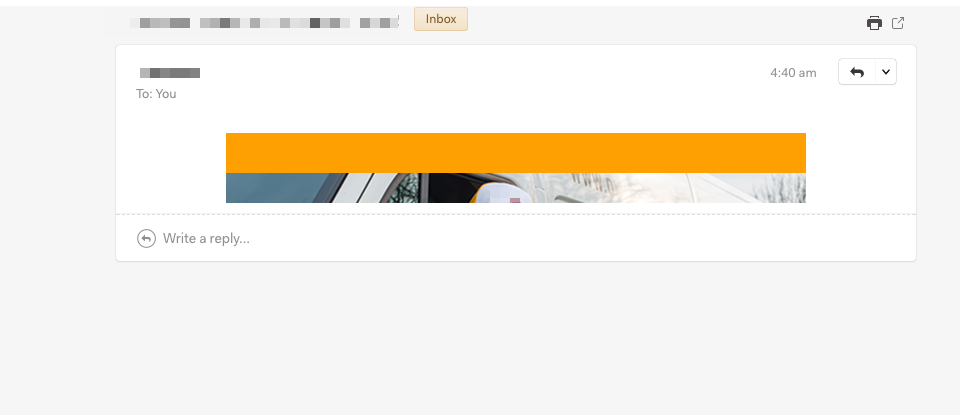
I'm experiencing the same sort of behaviour on html mails.
The message doesn't get the right height and a lot of content is hidden from view.
 jaap
on 15 Feb 2018
jaap
on 15 Feb 2018
Any plans of when this will be released? It has been pending release for 23 days now.
 BenjaminGK
on 22 Feb 2018
BenjaminGK
on 22 Feb 2018
I have exactly the same thing as "jaap"a little bit can bee seen, but the rest of the message is not visible. Last comment is from Feb 9. Is someone doing something about this? Cause the client is unusable if you cannot open emails.
 Monastario
on 30 May 2018
Monastario
on 30 May 2018
I'm also experiencing the exact same issue with tripit emails. In general I've noticed lots of render variations between mailspring and other clients I use (gmail, inbox, evolution on fedora, airmail on macOS) of varying annoyance levels.
 joho
on 4 Jul 2018
joho
on 4 Jul 2018
Hey folks—I took another pass at fixing this earlier this week and I believe version 1.3 (which is shipping in the next day or so) will resolve this for good. I was able to reproduce the clipping in @jaap's screenshot reliably with a handful of emails, and it turns out that Chromium is firing the "loaded" event a bit earlier than it used to, and when Mailspring asks for the height of the email frame, the reported number doesn't include the images that were just loaded.
Sorry for the hassle, will post here again when the fix is available.
bengotow
on 8 Jul 2018
Hey folks—this fix for this shipped in version 1.3.0. The app should have auto-updated by now, but if not you can download the latest release from https://www.getmailspring.com/download. Enjoy!
bengotow
on 2 Aug 2018
Related issues
 justindoran
·
3Comments
justindoran
·
3Comments
 scooby
·
3Comments
scooby
·
3Comments
 spartero
·
3Comments
spartero
·
3Comments
 vsanchez
·
3Comments
vsanchez
·
3Comments
 applesea2
·
3Comments
applesea2
·
3Comments