Mailspring: Mails persist in the trash after emptying the trash
Are there any related issues?
no
What operating system are you using?
17.10
What version of Mailspring are you using?
1.0.5
Bug?
Do you have any third-party plugins installed? If so, which ones?
no
Is the issue related to a specific email provider (Gmail, Exchange, etc.)?
no
Is the issue reproducible with a particular attachment, message, signature, etc?
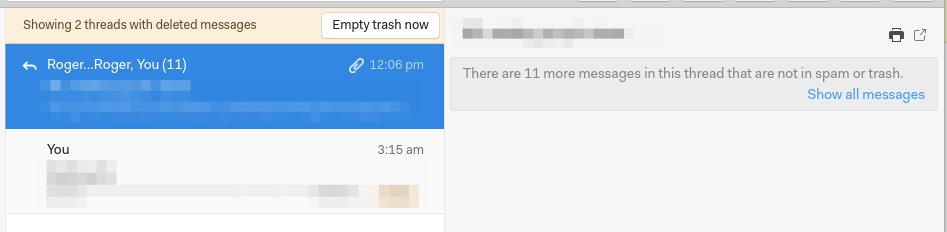
the first message in the list I do not understand what it does there, it is the last sent message, i never delete it.
If others emails are moved to trash and click "Empty Trash..." all mails are cleared except this two emails in the list.
 rafrsr
All 20 comments
Hey! This is super interesting - Mailspring is showing this thread as having the "trash" folder even though it's messages are no longer in the trash. I'll see if I can reproduce this. In the meantime, a sure-fire way to fix this would be to drag it out of the trash (and then back in to the trash if you actually want it to be there.)
 bengotow
on 21 Oct 2017
bengotow
on 21 Oct 2017
Yeah, I've got something similar. An email thread simultaneously is showing up in my Inbox (duplicated - see my other communication on this Ben in #173 ) and then also in the trash. When I click on it in the trash I get the same message as @rafrsr ("There are x more messages in this thread that are not in spam or trash").
 palefire19
on 22 Oct 2017
palefire19
on 22 Oct 2017
Something similar here ✋, running Mailspring 1.0.7.
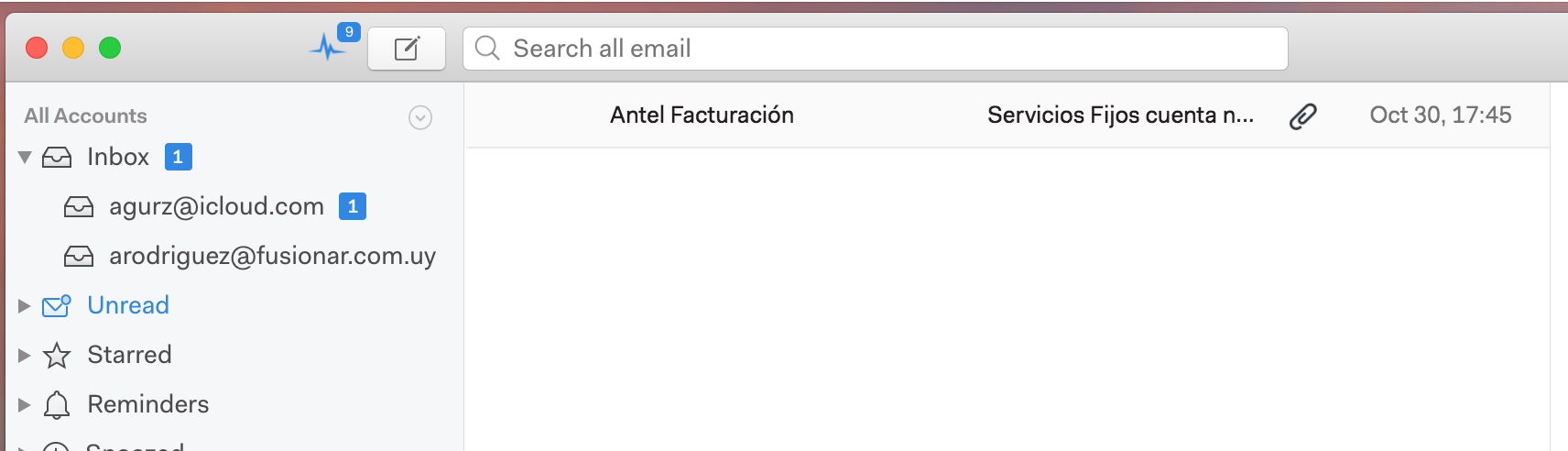
Clue: The problematic thread is detected as unread when is taken into account for counting unread messages for sidebar labels but it's being shown as read on the mail list:
 agurodriguez
on 1 Nov 2017
agurodriguez
on 1 Nov 2017
I have the same issue, running Mailspring 1.0.7.
I am using Gmail and this is particularly awkward since the mails are actually deleted (e.g., I cannot find them on Gmail), but they persist on Mailspring.
 dardin88
on 2 Nov 2017
dardin88
on 2 Nov 2017
Hey folks—this should be fixed in the next release. Stay tuned 👍
bengotow
on 8 Nov 2017
This is not fixed for me even with the latest version. I see a message in the trash that I had opened at some point (which was an old message in my sent folder). After that, I see the exact same old message in the trash but with a bogus date of Jan. 1 1970. In GMail, this message does not exists, and I cannot delete it from Mailspring at all. Moving that to a different folder does nothing except that I see the non-existing message in the different folder in Mailspring ...
 hheld
on 23 Jan 2018
hheld
on 23 Jan 2018
@hheld exactly the same problem here!
 utklasad
on 19 Mar 2018
utklasad
on 19 Mar 2018
Can confirm normal operation on the current version and stuck emails deleted.
Steps taken, manually deleting the edgehill.db file at %USERNAME%\AppData\Roaming\Mailspring\ while having made sure all mailspring processes were stopped and then restarted after.
while the option of clearing file is present on the general settings menu (button at the bottom) I found it did not remove the .db file because a process was hanging for some reason.
 ArchAngelIT
on 15 Jun 2018
ArchAngelIT
on 15 Jun 2018
I have the same issue. Emails randomly show up in my trash that I never put there. At first I thought it was caused by archiving (and it still might be) but I don't recall ever archiving 2 of the threads that appeared there today.
Here's a side by side comparison of mailspring trash vs gmail.
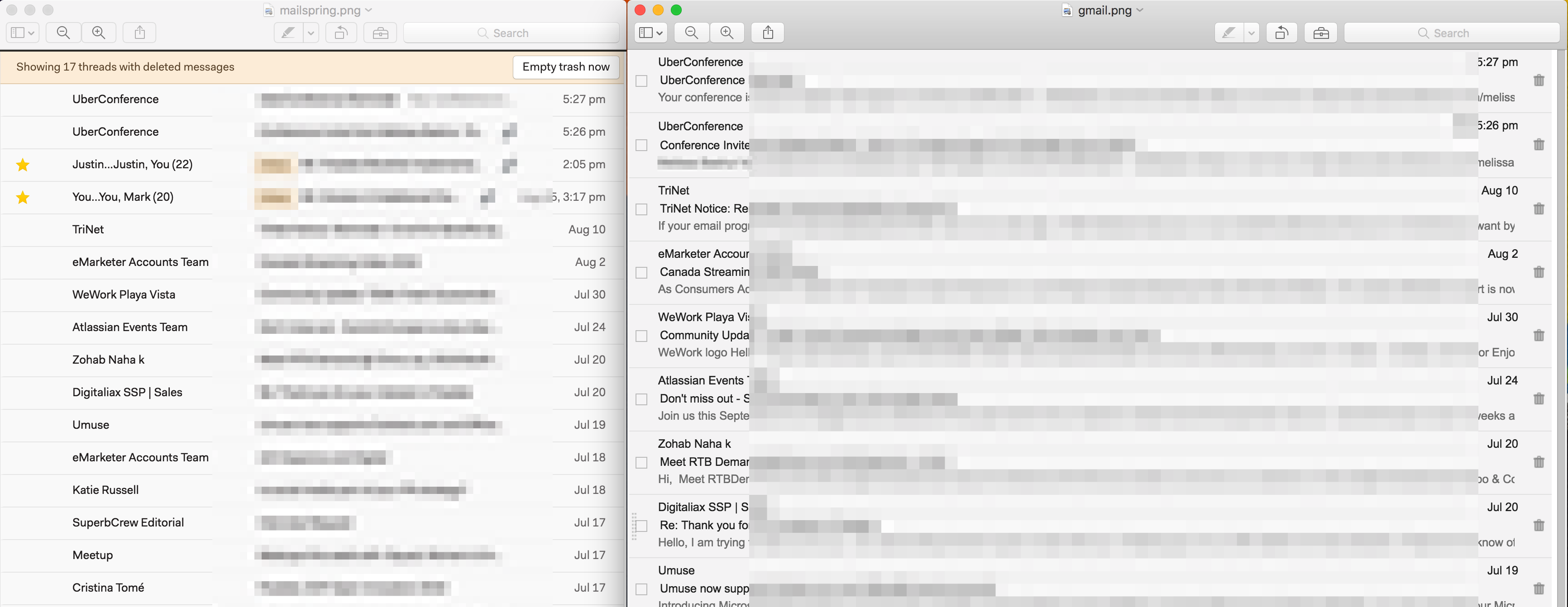
Notice the two starred emails doesn't show up in gmail. Those are active threads I have in my inbox.
 Melissa-Kay
on 16 Aug 2018
Melissa-Kay
on 16 Aug 2018
SAME ISSUE HERE
 logxseven
on 28 Mar 2019
logxseven
on 28 Mar 2019
I'm also facing the same issue. Having version "1.6.0-10f5c95c" on Ubuntu 18.04 LTS. Even after clicking on empty trash, some conversations are still there. I doubt this happens when we start writing a reply to someone and then delete the message/draft.
 jijojosephk
on 2 Apr 2019
jijojosephk
on 2 Apr 2019
I'm also having this issue. I can confirm that in my case it happens specifically when I start a reply and then delete the draft. I'm able to reproduce it every single time. The only way to clear the messages seems to be hitting "Rebuild cache" for the account in question. Version is 1.6.3-134a0e55 on Ubuntu 18.04.3 LTS.
 unseeingdog
on 10 Aug 2019
unseeingdog
on 10 Aug 2019
I have the same issue with version 1.6.3-134a0e55.
 dfrechdev
on 2 Sep 2019
dfrechdev
on 2 Sep 2019
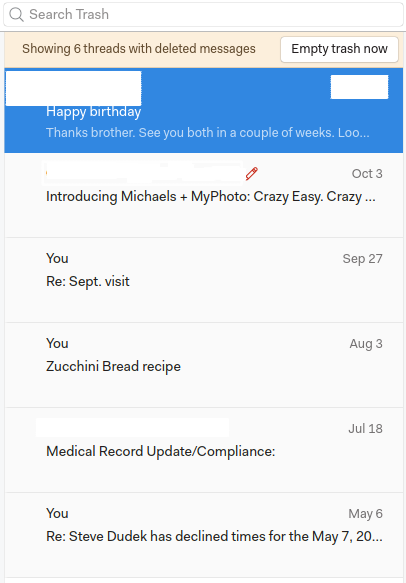
Same issue here. I was able to get rid if a couple emails in the trash bin by finding the original thread whether it was in the Sent folder or elsewhere, delete that, then run "Empty Trash Now".
My trash folder is getting larger and slowly other emails are being added. It would be nice to get a resolution soon.
 stevedude
on 15 Oct 2019
stevedude
on 15 Oct 2019
Hi @bengotow !
This problem persists in 1.7.2.
 FernandoGarcia
on 6 Nov 2019
FernandoGarcia
on 6 Nov 2019
I also am having this problem. As others have mentioned, the issue arises when I start and then delete a draft. These messages then stay in trash forever, even on a reinstall (even after a total wipe of Windows, in fact). So the cache of messages like this in my trash folder is getting larger and larger, making it harder and harder to see what is legitimately supposed to be in the trash folder and make sure nothing is getting deleted by mistake.
This issue has been going on for over two years according to this thread. I am a paid supporter of MailSpring. Do the devs still work on this? I'm not sure what my money is going to, honestly. I submitted a support ticket on a separate issue through the website a couple weeks ago and never got a response of any kind.
 artsgirl
on 12 Nov 2019
artsgirl
on 12 Nov 2019
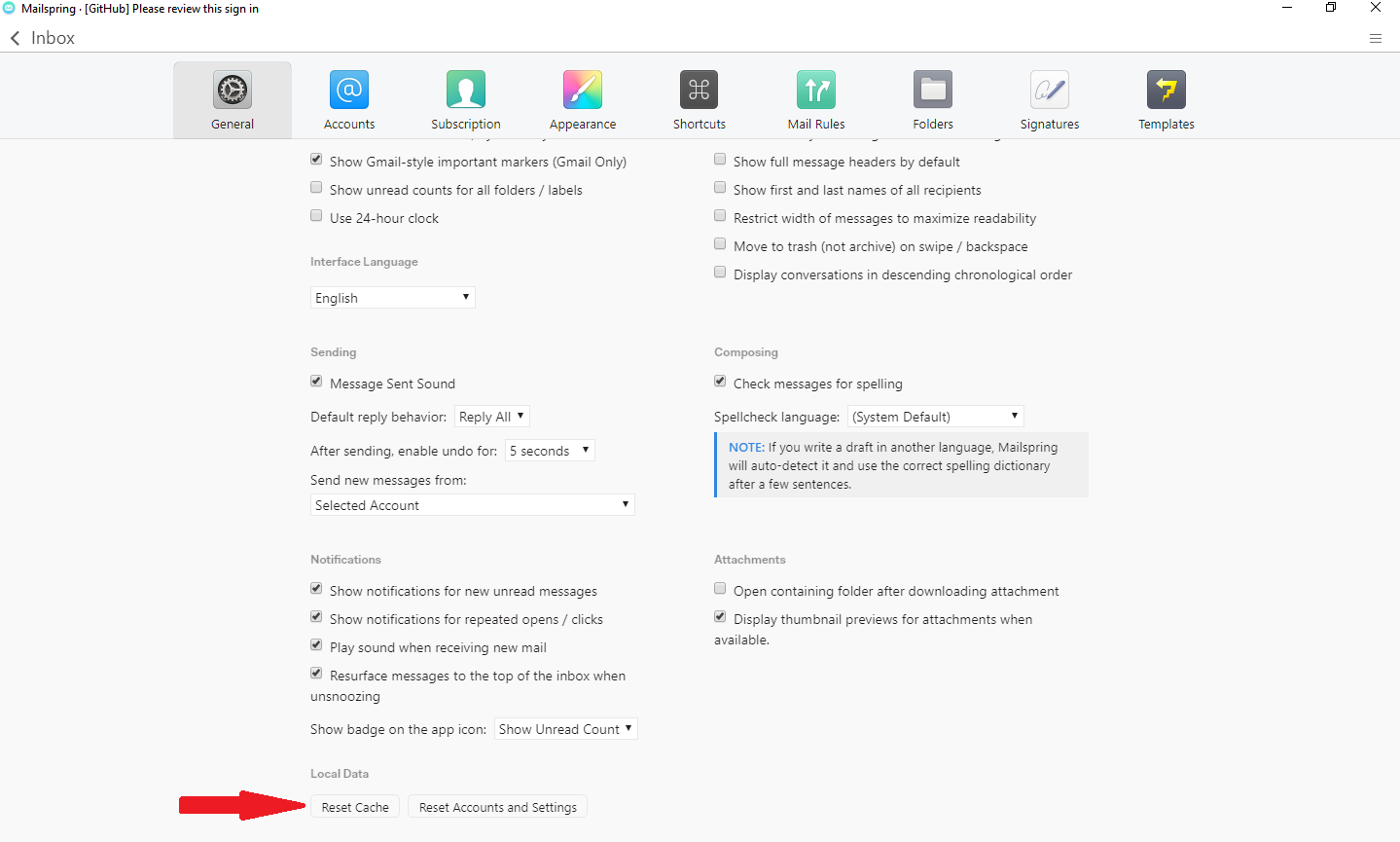
Hi, the only radical way to empty the trash was this
 Vicente-M
on 30 Nov 2019
Vicente-M
on 30 Nov 2019
Caching is hard. Hitting the "Reset Cache" button was the only thing that helped. Thanks! :sparkles:
 b4mboo
on 2 Jan 2020
b4mboo
on 2 Jan 2020
Thank you. Reset caching saved my life! Using three accounts and some messages appeared again and again for one year or longer. Today I had enough time to clean all the folders from the servers directly. But the problem remained - so I used the final solution: "reset cache" -> works! And my mails are now sorted, too.
 MaxHausmann
on 25 Mar 2020
MaxHausmann
on 25 Mar 2020
More than 3 years on and this is still an issue!
Version 1.7.8- 13635bcf
Clearing out inbox so filter (by sender/in:inbox), select multiple (select 1st, hold down Shift, select last - seems the only way to select multiple emails), click the bin icon at the top.
Emails still there, still selected (even though filtered on inbox).
Go to "Trash", click "Empty trash now", all emails still there.
Reset Cache, trash now empty.
It's not great as this has been a problem for so long.
"done-pending-release on 8 Nov 2017", well if it was fixed someone broke it again!
 Babsky
on 4 Nov 2020
Babsky
on 4 Nov 2020
Related issues
 purefan
·
3Comments
purefan
·
3Comments
 dgattey
·
3Comments
dgattey
·
3Comments
 justindoran
·
3Comments
justindoran
·
3Comments
 tuxmachine
·
3Comments
tuxmachine
·
3Comments
 3v1n0
·
3Comments
3v1n0
·
3Comments
Most helpful comment
Hi, the only radical way to empty the trash was this