Mailcow-dockerized: SOGo CSS broken?
Since some weeks, my SOGo login UI shows now the (default?) blue theme. But when i select the login name field or the password field, the icon on the left side of the field switches from black to the same blue color like the background. As the result the icon is gone. Is this normal in the actual version?
Second part of the question, is also the black the right color on the blue? The contrast is not good. The old green theme was better.
 lgusewski
All 6 comments
I had same problem. Try to clear browser cache and update to the newer version.
 Tomas2D
on 1 Jul 2018
Tomas2D
on 1 Jul 2018
I am already on the newest version and clearing the cache did not change the behavior. But what i had actual is a little bit crazy. When i first activate the login and the password field, the icons are gone. Both icons are there, when i activate them a second time.
lgusewski
on 1 Jul 2018
I have similar problems. For me the login is sometimes still Green and sometimes Blue. It's really strange. Clearing cache and so on hasn't helped. Haven't found precise steps to reproduce. I will come forward with more info, if it happens again and I can check it out with Browser debugging tools.
P.S: I also have the same icon disappearing thing described by the OP. I assume that one is a SOGo bug.
 hachre
on 2 Jul 2018
hachre
on 2 Jul 2018
I will check it.
 andryyy
on 2 Jul 2018
andryyy
on 2 Jul 2018
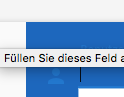
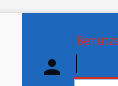
I can't confirm that this issue is completely solved. I made the update, cleared the cache from Chrome 67 in macOS 10.13.5 and opened the SOGo Login of my mailcow installation. First i see a black person icon for the login name. When i now select this input field, the icon switches to a light grey. Deselecting the input field that the icon switch back to black. But when i select now the icon a second time, then the icon stay black and switches not again to light grey. Same behavior with the password field. First grey, since the second time only black.
But the cow is great! 👍
lgusewski
on 6 Jul 2018
I see, but that's a JS issue. It happens when the field is empty and probably due to the class that is added for validation. I can try to find the code and fix it.
andryyy
on 6 Jul 2018
Related issues
 patrick7
·
3Comments
patrick7
·
3Comments
 phipag
·
3Comments
phipag
·
3Comments
 bonanza123
·
3Comments
bonanza123
·
3Comments
 poldixd
·
3Comments
poldixd
·
3Comments
 thannaske
·
3Comments
thannaske
·
3Comments
Most helpful comment
I can't confirm that this issue is completely solved. I made the update, cleared the cache from Chrome 67 in macOS 10.13.5 and opened the SOGo Login of my mailcow installation. First i see a black person icon for the login name. When i now select this input field, the icon switches to a light grey. Deselecting the input field that the icon switch back to black. But when i select now the icon a second time, then the icon stay black and switches not again to light grey. Same behavior with the password field. First grey, since the second time only black.
But the cow is great! 👍

