Mailcow-dockerized: Update to latest version deleted all domains and accounts
After updating to latest version, all my domains, email accounts, admin accounts and emails are gone.
This is an incredible disaster, unacceptable. Everything has been erased including logos and so on.
Judging by the folders, it appears that docker volmes have been renamed:
mailcowdockerized_vmail-vol-1
mailcow-dockerized_vmail-vol-1
 lucianlazar1983
All 17 comments
Forgot to specify, this only occurs on Centos7 hosts. on ubuntu 16.04 the update works without problems. Tried 3 more times on Centos 7, same disaster.
Any clues?
lucianlazar1983
on 27 Apr 2018
Run the following commands:
cd /your/mailcow-dockerized-path
cp mailcow.conf mailcow.conf_faulty
docker-compose down
sed -i 's#COMPOSEPROJECT_NAME#COMPOSE_PROJECT_NAME#g' mailcow.conf
sed -i '/COMPOSE_PROJECT_NAME=/s/-//g' mailcow.conf
docker-compose up -d
These should fix it. Please keep the mailcow.conf_faulty file around because someone might be interested in taking a look at it to figure out why it failed in the first place.
If it doesn't work, check whether your mailcow.conf has the following line and if it doesn't, add it:
COMPOSE_PROJECT_NAME=mailcowdockerized
 hachre
on 27 Apr 2018
hachre
on 27 Apr 2018
This is the complete update script output:
`Are you sure you want to update mailcow: dockerized? All containers will be stopped. [y/N] y
Stopping mailcow...
Stopping mailcowdockerized_acme-mailcow_1 ... done
Stopping mailcowdockerized_rspamd-mailcow_1 ... done
Stopping mailcowdockerized_netfilter-mailcow_1 ... done
Stopping mailcowdockerized_nginx-mailcow_1 ... done
Stopping mailcowdockerized_php-fpm-mailcow_1 ... done
Stopping mailcowdockerized_ipv6nat_1 ... done
Stopping mailcowdockerized_mysql-mailcow_1 ... done
Stopping mailcowdockerized_redis-mailcow_1 ... done
Stopping mailcowdockerized_memcached-mailcow_1 ... done
Stopping mailcowdockerized_postfix-mailcow_1 ... done
Stopping mailcowdockerized_watchdog-mailcow_1 ... done
Stopping mailcowdockerized_sogo-mailcow_1 ... done
Stopping mailcowdockerized_s3-backup-mailcow_1 ... done
Stopping mailcowdockerized_clamd-mailcow_1 ... done
Stopping mailcowdockerized_dovecot-mailcow_1 ... done
Stopping mailcowdockerized_unbound-mailcow_1 ... done
Stopping mailcowdockerized_dockerapi-mailcow_1 ... done
Removing mailcowdockerized_acme-mailcow_1 ... done
Removing mailcowdockerized_rspamd-mailcow_1 ... done
Removing mailcowdockerized_netfilter-mailcow_1 ... done
Removing mailcowdockerized_nginx-mailcow_1 ... done
Removing mailcowdockerized_php-fpm-mailcow_1 ... done
Removing mailcowdockerized_ipv6nat_1 ... done
Removing mailcowdockerized_mysql-mailcow_1 ... done
Removing mailcowdockerized_redis-mailcow_1 ... done
Removing mailcowdockerized_memcached-mailcow_1 ... done
Removing mailcowdockerized_postfix-mailcow_1 ... done
Removing mailcowdockerized_watchdog-mailcow_1 ... done
Removing mailcowdockerized_sogo-mailcow_1 ... done
Removing mailcowdockerized_s3-backup-mailcow_1 ... done
Removing mailcowdockerized_clamd-mailcow_1 ... done
Removing mailcowdockerized_dovecot-mailcow_1 ... done
Removing mailcowdockerized_unbound-mailcow_1 ... done
Removing mailcowdockerized_dockerapi-mailcow_1 ... done
Removing network mailcowdockerized_mailcow-network
Committing current status...
Fetching updated code from remote...
From https://github.com/mailcow/mailcow-dockerized
- branch master -> FETCH_HEAD
Merging local with remote code (recursive, strategy: "theirs", options: "patience"...
Already up-to-date.
Fetching new docker-compose version...
You are using pip version 8.1.2, however version 10.0.1 is available.
You should consider upgrading via the 'pip install --upgrade pip' command.
################################################################## 100.0%
################################################################## 100.0%
Fetching new images, if any...
WARNING: --parallel option is deprecated and will be removed in future versions.
Pulling unbound-mailcow ... done
Pulling mysql-mailcow ... done
Pulling redis-mailcow ... done
Pulling clamd-mailcow ... done
Pulling php-fpm-mailcow ... done
Pulling sogo-mailcow ... done
Pulling dovecot-mailcow ... done
Pulling postfix-mailcow ... done
Pulling memcached-mailcow ... done
Pulling nginx-mailcow ... done
Pulling rspamd-mailcow ... done
Pulling acme-mailcow ... done
Pulling netfilter-mailcow ... done
Pulling watchdog-mailcow ... done
Pulling dockerapi-mailcow ... done
Pulling ipv6nat ... done
Pulling s3-backup-mailcow ... done
Starting mailcow...
Creating network "mailcow-dockerized_mailcow-network" with driver "bridge"
Creating volume "mailcow-dockerized_vmail-vol-1" with default driver
Creating volume "mailcow-dockerized_mysql-vol-1" with default driver
Creating volume "mailcow-dockerized_redis-vol-1" with default driver
Creating volume "mailcow-dockerized_rspamd-vol-1" with default driver
Creating volume "mailcow-dockerized_postfix-vol-1" with default driver
Creating volume "mailcow-dockerized_crypt-vol-1" with default driver
Creating volume "mailcow-dockerized_rspamd-sock" with default driver
Creating mailcow-dockerized_sogo-mailcow_1 ... done
Creating mailcow-dockerized_dovecot-mailcow_1 ... done
Creating mailcow-dockerized_unbound-mailcow_1 ... done
Creating mailcow-dockerized_ipv6nat_1 ... done
Creating mailcow-dockerized_redis-mailcow_1 ... done
Creating mailcow-dockerized_watchdog-mailcow_1 ... done
Creating mailcow-dockerized_postfix-mailcow_1 ... done
Creating mailcow-dockerized_mysql-mailcow_1 ... done
Creating mailcow-dockerized_memcached-mailcow_1 ... done
Creating mailcow-dockerized_s3-backup-mailcow_1 ... done
Creating mailcow-dockerized_dockerapi-mailcow_1 ... done
Creating mailcow-dockerized_clamd-mailcow_1 ... done
Creating mailcow-dockerized_php-fpm-mailcow_1 ... done
Creating mailcow-dockerized_nginx-mailcow_1 ... done
Creating mailcow-dockerized_netfilter-mailcow_1 ... done
Creating mailcow-dockerized_acme-mailcow_1 ... done
Creating mailcow-dockerized_rspamd-mailcow_1 ... done
Collecting garbage...
Further cleanup...
If you want to cleanup further garbage collected by Docker, please make sure all containers are up and running before cleaning your system by executing "docker system prune"`
lucianlazar1983
on 27 Apr 2018
We both posted at the same time, just wanna make sure you see my comment:
https://github.com/mailcow/mailcow-dockerized/issues/1330#issuecomment-384906274
hachre
on 27 Apr 2018
Sorry realised after i have posted. Your fix worked, thank you very much!
I am checking now all the services
lucianlazar1983
on 27 Apr 2018
Did you have to add the additional line I mentioned to your config, or did the commands alone fix it?
hachre
on 27 Apr 2018
You commands worked without the need to manually add the line in config. Thank you again!
lucianlazar1983
on 27 Apr 2018
You're welcome!
hachre
on 27 Apr 2018
Maybe this should be pointed in the Documentation, just in case someone on Centos encounters the same problem. I am going to close this now, you definitely deserve a beer ;)
lucianlazar1983
on 27 Apr 2018
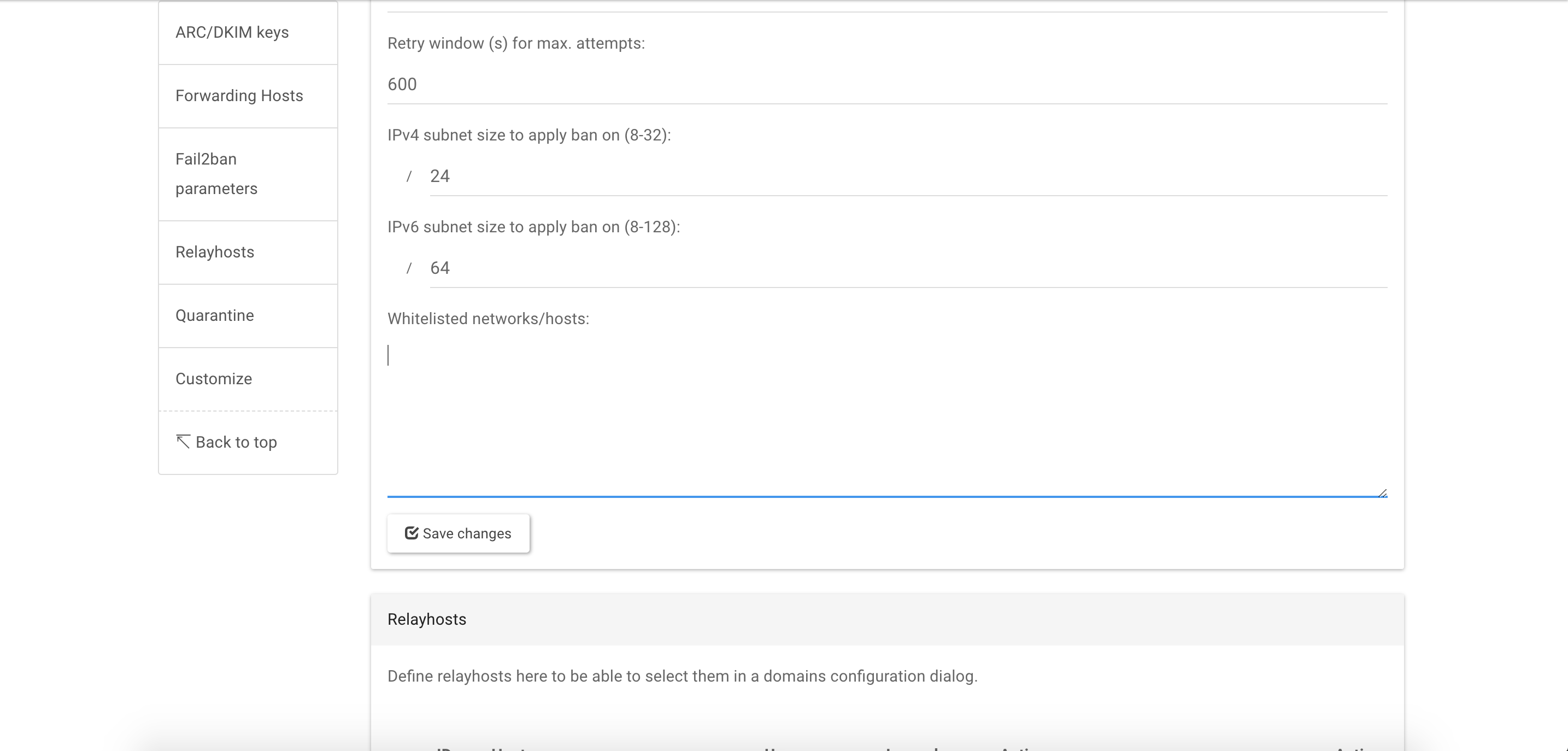
Sorry i am reopening this issue as after the fix the latest additions to Fail2ban are lost.
For an instance, i am not seeing the blacklist option as i see it after updating Mailcow on Ubuntu.
Did i missed something?
lucianlazar1983
on 27 Apr 2018
I am seeing different image versions, i suppose some images were not updated on Centos host. i have tried to rerun the update script but did nothing. Is there any way i can force update using latest image versions?
lucianlazar1983
on 27 Apr 2018
The following containers were not updated:
mailcow/netfilter:1.11
mailcow/clamd:1.9
mailcow/dockerapi:1.9
mailcow/dovecot:1.24
Is there a safe way to force update them to latest version?
Thank you again
lucianlazar1983
on 27 Apr 2018
Sorry, I can't help with that. You'll need to wait for someone with more in-depth Docker knowledge to reply here.
hachre
on 27 Apr 2018
Can you rerun the update.sh and when prompted to, select "y" to delete and reinit the latest docker images??
 mitchellurgero
on 27 Apr 2018
mitchellurgero
on 27 Apr 2018
i have done that 3 times and the result is the same. it’s like it detects i am using the latest version but its not true. what else should i try?
Sent from my iPhone
On 27 Apr 2018, at 17:30, Mitchell Urgero <[email protected]notifications@github.com> wrote:
Can you rerun the update.sh and when prompted to, select "y" to delete and reinit the latest docker images.
—
You are receiving this because you modified the open/close state.
Reply to this email directly, view it on GitHubhttps://github.com/mailcow/mailcow-dockerized/issues/1330#issuecomment-384987695, or mute the threadhttps://github.com/notifications/unsubscribe-auth/ADjiGBgO6ZjyhBksYVrrnwDuQuI99zpxks5tsyuXgaJpZM4Tp7uX.
lucianlazar1983
on 27 Apr 2018
I see, you are a victim of the update bug, run the following and run update.sh once more:
git fetch --update-head-ok
git pull
./update.sh
RE: #1321
mitchellurgero
on 27 Apr 2018
Thank you! That, indeed has solved the problem! Happily running the latest version now.
have a nice one and thank you all for your support!
lucianlazar1983
on 27 Apr 2018
Related issues
 zkryakgul
·
3Comments
zkryakgul
·
3Comments
 patrick7
·
3Comments
patrick7
·
3Comments
 bonanza123
·
3Comments
bonanza123
·
3Comments
 starcraft0429
·
3Comments
starcraft0429
·
3Comments
 schoebelh
·
3Comments
schoebelh
·
3Comments
Most helpful comment
I see, you are a victim of the update bug, run the following and run update.sh once more:
RE: #1321