Hi,
I have some issues with the zoom-function in the config.txt.
I set the zoom for testing to a value of 0.7 like this:
zoom: 0.7,
After this i wanted to set it back with deleting the code-line but nothing happened.
I tried to reset it with:
zoom: 1.0,
but nothing changes. It doesnt even mather if the number is 0 or 100, the size of everything stays the same. My problem now is that the zoom worked for me the one time I used it first. But I can't get it back to normal size.
It is like the problem that icekuhn mentioned in the last post here:
https://forum.magicmirror.builders/topic/1521/zoom-scaling
 Moggels
All 16 comments
Can't reproduce your issue.
Setting zoom: 0.25, gives a zoom factor of 4.
By deleting this line again, it's back to default.
Also when setting zoom: 1,.
 fewieden
on 8 Jun 2017
fewieden
on 8 Jun 2017
We are actually having the same problem. Set the zoom in config to 2.0, changed it back but it just stayed zoomed. We even used a completely new clone of MagicMirror and the problem persisted, so it might be something in the Electron cache or something.
Setting the zoom in the CSS file worked.
 jjedele
on 14 Jun 2017
jjedele
on 14 Jun 2017
Ok, got same problem…
Connecting the keyboard and hitting Ctrl+0 to reset zoom seemed to work.
Seems that zoom value is being cached somewhere…
 jukums
on 21 Jun 2017
jukums
on 21 Jun 2017
There is a mechanism to cache zoom values per domain in Chrome/Chromium, this might have made its way into some versions of Electron as well and be interfering with MM settings. Could you post the specific versions and system you're running? I'll try and reproduce, since I introduced the zoom feature in the first place I might as well try and fix it :)
 olexs
on 22 Jun 2017
olexs
on 22 Jun 2017
In our case it looks like Electron 1.6.11 and MagicMirror 5c41e24b9927e36ba0f7039fd87b9fa5ca82e4a1
jjedele
on 3 Jul 2017
@jukums thx for the tip with CTRL+0. That helped :+1:
Moggels
on 7 Jul 2017
@FREDSWG in the post above, recommended updating the MagicMirror/css/custom.css file with the following.
body {
zoom: 75%;
}
It's working great for me until the cache issue gets fixed.
 Reotch2
on 12 Jul 2017
Reotch2
on 12 Jul 2017
Same problem here!
 DanielWeeber
on 17 Aug 2017
DanielWeeber
on 17 Aug 2017
Same Problem here!
 hallo02
on 15 Sep 2017
hallo02
on 15 Sep 2017
This unfortunately is a Electon issue. Not much we can do.
 MichMich
on 29 Sep 2017
MichMich
on 29 Sep 2017
Reboot
 aandrew7
on 29 Jan 2018
aandrew7
on 29 Jan 2018
I have this same issue. Considering 9 months has passed, maybe electron will be updated? as per the post, use an attached keyboard to my pi, I am able to do a ctrl+0 to return size to 100% however I am unable to adjust the size via configuration file afterwards.
I may try the CSS modification as well since right now the config modification will not let me change things a second time.
 fiveseven808
on 21 Jun 2018
fiveseven808
on 21 Jun 2018
The next version of mm will include electron 2. You might wanna check if that solves the issue.
MichMich
on 21 Jun 2018
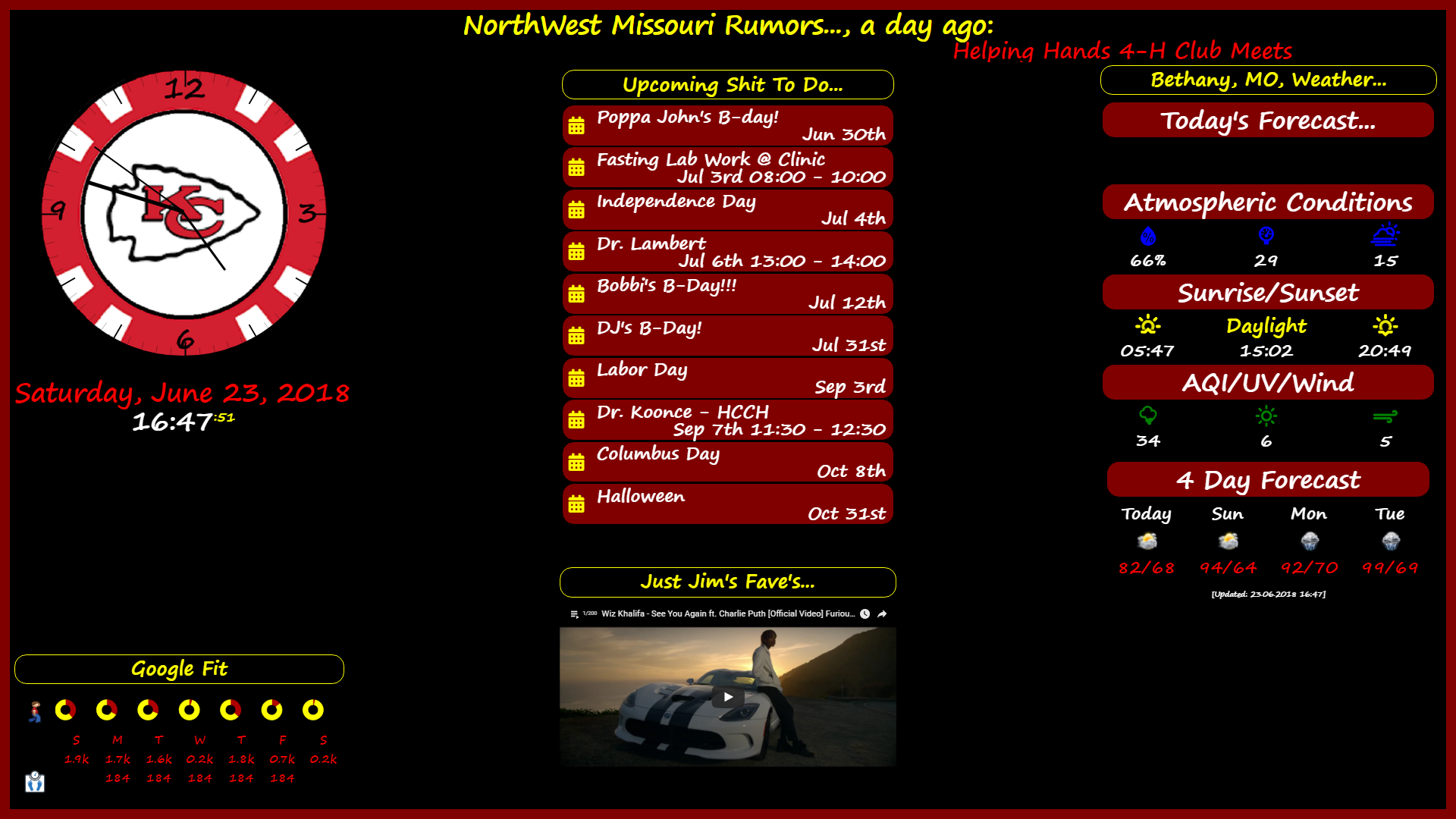
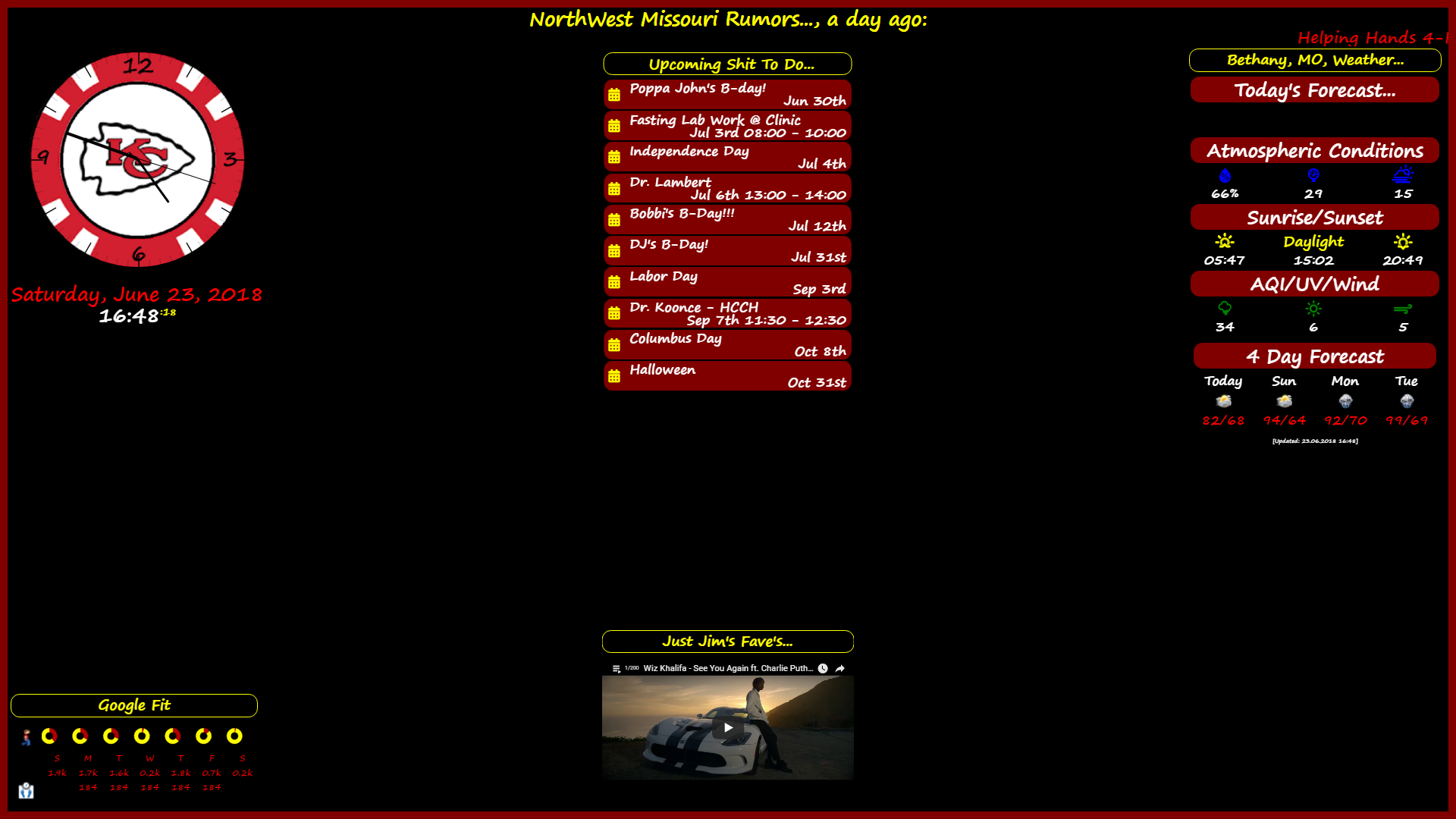
put it in your _custom.css_ file...
body {
zoom: 75%; <<<=== *Like this*
}
`
 justjim1220
on 23 Jun 2018
justjim1220
on 23 Jun 2018
this is without the zoom...
This is with zoom...
justjim1220
on 23 Jun 2018
Go to your magic mirror folder and then to css and then towards the custom.css
Inside
body
{
zoom: 144%;
}
Thank me later.
 RachitSharma123
on 22 Sep 2018
RachitSharma123
on 22 Sep 2018
Related issues
 mc-landin
·
3Comments
mc-landin
·
3Comments
 Korysam15
·
12Comments
Korysam15
·
12Comments
 metalshreds
·
6Comments
metalshreds
·
6Comments
 randomrushgirl
·
6Comments
randomrushgirl
·
6Comments
 vvzvlad
·
7Comments
vvzvlad
·
7Comments
Most helpful comment
Go to your magic mirror folder and then to css and then towards the custom.css
Inside
body
{
zoom: 144%;
}
Thank me later.