Magento2: Not possible to override knockoutjs template located in base folder, from my module
Summary (*)
I need to change the value of the maxinput field in the knockoutjs template vendor\magento\module-ui\view\base\web\templates\form\element\input.html.
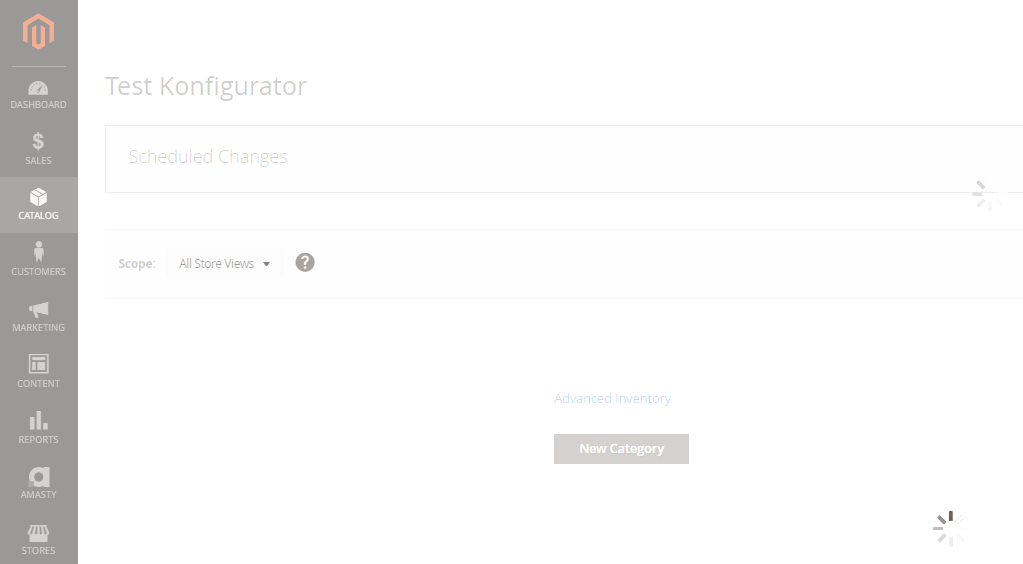
The file is the template for input fields in the admin backend, for example in the product view:

so I have to replace the template with my own template loaded from my module app\code\Company\Base\view\base\web\templates\form\element\input.html.
Examples (*)
So I created a requirejs-config.js file in my module and tried to override the original knockoutjs file:
app\code\Company\Base\view\frontend\requirejs-config.js:
var config = {
    map: {
        '*': {
            'Magento_Ui/templates/form/element/input':'Company_Base/templates/form/element/input'
        }
    }
};
I even tried the full path:
var config = {
    map: {
        '*': {
            'Magento_Ui/view/base/web/templates/form/element/input':'Company_Base/view/base/web/templates/form/element/input'
        }
    }
};
...then I cleared the cache, but it is still loading the original template instead of mine.
I've also tried to move the requirejs-config.js file into *app\code\Company\Base\view\base* but it doesn't work either.
I couldn't find a documentation entry about how to override knockoutjs files either.
Proposed solution
I have no idea. I also asked on magento.stackexchange, but no one has a clue yet.
Please provide Severity assessment for the Issue as Reporter. This information will help during Confirmation and Issue triage processes.
- [ ] Severity: S0 _- Affects critical data or functionality and leaves users with no workaround._
- [ ] Severity: S1 _- Affects critical data or functionality and forces users to employ a workaround._
- [x] Severity: S2 _- Affects non-critical data or functionality and forces users to employ a workaround._
- [ ] Severity: S3 _- Affects non-critical data or functionality and does not force users to employ a workaround._
- [ ] Severity: S4 _- Affects aesthetics, professional look and feel, “quality” or “usability”._
 Eddcapone
All 17 comments
Hi @Eddcapone. Thank you for your report.
To help us process this issue please make sure that you provided the following information:
- Summary of the issue
- Information on your environment
- Steps to reproduce
- Expected and actual results
Please make sure that the issue is reproducible on the vanilla Magento instance following Steps to reproduce. To deploy vanilla Magento instance on our environment, please, add a comment to the issue:
@magento give me 2.4-develop instance - upcoming 2.4.x release
For more details, please, review the Magento Contributor Assistant documentation.
Please, add a comment to assign the issue: @magento I am working on this
Join Magento Community Engineering Slack and ask your questions in #github channel.
:warning: According to the Magento Contribution requirements, all issues must go through the Community Contributions Triage process. Community Contributions Triage is a public meeting.
:clock10: You can find the schedule on the Magento Community Calendar page.
:telephone_receiver: The triage of issues happens in the queue order. If you want to speed up the delivery of your contribution, please join the Community Contributions Triage session to discuss the appropriate ticket.
:movie_camera: You can find the recording of the previous Community Contributions Triage on the Magento Youtube Channel
:pencil2: Feel free to post questions/proposals/feedback related to the Community Contributions Triage process to the corresponding Slack Channel
![m2-assistant[bot] picture](https://avatars0.githubusercontent.com/in/27048?v=4&s=40) m2-assistant[bot]
on 29 Sep 2020
m2-assistant[bot]
on 29 Sep 2020
You should use mixin if you want to add additional logic or rewrite some path from original component. For template you should copy origin template to theme and make change in that. Depends on how change you make. You can use same path with same name or even create new template and set path in your mixin component
 mrtuvn
on 29 Sep 2020
mrtuvn
on 29 Sep 2020
"You should use mixin if you want to add additional logic or rewrite some path from original component"
Can you show me where this is described in the documentation please? Where can I find out how that works?
For template you should copy to theme
I need the template in my module though, does it not work in module?
Eddcapone
on 29 Sep 2020
mrtuvn
on 29 Sep 2020
@mrtuvn , I have read through the documentation entry but it does describe how to add more functionality to existing javascript files, it does not show how to override a template. Can you explain why you suggested mixins? It makes no sense to me. How am I supposed to solve my problem by using mixins?
Eddcapone
on 29 Sep 2020
But seem you are doing wrong reference to js component in file requirejs-config.js
This should be
var config = {
    map: {
        '*': {
            'Magento_Ui/js/form/element/abstract':'Company_Base/js/form/element/abstract-ext'
        }
    }
};
This will use Company_Base/js/form/element/abstract-ext instead default
OR you can define extended component extend origin with mixin like below
var config = {
   config: {
        mixins: {
            'Magento_Ui/js/form/element/abstract': {
                'Company_Base/js/form/element/abstract-ext': true,
            }
        },
    }
};
mrtuvn
on 29 Sep 2020
But I don't want to override Magento_Ui/js/form/element/abstract, I want to override Magento_Ui/templates/form/element/input
Eddcapone
on 29 Sep 2020
abstract component hold template relate with the template that you want to modify
mrtuvn
on 29 Sep 2020
So I have to override abstract.js in my own template? Then what code in this file do I have to change to make it point to my own template file?
Eddcapone
on 29 Sep 2020
mrtuvn
on 29 Sep 2020
But what do I have to put instead of elementTmpl: 'ui/form/element/input', ?
I temporarily replaced the line in the CORE abstract.js with elementTmpl: 'Company_Base/form/element/input', but it still tries to load the old file.
Eddcapone
on 29 Sep 2020
If I change the line to elementTmpl: 'ui/form/element/foobar123', then the inputs for example in product view in backend, still works. So this file does not have something to do with the input as it seems.
Edit: ↑ Forget this comment. The change is only visible after clearing static content (for ex. with grunt clean). Flushing cache is not enough.
Eddcapone
on 29 Sep 2020
For such case i think you should create your own component but extend from abstract component Magento_Ui/js/form/element/abstract In this new component you can define elementTmpl to your file template
Should not modify directly to core component
Is this template work in backend or frontend ?
mrtuvn
on 29 Sep 2020
@mrtuvn first I like to thank you that you are still helping me! Appreciate it! :) 👍
I added a screenshot to my question at the very top:
The template is controling the input fields in the backend, for example in product view.
For such case i think you should create your own component but extend from abstract component Magento_Ui/js/form/element/abstract In this new component you can define elementTmpl to your file template
Should not modify directly to core component
But even replacing the line in the core abstract.js does not work, so overriding abstract.js wont work too.
Remember: I replaced elementTmpl: 'ui/form/element/input', with elementTmpl: 'Company_Base/form/element/input', and it did not work.
I also tried to replace elementTmpl: 'ui/form/element/input', with elementTmpl: 'Company_Base/ui/form/element/input', and it did not work.
Eddcapone
on 29 Sep 2020
first i don't think you can replace template inside file requirejs-config like your top describe
second if you only want to change file template you can copy file to theme admin with this path
app/design/adminhtml/Magento/backend/Magento_Ui/web/templates/form/element/input.html <= this one will replace with file with same path in app/code/Magento/Ui
Note: in magento ui use folder name templates not template
If you don't want that way you can place files in custom module with custom js and custom template <= this is best option here
Basically your component should like this

This way will replace all default input template with your new custom template
The path template should follow this
Correct => Company_Base/form/element/input
Incorrect => Company_Base/templates/form/element/input or Company_Base/ui/form/element/input or something like that
mrtuvn
on 29 Sep 2020
Hello @mrtuvn , we are one step further now, thx! I moved the _input.html_ to app\code\Company\Base\view\adminhtml\web\template\form\element\input.html, now it loads if I replace elementTmpl: "ui/form/element/input" with elementTmpl: "Company_Base/form/element/input" in vendor\magento\module-ui\view\base\web\js\form\element\abstract.js
But I restored the core abstract.js to its original state and added your file app\code\Company\Base\view\adminhtml\web\js\form\element\abstract-ext.js instead:
/*
 * In this file I override the template 'vendor\magento\module-ui\view\base\web\templates\form\element\input.html'
 * with my own under 'app\code\Company\Base\view\adminhtml\web\template\form\element\input.html'
 */

define(['ko'], function(ko) {
   'use strict';

   return function (Abstract) {
       return Abstract.extend({
           defaults: {
               elementTmpl: "Company_Base/form/element/input"
           },

           initialize: function() {
               this._super();

               return this;
           }
       });
   };
});
But then it loads the original input.html again.
I also added the requirejs-config.js file in app\code\Company\Base\view\adminhtml\web\requirejs-config.js and cleared the cache, but then it is still loading the original input.html template.
var config = {
    map: {
        '*': {
            'Magento_Ui/js/form/element/abstract' : 'Company_Base/js/form/element/abstract-ext'
        }
    }
};
I also added the requirejs-config.js file in app\code\Company\Base\view\adminhtml\requirejs-config.js and cleared the cache, but then it loads forever and nothing happens.
Same for app\code\Company\Base\view\base\requirejs-config.js.
I get this in the console, so your abstract-ext.js file is faulty:
abstract-ext.js:10 Uncaught TypeError: Abstract.extend is not a function
    at new <anonymous> (abstract-ext.js:10)
    at Object.initComponent (layout.js:137)
    at fire (jquery.js:3238)
    at Object.fireWith [as resolveWith] (jquery.js:3368)
    at Object.deferred.<computed> (jquery.js:3467)
    at fire (jquery.js:3238)
    at Object.fireWith [as resolveWith] (jquery.js:3368)
    at Object.deferred.<computed> [as resolve] (jquery.js:3467)
    at layout.js:120
    at Object.execCb (require.js:1650)
I finally solved it by using this requirejs-config.js ...:
app\code\Company\Base\view\baserequirejs-config.js:
Note: You can also place requirejs-config.js to app\code\Company\Base\view\adminhtml\, works as well
var config = {
    config: {
        mixins: {
            'Magento_Ui/js/form/element/abstract': {
                'Company_Base/js/form/element/abstract-ext': true
            }
        }
    }
};
...and this app\code\Company\Base\view\adminhtml\web\js\form\elementabstract-ext.js:
define(['ko'], function(ko) {
    'use strict';

    return function (Abstract) {
        return Abstract.extend({
            defaults: {
                elementTmpl: "Company_Base/form/element/input"
            },

            initialize: function() {
                this._super();

                return this;
            }
        });
    };
});
This works too by the way:
define(['uiElement'], function(uiElement) {
    'use strict';

    return function (uiElement) {
        return uiElement.extend({
            defaults: {
                elementTmpl: "Company_Base/form/element/input"
            },

            initialize: function() {
                this._super();

                return this;
            }
        });
    };
});
Credits to @mrtuvn for pointing me in the right direction!!
Eddcapone
on 30 Sep 2020
Related issues
 BenSpace48
·
3Comments
BenSpace48
·
3Comments
 salelsol
·
3Comments
salelsol
·
3Comments
 gg24
·
3Comments
gg24
·
3Comments
 PushEngineering
·
3Comments
PushEngineering
·
3Comments
 spyrule
·
3Comments
spyrule
·
3Comments