Magento2: Bulk product attribute not updated in magento 2.3.2
Preconditions (*)
- PHP 7.2.27
- MySql 5.6.40
Steps to reproduce (*)
- Go to Admin -> Catalog -> Product
- Select multiple products from product grid
- Choose Update Attributes from Action drop-down
- Change any attribute and Save
Expected result (*)
- Product attribute should be updated.
Actual result (*)
- Product attribute not updated

 santosh-ks153
All 22 comments
Thanks for opening this issue!
![magento-deployment-service[bot] picture](https://avatars0.githubusercontent.com/in/52578?v=4&s=40) magento-deployment-service[bot]
on 4 Feb 2020
magento-deployment-service[bot]
on 4 Feb 2020
Hi @santosh-ks153. Thank you for your report.
To help us process this issue please make sure that you provided the following information:
- [ ] Summary of the issue
- [ ] Information on your environment
- [ ] Steps to reproduce
- [ ] Expected and actual results
Please make sure that the issue is reproducible on the vanilla Magento instance following Steps to reproduce. To deploy vanilla Magento instance on our environment, please, add a comment to the issue:
@magento give me 2.4-develop instance - upcoming 2.4.x release
For more details, please, review the Magento Contributor Assistant documentation.
@santosh-ks153 do you confirm that you were able to reproduce the issue on vanilla Magento instance following steps to reproduce?
- [ ] yes
- [ ] no
- Join Magento Community Engineering Slack and ask your questions in #github channel.
![m2-assistant[bot] picture](https://avatars0.githubusercontent.com/in/27048?v=4&s=40) m2-assistant[bot]
on 4 Feb 2020
m2-assistant[bot]
on 4 Feb 2020
Thanks for opening this issue!
magento-deployment-service[bot]
on 4 Feb 2020
Hi @sudheers-kensium. Thank you for working on this issue.
In order to make sure that issue has enough information and ready for development, please read and check the following instruction: :point_down:
- [ ] 1. Verify that issue has all the required information. (Preconditions, Steps to reproduce, Expected result, Actual result).
Details
If the issue has a valid description, the labelIssue: Format is validwill be added to the issue automatically. Please, edit issue description if needed, until labelIssue: Format is validappears.
[ ] 2. Verify that issue has a meaningful description and provides enough information to reproduce the issue. If the report is valid, add
Issue: Clear Descriptionlabel to the issue by yourself.[ ] 3. Add
Component: XXXXXlabel(s) to the ticket, indicating the components it may be related to.[ ] 4. Verify that the issue is reproducible on
2.4-developbranchDetails
- Add the comment@magento give me 2.4-develop instanceto deploy test instance on Magento infrastructure.
- If the issue is reproducible on2.4-developbranch, please, add the labelReproduced on 2.4.x.
- If the issue is not reproducible, add your comment that issue is not reproducible and close the issue and _stop verification process here_![ ] 5. Add label
Issue: Confirmedonce verification is complete.[ ] 6. Make sure that automatic system confirms that report has been added to the backlog.
m2-assistant[bot]
on 4 Feb 2020
@santosh-ks153 Can you please update more details.
 sudheers-kensium
on 4 Feb 2020
sudheers-kensium
on 4 Feb 2020
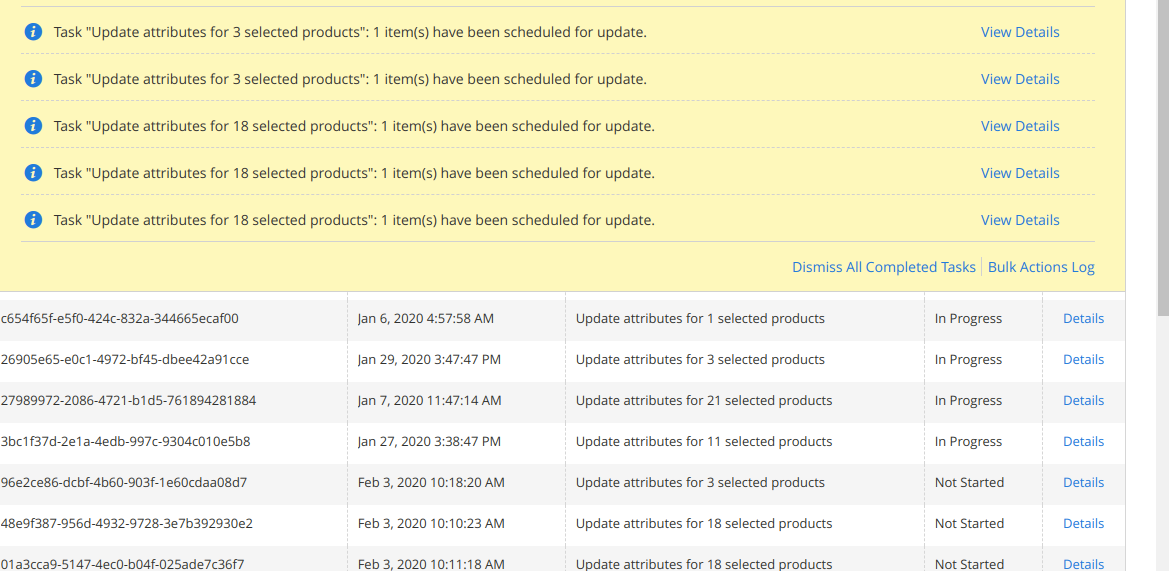
when I m trying to update the product attribute using Magento backend. got the below message always.
santosh-ks153
on 4 Feb 2020
Look like it will never updates the product attribute.
santosh-ks153
on 4 Feb 2020
Any solution for that @sudheers-kensium
santosh-ks153
on 4 Feb 2020
@santosh-ks153 You need to enable the magento cron
sudheers-kensium
on 4 Feb 2020
I did still showing the same issue
santosh-ks153
on 4 Feb 2020
:white_check_mark: Confirmed by @sudheers-kensium
Thank you for verifying the issue. Based on the provided information internal tickets MC-31078 were created
Issue Available: @sudheers-kensium, _You will be automatically unassigned. Contributors/Maintainers can claim this issue to continue. To reclaim and continue work, reassign the ticket to yourself._
 magento-engcom-team
on 4 Feb 2020
magento-engcom-team
on 4 Feb 2020
Thanks for opening this issue!
magento-deployment-service[bot]
on 4 Feb 2020
Hi @santosh-ks153
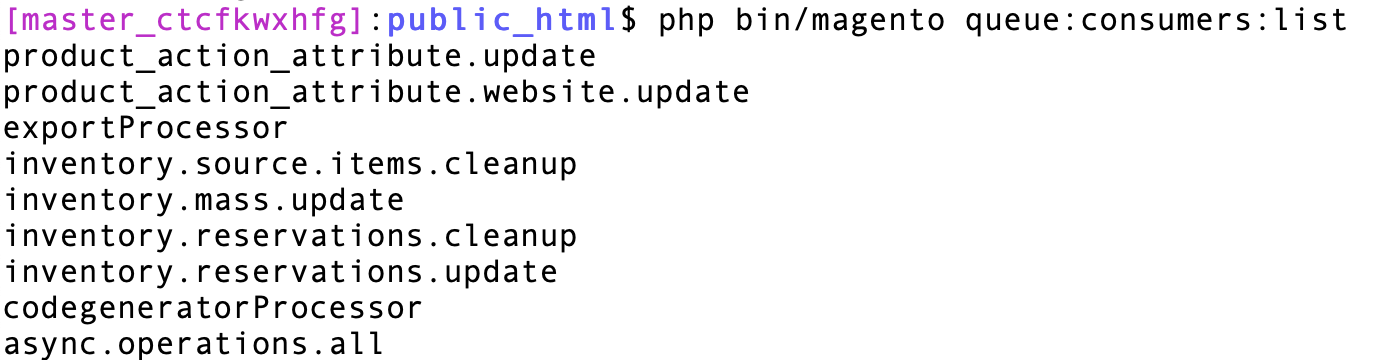
You need to enable start queue consumer "product_action_attribute.update". You can list out all the consumers via below command:
php bin/magento queue:consumers:list
Please find below screenshot
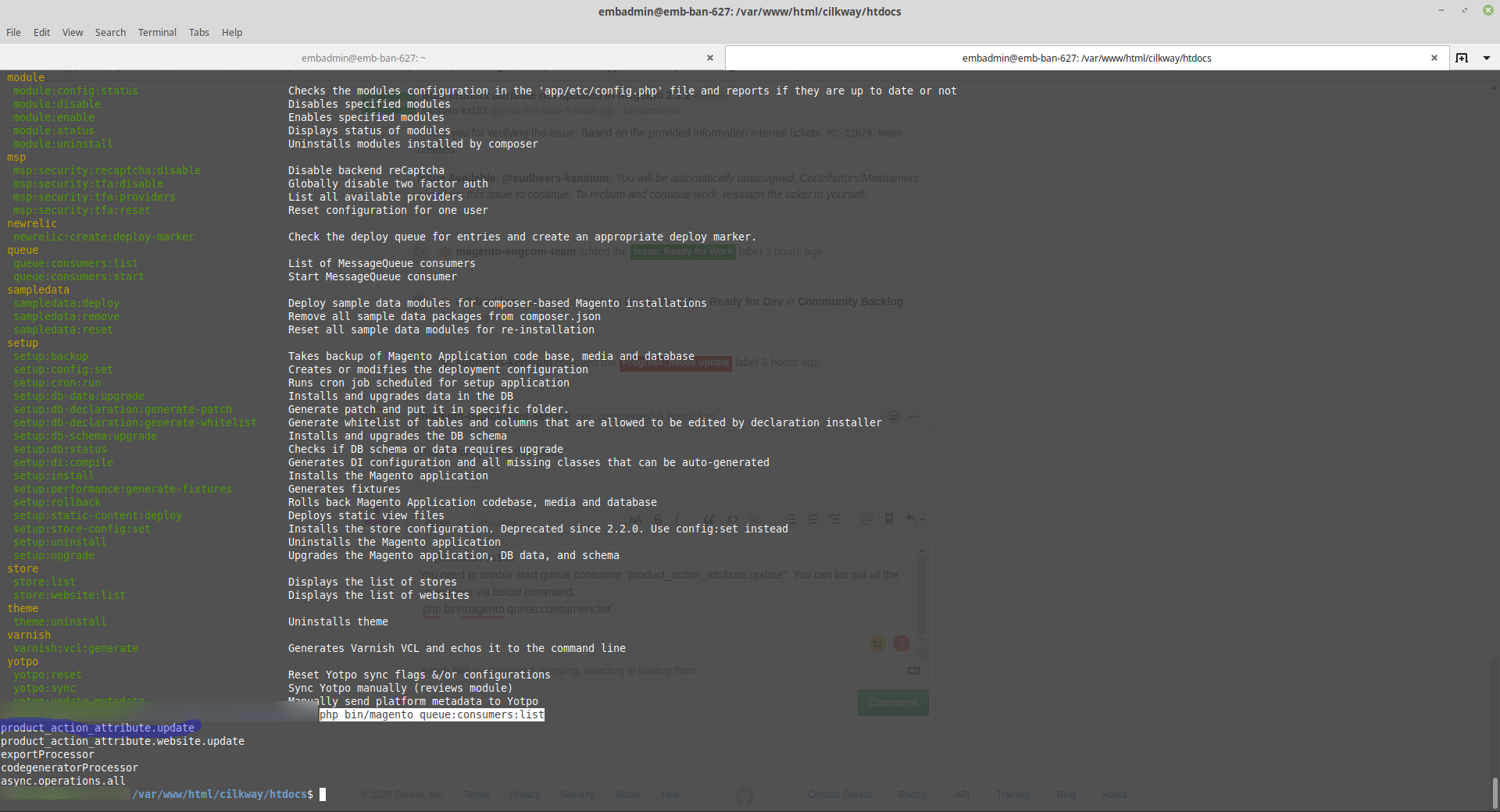
You can start consumer by below command:
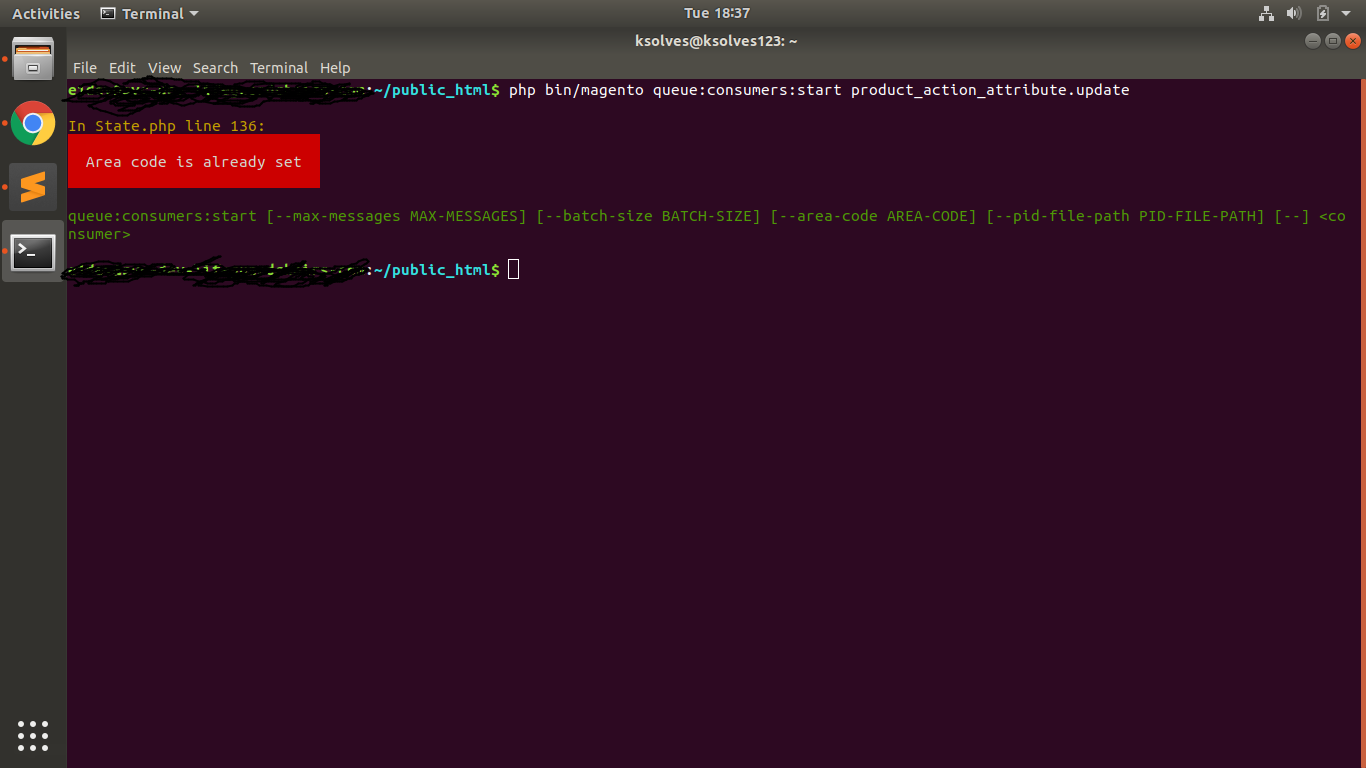
php bin/magento queue:consumers:start product_action_attribute.update
Let me know if you need any further details.
 darshankhatri16
on 4 Feb 2020
darshankhatri16
on 4 Feb 2020
after doing the above I got the below response.
santosh-ks153
on 4 Feb 2020
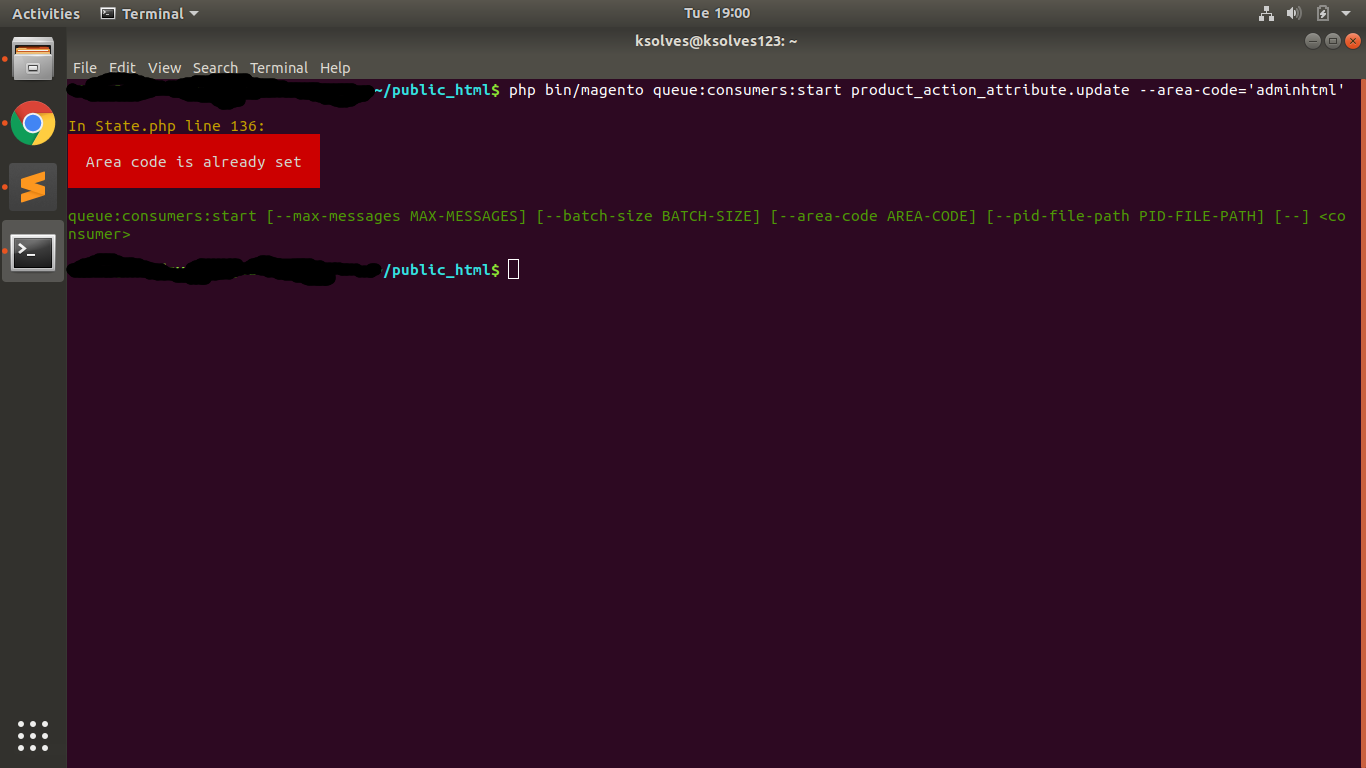
Could you please try below command with area-code
php bin/magento queue:consumers:start product_action_attribute.update --area-code='adminhtml'
darshankhatri16
on 4 Feb 2020
Getting the same issue.
santosh-ks153
on 4 Feb 2020
@santosh-ks153
I did some research on this issue and found that you have installed some custom module and in that custom module, you will find a code where area code has been set. Could you please verify in your custom module?
This is usually due to some other bit of code setting the areaCode before the core is trying to set it. Usually, because it is trying to be set in __construct() somewhere. With how dependency injection works, all objects are loaded and their constructors are run, even if you're not using that object. I would check that the areaCode is not being set in a __construct()
darshankhatri16
on 5 Feb 2020
I'm having the same issue on Magento 2.3.5-p1. It's a clean install but I imported products. I tried php bin/magento queue:consumers:list but nothing happened
 SewHappy58
on 28 May 2020
SewHappy58
on 28 May 2020
Could somebody clarify
I run bin/magento queue:consumers:start product_action_attribute.update and it started working.
We should run and configure it like cron? I could found information about it and that is so important.
 GalichMolodothon
on 15 Jun 2020
GalichMolodothon
on 15 Jun 2020
@GalichMolodothon: the default Magento cron has a job called consumers_runner which should already spawn these consumer processes, so normally you only need to call bin/magento cron:run.
But that can change depending on your configuration of those consumers. See the documentation for this, the default configuration shouldn't block consumers, but maybe somehow the configuration got changed in your particular case?
 hostep
on 15 Jun 2020
hostep
on 15 Jun 2020
Hello @santosh-ks153
cc: @GalichMolodothon @SewHappy58 @hostep
Based on the issue description and discussion in comments
It seems not a bug but a configuration issue.
also in comments, there are recommendations, guides and links to the official documentation.
Please confirm that we close this Issue or update information in the issue description
 sdzhepa
on 16 Jul 2020
sdzhepa
on 16 Jul 2020
@sdzhepa hello!
Yes, it was a misunderstanding for setting the correct format in the cloud configuration for consumers and setting an array of consumers.
GalichMolodothon
on 16 Jul 2020
Related issues
 BenSpace48
·
3Comments
BenSpace48
·
3Comments
 PushEngineering
·
3Comments
PushEngineering
·
3Comments
 comunidademagento
·
3Comments
comunidademagento
·
3Comments
 andreaskoch
·
3Comments
andreaskoch
·
3Comments
 fvillata
·
3Comments
fvillata
·
3Comments