Magento2: POST product with REST API doesn't save manufacturer attribute
Preconditions
- magento 2.3.1 CE
- PHP 7.1.29
Steps to reproduce
I'm able to save a product with a POST request to my REST API endpoint. Now I would like to save manufacture attribute,too.
To reproduce this issue send a POST request to insert a product (or a PUT request to update). I prepare this json structure.
{
        "product": {
            "sku": "code",
            "name": "name",
            "price": 5,
            "attribute_set_id": 4,
            "status": 1,
            "visibility": 1,
            "extension_attributes": {
                "stock_item": {
                    "qty": 0,
                    "is_in_stock": false,
                    "is_qty_decimal": false,
                    "min_qty": "0",
                    "qty_increments": "0"
                }
            },
            "custom_attributes": [{
                "attribute_code": "barcode",
                "value": "############"
            }, {
                "attribute_code": "family",
                "value": "product family"
            }, {
                "attribute_code": "description",
                "value": "product description"
            }, {
                "attribute_code": "category_ids",
                "value": ["1", "2", "41", "53", "87"]
            }, {
                "attribute_code": "manufacturer",
                "value": "213"
            }]
        }
    }
Expected result
I'm expecting that all custom_attributes will be saved to related product
Actual result
This product is saved on my catalog but without manufacturer value, indeed the response about above request is
 {
        "id": 2059,
        "sku": "code",
        "name": "name",
        "attribute_set_id": 4,
        "status": 1,
        "visibility": 1,
        "type_id": "simple",
        "created_at": "2019-06-17 08:02:23",
        "updated_at": "2019-06-17 08:02:23",
        "extension_attributes": {
            "website_ids": [1],
            "category_links": [{
                "position": 0,
                "category_id": "1"
            }, {
                "position": 0,
                "category_id": "2"
            }, {
                "position": 0,
                "category_id": "41"
            }, {
                "position": 0,
                "category_id": "53"
            }, {
                "position": 0,
                "category_id": "87"
            }]
        },
        "product_links": [],
        "options": [],
        "media_gallery_entries": [],
        "tier_prices": [],
        "custom_attributes": [{
            "attribute_code": "description",
            "value": "description"
        }, {
            "attribute_code": "url_key",
            "value": "name-of-product"
        }, {
            "attribute_code": "options_container",
            "value": "container2"
        }, {
            "attribute_code": "barcode",
            "value": "###########"
        }, {
            "attribute_code": "family",
            "value": "product family"
        }, {
            "attribute_code": "required_options",
            "value": "0"
        }, {
            "attribute_code": "has_options",
            "value": "0"
        }, {
            "attribute_code": "category_ids",
            "value": ["1", "2", "41", "53", "87"]
        }]
    }
 scne
scne
All 16 comments
Hi @scne. Thank you for your report.
To help us process this issue please make sure that you provided the following information:
- [ ] Summary of the issue
- [ ] Information on your environment
- [ ] Steps to reproduce
- [ ] Expected and actual results
Please make sure that the issue is reproducible on the vanilla Magento instance following Steps to reproduce. To deploy vanilla Magento instance on our environment, please, add a comment to the issue:
@magento give me 2.3-develop instance - upcoming 2.3.x release
For more details, please, review the Magento Contributor Assistant documentation.
@scne do you confirm that you were able to reproduce the issue on vanilla Magento instance following steps to reproduce?
- [ ] yes
- [ ] no
- Join Magento Community Engineering Slack and ask your questions in #github channel.
![m2-assistant[bot] picture](https://avatars0.githubusercontent.com/in/27048?v=4&s=40) m2-assistant[bot]
on 7 Jul 2019
m2-assistant[bot]
on 7 Jul 2019
Hi @chohanbhagchand. Thank you for working on this issue.
In order to make sure that issue has enough information and ready for development, please read and check the following instruction: :point_down:
- [ ] 1. Verify that issue has all the required information. (Preconditions, Steps to reproduce, Expected result, Actual result).
Details
If the issue has a valid description, the labelIssue: Format is validwill be added to the issue automatically. Please, edit issue description if needed, until labelIssue: Format is validappears.
[ ] 2. Verify that issue has a meaningful description and provides enough information to reproduce the issue. If the report is valid, add
Issue: Clear Descriptionlabel to the issue by yourself.[ ] 3. Add
Component: XXXXXlabel(s) to the ticket, indicating the components it may be related to.[ ] 4. Verify that the issue is reproducible on
2.3-developbranchDetails
- Add the comment@magento give me 2.3-develop instanceto deploy test instance on Magento infrastructure.
- If the issue is reproducible on2.3-developbranch, please, add the labelReproduced on 2.3.x.
- If the issue is not reproducible, add your comment that issue is not reproducible and close the issue and _stop verification process here_!
[ ] 5. Verify that the issue is reproducible on
2.2-developbranch.Details
- Add the comment@magento give me 2.2-develop instanceto deploy test instance on Magento infrastructure.
- If the issue is reproducible on2.2-developbranch, please add the labelReproduced on 2.2.x
- Join Magento Community Engineering Slack and ask your questions in #github channel.
m2-assistant[bot]
on 8 Jul 2019
@scne can you please use attribute code country_of_manufacture in place of manufacture I am able to save attribute value
 chohanbhagchand
on 8 Jul 2019
chohanbhagchand
on 8 Jul 2019
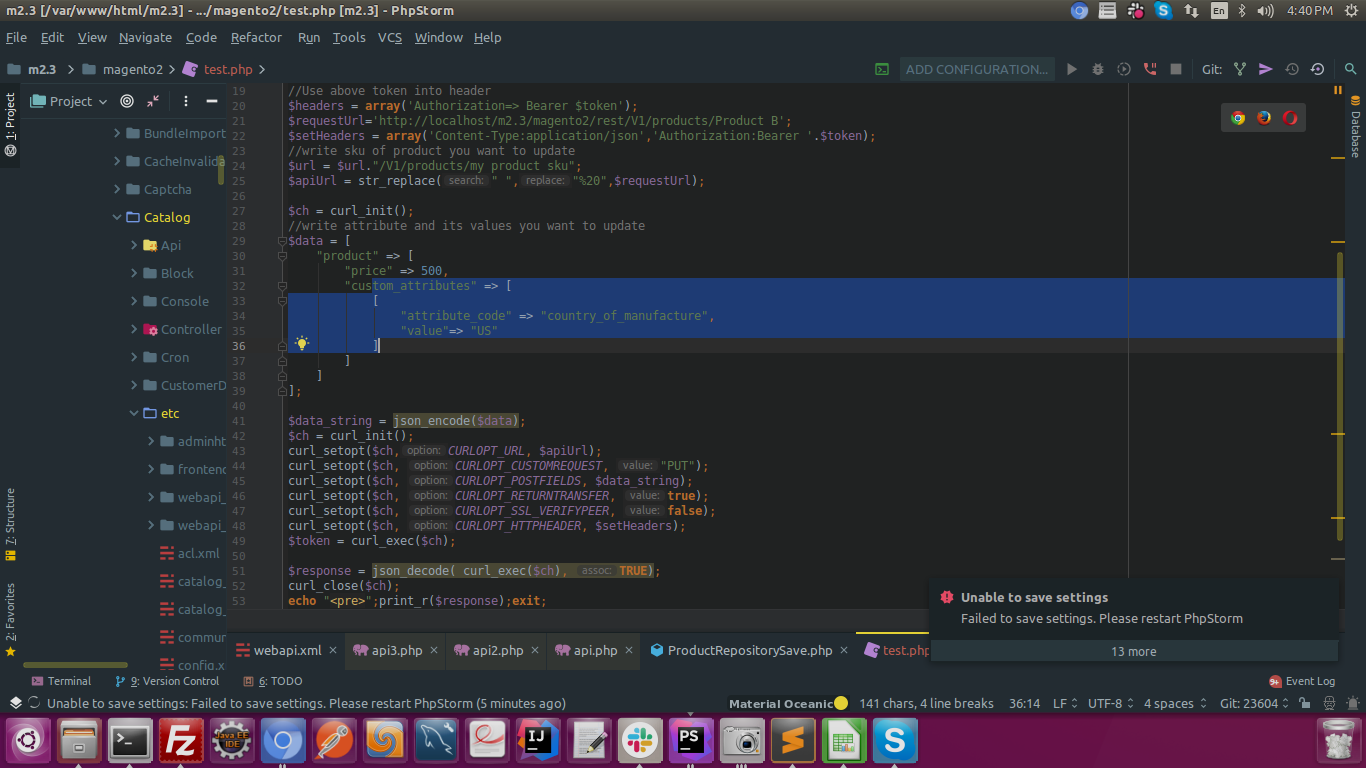
chohanbhagchand
on 8 Jul 2019
Here is the response array which I get
===========================Response =======================
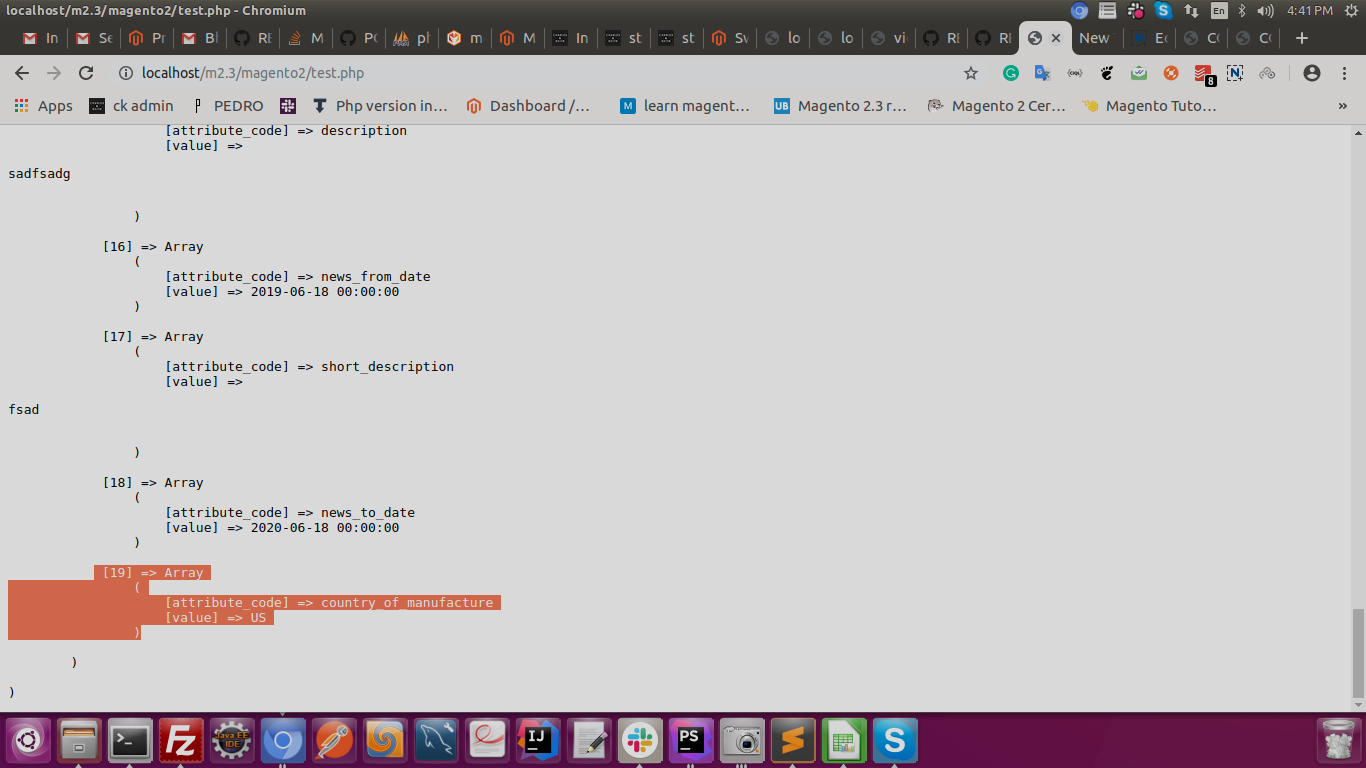
Please let me know if the issue is still persists
chohanbhagchand
on 8 Jul 2019
@chohanbhagchand thanks for your replay but I have to set manufacture (drop-down value on admin backend) with my REST request. All other custom attribute are ok i.e. _categories_ or _description_ or custom attribute _family_
scne
on 8 Jul 2019
@scne can you please send me your admin URL where manufacture attribute already set to any particular product. so it is easy to debug.
chohanbhagchand
on 8 Jul 2019
@chohanbhagchand do you need only admin URL of my magento or do you want admin and password, too? How can I send you securely?
scne
on 8 Jul 2019
@scne Please send me your developing instance where the issue occurred. with admin URL and credentials.
chohanbhagchand
on 8 Jul 2019
@chohanbhagchand give me your ip address because my instance is in maintenance mode. Admin url is this and credentials are developer:9dPuV5PC.
scne
on 8 Jul 2019
@scne I also unable to share my IP with you can you pls inbox me your cred in the mail my mail id is chohan.[email protected]
chohanbhagchand
on 9 Jul 2019
@scne Please put file which is emailed to you in the root folder of your server.
chohanbhagchand
on 9 Jul 2019
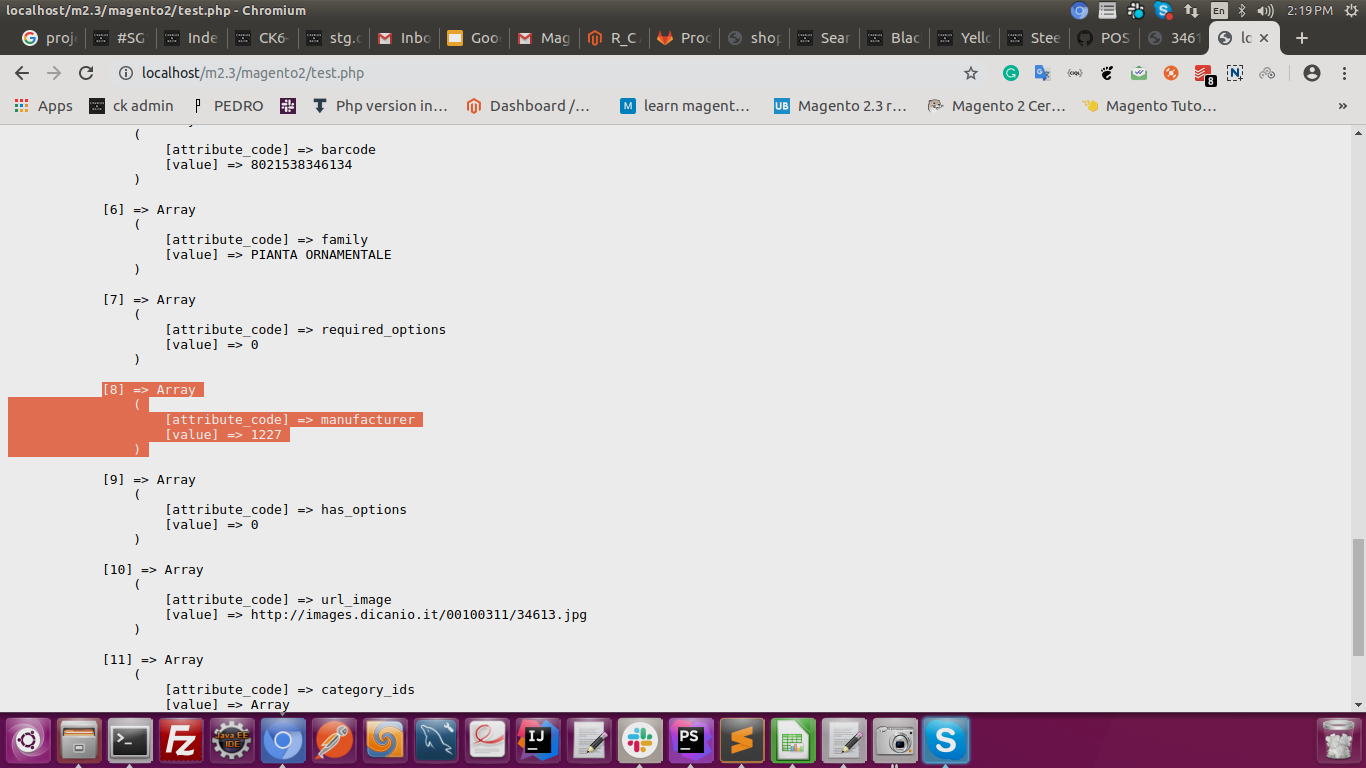
@scne here is the product which is I save in your backend
chohanbhagchand
on 9 Jul 2019
@scne now you are able to save manufacture attribute and also please note in the problem statement you will give manufacture id i.e. 213
{
"attribute_code": "manufacturer",
"value": "213"
}]
and in your backend, no manufacture value is associated with 213
Kindly let me know if your still facing problem to save :)
chohanbhagchand
on 9 Jul 2019
Your problem is that you are saving(sending to magento) the wrong value of manufacturer.
If you want to update the value of an attribute, you must send an existing value.
Basically, you must do a request to get the option_ids (value) of the manufacturer attribute.
Map them with your wanted value.
Send the correct (the remote) value along with the product.
 LucianMihalache
on 9 Jul 2019
LucianMihalache
on 9 Jul 2019
@scne issue is resolved and is still if you are in problem then let me know.
chohanbhagchand
on 9 Jul 2019
Related issues
 andreaskoch
·
3Comments
andreaskoch
·
3Comments
 fvillata
·
3Comments
fvillata
·
3Comments
 algostore
·
3Comments
algostore
·
3Comments
 salelsol
·
3Comments
salelsol
·
3Comments
 dmitry-fedyuk
·
3Comments
dmitry-fedyuk
·
3Comments