Magento2: Less SourceMaps Path is not corret
Summary (*)
Grunt generate wrong less sourceMaps path, both Chrome and Firefox can not find sourceMaps files
Environment
OS: Ubuntu 18.04 with apache and php 7.1.x
Magento Version: 2.3.0
How to Reproduce
- Download Magento 2.3.0 Open Source with Sample from Official Site.
- Install it on local server.
- Install and configure grunt according to https://devdocs.magento.com/guides/v2.3/frontend-dev-guide/css-topics/css_debug.html
- Run: grunt clean, grunt exec, grunt less:luma.
- Browser can not find less sourceMaps files.
It is very difficult to reproduce on on vanilla Magento instance, as the issue need a lot of CLI operations to install node.js, npm etc.
Examples (*)
Use Grunt to compile Less file, and Grunt add sourceMaps path is:
/*# sourceMappingURL=pub/static/frontend/Magento/luma/en_US/css/styles-l.css.map */
In order to let browser to find the sourceMpas file, it should be
/*# sourceMappingURL=styles-l.css.map */
Proposed solution
Try to change less.js but failed.
 gizmocn
All 18 comments
Hi @gizmocn. Thank you for your report.
To help us process this issue please make sure that you provided the following information:
- [ ] Summary of the issue
- [ ] Information on your environment
- [ ] Steps to reproduce
- [ ] Expected and actual results
Please make sure that the issue is reproducible on the vanilla Magento instance following Steps to reproduce. To deploy vanilla Magento instance on our environment, please, add a comment to the issue:
@magento-engcom-team give me 2.3-develop instance - upcoming 2.3.x release
For more details, please, review the Magento Contributor Assistant documentation.
@gizmocn do you confirm that you was able to reproduce the issue on vanilla Magento instance following steps to reproduce?
- [ ] yes
- [ ] no
 magento-engcom-team
on 3 Feb 2019
magento-engcom-team
on 3 Feb 2019
@magento-engcom-team give me 2.3-develop instance - upcoming 2.3.x release
gizmocn
on 4 Feb 2019
Hi @gizmocn. Thank you for your request. I'm working on Magento 2.3-develop instance for you
magento-engcom-team
on 4 Feb 2019
Hi @gizmocn, here is your Magento instance.
Admin access: https://i-20952-2-3-develop.instances.magento-community.engineering/admin
Login: admin Password: 123123q
Instance will be terminated in up to 3 hours.
magento-engcom-team
on 4 Feb 2019
I have tried vanilla Magento instance, but I have no idea about how to run CLI command on it, the issue need to install node.js npm and grunt etc.
gizmocn
on 4 Feb 2019
@magento-engcom-team give me 2.3-develop instance
 amol2jcommerce
on 4 Feb 2019
amol2jcommerce
on 4 Feb 2019
Hi @amol2jcommerce. Thank you for your request. I'm working on Magento 2.3-develop instance for you
magento-engcom-team
on 4 Feb 2019
Hi @amol2jcommerce, here is your Magento instance.
Admin access: https://i-20952-2-3-develop.instances.magento-community.engineering/admin
Login: admin Password: 123123q
Instance will be terminated in up to 3 hours.
magento-engcom-team
on 4 Feb 2019
Hi @engcom-backlog-nazar. Thank you for working on this issue.
In order to make sure that issue has enough information and ready for development, please read and check the following instruction: :point_down:
- [x] 1. Verify that issue has all the required information. (Preconditions, Steps to reproduce, Expected result, Actual result).
Details
If the issue has a valid description, the labelIssue: Format is validwill be added to the issue automatically. Please, edit issue description if needed, until labelIssue: Format is validappears.
[x] 2. Verify that issue has a meaningful description and provides enough information to reproduce the issue. If the report is valid, add
Issue: Clear Descriptionlabel to the issue by yourself.[x] 3. Add
Component: XXXXXlabel(s) to the ticket, indicating the components it may be related to.[x] 4. Verify that the issue is reproducible on
2.3-developbranchDetails
- Add the comment@magento-engcom-team give me 2.3-develop instanceto deploy test instance on Magento infrastructure.
- If the issue is reproducible on2.3-developbranch, please, add the labelReproduced on 2.3.x.
- If the issue is not reproducible, add your comment that issue is not reproducible and close the issue and _stop verification process here_!
[ ] 5. Verify that the issue is reproducible on
2.2-developbranch.Details
- Add the comment@magento-engcom-team give me 2.2-develop instanceto deploy test instance on Magento infrastructure.
- If the issue is reproducible on2.2-developbranch, please add the labelReproduced on 2.2.x[x] 6. Add label
Issue: Confirmedonce verification is complete.[x] 7. Make sure that automatic system confirms that report has been added to the backlog.
magento-engcom-team
on 4 Feb 2019
:white_check_mark: Confirmed by @engcom-backlog-nazar
Thank you for verifying the issue. Based on the provided information internal tickets MAGETWO-98051 were created
Issue Available: @engcom-backlog-nazar, _You will be automatically unassigned. Contributors/Maintainers can claim this issue to continue. To reclaim and continue work, reassign the ticket to yourself._
magento-engcom-team
on 4 Feb 2019
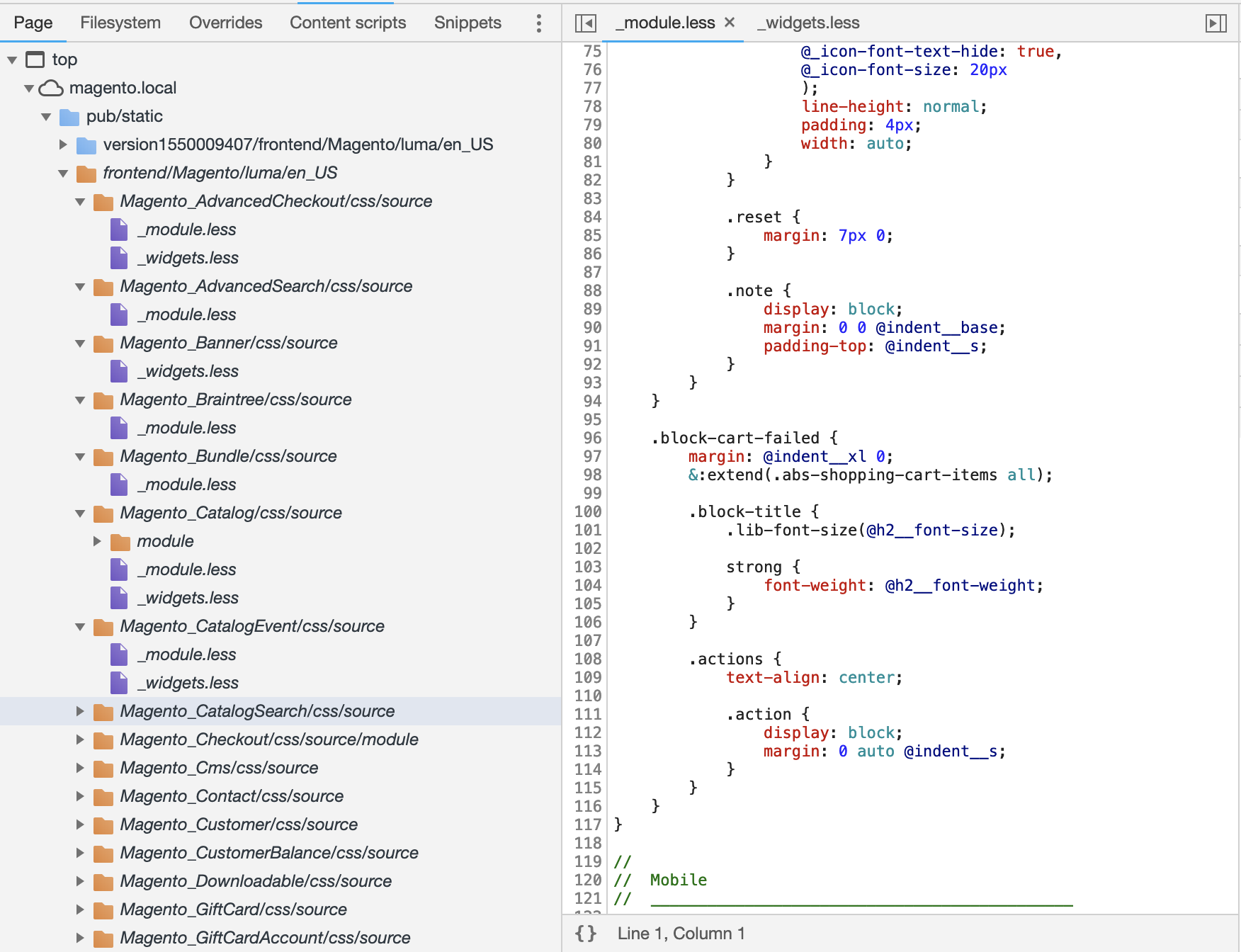
Hi @gizmocn, I'm not able to reproduce your issue. Please, take a look at my steps and add additional steps/information to reproduce this issue.
- Installed Magento 2.3-develop
- Node.js v8.11.3
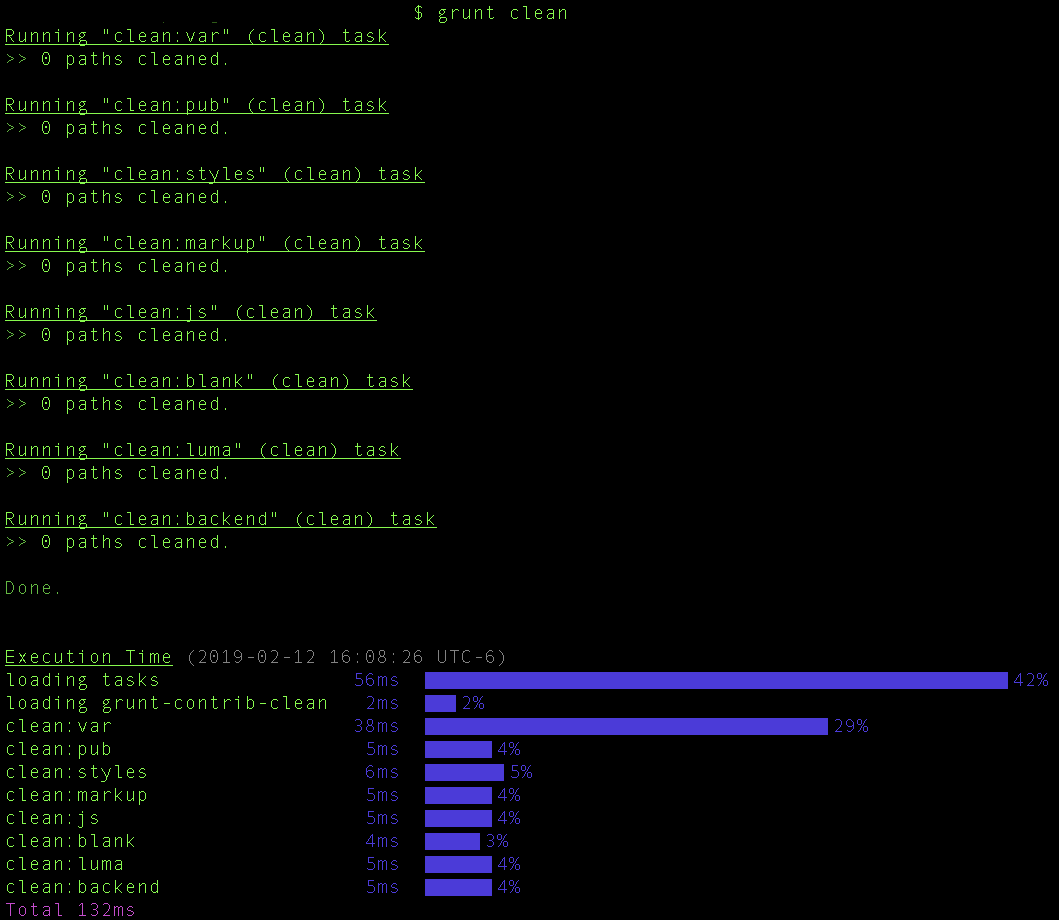
- grunt clean
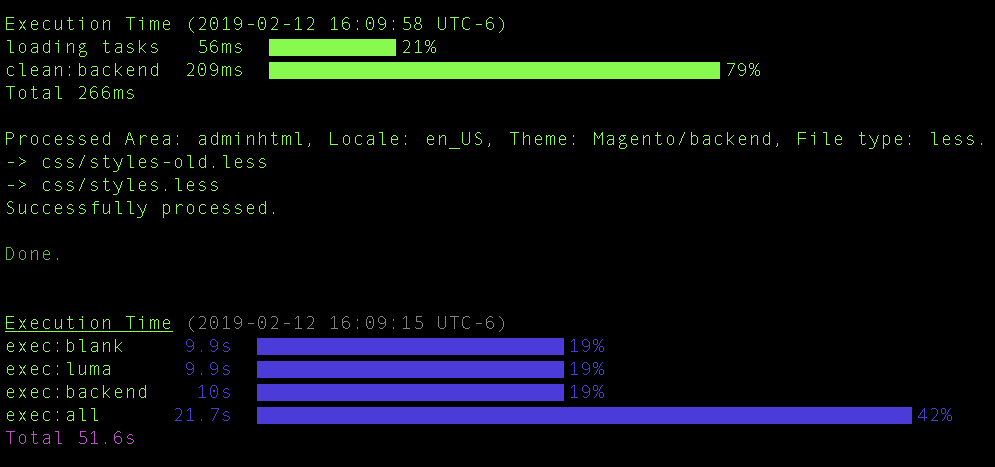
- grunt exec (screenshot with success message)
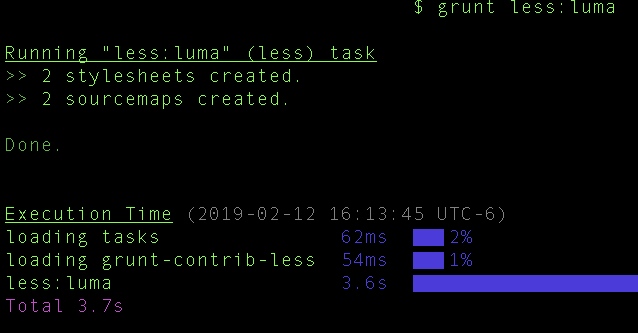
- grunt less:luma
- Magento storefront Home page
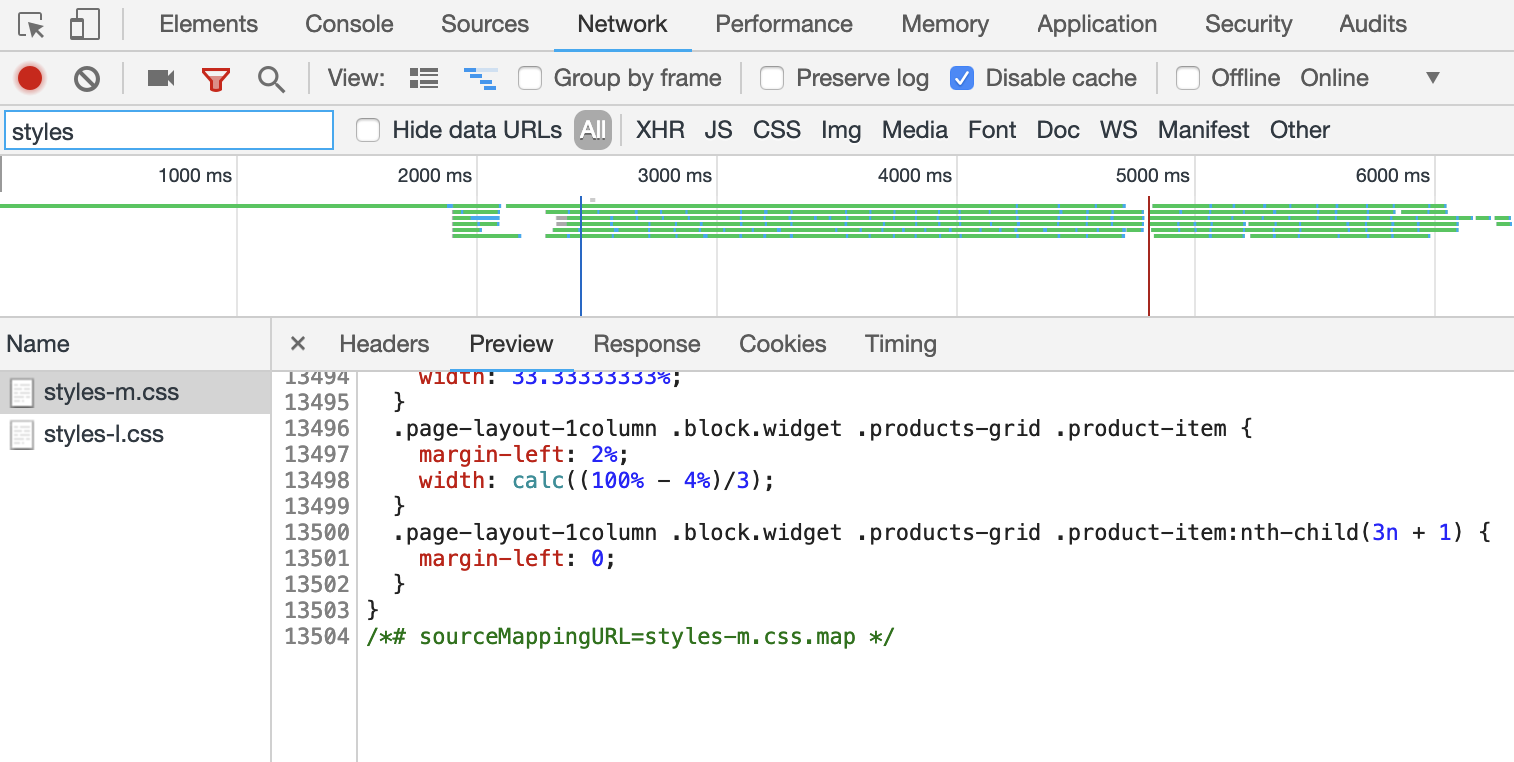

- Sources tab
 omiroshnichenko
on 12 Feb 2019
omiroshnichenko
on 12 Feb 2019
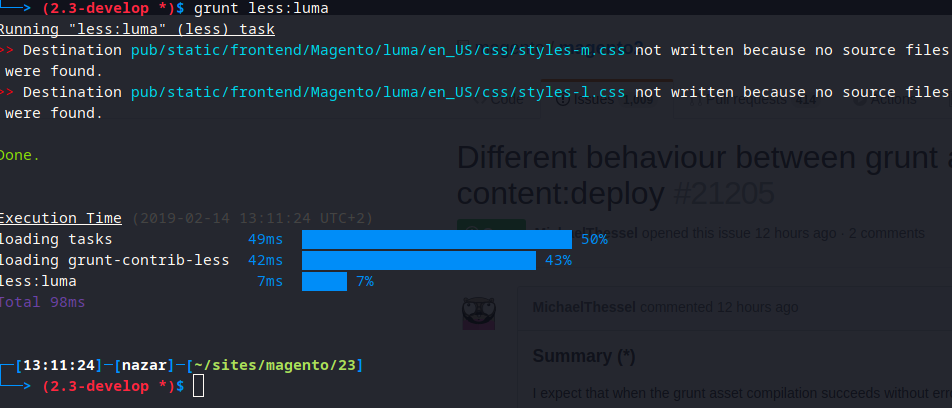
@omiroshnichenko node -v v11.9.0
 ghost
on 14 Feb 2019
ghost
on 14 Feb 2019
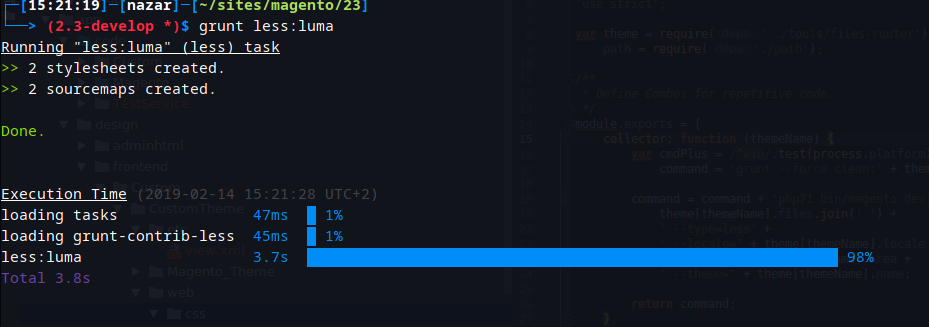
Hi all sorry i'm have wrong configuration, now all works as expected.
ghost
on 14 Feb 2019
Hi all sorry i'm have wrong configuration, now all works as expected.
@engcom-backlog-nazar What did you? I have the same issue.
Thanks in advance
 grudado
on 18 Mar 2019
grudado
on 18 Mar 2019
@tratta i am facing same issue, in browser not showing source map, can you please help us on that.
 sunilit42
on 13 Jun 2019
sunilit42
on 13 Jun 2019
@sunilit42 I made some changes on theme
x3: {
        area: 'frontend',
        name: 'Grudado/x3',
        locale: 'pt_BR',
        options: {
            sourceMap: true,
            strictImports: false,
            sourceMapRootpath: '/',
            dumpLineNumbers: false, // use 'comments' instead false to output line comments for source
            ieCompat: false
        },
        files: [
            'css/styles-m',
            'css/styles-l',
            'css/email',
            'css/email-inline'
        ],
        dsl: 'less'
    },
and less.js
var lessOptions = {
    options: {
        sourceMap: true,
        strictImports: false,
        sourceMapRootpath: '/',
        sourceMapFileInline: 'true',
        dumpLineNumbers: false, // use 'comments' instead false to output line comments for source
        ieCompat: false
    },
    setup: {
        files: {
            '<%= path.css.setup %>/setup.css': '<%= path.less.setup %>/_setup.less'
        }
    },
    updater: {
        files: {
            '<%= path.css.updater %>/updater.css': '<%= path.less.setup %>/_setup.less'
        }
    },
    documentation: {
        files: {
            '<%= path.doc %>/docs.css': '<%= path.doc %>/source/docs.less'
        }
    }
};
It worked for me rename package.json.example to package.json, that is what I was missing. :-)
 flahub
on 2 Aug 2019
flahub
on 2 Aug 2019
Make sure that the name you set in the grunt config "matches" the path which you have set in the registration.php of your theme. For example I set the name in the grunt config to Company/Base but in my registration.php it was set to 'frontend/company/base'. So I had to change the name in the grunt config to company/base. More details.
 Eddcapone
on 2 Mar 2020
Eddcapone
on 2 Mar 2020
Related issues
 PushEngineering
·
3Comments
PushEngineering
·
3Comments
 MauroNigrele
·
3Comments
MauroNigrele
·
3Comments
 salelsol
·
3Comments
salelsol
·
3Comments
 comunidademagento
·
3Comments
comunidademagento
·
3Comments
 denis-g
·
3Comments
denis-g
·
3Comments
Most helpful comment
@sunilit42 I made some changes on theme
and less.js