Magento2: bin/magento setup:upgrade causes metadata locks
Preconditions (*)
- Magento 2.2.6
- MySQL 5.7.23 (Amazon RDS)
- Jenkins
- A huge store with 250000 products, and each product has more than 200 attributes.
Steps to reproduce (*)
- We're using Jenkins for continuous integration.
- When running "bin/magento setup:upgrade" from the jenkins build server, it takes a really long time (sometimes 1 hour+).
- After viewing MySql server processes, I can see that there's a lot queries with "Waiting for table metadata lock".
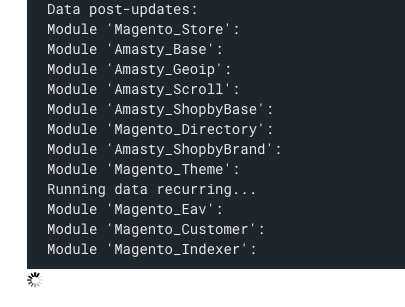
- It seems to be stuck on "Magento_Indexer":
Data post-updates:
Module 'Magento_Store':
Module 'Amasty_Base':
Module 'Amasty_Geoip':
Module 'Amasty_Scroll':
Module 'Amasty_ShopbyBase':
Module 'Magento_Directory':
Module 'Amasty_ShopbyBrand':
Module 'Magento_Theme':
Running data recurring...
Module 'Magento_Eav':
Module 'Magento_Customer':
Module 'Magento_Indexer':
Expected result (*)
- "bin/magento setup:upgrade" shouldn't take so long.
- No waiting for metadata locks.
Actual result (*)

- We're getting metadata locks and it can takes over an hour for them to disappear.
 Flowlance
All 15 comments
Hi @Flowlance. Thank you for your report.
To help us process this issue please make sure that you provided the following information:
- [ ] Summary of the issue
- [ ] Information on your environment
- [ ] Steps to reproduce
- [ ] Expected and actual results
Please make sure that the issue is reproducible on the vanilla Magento instance following Steps to reproduce. To deploy vanilla Magento instance on our environment, please, add a comment to the issue:
@magento-engcom-team give me $VERSION instance
where $VERSION is version tags (starting from 2.2.0+) or develop branches (for example: 2.3-develop).
For more details, please, review the Magento Contributor Assistant documentation.
@Flowlance do you confirm that you was able to reproduce the issue on vanilla Magento instance following steps to reproduce?
- [ ] yes
- [ ] no
 magento-engcom-team
on 15 Nov 2018
magento-engcom-team
on 15 Nov 2018
Hi @TomashKhamlai. Thank you for working on this issue.
In order to make sure that issue has enough information and ready for development, please read and check the following instruction: :point_down:
- [x] 1. Verify that issue has all the required information. (Preconditions, Steps to reproduce, Expected result, Actual result).
Details
If the issue has a valid description, the labelIssue: Format is validwill be added to the issue automatically. Please, edit issue description if needed, until labelIssue: Format is validappears.
[ ] 2. Verify that issue has a meaningful description and provides enough information to reproduce the issue. If the report is valid, add
Issue: Clear Descriptionlabel to the issue by yourself.[ ] 3. Add
Component: XXXXXlabel(s) to the ticket, indicating the components it may be related to.[ ] 4. Verify that the issue is reproducible on
2.3-developbranchDetails
- Add the comment@magento-engcom-team give me 2.3-develop instanceto deploy test instance on Magento infrastructure.
- If the issue is reproducible on2.3-developbranch, please, add the labelReproduced on 2.3.x.
- If the issue is not reproducible, add your comment that issue is not reproducible and close the issue and _stop verification process here_!
[ ] 5. Verify that the issue is reproducible on
2.2-developbranch.Details
- Add the comment@magento-engcom-team give me 2.2-develop instanceto deploy test instance on Magento infrastructure.
- If the issue is reproducible on2.2-developbranch, please add the labelReproduced on 2.2.x[ ] 6. Add label
Issue: Confirmedonce verification is complete.[ ] 7. Make sure that automatic system confirms that report has been added to the backlog.
magento-engcom-team
on 15 Nov 2018
@Flowlance do you confirm that you was able to reproduce the issue on vanilla Magento instance following steps to reproduce?
Could you please share your experience? How the products and attributes were moved to vanilla Magento Open Source instance?
 TomashKhamlai
on 15 Nov 2018
TomashKhamlai
on 15 Nov 2018
@TomashKhamlai Hi. I cannot reproduce this on a vanilla installation. setup:upgrade is very quick there.
What's the best way to copy this number of products over to the vanilla instance?
The system->export doesn't seem to handle this amount very well. It crashes.
Flowlance
on 15 Nov 2018
@Flowlance you can try using vanilla instance with the copy of this database.
 orlangur
on 16 Nov 2018
orlangur
on 16 Nov 2018
@Flowlance I have an experience on this problem. I don't know exactly why this happened. Probably you have huge product images in pub/media/catalog/product directory. You can temporary move the product directory to somewhere else (outside pub directory). then run again bin/magento setup:upgrade. This should be much faster this time. then move back the product directory to original location. This problem only occur when you run setup:upgrade command. This way may be not you expected but it's working for me.
 advcha
on 21 Nov 2018
advcha
on 21 Nov 2018
Hi @engcom-backlog-nazar. Thank you for working on this issue.
In order to make sure that issue has enough information and ready for development, please read and check the following instruction: :point_down:
- [x] 1. Verify that issue has all the required information. (Preconditions, Steps to reproduce, Expected result, Actual result).
Details
If the issue has a valid description, the labelIssue: Format is validwill be added to the issue automatically. Please, edit issue description if needed, until labelIssue: Format is validappears.
[x] 2. Verify that issue has a meaningful description and provides enough information to reproduce the issue. If the report is valid, add
Issue: Clear Descriptionlabel to the issue by yourself.[x] 3. Add
Component: XXXXXlabel(s) to the ticket, indicating the components it may be related to.[x] 4. Verify that the issue is reproducible on
2.3-developbranchDetails
- Add the comment@magento-engcom-team give me 2.3-develop instanceto deploy test instance on Magento infrastructure.
- If the issue is reproducible on2.3-developbranch, please, add the labelReproduced on 2.3.x.
- If the issue is not reproducible, add your comment that issue is not reproducible and close the issue and _stop verification process here_!
[ ] 5. Verify that the issue is reproducible on
2.2-developbranch.Details
- Add the comment@magento-engcom-team give me 2.2-develop instanceto deploy test instance on Magento infrastructure.
- If the issue is reproducible on2.2-developbranch, please add the labelReproduced on 2.2.x[x] 6. Add label
Issue: Confirmedonce verification is complete.[x] 7. Make sure that automatic system confirms that report has been added to the backlog.
magento-engcom-team
on 4 Jan 2019
@engcom-backlog-nazar Thank you for verifying the issue. Based on the provided information internal tickets MAGETWO-97435 were created
magento-engcom-team
on 4 Jan 2019
I can confirm we are experiencing similar issues with several installations - a long chain of slow queries and locks caused by this step.
 marcusirgens
on 26 Mar 2019
marcusirgens
on 26 Mar 2019
@Flowlance I have an experience on this problem. I don't know exactly why this happened. Probably you have huge product images in
pub/media/catalog/productdirectory. You can temporary move the product directory to somewhere else (outside pub directory). then run againbin/magento setup:upgrade. This should be much faster this time. then move back the product directory to original location. This problem only occur when you run setup:upgrade command. This way may be not you expected but it's working for me.
Hi I work with @Flowlance we don't have product images on this installation, all images are served via a CDN so no images are managed by Magento.
 oefterdal
on 26 Mar 2019
oefterdal
on 26 Mar 2019
Hi @Nazar65. Thank you for working on this issue.
Looks like this issue is already verified and confirmed. But if you want to validate it one more time, please, go though the following instruction:
- [ ] 1. Add/Edit
Component: XXXXXlabel(s) to the ticket, indicating the components it may be related to.
[ ] 2. Verify that the issue is reproducible on
2.3-developbranchDetails
- Add the comment@magento-engcom-team give me 2.3-develop instanceto deploy test instance on Magento infrastructure.
- If the issue is reproducible on2.3-developbranch, please, add the labelReproduced on 2.3.x.
- If the issue is not reproducible, add your comment that issue is not reproducible and close the issue and _stop verification process here_!
[ ] 3. Verify that the issue is reproducible on
2.2-developbranch.Details
- Add the comment@magento-engcom-team give me 2.2-develop instanceto deploy test instance on Magento infrastructure.
- If the issue is reproducible on2.2-developbranch, please add the labelReproduced on 2.2.x[ ] 4. If the issue is not relevant or is not reproducible any more, feel free to close it.
- Join Magento Community Engineering Slack and ask your questions in #github channel.
![m2-assistant[bot] picture](https://avatars0.githubusercontent.com/in/27048?v=4&s=40) m2-assistant[bot]
on 21 May 2019
m2-assistant[bot]
on 21 May 2019
HI here, actually this is configuration issue about mysql.
Translation: by default, MySQL 5.5 will “meta-block” for 1 year! In my humble opinion, this is a bug, especially given the various subtle and sometimes quiet ways that metadata locking can lock the server. The default for innodb_lock_wait_timeout, by comparison, is 50 seconds. That’s reasonable, but 31536000 is not. I would only set a timeout, or any kind of wait or interval value, to such a high value to play a practical joke on someone.
```
session1 > start transaction;
Query OK, 0 rows affected (0.00 sec)
session1 > select * from test order by id;
+----+------+
| id | x |
+----+------+
| 1 | foo |
| 2 | bar |
+----+------+
2 rows in set (0.00 sec)
session2 > ALTER TABLE test add column c char(32) default 'dummy_text';
session3 > show processlist;
+----+----------+-----------+------+---------+------+---------------------------------+-------------------------------------------------------------+
| Id | User | Host | db | Command | Time | State | Info |
+----+----------+-----------+------+---------+------+---------------------------------+-------------------------------------------------------------+
| 1 | msandbox | localhost | test | Sleep | 140 | | NULL |
| 2 | msandbox | localhost | test | Query | 3 | Waiting for table metadata lock | ALTER TABLE test add column c char(32) default 'dummy_text' |
| 3 | msandbox | localhost | test | Query | 0 | NULL | show processlist |
+----+----------+-----------+------+---------+------+---------------------------------+-------------------------------------------------------------+
3 rows in set (0.00 sec)
session1 > start transaction;
Query OK, 0 rows affected (0.00 sec)
session1 > select * from test_2 order by id;
+----+------+------------+
| id | x    | c          |
+----+------+------------+
|  1 | foo  | dummy_text |
|  2 | bar  | dummy_text |
+----+------+------------+
2 rows in set (0.00 sec)
session6 > ALTER TABLE test_2 DROP COLUMN c;
session7 > select * from test_2 order by id;
session8 > select * from test_2 order by id;
session9 > select * from test_2 order by id;
session10 > select * from test_2 order by id;
session3 > show processlist;
+----+----------+-----------+------+---------+------+---------------------------------+----------------------------------+
| Id | User     | Host      | db   | Command | Time | State                           | Info                             |
+----+----------+-----------+------+---------+------+---------------------------------+----------------------------------+
|  1 | msandbox | localhost | test | Sleep   |  403 |                                 | NULL                             |
|  3 | msandbox | localhost | test | Query   |    0 | NULL                            | show processlist                 |
|  6 | msandbox | localhost | test | Query   |  229 | Waiting for table metadata lock | ALTER TABLE test_2 DROP COLUMN c |
|  7 | msandbox | localhost | test | Query   |  195 | Waiting for table metadata lock | select * from test_2 order by id |
|  8 | msandbox | localhost | test | Query   |  180 | Waiting for table metadata lock | select * from test_2 order by id |
|  9 | msandbox | localhost | test | Query   |  169 | Waiting for table metadata lock | select * from test_2 order by id |
| 10 | msandbox | localhost | test | Query   |   55 | Waiting for table metadata lock | select * from test_2 order by id |
+----+----------+-----------+------+---------+------+---------------------------------+----------------------------------+
7 rows in set (0.00 sec)
 Nazar65
on 21 May 2019
Nazar65
on 21 May 2019
Hi @Nazar65, what was the fix for this, I seem to be experiencing the same issue on a site running 2.2.5; we're not currently in a position to upgrade.
 nicholasscottfish
on 25 Feb 2020
nicholasscottfish
on 25 Feb 2020
Why is is this closed without a fix or PR ? I am experiencing the same issue in Magento 2.3.
 niteshv0909
on 10 Aug 2020
niteshv0909
on 10 Aug 2020
i have got the same issue. Table Metadata Lock for trg_cataloginventory_stock_item_after_inser.
How do you have solved?
 francescorm
on 17 Sep 2020
francescorm
on 17 Sep 2020
Related issues
 PushEngineering
·
3Comments
PushEngineering
·
3Comments
 punkstar
·
3Comments
punkstar
·
3Comments
 phirunson
·
3Comments
phirunson
·
3Comments
 salelsol
·
3Comments
salelsol
·
3Comments
 spyrule
·
3Comments
spyrule
·
3Comments
Most helpful comment
Hi @Nazar65, what was the fix for this, I seem to be experiencing the same issue on a site running 2.2.5; we're not currently in a position to upgrade.