Magento2: Magento 2.2.1 - while saving product from admin getting error as Class Magento\ConfigurableProduct\Model\Product\VariationHandler does not exist
Preconditions
Previous version 2.2.1
PHP version 7.1.9
Steps to reproduce:
Update Associated Configurable product and save
Expected Result:
Product should save successfully
Actual result
Error message is received: MagentoConfigurableProductModelProductVariationHandler does not exist
 msawyers
All 16 comments
@msawyers , thank you for your report.
We were not able to reproduce this issue by following the steps you provided. Please provide more detailed steps to reproduce or try to reproduce this issue on a clean installation or latest release.
 magento-engcom-team
on 8 Dec 2017
magento-engcom-team
on 8 Dec 2017
The bug is reproduced on Magento 2.1.10 (PHP Version 7.1.12)
Sample Data is installed
- Admin Area -> Catalog -> Products -> Edit Product;
- Product ID: 36 (SKU: 24-MG04, Name: Aim Analog Watch);
url: admin/catalog/product/edit/id/36/set/11/type/simple/store/0 - Advanced Inventory popup;
- Change product Qty to 0 (zero); Click Done; Close Popup
- Click Product "Save" button
As a result Product have not been saved
See attached screenshots:
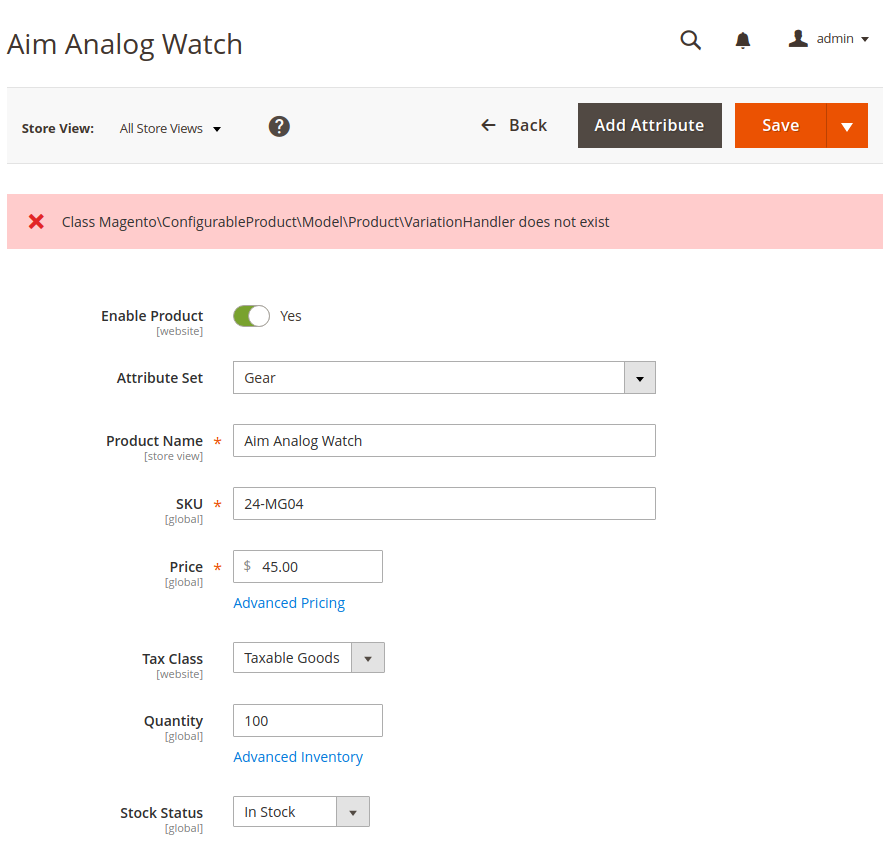
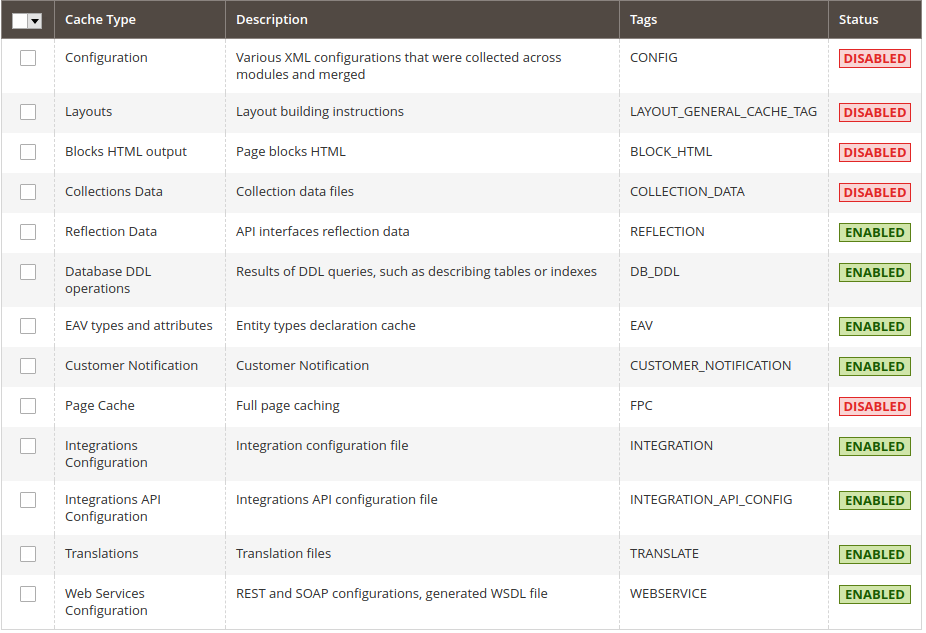
 d10nZ
on 8 Dec 2017
d10nZ
on 8 Dec 2017
I think this is an issue with PHP 7.1.12, when running on PHP 7.0.26 you do not encounter this issue. There is an opcache issue in 7.1.12 and 7.2.0 which causes issues, see:
https://bugs.php.net/bug.php?id=74980
https://git.php.net/?p=php-src.git;a=commit;h=3df47c12f77a71f90778ec42e6892c828e702fb2
 BlackIkeEagle
on 9 Dec 2017
BlackIkeEagle
on 9 Dec 2017
if you add
if (function_exists('opcache_reset')) {
    opcache_reset();
}
To index.php the issue also dissapears
BlackIkeEagle
on 9 Dec 2017
Hi, ok thanks will try.
msawyers
on 11 Dec 2017
Hi i added to index.php and issue still remains
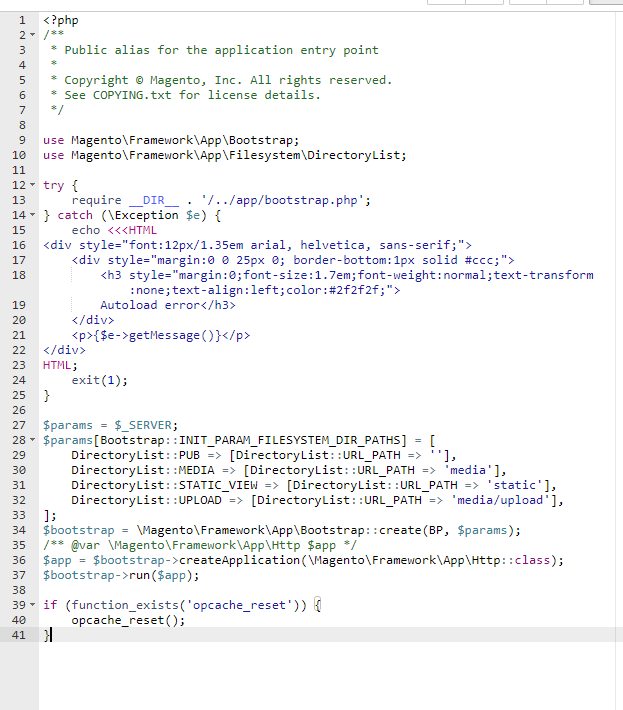
msawyers
on 11 Dec 2017
@msawyers you should add it after the docblock, I should have been more clear, before any other code is run you should add the if
BlackIkeEagle
on 13 Dec 2017
I just ran into my terminal
composer update
I cleaned the cache and the static files my problem was solved
Magento 2.2.1, PHP 7.1
 vitormicillo
on 14 Dec 2017
vitormicillo
on 14 Dec 2017
@vitormicillo It's very specific to PHP 7.1.12 and 7.2.0 with opcache enabled
BlackIkeEagle
on 14 Dec 2017
Many thanks @BlackIkeEagle, works like a charm.
msawyers
on 18 Dec 2017
@BlackIkeEagle what index.php you refer ?
what the location?
vitormicillo
on 21 Dec 2017
@vitormicillo depending on where your document root is, index.php in your root of your project file or pub/index.php
BlackIkeEagle
on 21 Dec 2017
it helped
https://github.com/magento/magento2/issues/12570#issuecomment-350510482
did it by:
php -r "opcache_reset();"
 Detzler
on 28 Dec 2017
Detzler
on 28 Dec 2017
@Detzler did you run this code in SSH?
 emilshamloo
on 4 Jan 2018
emilshamloo
on 4 Jan 2018
Thanks @BlackIkeEagle
I added your code into my index.php and it is working now.
`
/**
- Application entry point
* - Example - run a particular store or website:
- require __DIR__ . '/app/bootstrap.php';
- $params = $_SERVER;
- $params[MagentoStoreModelStoreManager::PARAM_RUN_CODE] = 'website2';
- $params[MagentoStoreModelStoreManager::PARAM_RUN_TYPE] = 'website';
- $bootstrap = MagentoFrameworkAppBootstrap::create(BP, $params);
- /** @var MagentoFrameworkAppHttp $app */
- $app = $bootstrap->createApplication(MagentoFrameworkAppHttp::class);
- $bootstrap->run($app);
*
- Copyright © Magento, Inc. All rights reserved.
- See COPYING.txt for license details.
*/
if (function_exists('opcache_reset')) {
    opcache_reset();
}
try { {$e->getMessage()} HTML; $bootstrap = MagentoFrameworkAppBootstrap::create(BP, $_SERVER);
require __DIR__ . '/app/bootstrap.php';
} catch (Exception $e) {
echo <<
Autoload error
exit(1);
}
/** @var MagentoFrameworkAppHttp $app */
$app = $bootstrap->createApplication(MagentoFrameworkAppHttp::class);
$bootstrap->run($app);
`
emilshamloo
on 4 Jan 2018
@emilshamloo, yes I ran it via ssh shell
@magento-engcom-team, shouldn't we integrate "opcache_reset" into "cache:clean stack"?
Detzler
on 4 Jan 2018
Related issues
 miguelbalparda
·
99Comments
miguelbalparda
·
99Comments
 caesarcxiv
·
88Comments
caesarcxiv
·
88Comments
 JacobDrummond
·
101Comments
JacobDrummond
·
101Comments
 carolineboivin
·
135Comments
carolineboivin
·
135Comments
 gwharton
·
97Comments
gwharton
·
97Comments
Most helpful comment
if you add
To index.php the issue also dissapears