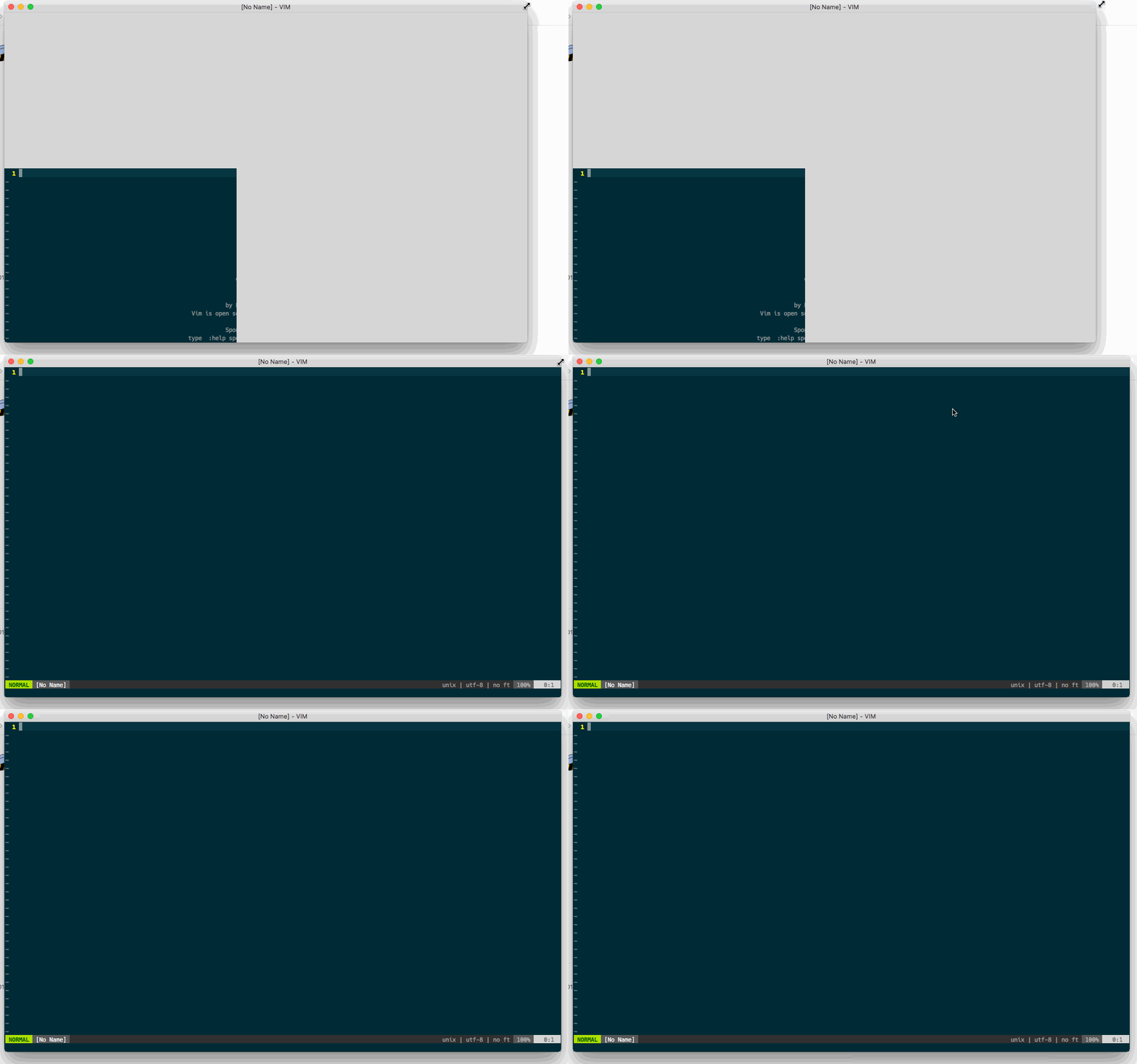
I have extra monitor. When I start MacVim on the extra monitor, it looks like that:
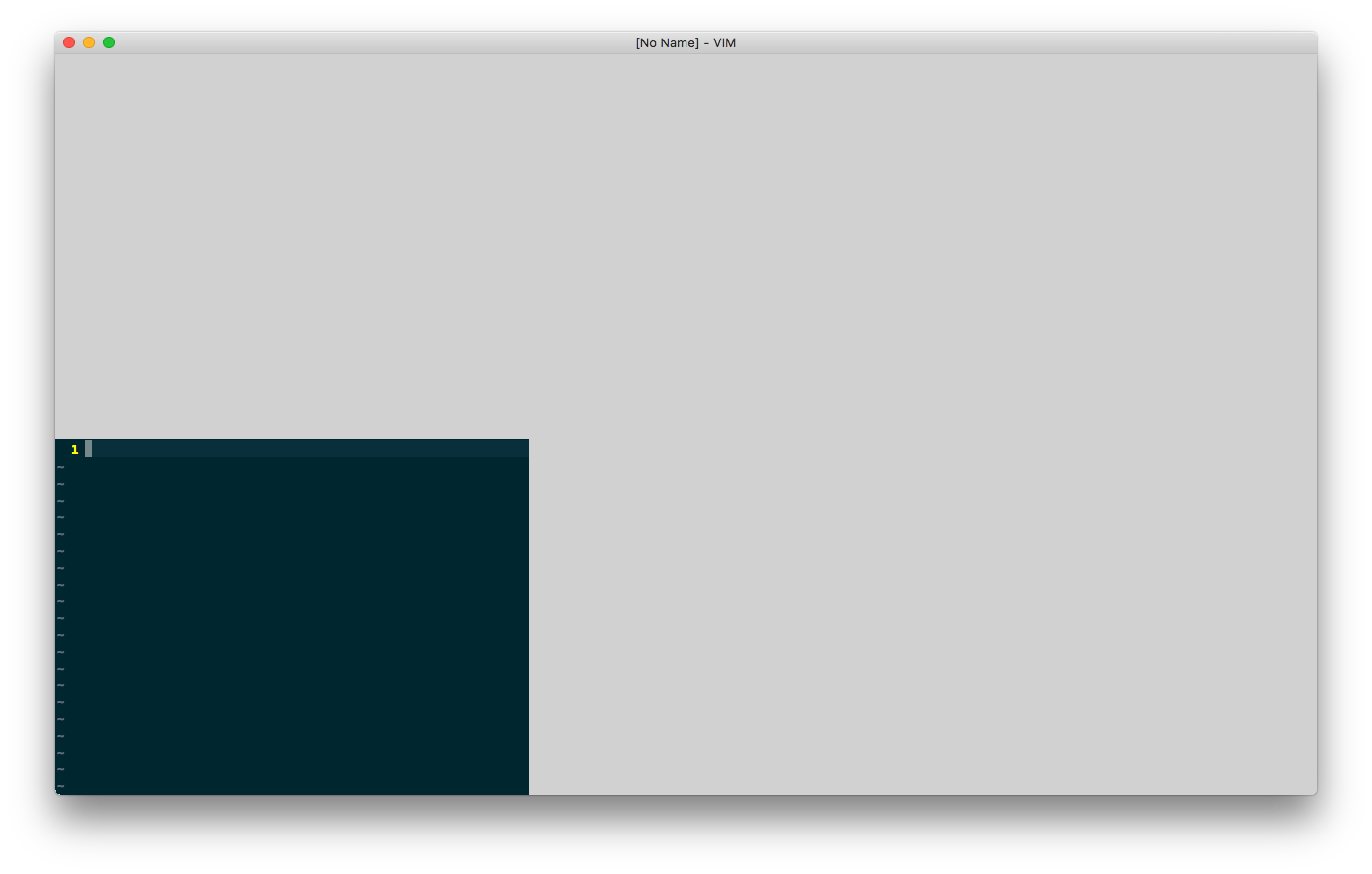
If I drag the MacVim program window to resize it, the screen will be fine.
 lkebin
All 35 comments
I can confirm that I'm seeing the same issue on a second monitor.
 mikedupuis
on 6 Aug 2018
mikedupuis
on 6 Aug 2018
Running into the same issue (and resizing fix) on an external DisplayPort monitor. With the same monitor connected, when opening a macvim window on the laptop display, the window renders as expected.
 lowderchris
on 6 Aug 2018
lowderchris
on 6 Aug 2018
The issue appeared in snapshot-150, snapshot-149 was good.
 Paultergeist
on 6 Aug 2018
Paultergeist
on 6 Aug 2018
+1 , same issue here. Resizing window with mouse makes the window immediately snap to correct size
 fortman
on 6 Aug 2018
fortman
on 6 Aug 2018
+1, same issue. Attempting to roll back to 149
 JTMosaic
on 6 Aug 2018
JTMosaic
on 6 Aug 2018
+1 here. If you open on the main monitor, it works just fine. If you open it on the second (non-main) monitor you get the behavior described
 tachijuan
on 6 Aug 2018
tachijuan
on 6 Aug 2018
+1 Confirmed. This is particularly troubling since I want MacVim to always launch on my rightmost monitor.
 dctucker
on 6 Aug 2018
dctucker
on 6 Aug 2018
+1
 ahmedelz
on 6 Aug 2018
ahmedelz
on 6 Aug 2018
+1
 eirnym
on 6 Aug 2018
eirnym
on 6 Aug 2018
+1 same issue.
 muddysteel
on 7 Aug 2018
muddysteel
on 7 Aug 2018
+1
 choonggg
on 7 Aug 2018
choonggg
on 7 Aug 2018
The same is happening when you open a narrow window, for example, 69x42, and then open a window with local setting set width (or height) bigger than it was. Any way to force redrwaw works, including hiding MacVim or switching an app
Build 149 didn't had this issue.
eirnym
on 7 Aug 2018
+1
 fericit-bostan
on 7 Aug 2018
fericit-bostan
on 7 Aug 2018
+1
 rbm-aalsaleh
on 7 Aug 2018
rbm-aalsaleh
on 7 Aug 2018
+1
 btlewan
on 7 Aug 2018
btlewan
on 7 Aug 2018
Hello,
I switched back to version 8.1-149_1 (brew) but had the same problem. switching further back to version 8.1-147 resolved my problem for the moment.
--jason
 jason0
on 7 Aug 2018
jason0
on 7 Aug 2018
This problem is due to https://github.com/macvim-dev/macvim/commit/378032d85e8cbb75d02d58c77cdc530dfd7b418a (#708). And this guioptions-k seems not to work (in my environment).
I think should revert it once.
 ichizok
on 8 Aug 2018
ichizok
on 8 Aug 2018
+1
 symonty
on 8 Aug 2018
symonty
on 8 Aug 2018
+1. Hitting this issue after the recent update.
 wlahti
on 8 Aug 2018
wlahti
on 8 Aug 2018
+1; reverted to snapshot-149 (8.1.72 (149)) which does not manifest the problem.
 jdandrews
on 8 Aug 2018
jdandrews
on 8 Aug 2018
For anyone looking for a temporary fix (and there certainly might be a better way to do this), you could add a similar command(s) to your .gvimrc file,
set columns=90
autocmd VimEnter * set columns=100
Previously, I had specified my default window size with 90 columns. The second command then initiates a resize after opening the window, forcing a redraw, and correcting the issue (just be sure to specify different sizes). This is definitely far from ideal, but forces things into a working state while waiting on a fix for the issue.
lowderchris
on 8 Aug 2018
+1
 davidozog
on 9 Aug 2018
davidozog
on 9 Aug 2018
+1
 mrallen1
on 9 Aug 2018
mrallen1
on 9 Aug 2018
+1
 ZGainsforth
on 10 Aug 2018
ZGainsforth
on 10 Aug 2018
+1
 xuyuheng
on 10 Aug 2018
xuyuheng
on 10 Aug 2018
I submitted a PR #727 to revert the change that introduced this bug. If someone can grab it and build locally to test it out that would be appreciated. I'm not at a place to be able to test external monitors right now.
 ychin
on 10 Aug 2018
ychin
on 10 Aug 2018
Building ychin's branch solved the problem for me. Can anyone else confirm?
dctucker
on 10 Aug 2018
The same is happening when you open a narrow window, for example, 69x42, and then open a window with local setting set width (or height) bigger than it was. Any way to force redrwaw works, including hiding MacVim or switching an app
@eirnym Can you explain a little more in how your repro case worked? What commands are you running?
ychin
on 12 Aug 2018
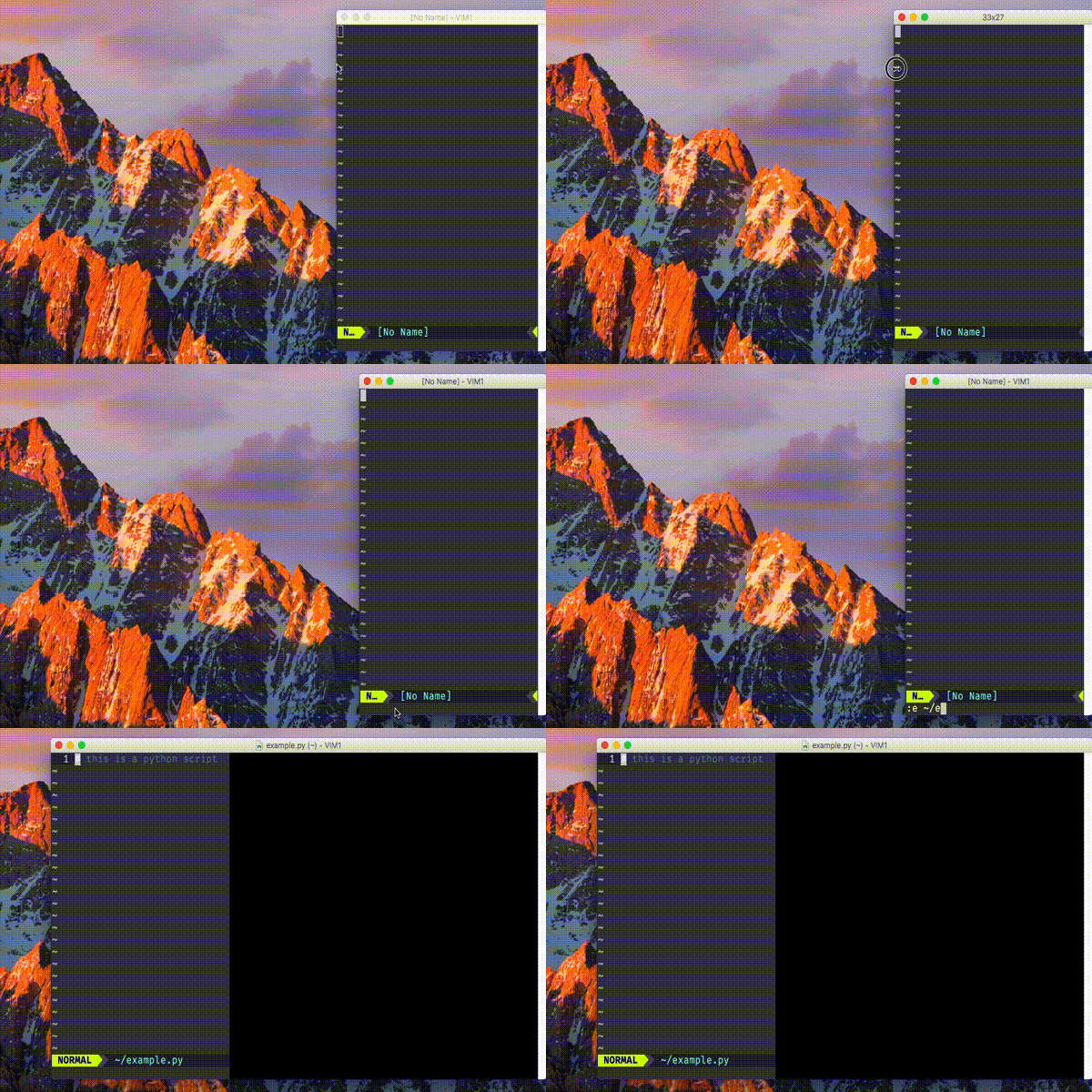
1) Open a window with a random file, e.g. ~/.vim/vimrc and set some small width, like 20, next time it should open a _window_ with the same width, you can check it by pressing Cmd-N
2) set for some filetype specific width to use, e.g. for Python files (it doesn't matter)
3) open file of this type, with $ vim ~/example.py or with :e ~/example.py
Notes:
if you don't open a file but an empty buffer on step 1, MacVim might won't save and trick won't work from command line but will with :e command in the same window
  if has('gui_running')
        setlocal columns=85
    endif
A quick demonstration
eirnym
on 12 Aug 2018
@ychin Is my way to reproduce is good enough?
eirnym
on 14 Aug 2018
@eirnym I couldn't reproduce the issue on my laptop. Did you only reproduce this using your method on an external monitor? If so I just need to hunt down an external monitor to connect to so I can debug it.
ychin
on 14 Aug 2018
@ychin I have no external monitor
my minimal vimrc with I able to reproduce it (build 150)
fun! PythonSetup()
    setlocal ts=4 sts=4 sw=4 nu
    setlocal colorcolumn=79
    if has('gui_running')
        setlocal columns=85
    endif
endfun

autocmd FileType python call PythonSetup()
@ychin The problem with my issue is somewhere else, it's reproducable in build 122 (earlier builds don't want to be opened on my setup ;) )
I'll open a separate issue
eirnym
on 15 Aug 2018
@eirnym Oh good to know. But also sad that that means I will have to hunt down an external monitor to test still.
Also check out #557 which I suspect could be related. You can try the suggestions from this comment (https://github.com/macvim-dev/macvim/issues/557#issuecomment-339556291) to see if it helps by setting MMUseCGLayerAlways to true. It causes other issues such as scrolling performance but it's nice to know if it's related at least.
ychin
on 16 Aug 2018
@ychin please, look into #732, it could be the source of many resizing issues
eirnym
on 16 Aug 2018
Related issues
 bmulholland
·
5Comments
bmulholland
·
5Comments
 jsholmes
·
4Comments
jsholmes
·
4Comments
 louiswolfers
·
5Comments
louiswolfers
·
5Comments
 alex-protean
·
3Comments
alex-protean
·
3Comments
 0xDP
·
5Comments
0xDP
·
5Comments
Most helpful comment
For anyone looking for a temporary fix (and there certainly might be a better way to do this), you could add a similar command(s) to your .gvimrc file,
Previously, I had specified my default window size with 90 columns. The second command then initiates a resize after opening the window, forcing a redraw, and correcting the issue (just be sure to specify different sizes). This is definitely far from ideal, but forces things into a working state while waiting on a fix for the issue.