as title. 57 ota to 58 or delete all 57 setup new version 58. after Manual config, both way can't make 58 working on mactype. what happened? ( go back to 57 work fine) ,(as mactype run as adminstrator).
 gs180
gs180
All 9 comments
@gs180 What is the issue that you see with FF 58? Maybe a screen shot will help.
 IceMan81
on 26 Jan 2018
IceMan81
on 26 Jan 2018
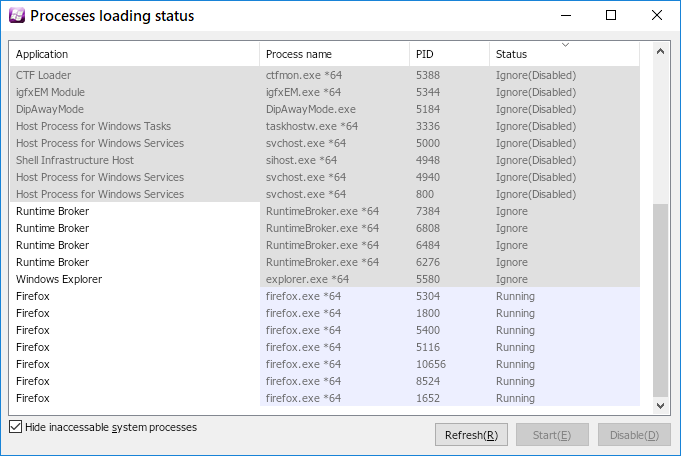
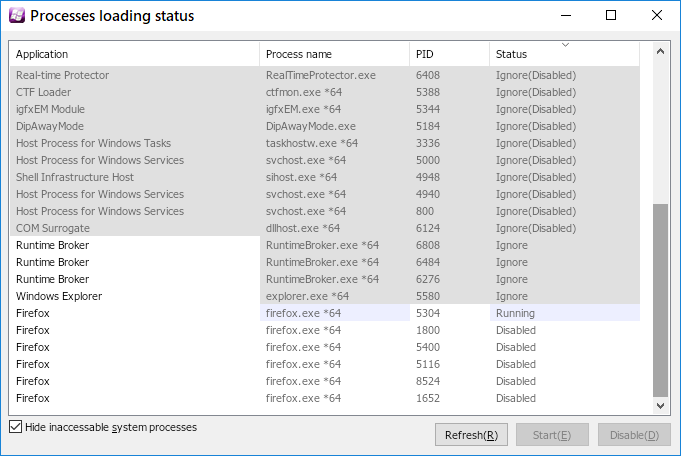
Thanks for reply. as you seeing. after firefox 58. it mactype keep doing running and disabled for firefox.
(before 57 never being like this). what happened?
gs180
on 29 Jan 2018
As is discussed in issue #376 , Firefox 52+ has changed from Cairo to Skia for canvas/content rendering. You can disable Skia to make MacType work again on Firefox.
The steps to disable Skia is described in the following post.
Why does the text (only in firefox) look like i'm using a PC from the 90's? It worked fine before. | Firefox Support Forum | Mozilla Support
 Explorare
on 30 Jan 2018
Explorare
on 30 Jan 2018
as i said. i did all modify ( 57 is work fine). after 58. not.
gs180
on 30 Jan 2018
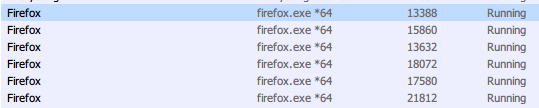
Firefox Dev 59.0b5 (64-bit)
Windows 10 Enterprise 16299.192
MacType 1.2017.628.0

Explorare
on 31 Jan 2018
Thanks for reply. i'll try the beta. still don't know what happened in 58. downgrade to 57 again.
Win 10 home single language.
Mactype 1.2017.628
gs180
on 31 Jan 2018
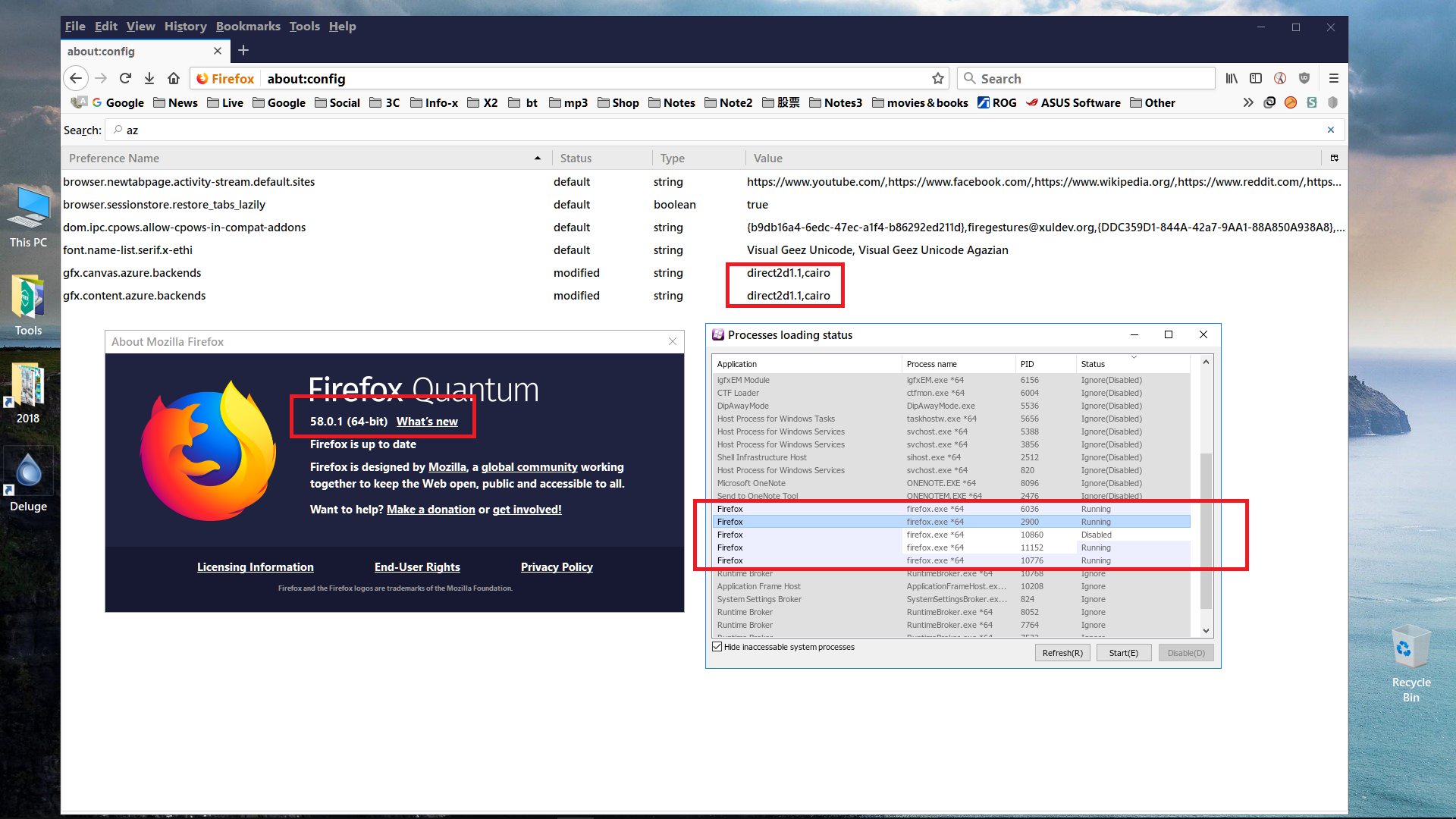
sorry to bother more time here. as you see, a new Capture below. at 58. i did all modify. it still keep running and disable all the time.
gs180
on 31 Jan 2018
Found this would help : http://mozilla.com.cn/thread-382070-1-1.html
I've successfully opened MacType on Firefox 58.
Basically just change the "gfx.content.azure.backends" from "direct2d1.1,skia,cairo" to "direct2d1.1,cairo" and change the "gfx.direct2d.disabled" to true then it works.
My setup:
Firefox 58.0.2
MacTypeInstaller_2017_0628_0.exe
Windows 10 1709
 ingjieye
on 12 Feb 2018
ingjieye
on 12 Feb 2018
Deleting all backends except "cairo" and turn direct2d off should force firebox to run on GDI again.
 snowie2000
on 16 Apr 2018
snowie2000
on 16 Apr 2018
Related issues
 vkyzmsj
·
4Comments
vkyzmsj
·
4Comments
 Arrow-Li
·
3Comments
Arrow-Li
·
3Comments
 zhengbli
·
3Comments
snowie2000
·
4Comments
zhengbli
·
3Comments
snowie2000
·
4Comments
 caulmseh
·
3Comments
caulmseh
·
3Comments
Most helpful comment
Found this would help : http://mozilla.com.cn/thread-382070-1-1.html
I've successfully opened MacType on Firefox 58.
Basically just change the "gfx.content.azure.backends" from "direct2d1.1,skia,cairo" to "direct2d1.1,cairo" and change the "gfx.direct2d.disabled" to true then it works.
My setup:
Firefox 58.0.2
MacTypeInstaller_2017_0628_0.exe
Windows 10 1709