Mactype: ClipBox problem with combining characters
The character is clipped if it is decorated by a combining character. Here is an example with IPA diacritics in Firefox (font: Segoe UI, backend: cairo):

Tried ClipBoxFix = 1, it doesn't work. I think this is caused by the combining character. Since its clipbox is smaller than the decorated character's, part of the decorated character is clipped.
 tcbbd
tcbbd
All 33 comments
try set clipboxfix in experimental section not as per-app basis. And not the last section in the profile. There are some known bugs related to ini parser.
 snowie2000
on 27 May 2017
snowie2000
on 27 May 2017
tried, nothing happened _(:з」∠)_
tcbbd
on 27 May 2017
I think this is a similar issue. This is with ClipBoxFix=1

 IceMan81
on 28 May 2017
IceMan81
on 28 May 2017
@snowie2000 Anyway to resolve the above issue when combining characters?
IceMan81
on 29 Jun 2017
Please provide me a piece of text to test.
snowie2000
on 29 Jun 2017
I guess I'll need to give you a piece of text and font, as this is only an issue when font ligatures are enabled.
IceMan81
on 29 Jun 2017
@snowie2000 The font is PragmataPro. Is there a way for me to upload it to you privately? Since this is not a free font I do not want to upload it here.
IceMan81
on 21 Jul 2017
You can send it to my email. Check my github profile.
snowie2000
on 21 Jul 2017
@snowie2000 done!
IceMan81
on 23 Jul 2017
@tcbbd hey, is this still an issue with the latest MacType?
@snowie2000 you've mentioned no further changes to clipboxfix ... want me to close or leave open?
 sammilucia
on 1 Oct 2018
sammilucia
on 1 Oct 2018
@sammilucia I almost forgot it :upside_down_face:
Alright, I walked through my mailbox and found the mail about the issue, I mean, the issue about the incorrect rendering of "font ligatures" instead of the real topic "diacritics".
Actually, I've never heard back from @tcbbd, so there is not much I can do.
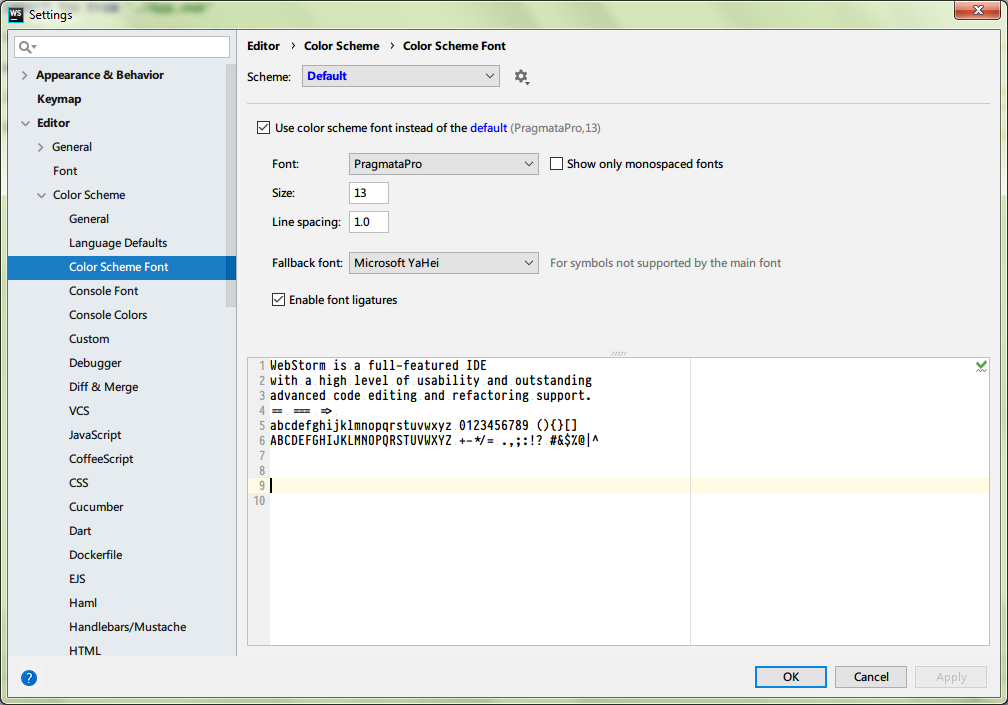
As of the ligature problem, I don't see any defect on my webstorm with the latest mactype. No ghost shadow, no missing letters.
@IceMan81 Did I do anything wrong in my configuration?
snowie2000
on 12 Oct 2018
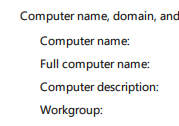
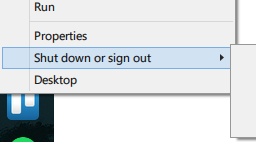
I don't see the problem on my PC either with a quick look around (mine used to be mainly on Control Panel stuff)

sammilucia
on 12 Oct 2018
Going to close this now so we can keep up momentum, but please let us know if you're still having it with beta2 @tcbbd @IceMan81 😊
sammilucia
on 12 Oct 2018
@snowie2000 thanks for trying out the font. Your test is correct.
Looking at your screenshot I see the shadows in the double equals, triple equals and the greater than symbols. See how they look when mactype is turned off. You should see a difference.
IceMan81
on 12 Oct 2018
@sammilucia do you mind sharing your ini file. Your rendering looks really good. Not sure if it’s because I’m viweing your screenshot on a phone!
IceMan81
on 12 Oct 2018
haha of course! I've actually snuck it into the next beta3 ;)
here 'tis 😊
sammilucia
on 12 Oct 2018
@snowie2000 thanks for trying out the font. Your test is correct.
Looking at your screenshot I see the shadows in the double equals, triple equals and the greater than symbols. See how they look when mactype is turned off. You should see a difference.
Hmm, that is not a shadow, it's the result of vertical antialias.
This is what it looks like under cleartype:
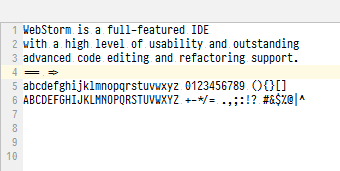
Pretty clean, right?
Let's see what does the font look like in real

And this is what it looks like in large size:
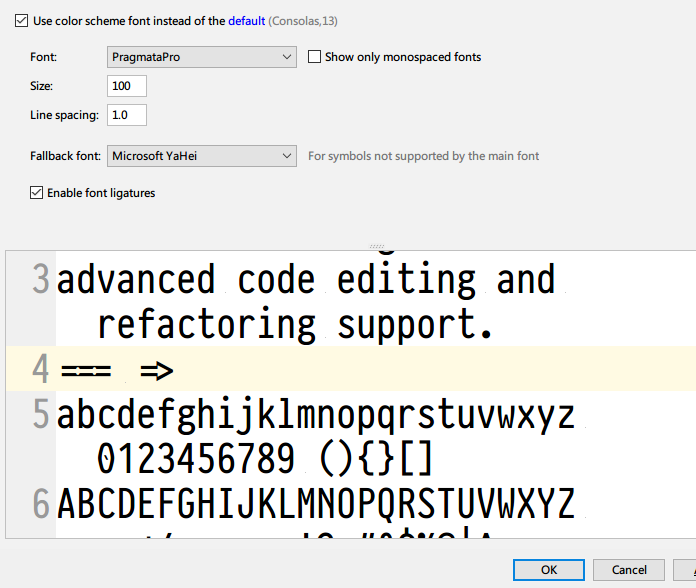
I believe you already got it.
snowie2000
on 12 Oct 2018
I see, I think I get what you are saying, but why would I not see this on a Mac then?
IceMan81
on 12 Oct 2018
I have no idea how mac os does with it, maybe the vertical AA is off for small size fonts?
snowie2000
on 12 Oct 2018
Well, what I'm talking about is the Clipbox problem. The clipbox is sometimes smaller than the glyph, causing the imperfect rendering results. It can happen in many circumstances, e.g., for combined letters (maybe because the clipbox of the combined letter is miscalculated using metrics of the diacritic symbol), or for nastaliq arabic letters (see https://ur.wikipedia.org). IIRC this can also happen for chinese fonts (or for latin letters within chinese context, I'm not sure), but I don't have an example at hand.
It seems you're trying to fix the problem with clipbox, so I assume this issue has already been confirmed.
tcbbd
on 12 Oct 2018
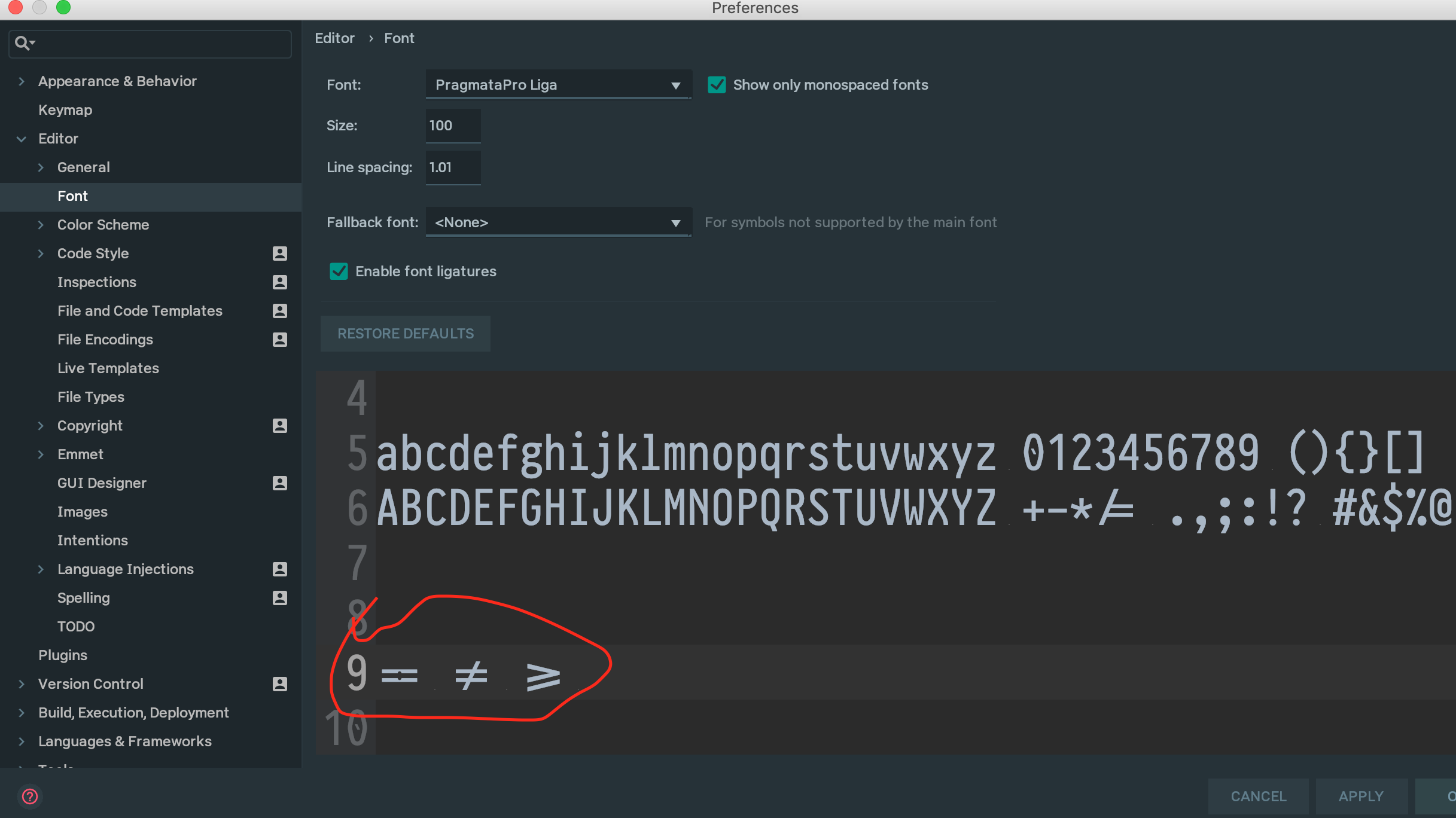
Here's what i see on the Mac.
IceMan81
on 12 Oct 2018
You're using such a large sized font, you won't see any shadow in Windows too.
snowie2000
on 12 Oct 2018
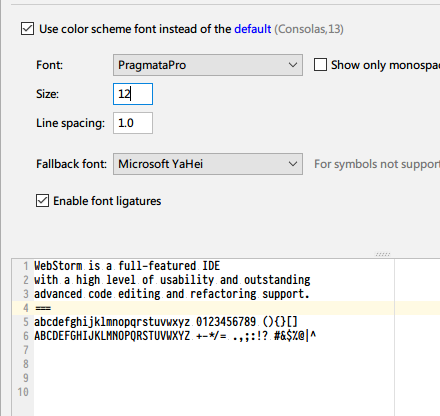
The problem is a lot less in some size due to the pixel alignment.
snowie2000
on 12 Oct 2018
Well, what I'm talking about is the Clipbox problem. The clipbox is sometimes smaller than the glyph, causing the imperfect rendering results. It can happen in many circumstances, e.g., for combined letters (maybe because the clipbox of the combined letter is miscalculated using metrics of the diacritic symbol), or for nastaliq arabic letters (see https://ur.wikipedia.org). IIRC this can also happen for chinese fonts (or for latin letters within chinese context, I'm not sure), but I don't have an example at hand.
It seems you're trying to fix the problem with clipbox, so I assume this issue has already been confirmed.
@tcbbd I need precisely the letters and the program that will cause this issue to narrow down the problem 'cause I know nothing about the diacritic symbol and I don't know how to type them out.
snowie2000
on 12 Oct 2018
@snowie2000 OK, I can see the difference between the different font sizes, same as what you see. Size 28 onwards its very clear.
IceMan81
on 12 Oct 2018
@snowie2000 Here is an example:
a͜b͜c
There is a "combining double breve below (U+035C)" between a and b, and another one between b and c. They are shown in Chrome, but not in Firefox (with DirectWrite disabled and MacType). This is an extreme example in which the diacritic symbol is completely disappeared since it is below the base line, most cases are not like this and maybe not so noticeable, but this definitely indicates some problem in Mactype.
tcbbd
on 12 Oct 2018
Confirmed, it did happen.
snowie2000
on 12 Oct 2018
Double confirm with my font tester demo.
Worse than I thought.
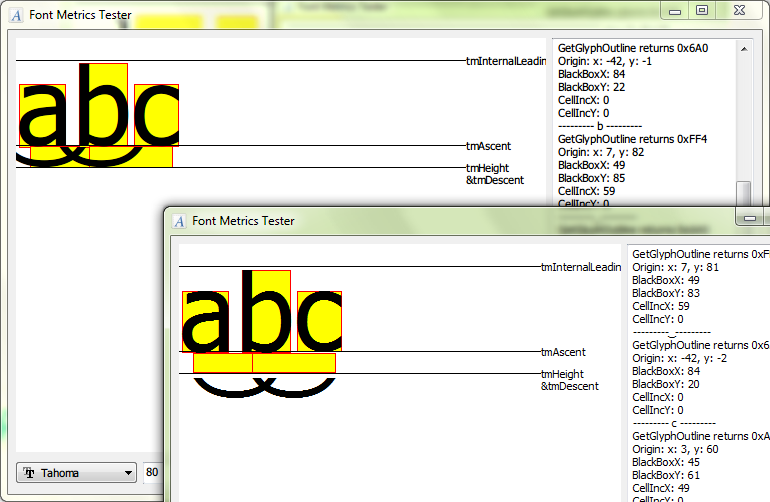
Hmm, you may have guessed it wrong, the one on the left is MacType. (Does it look more reasonable? :laughing: )
snowie2000
on 12 Oct 2018
@IceMan81 i've just changed the italics slant to -2, it was too strong on fonts without their own native oblique/italics files.
sammilucia
on 13 Oct 2018
@sammilucia Thanks for the update. Actually, I never understood what the ItalicSlant was meant to do to a slanting typeface.
IceMan81
on 13 Oct 2018
@IceMan81 so now you know! 😂
sammilucia
on 13 Oct 2018
After a difficult journey investigating the logic behind the GDI diacritics handling, I finally figured out that this feature requires OpenType layout support which is, sadly, removed from FreeType2.
FreeType suggests using a third party library to do the job. So I decided to put this feature/bug down for a while and leave it to the next stage.
The next release will not include a fix for this diacritics problem unless a corresponding fix is contributed. Further investigation is planned.
snowie2000
on 16 Oct 2018
Good decision, I think
sammilucia
on 16 Oct 2018
Related issues
 denysonique
·
7Comments
denysonique
·
7Comments
 aridzephyr
·
5Comments
aridzephyr
·
5Comments
 l19980623
·
5Comments
l19980623
·
5Comments
 zhengbli
·
3Comments
zhengbli
·
3Comments
 iAndyPC
·
3Comments
iAndyPC
·
3Comments
Most helpful comment
Good decision, I think