Lwc: Self closing <animateTransform> and <path> fails at compilation
Description
Using svg in template or component. Getting error at compiler and linter.
Steps to Reproduce
Add svg in component html file and complier generate error
https://developer.salesforce.com/docs/component-library/tools/playground/lq-8iCl3B/27/
 narendrasinghrathore
All 7 comments
It generated error first for <path> i.e. has no matching closing tag, i manually added closing tag for that ( problem solved or you can say no lint or compiler error ).
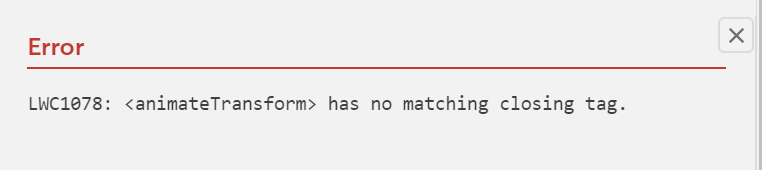
Second error for <animateTransform> i.e. has no matching closing tag, i manually added closing tag for same, but getting same error.
narendrasinghrathore
on 25 Mar 2020
I am getting this error only when running jest-tests. Any insight?
 dahnielkim
on 3 Apr 2020
dahnielkim
on 3 Apr 2020
cc @apapko @ravijayaramappa
 caridy
on 3 Apr 2020
caridy
on 3 Apr 2020
The template compiler has an incomplete least of self-closing elements (code).
 pmdartus
on 6 Apr 2020
pmdartus
on 6 Apr 2020
This issue has been linked to a new work item: W-7412739
![git2gus[bot] picture](https://avatars1.githubusercontent.com/in/19654?v=4&s=40) git2gus[bot]
on 6 Apr 2020
git2gus[bot]
on 6 Apr 2020
Are there any updates regarding fixing this issue?
dahnielkim
on 18 Apr 2020
Right now the team doesn't have bandwidth for this issue, and we will get to it whenever we have some spare time. That being said you have two options:
1) You can issue a PR and fix it!, we can guide you on where the code is to get started)
2) A trivial alternative is, you can just make those tags non self closing:
<svg xmlns="http://www.w3.org/2000/svg">
  <path d="M19.4"></path>
  <animateTransform attributeName="transform"
                          attributeType="XML"
                          type="rotate"
                          from="0 60 70"
                          to="360 60 70"
                          dur="10s"
                          repeatCount="indefinite"></animateTransform>
                        </svg>
I know that works because I took this code (and simplified it) from a production app, and I remember fixing partially long time ago. You should be unblocked, but you should consider option 1 :)
 diervo
on 18 Apr 2020
diervo
on 18 Apr 2020
Related issues
 priandsf
·
5Comments
priandsf
·
5Comments
 ekashida
·
4Comments
ekashida
·
4Comments
 bmblb
·
4Comments
bmblb
·
4Comments
 jordanhenderson
·
3Comments
pmdartus
·
4Comments
jordanhenderson
·
3Comments
pmdartus
·
4Comments
Most helpful comment
The template compiler has an incomplete least of self-closing elements (code).