Lsd: leading . in hidden file/dir not showed
when using lsd, even with -a or -A, the leading dot is not showed. I guess it's an intentional design, but I hate it. is there a way to show the leading dot for hidden file / dir with the current version ? if no, could we add an option to do it ?
thanks
 mirsella
All 13 comments
lsd even now shows leading dot for hidden files.
Maybe I am not understanding your issue, could you add examples of how it is currently and how you are expecting it to look like.
 meain
on 7 Oct 2020
meain
on 7 Oct 2020
in my case, when using lsd in my home dir, all the hidden file and dir appear without the '.' for example .config appear as (icon) config if you want a screenshot I can provide one in like 1h30
mirsella
on 7 Oct 2020
It does not seem to happen for me. Which OS and version of lsd are you using?
meain
on 7 Oct 2020
so it's a issue.
I'm on manjaro Linux x86_64, I'll send more info about lsd version when I get back to my pc. also is there some sort of log I can upload ?
edit :
Linux unowhy 5.8.11-1-MANJARO #1 SMP PREEMPT Wed Sep 23 14:35:40 UTC 2020 x86_64 GNU/Linux
lsd 0.18.0
what can I send more ?
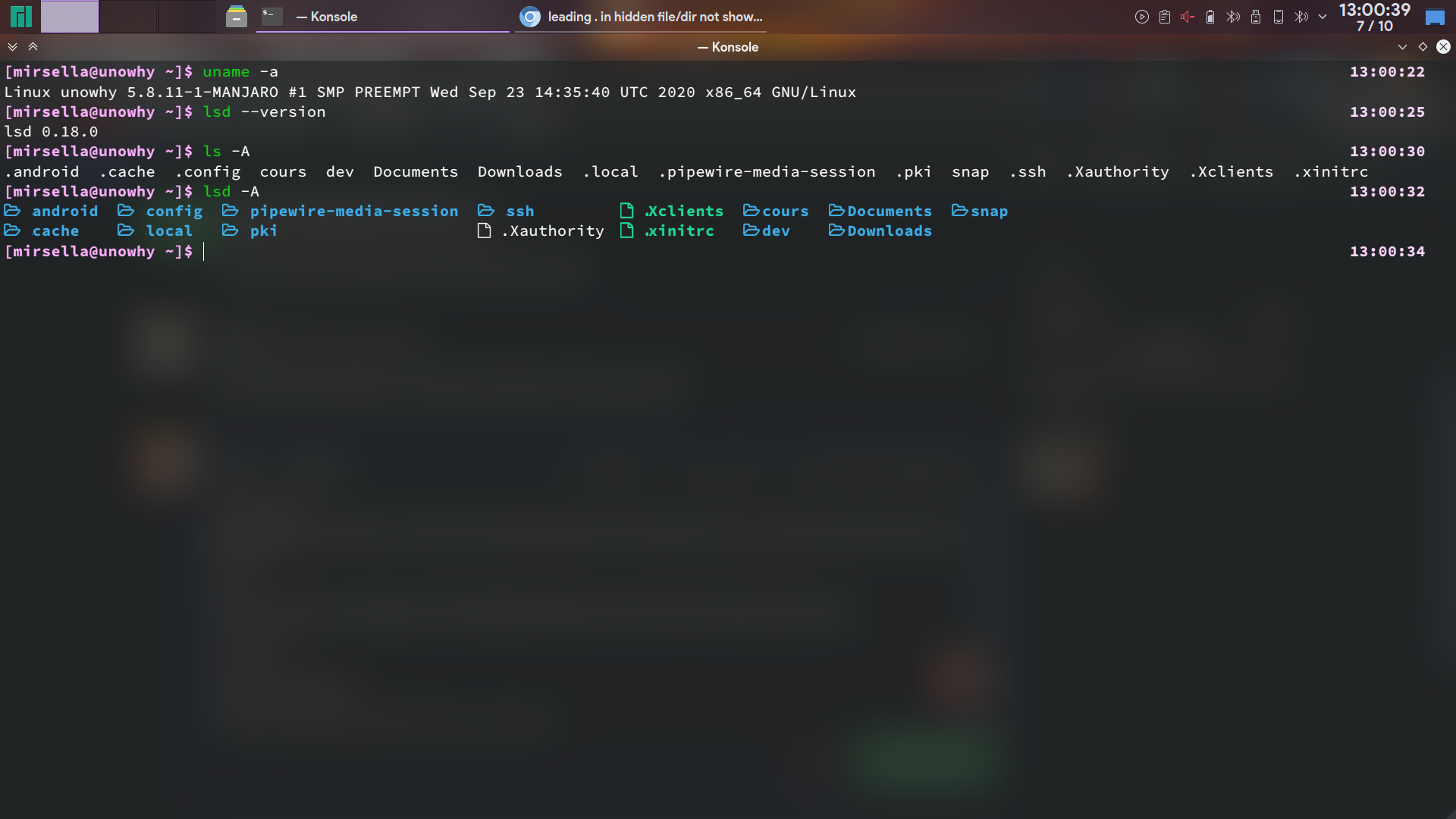
mirsella
on 7 Oct 2020
actually the dot are here but are not shown without highlighting it :
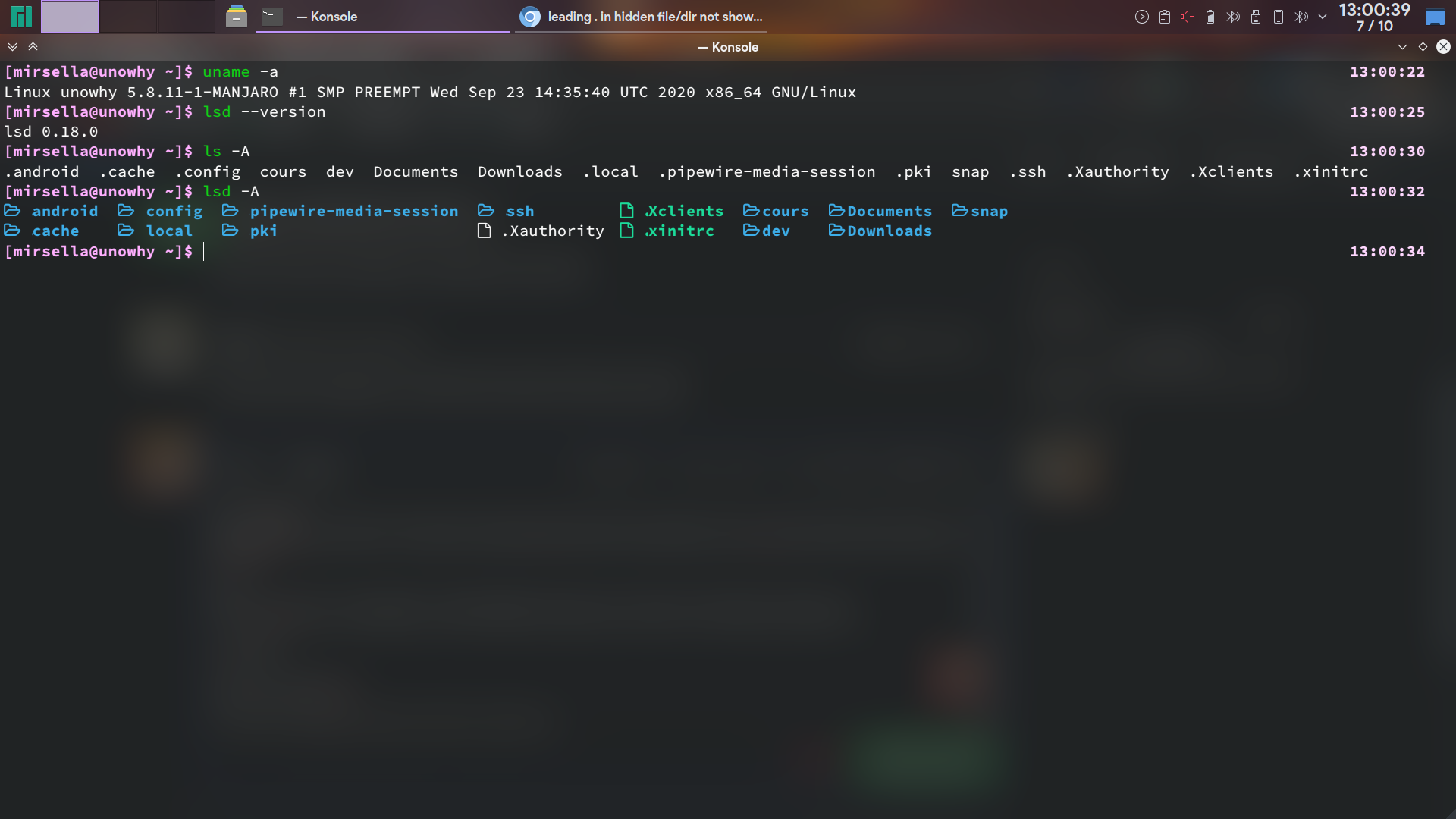
but only 1 dot at a time. I'll try changing some color scheme
edit : changing konsole zoom and colorscheme didn't work.
i tried with XTerm and it work
mirsella
on 7 Oct 2020
Could you try with lsd --color never
meain
on 7 Oct 2020
nop, --color never didn't show the dot. it appear the issue is only with konsole, I'll try changing some settings
mirsella
on 7 Oct 2020
How about lsd --color never --icon never? If it has dots now, it is probably an issue with the icons in the font and how Konsole renders them.
meain
on 7 Oct 2020
yep work with --icon never. i'm using source code pro variable pro 12, I'll trychanging it
mirsella
on 7 Oct 2020
switched to source code nerd pro and it work but I really don't like the font. what are you using ? I've like 2 fonts working with konsole preinstalled.
mirsella
on 7 Oct 2020
Closing the issue. The problem is with either the font or how Konsole renders it.
I don't personally use icons a lot, but you can find a lot of fonts here which should work well. https://www.nerdfonts.com/font-downloads
meain
on 7 Oct 2020
@mirsella This probably is an issue only with variable fonts. Don't think terminal are good with them. Just my hunch. Try a non variable version of source code pro if available and that should work.
meain
on 7 Oct 2020
yep switched to source code pro nerd font, it was in the AUR
mirsella
on 7 Oct 2020
Related issues
 dalecurtis
·
3Comments
dalecurtis
·
3Comments
 lez
·
3Comments
lez
·
3Comments
 Phuker
·
5Comments
Phuker
·
5Comments
 saumyajyoti
·
7Comments
saumyajyoti
·
7Comments
 rediffusion
·
5Comments
rediffusion
·
5Comments