Lottie-web: Rubberhose animation pinned to top left corner when exported
When I preview my animation the rubber hose layers are pinned to the top left corner of the animation. Otherwise the animation is working fine.
Assets attached, and can preview here: https://lottiefiles.com/share/Xu9fVf
Walking dog.zip
 grodasy10
All 9 comments
See #1676
 Inventsable
on 19 Jun 2019
Inventsable
on 19 Jun 2019
Thanks, but that doesn't seem to be the problem here.
I have 'hidden' and 'guides turned on.

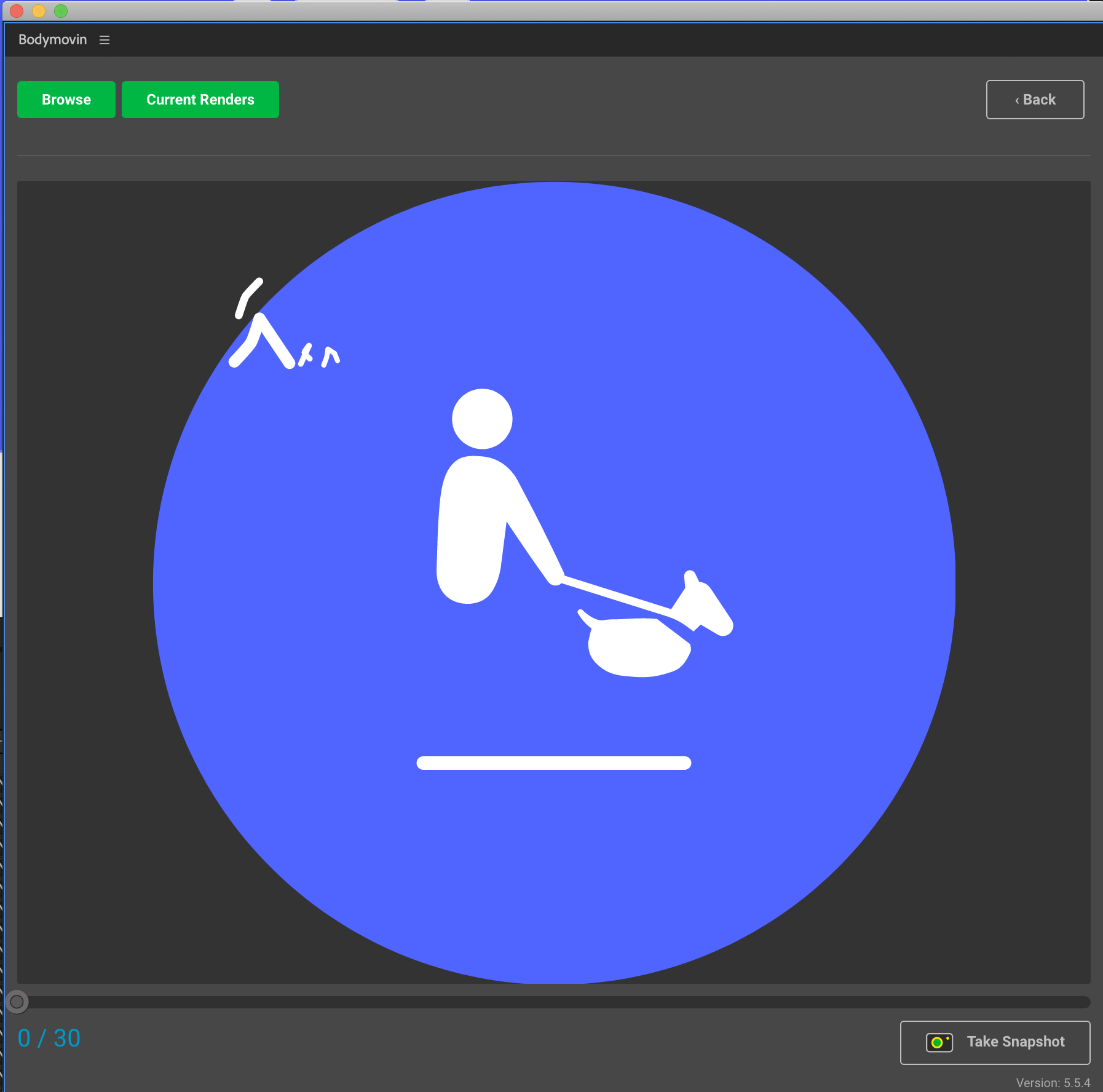
grodasy10
on 19 Jun 2019
Apologies for jumping the gun. I looked at your file, but something feels strange about the setup:
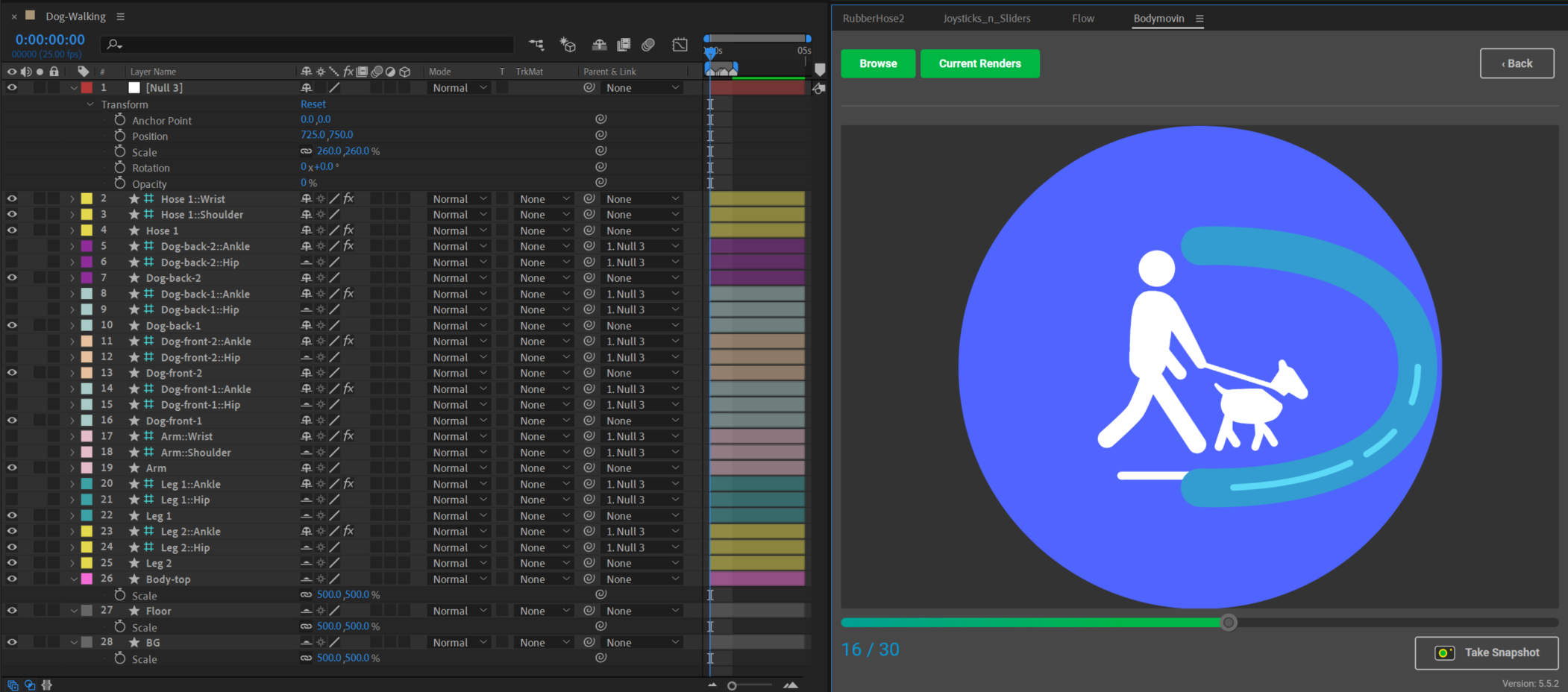
I parented all the controllers to a null, then shifted it's position and scaling. In doing so, noticed that you had other Nulls in your Solids folder which I don't see here, and that your Body-top, Floor and BG are scaled up to 500%. Did you previously have two Nulls that you used to change the positioning or scaling of the Rubberhose limbs?
For reference, the additional Rubberhose is a basic one generated with no positioning or scaling issues. It looks like something is being referenced here that isn't actively visible in the comp, like a missing null?
Inventsable
on 19 Jun 2019
Thanks for the reply, I didn't actually create the Nulls. I assumed they were created automatically. Is the scaling of the Body-top, Floor and BG causing an issue?
grodasy10
on 19 Jun 2019
I don't think that's directly involved but it led me to assume that you had it at an initial size, parented the Rubberhoses to something, scaled those assets up as well as the Null parent, then deleted the parent, because when I try to "reverse" this process by parenting the Rubberhoses and scaling up ~250%, they appear to be the around the correct size on render if I slide their X position.
You didn't parent or adjust them in any way? When I create basehoses and drag the controllers into position, then adjust the hose weight (taking care not to drag the hose, only dragging the controllers), I get results as expected:
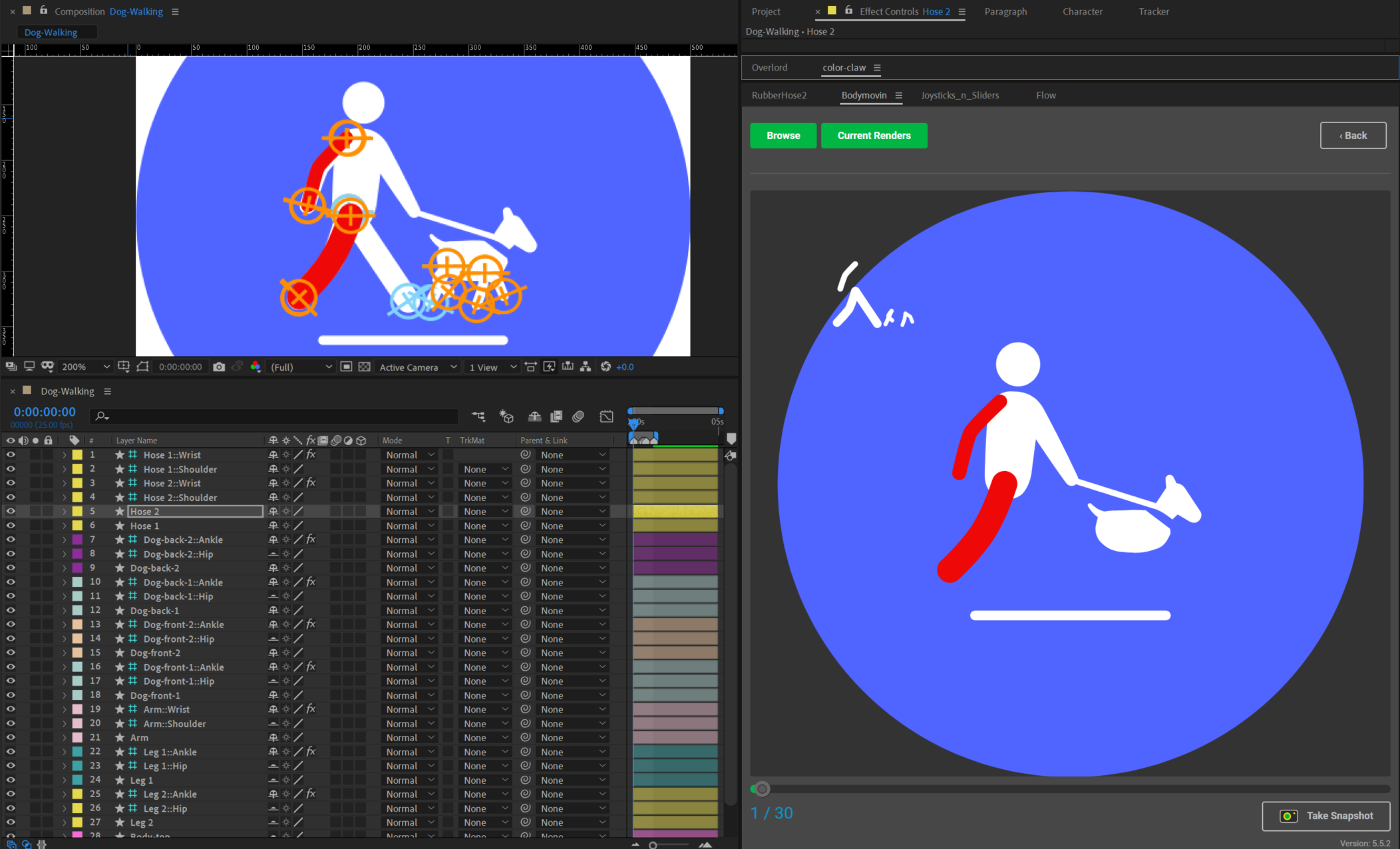
Did you create the Rubberhose limbs, then decide to scale all the artwork up? Or did you scale all the artwork up and then create the Rubberhose limbs as they are?
Inventsable
on 19 Jun 2019
I didn't parent, or adjust them in any way. You're right though, I just tried creating a new hose then copying all of the position frames onto the new one and it works perfectly! However if I duplicate or make any changes to the current hoses, they all end up pinned to the top left of the screen.
Thanks for your help on this, I'm not sure why it's happened but at least I know how to move forward.
grodasy10
on 19 Jun 2019
Very strange indeed! At least the keys can be saved and you wouldn't lose much time.
Can we close this issue? I'm not sure what happened, but I feel it's a problem on the AE/Rubberhose side rather than Lottie (despite it appearing correct in AE's preview screen).
Inventsable
on 19 Jun 2019
Absolutely, you're correct. Seems to be an AE/rubber hose issue. Thanks.
grodasy10
on 19 Jun 2019
Hi, I found the issue.
It was an AE expression that was not being converted to valid javascript during export.
It will be fixed on the next deploy.
 bodymovin
on 19 Jun 2019
bodymovin
on 19 Jun 2019
Related issues
 processprocess
·
3Comments
processprocess
·
3Comments
 ritsraghani
·
3Comments
ritsraghani
·
3Comments
 zhengs
·
3Comments
zhengs
·
3Comments
 joelponce
·
4Comments
joelponce
·
4Comments
 samiam2017
·
3Comments
samiam2017
·
3Comments
Most helpful comment
Hi, I found the issue.
It was an AE expression that was not being converted to valid javascript during export.
It will be fixed on the next deploy.